
 Customer reviews for SAMSUNG 58” Class U7900F Series 4K Crystal UHD Smart TV for
Member photos









 +1455 images
My Samsung TV
[This review was collected as part of a promotion.] I recently purchased the Samsung 50" Crystal UHD U7900F, and I have to say—this TV exceeded my expectations in just about every way. First, the picture quality is outstanding. The 4K resolution is crisp and vibrant, with colors that really pop without looking over-processed. Whether I’m watching movies, sports, or streaming shows, everything looks clean, sharp, and immersive. Samsung’s Crystal Processor does a great job upscaling lower-resolution content, making even older shows look noticeably better. � Best Buy The design is sleek and modern, with a slim profile that fits perfectly in my space. It doesn’t feel bulky at all, and it adds a nice, clean aesthetic to the room. I also really appreciate the smart features. The built-in Tizen OS makes it easy to access all my favorite apps—Netflix, YouTube, Prime Video, and more—without needing extra devices. Navigation is smooth, and everything loads quickly. � Samsung Another big plus is the value for the price. This TV delivers a premium viewing experience without the premium price tag. It’s perfect for anyone who wants excellent performance without stepping into OLED or QLED price ranges. If I had to mention one minor drawback, it would be that the refresh rate is standard (60Hz), so it’s not ideal for hardcore gamers—but for everyday viewing, it’s more than enough.
Good for the class and price.
[This review was collected as part of a promotion.] Great picture, nice sound. Light weight. Easy set up . Many built in channels. Remote is small and has the basic functionality. Contrast adjustment is easy. It bright enough, not over powering. Resolution is good for the money. Security is ok. I guess.

Great tv
[This review was collected as part of a promotion.] The 75-inch Samsung TV is an impressive centerpiece for any living room, delivering a truly immersive viewing experience. The picture quality is outstanding, with vibrant colors, deep blacks, and sharp detail that make movies, sports, and games come to life. Whether you're watching in a bright room or a darker setting, the brightness and contrast hold up extremely well. The large 75-inch screen size makes a huge difference, especially for family movie nights or gaming sessions. Samsung’s smart TV platform is easy to navigate, offering quick access to popular streaming apps like Netflix, YouTube, and Disney+. The interface is smooth and responsive, which adds to the overall user experience. Sound quality is decent for a flat-screen TV, but pairing it with a soundbar or surround system really takes things to the next level. Setup is simple, and the sleek, modern design looks great mounted on a wall or sitting on a stand. Overall, this Samsung 75-inch TV is a fantastic investment if you’re looking for a high-quality, large-screen TV with excellent performance, smart features, and a premium feel.
difficult to use
[This review was collected as part of a promotion.] This is the first time purchasing a Samsung TV I must say I'm very disappointed in it I always use Vizio in the past and willl go back. Every app we download quits and have to reinstall it 2 to 3 times a day it's very frustrating so I can say I will not be buying another Samsung TV again .
Hi sgarbar, Thank you for your feedback. Please try the below troubleshooting steps: 1. Try a Cold Boot (Power Reset): With the Samsung remote: • While the TV is on, press and hold the Power button on the remote. • Keep holding until the TV turns off and back on. Without the Samsung remote: • While the TV is on, unplug the power cord from the wall outlet. • Wait 30 seconds, then plug it back in and turn the TV on. 2. Check for Software Updates: Outdated software can affect performance. Go to: Home > left directional key > Settings > Support > Software Update > Update Now 3. Run Device Care: This tool frees up memory, closes background apps, and can improve speed: Settings > Support > Device Care > Start Device Care If you’ve tried these steps and your TV is still slow to respond, feel free to contact Samsung Support for further assistance at 1-800-SAMSUNG (8AM – 9PM EST Mon – Fri, 8AM – 6PM Sat – Sun). LiveChat and additional support resources are also available through the Support link on our website. ~Samsung Advisor
Won't link to any wifi
[This review was collected as part of a promotion.] I've been buying Samsung TVS for a long time. Enjoy the quality picture and everything about them. I recently purchased this new TV replacement that had broken on my outside patio I was a little taken back by the new style remote but being I have a roku TV I was able to figure it out quite easily. The problem I have is my tv will not pick up any Wi-Fi anywhere so as it stands, the only thing my TV picks up is digital TV from the antenna will not pick up any internet so I can't get any of my Samsung channels, my Netflix or any other apps that I have set up for my other televisions and it's very discouraging, and I can't figure out why I've done every steps. That I've seen to get remedy of this situation, but nothing seems to happen.I just wish someone could give me a hand with this.So I could get this t v working like I wanted to.

Hi Upsettvbuyer, Thank you for sharing your experience with Wi-Fi connectivity. If your TV is having trouble connecting to the network, the following steps may help resolve the issue: Signal & Setup Tips: 1. Check TV-to-router distance – Your TV should be within 50 feet of the modem or access point for reliable signal strength. 2. Minimize interference – Turn off nearby wireless devices and make sure there are no physical barriers (stone walls, fireplaces, appliances) between the TV and router. Power Cycle Devices: 3. Restart both your TV and router – Unplug both devices for at least 30 seconds, then plug them back in and allow them to reboot fully. Connection Type: 4. Evaluate your connection method – o If using Wi-Fi, move your router closer to the TV and eliminate any obstructions. o For a more stable connection, we strongly recommend using a wired Ethernet cable. o If already using Ethernet, verify the cable is working by testing it with another device. Run Built-In Diagnostic Tools: 5. Network Test: Settings > Support > Device Care > Self Diagnosis > Smart Hub Connection Test 6. Wi-Fi Check: Settings > Support > Device Care > Self Diagnosis > Wi-Fi 7. Please ensure you are running the latest Firmware. Go to Settings> Support> Software Update. Last Resort: 8. Perform a Factory Reset (if issues persist): Settings > All Settings > General & Privacy > Reset > Factory Data Reset. Note that this will return all settings to their original defaults. If these steps don’t resolve the issue, please reach out to Samsung Support at 1-800-SAMSUNG, available 8AM – 12AM EST, 7 days a week. LiveChat support and additional help are available at the ‘Support’ link on our website. ~Samsung Advisor
Great picture
[This review was collected as part of a promotion.] “After using the Samsung 55" Crystal UHD 4K Smart TV for a while now, I can honestly say I’m really impressed with everything this TV offers for the price. The picture quality is beautiful — the colors are vibrant, the blacks look deep, and everything looks incredibly sharp in 4K. Watching movies and shows feels so much more immersive, especially with the Crystal UHD display and HDR. Even older content looks better because the upscaling feature really helps improve the picture quality. One of my favorite things is how easy the smart features are to use. The Tizen system runs smoothly, apps load quickly, and streaming services like Netflix, Hulu, Disney+, and YouTube are all super convenient to access. The menu is clean and simple, which made setup quick and stress-free. The sound quality also surprised me. The audio is clear, loud, and balanced without needing a soundbar right away. I also really like how sleek and modern the TV looks — the thin design and minimal bezels make it look much more expensive than it actually is. For gaming, movies, sports, or everyday streaming, this TV does an amazing job. The motion handling is smooth, and everything looks crisp without much blur. Overall, I feel like Samsung did a great job creating a budget-friendly 4K TV that still feels premium. Definitely one of the best purchases I’ve made for my home entertainment setup.” The TV has strong customer ratings and features like 4K upscaling, Motion Xcelerator, HDR, and Samsung’s Tizen smart platform.
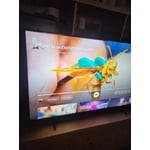
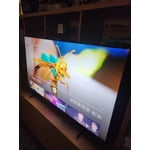
Love the feature
[This review was collected as part of a promotion.] I love Samsung I am particularly fond of Samsung products, as they offer seamless connectivity through their dedicated app, enabling me to conveniently control and monitor my technological devices. products I can connect to the app to control and monitor my tech products


Great sound and picture
[This review was collected as part of a promotion.] I love it. The colors are so bright and vivid. Also the blackness is just right so you can make out what's happening in dark scenes. The internal speaker is great very loud, no need for a sound bar.. Picture and sound I give 5 stars but what else can you expect from a Samsung.
Brilliant!
[This review was collected as part of a promotion.] The TV was a Christmas present. Overall it is great, there are just a couple of shows where the screen is dark compared to my other Samsung TV. I had to go to a tech store to find out work the remote control... product start up didn't have clear instructions.
Best TV by far!
[This review was collected as part of a promotion.] this is one of the best TVs I've had so far the quality is phenomenal picture is absolutely gorgeous and the sound but it is good not loud enough for me. the brightness could use some work wide enough however sometimes it doesn't keep up with the picture . the resolution is also it's so so .