Skip to Main Content
Sam's Club
Sam's Club
All Departments
All Services
Customer reviews for SAMSUNG 58” Class U7900F Series 4K Crystal UHD Smart TV for
SAMSUNG 58” Class U7900F Series 4K Crystal UHD Smart TV
4.5 out of 5 stars
stars
4,300 ratings4,242 reviews
  1. 5 stars73% (3,154)
  2. 4 stars15% (649)
  3. 3 stars6% (267)
  4. 2 stars2% (103)
  5. 1 star3% (127)

Member photos

  • +1638 images
Sort by |
Showing 4,011-4,020 of 4,242 reviews
Sep 5, 2025
Reviewer name: KBGR8T
5 out of 5 stars
5 out of 5 stars review

🔥My Samsung U7900F Crystal UHD TV🔥

[This review was collected as part of a promotion.] The new device has significantly enhanced my entertainment experience. Streaming content from various platforms like YouTube and Paramount+ is seamless and buffer-free. Additionally, the device's capability to access and display personal media, such as Google Photos, is remarkable. Furthermore, the integration with gaming platforms, specifically Xbox, offers immersive gameplay. The device's intuitive interface makes navigation and content discovery incredibly easy. I find myself enjoying hours of uninterrupted entertainment. Moreover, the device's responsiveness makes surfing the web a pleasure. Overall, the new device has exceeded my expectations.

Review from Samsung US
Helpful?18J4E5E7OZVG16422722568
Jun 20, 2025
Reviewer name: RichAZ
5 out of 5 stars
5 out of 5 stars review

Samsung Crystal 55” Perfect for Bedroom
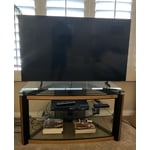
[This review was collected as part of a promotion.] We needed to replace an older (non-smart?) TV which we had for years in our master bedroom. The 55” size and quality of this unit were perfect for the room. Easy to assemble and easy to set up streaming with our various services. Thanks Samsung!

Review from Samsung US
Helpful?18J4E5E7OZVG16422722568
Aug 7, 2025
Reviewer name: Big bear
5 out of 5 stars
5 out of 5 stars review

55" crystal UHD

[This review was collected as part of a promotion.] This television offers a stunning display with vibrant colors and sharp details, providing an immersive viewing experience. The slim design and sleep apperance is great, enhancing the overall aesthetic. Its smart features and user-friendly interface make navigation easy and enjoyable for me. Overall, this model was a great choice for me. Im extremely happy with this purchase

Review from Samsung US
Helpful?18J4E5E7OZVG16422722568
Oct 3, 2025
Reviewer name: Anonymous
5 out of 5 stars
5 out of 5 stars review

Great clear picture with smart features
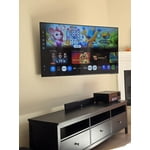
[This review was collected as part of a promotion.] We use our TV for streaming. The picture quality is great with bright vivid beautiful colors. Samsung interface is intuitive, with tons of options to choose from, including free streaming TV channels. The remote is very simple,minimalistic. If you own other Samsung devices, like a tablet or phone, you can control the TV using the Samsung app as well. Like any other modern TV, you get the usual HDMI and USB connections but iy lacks optical audio output and other composite connections. Overall, it is a great value with lots of entertainment options. Highly recommended.

Review from Samsung US
Helpful?18J4E5E7OZVG16422722568
Aug 28, 2025
Reviewer name: Tigerfan
3 out of 5 stars
3 out of 5 stars review

It’s just ok

[This review was collected as part of a promotion.] I have an older Samsung TV that is great. This one is just ok. Color is not that good and it is hard to navigate. It takes a while to come on and when it does it comes on whatever you were watching last.

Review from Samsung US
Helpful?18J4E5E7OZVG16422722568
reply from Samsung Specialist

Tigerfan, We appreciate your feedback on the picture quality of Samsung’s 2025 U7900F TV. If the image doesn’t quite match your preferences, there are several adjustments you can make to better suit your viewing environment and content type. First, please ensure your TV is running the latest firmware, as updates may include important picture quality and performance enhancements. Go to: Home > Left directional button > Settings > Support > Software Update > Update Now To explore picture mode options, navigate to: Home > Left directional button > Settings > All Settings > Picture > Picture Mode. Options include: • Standard – Ideal for general viewing • Dynamic – Brighter and more vibrant for well-lit spaces • Eco – Optimized for energy efficiency • Movie – Best for viewing in low light • Filmmaker Mode – Preserves the content creator’s intent and disables motion smoothing for supported content You can further customize your image by going to: Settings > All Settings > Picture > Expert Settings, where you can adjust Brightness, Contrast, Color Tone, Sharpness, Contrast Enhancer and more. To help you get the most from your TV, you can download the full e-Manual and more by visiting Samsung’s website then navigating to: Support > Manual & Software > TVs & Home Theater. From there, you can search for and select your U7900F TV model to view or download the available guides. The e-Manual and Remote Control Guide are also conveniently built into your TV: Settings > Support > Tips and User Guides If you need additional help, please contact Samsung Support at 1-800-SAMSUNG, 8AM – 12AM EST, 7 days a week. LiveChat agents are also available through the ‘Support’ link on our website. ~ Samsung Specialist

Sep 22, 2025
Reviewer name: Giddle
3 out of 5 stars
3 out of 5 stars review

Jury is still out

[This review was collected as part of a promotion.] 1500 Character Maximum I have had the television for almost 1 month and debating whether to call and report a problem. Periodically, when I put on the television, the screen flickers. Have to shut off the television and restart it. Also, sometimes when I first put on the television, there is no sound / volume. Similarly, I have to shut down and restart it. Lastly, sometimes picture freezes and then reverts to Home Screen.

Review from Samsung US
Helpful?18J4E5E7OZVG16422722568
reply from Samsung Advisor

Hi Giddle, Thank you for reaching out to us. Please try the steps below to resolve the flickering and sound issues you mentioned. If you're noticing flickering or unexpected changes in screen brightness, we recommend disabling the following energy-saving features: Settings > General & Privacy > Power and Energy Saving • Brightness Optimization • Motion Lighting • Energy Saving Solution You may also want to turn off Contrast Enhancer, which can cause brightness shifts during certain scenes: Settings > Picture > Expert Settings > Contrast Enhancer Lastly, make sure your TV is running the latest firmware: Settings > Support > Software Update > Update Now. Regarding sound issues: if you're not hearing sound from your TV, please try the following: • Check your volume and mute settings, and confirm external speakers are powered on. • If using HDMI ARC/eARC, make sure you’re using a certified HDMI cable and go to: Settings > All Settings > Sound > Expert Settings > HDMI eARC Mode = Auto. Also enable Anynet+ (HDMI-CEC) under External Device Manager. • For Optical, be sure the external audio device is on before connecting, and set Sound Output = Optical. • For Bluetooth, try unpairing and reconnecting: Settings > Sound > Sound Output > Bluetooth Speaker List • For Wi-Fi speakers, use: Sound Output > Wi-Fi Speaker Surround Setup and make sure both devices are on the same network. You can also try running a Sound Test: Settings > Support > Device Care > Self Diagnosis > Sound Test If your issue continues, we’re happy to help at 1-800-SAMSUNG, 8AM – 12AM EST, 7 days a week. Our LiveChat agents are also available by clicking the ‘Support’ link at Samsung.com. ~ Samsung Advisor

Jun 30, 2025
Reviewer name: VegasObsidian
5 out of 5 stars
5 out of 5 stars review

This product is phenomenal. Literally the best!s

[This review was collected as part of a promotion.] This product is literally the best television that I could ever ask for. When I watch a 4K Blu-ray on it, it feels like I'm in the movie. It is so crystal clear and the sound is immersing. I am literally blown away by this product.

Review from Samsung US
Helpful?18J4E5E7OZVG16422722568
Aug 22, 2025
Reviewer name: Juanchos12
5 out of 5 stars
5 out of 5 stars review

This TV is awesome, it works fast and versatile.
[This review was collected as part of a promotion.] I use my Samsung TV in many ways, first to watch series, is very good, there are never any failures, it has good lighting and resolution, I also use it in computer, very good and I like its functions, I also use it with video games that connect with my PS4, I love this product.

Review from Samsung US
Helpful?18J4E5E7OZVG16422722568
Aug 22, 2025
Reviewer name: Anonymous
5 out of 5 stars
5 out of 5 stars review

Great product

[This review was collected as part of a promotion.] The Samsung U7900F is a sleek, affordable 4K smart TV with vibrant colors, HDR10 support, and a slim metal design. Powered by the Crystal Processor 4K, it delivers sharp detail and smooth performance for everyday streaming and casual viewing. Smart features like Samsung TV Plus (free channels), SmartThings integration, and Gaming Hub add convenience. Pros: Stylish design, sharp 4K upscaling, solid color and contrast, free streaming channels, lightweight and easy setup. Cons: No HDMI 2.1, VRR, or 120Hz for gamers; limited black depth (no local dimming); Tizen OS menus can feel clunky. Verdict: Great for streaming and everyday use in well-lit rooms, but not the best choice for serious gamers or movie enthusiasts who want deep contras.

Review from Samsung US
Helpful?18J4E5E7OZVG16422722568
Sep 20, 2025
Reviewer name: Dadayster
5 out of 5 stars
5 out of 5 stars review

EXTREMELY HAPPY... HIGHLY RECOMMEND THIS TV....

[This review was collected as part of a promotion.] I am extremely happy with my new Samsung TV. I replaced a 11 year old TV and could not be happier. It has so many features I love, the first of which is the picture quality and the sound quality, (they both make you feel like you are in the scene as the picture quality is so life like). Additionally, the settings for the picture and sound come in an array of options so you can adjust it to your viewing behavior or likes, and sound likes. The model I have has WiFi, and Bluetooth which are both excellent. The TV has not dropped any connections WiFi home internet connections what so ever. Additionally, the TV offers internet browsing which is also awesome. And it comes with a plethora of preinstalled apps, and you can add more apps if you have a favorite. I use the TV for online streaming of movies and occasional TV shows, as well as playing games. The TV has a library of games available to play and you can connect to online game servers. It also comes with Samsun TV which was awesome too. The quality of this TV is higher than i ever expected. Additionally, the remote is very sensitive and highly responsive. You press a button and the TV reacts without delay. I highly recommend this TV. Thanks Samsung for a high quality product.

Review from Samsung US
Helpful?18J4E5E7OZVG16422722568