Skip to Main Content
Sam's Club
Sam's Club
All Departments
All Services
Customer reviews for SAMSUNG 58” Class U7900F Series 4K Crystal UHD Smart TV for
SAMSUNG 58” Class U7900F Series 4K Crystal UHD Smart TV
4.5 out of 5 stars
stars
4,300 ratings4,242 reviews
  1. 5 stars73% (3,154)
  2. 4 stars15% (649)
  3. 3 stars6% (267)
  4. 2 stars2% (103)
  5. 1 star3% (127)

Member photos

  • +1638 images
Sort by |
Showing 4,001-4,010 of 4,242 reviews
Aug 20, 2025
Reviewer name: Teachit
1 out of 5 stars
1 out of 5 stars review

Not the Samsung I’m used to!

Bought this tv yesterday. Did the setup and it was confusing to say the least. I’ve set up many TVs and most are straightforward and intuitive. I’ve even set up other Samsungs and this was by far the worst for set up. Now for the actual picture. Right out of the box the picture was not very good. Picture was “washed out” and just didn’t look right compared to our other TVs. Tried online suggestions for correcting colors and sharpness of image. Nothing improves the picture. So disappointed in this Samsung!!! Our cheapy TV, all our other TVs (all 6) are so much better. Our other Samsung (older set) is fine. Plus it has a mind of its own. After turning it off and then returning to watch tv it goes into Samsung plus instead of our satellite provider. This issue just started. At first at least when set was turned on we had our satellite on. And I HATE the remote. Even had our son over to help with adjustments and settings with no luck. Very disappointing product!

Review from Samsung US
Helpful?18J4E5E7OZVG16422722568
reply from Samsung Advisor

Hi Teachit, We appreciate your feedback and are glad you reached out to us. There are a few adjustments you can make that may improve your experience. First, let's ensure you are running the latest Firmware. Go to Settings> Support> Software Update. If the picture appears unclear, dull, or lacks definition, there are several settings you can adjust to improve clarity and overall image quality. Go to: Settings > All Settings > Picture > Expert Settings, and review these key settings: Picture Clarity Settings: While originally intended for motion handling, these can also impact overall clarity • Off: Disables motion enhancements • Auto: Automatically adjusts based on content • Custom: Lets you fine-tune: o Judder Reduction – Helps smooth out uneven motion o LED Clear Motion – Boosts sharpness in fast-moving content o Noise Reduction – Reduces distortion and enhances detail in lower-resolution sources Core Picture Settings • Brightness – Controls overall screen brightness • Contrast – Enhances the difference between bright and dark areas • Sharpness – Adjusts edge definition; closer to 20 increases detail • Color – Enhances depth and intensity of colors Finally, while your TV may currently default to Samsung TV Plus when powered on, you can customize what your TV does at startup by adjusting the Start Screen Options. To do this, navigate to: Settings > All Settings > Advanced Features > Start Screen Option and choose from the following: 1. Start with Smart Hub Home – Automatically launches Smart Hub when the TV is turned on. You can enable or disable this option based on your preference. 2. Autorun Multi View Casting – If you cast YouTube content from your mobile device, the TV will automatically display the content using Multi View. 3. Autorun Multi View Mirroring – When you screen mirror your mobile device, Multi View will automatically open to show your device’s screen. If you need help adjusting these settings or have any other questions, please contact Samsung Support at 1-800-SAMSUNG, 8AM – 12AM EST, 7 days a week. LiveChat agents are also available by clicking on the ‘Support’ link on our website. ~ Samsung Advisor

Jul 5, 2025
Reviewer name: Samsung4Life
5 out of 5 stars
5 out of 5 stars review

Easy Set Up

[This review was collected as part of a promotion.] I use my Samsung for streaming only. I love all the apps that are available. The picture quality is excellent. This is the third Samsung TV that I have purchased my first one was not a smart TV, so that tells you how long I have owned each one. I have had a 32 inch, 47 inch, and have recently graduated to a 55 inch.

Review from Samsung US
Helpful?18J4E5E7OZVG16422722568
Jul 30, 2025
Reviewer name: Rickie
5 out of 5 stars
5 out of 5 stars review

Many features & great picture

[This review was collected as part of a promotion.] This Samsung TV offers so many options and features. It was easy to set up and customize. I appreciate all the free apps available for music and entertainment. 50” tv was plenty good for me and was quite affordable. Really enjoy this television. A good purchase.

Review from Samsung US
Helpful?18J4E5E7OZVG16422722568
Jun 20, 2025
Reviewer name: Anonymous
5 out of 5 stars
5 out of 5 stars review

Crystal UHD is crystal clear

[This review was collected as part of a promotion.] The Samsung U7900F Crystal UHD TV (2025) really impresses me with its visual experience, especially considering the price. Its Crystal Processor truly makes colors vibrant and 4K details sharp, and I find content just pops off the screen. Its bright panel and the incredibly user-friendly Tizen OS genuinely create an excellent, immersive viewing experience for my everyday entertainment.

Review from Samsung US
Helpful?18J4E5E7OZVG16422722568
Aug 22, 2025
Reviewer name: Love2Shop
5 out of 5 stars
5 out of 5 stars review

Tv is Great

[This review was collected as part of a promotion.] I love everything about the tv but my favorite features is how I can call my phone I can change the brightness settings and it is it has Bluetooth that is really cool. I couldn't find my cables to my sound bar and was and to use the Bluetooth and every time I turn on the TV it asks me if I want to connect it to the sound bar.

Review from Samsung US
Helpful?18J4E5E7OZVG16422722568
Sep 22, 2025
Reviewer name: Giddle
3 out of 5 stars
3 out of 5 stars review

Jury is still out

[This review was collected as part of a promotion.] 1500 Character Maximum I have had the television for almost 1 month and debating whether to call and report a problem. Periodically, when I put on the television, the screen flickers. Have to shut off the television and restart it. Also, sometimes when I first put on the television, there is no sound / volume. Similarly, I have to shut down and restart it. Lastly, sometimes picture freezes and then reverts to Home Screen.

Review from Samsung US
Helpful?18J4E5E7OZVG16422722568
reply from Samsung Advisor

Hi Giddle, Thank you for reaching out to us. Please try the steps below to resolve the flickering and sound issues you mentioned. If you're noticing flickering or unexpected changes in screen brightness, we recommend disabling the following energy-saving features: Settings > General & Privacy > Power and Energy Saving • Brightness Optimization • Motion Lighting • Energy Saving Solution You may also want to turn off Contrast Enhancer, which can cause brightness shifts during certain scenes: Settings > Picture > Expert Settings > Contrast Enhancer Lastly, make sure your TV is running the latest firmware: Settings > Support > Software Update > Update Now. Regarding sound issues: if you're not hearing sound from your TV, please try the following: • Check your volume and mute settings, and confirm external speakers are powered on. • If using HDMI ARC/eARC, make sure you’re using a certified HDMI cable and go to: Settings > All Settings > Sound > Expert Settings > HDMI eARC Mode = Auto. Also enable Anynet+ (HDMI-CEC) under External Device Manager. • For Optical, be sure the external audio device is on before connecting, and set Sound Output = Optical. • For Bluetooth, try unpairing and reconnecting: Settings > Sound > Sound Output > Bluetooth Speaker List • For Wi-Fi speakers, use: Sound Output > Wi-Fi Speaker Surround Setup and make sure both devices are on the same network. You can also try running a Sound Test: Settings > Support > Device Care > Self Diagnosis > Sound Test If your issue continues, we’re happy to help at 1-800-SAMSUNG, 8AM – 12AM EST, 7 days a week. Our LiveChat agents are also available by clicking the ‘Support’ link at Samsung.com. ~ Samsung Advisor

Jul 7, 2025
Reviewer name: Upgrading
5 out of 5 stars
5 out of 5 stars review

This has a much better quality of life than the ol

[This review was collected as part of a promotion.] Had to replace my old Samsung 4k TV because of Normal wear and tear. The TV automatically is better than my old model. Because of how everything that I severything that I had complaints about the old t. VS got fixed with this model of television including the remote being better. The quality of the images way better. Much better ease of access of apps also And better way of switching back-and-forth without no lag. Overall, the television is a good quality Definitely worth a update.

Review from Samsung US
Helpful?18J4E5E7OZVG16422722568
Aug 27, 2025
Reviewer name: seppelreviewssamsung
5 out of 5 stars
5 out of 5 stars review

A great TV

[This review was collected as part of a promotion.] My fiancée and I use this TV all the time to watch movies and it is great. The image is fantastic quality and the size is perfect. Setup was super easy, so we could just get right to watching which was great.

Review from Samsung US
Helpful?18J4E5E7OZVG16422722568
Jul 20, 2025
Reviewer name: Philly1
5 out of 5 stars
5 out of 5 stars review

This tv is great technology
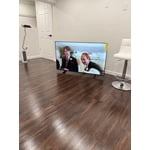
[This review was collected as part of a promotion.] I have not bought a tv in last was missing out on the new technology.i love this tv ,the features are awesome .my last tv it was Samsung and i had it for years,still going strong but needed something new .no other tv compares to Samsung.the features on this television is mind blowing,never regret my purchase.thanks Samsung

Review from Samsung US
Helpful?18J4E5E7OZVG16422722568
Sep 5, 2025
Reviewer name: KBGR8T
5 out of 5 stars
5 out of 5 stars review

🔥My Samsung U7900F Crystal UHD TV🔥

[This review was collected as part of a promotion.] The new device has significantly enhanced my entertainment experience. Streaming content from various platforms like YouTube and Paramount+ is seamless and buffer-free. Additionally, the device's capability to access and display personal media, such as Google Photos, is remarkable. Furthermore, the integration with gaming platforms, specifically Xbox, offers immersive gameplay. The device's intuitive interface makes navigation and content discovery incredibly easy. I find myself enjoying hours of uninterrupted entertainment. Moreover, the device's responsiveness makes surfing the web a pleasure. Overall, the new device has exceeded my expectations.

Review from Samsung US
Helpful?18J4E5E7OZVG16422722568