Skip to Main Content
Sam's Club
Sam's Club
Customer reviews for SAMSUNG 58” Class U7900F Series 4K Crystal UHD Smart TV for
SAMSUNG 58” Class U7900F Series 4K Crystal UHD Smart TV
4.6 out of 5 stars
stars1,996 ratings1,938 reviews
  1. 5 stars78% (1,547)
  2. 4 stars14% (282)
  3. 3 stars4% (89)
  4. 2 stars2% (33)
  5. 1 star2% (45)

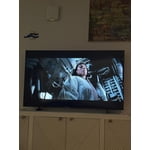
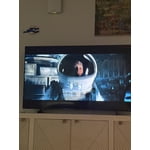
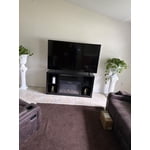
Member photos

  • +753 images
Sort by |
Showing 231-240 of 1,938 reviews
May 8, 2026
Danielle
4 out of 5 stars review

Love the tv

[This review was collected as part of a promotion.] The only two downsides is that there is only one usb port and not enough memory. Otherwise we love the tv.

Review from Samsung US
Helpful?18J4E5E7OZVG16422722568
May 2, 2026
Imjustsaiyan88
5 out of 5 stars review

Best screen you've seen.

[This review was collected as part of a promotion.] This TV has an incredible picture quality. You can't go wrong with this one. Not too mention HDR+.

Review from Samsung US
Helpful?18J4E5E7OZVG16422722568
May 15, 2026
jjmeeks4
5 out of 5 stars review

Easy to Mount

[This review was collected as part of a promotion.] Sleek, Lightweight Design: Despite its massive footprint, the "MetalStream" chassis is remarkably thin and lightweight, making wall-mounting a straightforward process.

Review from Samsung US
Helpful?18J4E5E7OZVG16422722568
May 3, 2026
Bean13
3 out of 5 stars review

Id's & memory hold

[This review was collected as part of a promotion.] This TV is great, limited on the capabilities and the memory does not work well have to constantly put in password

Review from Samsung US
Helpful?18J4E5E7OZVG16422722568
reply from Samsung Advisor

Hi Bean13, Thank you for reaching out to us. Please ensure your TV is running the latest Firmware, version 1132.0. Go to Settings> Support> Software Update. If this firmware version is not yet available on your TV, you can download the update on a USB drive and manually update your TV: 1. On Samsung's website (upper right corner), go to: Support > Manual & Software > Find your TV model, and click on the Firmware – Upgrade File. 2. When the file has finished downloading, locate it and then unzip it. There is normally one folder inside but there may be multiple files. 3. Copy or move all of the files that were included in the zip file to a USB flash drive, but do not place them inside any other folders. If you place the software folders inside a folder on the USB flash drive, the TV or monitor will not find them. 4. Connect the USB drive containing the software upgrade into a USB port on your device. 5. Using your device's remote, navigate to and select Settings, then select All Settings, and then select Support. Select Software Update, select Update Now, and then select Yes if prompted. Your device will search the USB drive for update files. Follow the on-screen instructions to install the updated software. Updates usually take a few minutes; please do not turn off the TV until the update is complete. When the update is finished, it will restart automatically. If you need additional support, Samsung is here to help. Please call us at 1-800-SAMSUNG, available 8AM – 9PM EST Mon – Fri, 8AM – 6PM Sat – Sun. You can also chat with a LiveChat agent by clicking the ‘Support’ link on our website. ~Samsung Advisor

May 12, 2026
Misoffi
5 out of 5 stars review

Great product

[This review was collected as part of a promotion.] Is a good looking tv, the quality of the picture is nice and not that reflecting of the sunlight, overall i recommend the product.

Review from Samsung US
Helpful?18J4E5E7OZVG16422722568
May 20, 2026
KenB
5 out of 5 stars review

79" Samsung Smart Television

[This review was collected as part of a promotion.] This television has a wonderful picture. Like having all the apps on the television. Especially the samsung tv app. Lots of great shows to watch and no fees.

Review from Samsung US
Helpful?18J4E5E7OZVG16422722568
May 20, 2026
Clayton
5 out of 5 stars review

Best TV

[This review was collected as part of a promotion.] The TV is amazing great screen sound and software the screen is very bright and the contrast is great and the TV is secure and the res

Review from Samsung US
Helpful?18J4E5E7OZVG16422722568
May 20, 2026
Talented VIP
5 out of 5 stars review

Excellent Quality

[This review was collected as part of a promotion.] The quality and picture of the Samsung TV is very outstanding . I enjoy watching a TV show and movie on this TV . The performance and overall quality is great.

Review from Samsung US
Helpful?18J4E5E7OZVG16422722568
May 19, 2026
MAGALLAN
4 out of 5 stars review

Perfect picture

[This review was collected as part of a promotion.] This product is worth the money. Nice picture. Easy to set up and to connect sound bar via Bluetooth. Being able to control with phone is also a great feature.

Review from Samsung US
Helpful?18J4E5E7OZVG16422722568
May 4, 2026
Mlg1
5 out of 5 stars review

Great value for money

[This review was collected as part of a promotion.] The resolutions just The best. You can't compare the colors to other brands. Steaming is pretty fast for a TV, will all way recommend it. Anesthetics are beautiful, fits in almost everywhere.

Review from Samsung US
Helpful?18J4E5E7OZVG16422722568