Skip to Main Content
Sams Club
Sams Club
Customer reviews for SAMSUNG 58” Class U7900F Series 4K Crystal UHD Smart TV for
SAMSUNG 58” Class U7900F Series 4K Crystal UHD Smart TV
4.7 out of 5 stars
stars1,752 ratings1,694 reviews
  1. 5 stars78% (1,373)
  2. 4 stars14% (248)
  3. 3 stars4% (71)
  4. 2 stars1% (24)
  5. 1 star2% (36)

Member photos

  • +659 images
Sort by |
Showing 11-20 of 1,694 reviews
Jan 16, 2026
Ginat
2 out of 5 stars review

Horrible remote

Bought this TV. It came with no user manual. The remote is horrible. They took away most of the functions. Can't figure out how to use it. Can't put in a specific channel, no previous channel button. Trying to find a user manual here. Not too easy. We are using a remote from another Samsung TV. Only way we can make it work. Very hard to navigate once you are in.

Review from Samsung US
Helpful?18J4E5E7OZVG16422722568
reply from Samsung Specialist

Hi Ginat, We appreciate you sharing your experience. To help you get the most from your TV and remote functions, you can download the full e-Manual and more by visiting Samsung’s website then navigating to: Support > Manual & Software > TVs & Home Theater. From there, you can search for and select your U7900F TV model to view or download the available guides. The e-Manual & Remote Control Guide are also conveniently built into your TV: Settings > Support > Tips and User Guides. For additional guidance, your TV also includes Accessibility features designed to assist with navigation and remote use. • Learn Menu Screen provides audio guidance for on-screen menus by announcing the name and function of each item as you scroll – without making any changes. This is especially helpful for users who are visually impaired or new to Smart TV menus. Enable via: Settings > All Settings > General & Privacy > Accessibility > Learn Menu Screen. To exit, press the Return key twice. • Learn TV Remote helps users become familiar with the layout and function of each button on the Samsung remote. Pressing a button (other than Power) will prompt the TV to announce its name and purpose, again without affecting TV operation. Enable via: Settings > All Settings > General & Privacy > Accessibility > Learn TV Remote. To exit, press the Return key twice. If you’d like more assistance with these features, please reach Samsung Support at 1-800-SAMSUNG, available 8AM – 12AM EST, 7 days a week. LiveChat agents are also available through the ‘Support’ link on our website. ~ Samsung Specialist

Jan 15, 2026
Apollo11guy
3 out of 5 stars review

Missing a very important feature

This 50" was a birthday gift from our son to my wife. It replaces our 44-yr old 600 lb set that just would not die. While we love the improved picture, the big drawback is that it doesn't automatically jump to the HD channel when you input the SD channel number that we have used forever. I needed to make a conversion chart we have to refer to whenever we turn it on or change the channel. Even our old cheapo sets can do this useful task automatically.

Review from Samsung US
Helpful?18J4E5E7OZVG16422722568
reply from Samsung Advisor

Hi Apollo11guy, We appreciate your purchase and for sharing your experience with us. Please know your feedback will be shared with our internal teams. If you have any questions or need help, we’re always here. Call 1-800-SAMSUNG from 8AM - 12AM EST, seven days a week, or connect with a LiveChat agent anytime by selecting ‘Support’ on our website. ~Samsung Advisor

May 1, 2026
Ninaluv
5 out of 5 stars review

Amazing product!

[This review was collected as part of a promotion.] This TV has amazing colors and clarity, with sharp graphics. Stellar streaming capabilities with many downloadable apps. Amazing security as well.

Review from Samsung US
Helpful?18J4E5E7OZVG16422722568
Apr 19, 2026
vgks
5 out of 5 stars review

Ez choice

[This review was collected as part of a promotion.] Very budget friendly for the price. Easy to use and setup. Bright and extremely vibrant. Deep colors, 4k resolution together looks great. Samsung account integration with appliances makes it easy to monitor my home without worrying about extra third-parties getting involved.

Review from Samsung US
Helpful?18J4E5E7OZVG16422722568
Apr 14, 2026
EASTSIDELOVA
4 out of 5 stars review

Great menu options and the sound wow!

[This review was collected as part of a promotion.] I have had my t.v. for awhile had it in my bedroom but ultimately put in living room. The color is amazing. The resolution was impressive. Great options on the brightness! With good security options for online usage. Vibrancy is also great with the sun coming through our windows.

Review from Samsung US
Helpful?18J4E5E7OZVG16422722568
Apr 17, 2026
Jake
5 out of 5 stars review

A TV for everyone.

[This review was collected as part of a promotion.] The true color pop on this TV is just outstanding. Watching this aesthetic TV during the day matches the room. With how bright this TV is viewing during the daytime makes you feel just as secure as the security Samsung puts behind the TV itself. And last of all, playing games a full resolution is one of the best features with the included game mode.

Review from Samsung US
Helpful?18J4E5E7OZVG16422722568
Apr 21, 2026
JoeDevo
1 out of 5 stars review

Failed after a short time

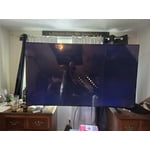
[This review was collected as part of a promotion.] I’ve had this TV for @ 1 year and it has ceased to work properly. We tried to reset with no effect. Screen simple blinks on and off a dull blue. Remote does nothing and we can only turn it off by unplugging it. It is a bedroom TV so it has had relatively little use compared to our other TVs. A total disappointment.

Review from Samsung US
Helpful?18J4E5E7OZVG16422722568
reply from Samsung Advisor

Hi JoeDevo, We’re sorry to hear of the screen interruptions you've encountered. This can be caused by loose connections, faulty cables, or external device settings. These are typically quick to resolve, and we’re here to help. Please contact Samsung Support at 1-800-SAMSUNG so we can assist you further. You can also access LiveChat and additional resources by visiting the Support section on our website. ~ Samsung Advisor

Apr 17, 2026
Kim1
5 out of 5 stars review

White Stripes?

[This review was collected as part of a promotion.] Hello, I have had this TV for a bit now. Its picture is great, but it has these strange white stripes at the bottom of the screen. When the TV's on, you can't hardly tell they're there. What are these white streaks? Nonetheless, I loved my TV.

Review from Samsung US
Helpful?18J4E5E7OZVG16422722568
Apr 26, 2026
MrShotCalla
5 out of 5 stars review

Samsung 65 Crystal Has Beautiful Picture !

[This review was collected as part of a promotion.] My fiancée bought me a beautiful 65- in. Samsung Crystal Smart TV for a Father's Day gift and I love it ! The picture is clear and brightly displays images and more while watching this wonderful TV screen. I would definitely stay with brand and recommend it to others.

Review from Samsung US
Helpful?18J4E5E7OZVG16422722568
Apr 24, 2026
ktmrider77
1 out of 5 stars review

might be better off saving your money

[This review was collected as part of a promotion.] I'm not sure if it's a software problem but whatever operating system is on this TV is very slow and laggy even with the best of the best internet I've tried it on fiber and I've also tried it with the most expensive star link plan there's no difference there that's how I know it's the TV and not a internet connection. The interface itself also is very disappointing there's all these recommended garbage things that I don't want and I actually have to scroll down through the trash to find my actual apps or the actual features that I'm looking for which is very inconvenient for me I like to be able to turn on a TV and go instantly to where I want kind of like the Roku settings are. So keep that in mind when you're designing other things. There's also an issue with a lot of the pre-downloaded programs. They will not let you delete them you can go through the whole deleting process and you can click okay to delete and it still stays there as well as new things you download you have to delete them three maybe five times before they'll actually be removed from your TV. The lack of an input section is fairly confusing I'm young so I was able to figure it out pretty quickly but for an elderly person I do not think this thing would be a good choice. I also don't like the fact that Samsung monitors everything I play on the TV for advertisement purposes and sells that data that's very bothersome and disturbing to me and if I would have known that before I spent the money I would not have purchased this TV. I am sick of being tracked with every little thing I do! Honestly if this TV wasn't so difficult to hang I would have returned it because of what I have described above.

Review from Samsung US
Helpful?18J4E5E7OZVG16422722568
reply from Samsung Advisor

Hi ktmrider77, We appreciate your detailed feedback. Please know your opinion is important to us and will be shared with our internal teams. We recommend ensuring your TV is running the latest Firmware, version 1132.0. Go to Settings> Support> Software Update. If this firmware version is not yet available on your TV, you can download the update on a USB drive and manually update your TV: 1. On Samsung's website (upper right corner), go to: Support > Manual & Software > Find your TV model, and click on the Firmware – Upgrade File. 2. When the file has finished downloading, locate it and then unzip it. There is normally one folder inside but there may be multiple files. 3. Copy or move all of the files that were included in the zip file to a USB flash drive, but do not place them inside any other folders. If you place the software folders inside a folder on the USB flash drive, the TV or monitor will not find them. 4. Connect the USB drive containing the software upgrade into a USB port on your device. 5. Using your device's remote, navigate to and select Settings, then select All Settings, and then select Support. Select Software Update, select Update Now, and then select Yes if prompted. Your device will search the USB drive for update files. Follow the on-screen instructions to install the updated software. Updates usually take a few minutes; please do not turn off the TV until the update is complete. When the update is finished, it will restart automatically. If you need additional support, Samsung is here to help. Please call us at 1-800-SAMSUNG, available 8AM – 9PM EST Mon – Fri, 8AM – 6PM Sat – Sun. You can also chat with a LiveChat agent by clicking the ‘Support’ link on our website. ~ Samsung Advisor