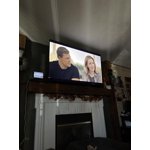
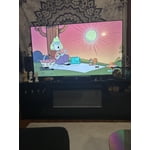
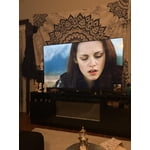
Customer reviews for SAMSUNG 58” Class U7900F Series 4K Crystal UHD Smart TV forMember photos


+753 images
Poor picture quality
[This review was collected as part of a promotion.] This is my 5th samsung tv, and the poorest quality of all of them. The picture has no depth to it and the sound do3s not come on sometime when turned on fist time of day, unless I Unplug the power cord! NOT A GREAT TV
Hi Duke 3, We appreciate your feedback on the picture quality of Samsung’s U7900F TV. If the image doesn’t quite match your preferences, there are several adjustments you can make to better suit your viewing environment and content type. First, please ensure your TV is running the latest firmware, as updates may include important picture quality enhancements. Go to: Home > Left directional button > Settings > Support > Software Update > Update Now To explore picture mode options, navigate to: Home > Left directional button > Settings > All Settings > Picture > Picture Mode. Options include: • Standard – Ideal for general viewing • Dynamic – Brighter and more vibrant for well-lit spaces • Eco – Optimized for energy efficiency • Movie – Best for viewing in low light • Filmmaker Mode – Preserves the content creator’s intent and disables motion smoothing for supported content You can further customize your image by going to: Settings > All Settings > Picture > Expert Settings, where you can adjust Brightness, Contrast, Color Tone, Sharpness, Contrast Enhancer and more. If you’d like help finding the best picture settings for your preferences, please don’t hesitate to contact Samsung Support at 1-800-SAMSUNG, available 8AM – 9PM EST Mon – Fri, 8AM – 6PM Sat – Sun. You can also LiveChat with an agent or explore additional resources on our website by clicking the ‘Support’ link. ~ Samsung Advisor
Great
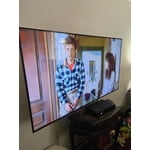
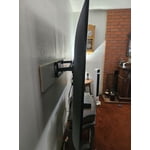
[This review was collected as part of a promotion.] Love this tv its fast working TV it's up to date HD it's thin I got a mountain on the wall and pushed out a little bit not too big of a remote if it's right on my wall perfectly thin TV not too thick around the edges is good the picture is excellent quality is good
More Than a Display—It's an Aesthetic Experience
[This review was collected as part of a promotion.] When I decided to upgrade my home entertainment setup, I wasn't just looking for a screen; I was looking for a centerpiece. The Samsung 65" Crystal UHD 4K Smart TV hasn't just filled the space on my wall—it has completely redefined how I engage with visual storytelling. Visual Brilliance meets Tailored Design The first thing that strikes you is the MetalStream design. In a world of bulky plastic, this TV feels like an intentional piece of architecture. It's sleek, minimal, and blends seamlessly with my home decor, proving that technology can be as beautiful as the art it displays. The Crystal Processor 4K is the true workhorse here; the 4K upscaling is genuinely transformative, pulling detail out of older classics that I've seen a dozen times but never truly seen until now. Intuitive Intelligence What truly elevates this experience is the Tizen-powered interface. It's snappy, intuitive, and doesn't get in the way of what matters. Whether I am jumping from a high-stakes gaming session using the Auto Game Mode or settling in for a cinematic night with HDR-enhanced content, the transition is effortless. The adaptive brightness is a standout feature—it respects the lighting in my room, ensuring that whether it's high noon or late evening, the picture remains perfectly balanced without me ever having to touch a setting. The Bottom Line This TV is the rare intersection of luxury aesthetics and high-performance engineering. It provides an immersive, vivid experience that makes every frame feel deliberate. For anyone looking to invest in a television that treats their content—and their living space—with the respect it deserves, the 65" Crystal UHD is the gold standard.
The best add to my galaxy ecosystem.
[This review was collected as part of a promotion.] Excellent TV, probably the best i ever had. Greta image quality, the display its beautiful, the connectivity with my galaxy phone its great, the resolution on the screen its great, the vibrancy of colors its great, i love how bright it gets during the day making the daily streaming awesome. Its just a great TV with very good features, more if you are in the galaxy ecosystem.
SUPER GREAT TV
[This review was collected as part of a promotion.] This TV has an excellent picture resolution. The color if very vivid. The pictures are bright, crisp and clear. It also has a film maker mode on it that's really cool. Its thin and sleek design make it a very nice addition to my other Samsung products. It connects seamlessly to my samsung soundbar or my Samsung buds 4 pro it I prefer. Also connects to my Galaxy s24 ultra with ease.ive had no issues with security. I love it
Awesome
[This review was collected as part of a promotion.] Color is awesome and security is great.still learning other functions.all in all it was a great purchase.my son got me a sound bar and showed me how to usevit with tv.brightness grest aesthetics grest,resolution great.
Excellent in all respects.
[This review was collected as part of a promotion.] It is a fairly sharp TV, with spectacular colors, quite easy to use and its aesthetics are beautiful. I recommend it 100% nobody will regret this purchase, Samsung knew what it did as this product of such high quality
Samsung 50" 4K Smart Tizen TV
[This review was collected as part of a promotion.] I've been a Samsung person for years and this is my second TV purchase and I have to say Samsung hasn't failed or disappointed me thus far. The home screen got a huge upgrade and is much easier to navigate. The sound quality has always been top notch and this Crystal UHD takes it a step further. The remote control is also slim and easier to use and Smart Things synchronization was smooth and easy to handle. Overall this TV gets 5 stars from me and a 10/10!!!
Great for the price
[This review was collected as part of a promotion.] Fits nicely in my entertainment center. At night, I have to change the brightness as adaptive brightness does not adjust that great. I might have to utilize background lighting or leave the overhead ceiling lights.
Tizen OS Needs Work
[This review was collected as part of a promotion.] It's a TV. Gets the job done. Three stars are because the Tizen operating system is glitchy with respect to our home network. It seems overly sensitive whereas other brand TVs aren't. We have to reset the network often for no reason.
Hi Fussygirl, Thank you for reaching out to us. Please ensure your TV is running the latest Firmware, version 1132.0. Go to Settings> Support> Software Update. If this firmware version is not yet available on your TV, you can download the update on a USB drive and manually update your TV: 1. On Samsung's website (upper right corner), go to: Support > Manual & Software > Find your TV model, and click on the Firmware – Upgrade File. 2. When the file has finished downloading, locate it and then unzip it. There is normally one folder inside but there may be multiple files. 3. Copy or move all of the files that were included in the zip file to a USB flash drive, but do not place them inside any other folders. If you place the software folders inside a folder on the USB flash drive, the TV or monitor will not find them. 4. Connect the USB drive containing the software upgrade into a USB port on your device. 5. Using your device's remote, navigate to and select Settings, then select All Settings, and then select Support. Select Software Update, select Update Now, and then select Yes if prompted. Your device will search the USB drive for update files. Follow the on-screen instructions to install the updated software. Updates usually take a few minutes; please do not turn off the TV until the update is complete. When the update is finished, it will restart automatically. If you need additional support, Samsung is here to help. Please call us -800-SAMSUNG, available daily 8AM – 9PM EST Mon – Fri, 8AM – 6PM Sat – Sun. You can also chat with a LiveChat agent by clicking the ‘Support’ link on our website. ~ Samsung Advisor