Skip to Main Content
Sam's Club
Sam's Club
All Departments
All Services
Customer reviews for SAMSUNG 58” Class U7900F Series 4K Crystal UHD Smart TV for
SAMSUNG 58” Class U7900F Series 4K Crystal UHD Smart TV
4.5 out of 5 stars
stars
4,268 ratings4,210 reviews
  1. 5 stars73% (3,134)
  2. 4 stars15% (643)
  3. 3 stars6% (262)
  4. 2 stars2% (102)
  5. 1 star3% (127)

Member photos

  • +1627 images
Sort by |
Showing 151-160 of 4,210 reviews
Sep 6, 2026
Reviewer name: Some guitar guy
3 out of 5 stars
3 out of 5 stars review

Beautiful Picture
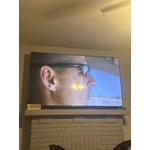
[This review was collected as part of a promotion.] It has an absolutely beautiful picture and I love the free channels that come with it. My only complaint is that Hulu with Live TV doesn't work and today I discovered that Fox One doesn't work which left my Big10 football game cutting out every 30 seconds. Apparently not many apps support Samsung either. This is what I have learned over the last 9 months.

Review from Samsung US
Helpful?18J4E5E7OZVG16422722568
reply from Samsung Advisor

Hi Some guitar guy, Thank you for your feedback. If apps on your U7900F TV are crashing, freezing, or loading slowly: 1. Update firmware – Home > Settings > Support > Software Update > Update Now 2. Delete and reinstall the app 3. Run Device Care – Home > Settings > Support > Device Care > Start Device Care Still need help? Call Samsung Support at 1-800-SAMSUNG (8AM – 9PM EST Mon – Fri, 8AM – 6PM Sat – Sun). LiveChat is also available under the ‘Support’ link on our website. ~ Samsung Advisor

Aug 20, 2026
Reviewer name: CB from Texas
3 out of 5 stars
3 out of 5 stars review

Great Price but has issues

[This review was collected as part of a promotion.] We love Samsung TV's. We bought 2 of these, one for the living room one for the bedroom. We replaced an LG in the living room, which we hated for many reasons, mostly functionality issues and quirks. We have 2 of the exact same Samsung TV's., one works great, the other has software issues, most notably are the slow loading of apps and that when streaming a show, it will inexplicably pause the show. We have tried to resolve this issue to no avail. Other than that, the picture is beautiful and we have dozens of streaming apps downloaded.

Review from Samsung US
Helpful?18J4E5E7OZVG16422722568
reply from Samsung Specialist

We appreciate your feedback regarding response time. For optimal performance, please ensure your TV is running the latest firmware. You can check this by going to: Home > top directional key > Settings > Support > Software Update To further optimize performance, try running Device Care, which checks memory, clears unused cached data, and closes background apps: Home > top directional key > Settings > Support > Device Care > Start Device Care If issues continue, please reach Samsung Support at 1-800-SAMSUNG (8AM – 9PM EST Mon – Fri, 8AM – 6PM Sat – Sun). LiveChat is also available via the ‘Support’ link on our website. ~ Samsung Specialist

Aug 24, 2026
Reviewer name: Anonymous
5 out of 5 stars
5 out of 5 stars review

Great tv!!!

[This review was collected as part of a promotion.] Perfect tv at a FANTASTIC price. The quality overall is above my expectations. Picture is perfectly vibrant with alpt of setting to adjust to your preferences. I like how you can connect your Samsung account and get a more personalized TV.

Review from Samsung US
Helpful?18J4E5E7OZVG16422722568
Aug 20, 2026
Reviewer name: Edward
3 out of 5 stars
3 out of 5 stars review

Streaming Monitor

[This review was collected as part of a promotion.] Love the big screen. Thought I was buying a tv not a streaming monitor. The new remote is whacked . Not happy with the procedure to get to the tv . But again my mistake thought it was a tv . As a streaming monitor it seems to have all the whistles & bells . Not a happy camper. But will live with my mistake .

Review from Samsung US
Helpful?18J4E5E7OZVG16422722568
reply from Samsung Specialist

We appreciate you taking the time to let us know about your experience. So that we can better troubleshoot this issue and provide steps towards a solution, please contact Samsung Support at 1-800-SAMSUNG (8AM – 9PM EST Mon – Fri, 8AM – 6PM Sat – Sun), or visit our website for LiveChat. ~ Samsung Specialist

Aug 20, 2026
Reviewer name: Jmschelin
5 out of 5 stars
5 out of 5 stars review

Wonderful television

[This review was collected as part of a promotion.] Exellent television, wonderful app availability including built in web browser and a load of media apps, wonderful connectivity with Samsung devices. Wonderful high quality sound too. Have had wonderful experience using this unit including web browsing from my bedroom without having to go back out to my computer also.

Review from Samsung US
Helpful?18J4E5E7OZVG16422722568
Sep 5, 2026
Reviewer name: Britters
3 out of 5 stars
3 out of 5 stars review

Horrible network issues

[This review was collected as part of a promotion.] The tv is nice… when it works. More than half the time, it refuses to connect to our WiFi, but none of our other Samsung TVs seem to have this problem. This tv is the closest to the router, but it never stays connected. And of course it's our main tv in the living room so this is highly inconvenient.

Review from Samsung US
Helpful?18J4E5E7OZVG16422722568
reply from Samsung Advisor

Hi Britters, Thank you for sharing your experience with Wi-Fi connectivity. If your TV is having trouble connecting to the network, the following steps may help resolve the issue: Signal & Setup Tips: 1. Check TV-to-router distance – Your TV should be within 50 feet of the modem or access point for reliable signal strength. 2. Minimize interference – Turn off nearby wireless devices and make sure there are no physical barriers (stone walls, fireplaces, appliances) between the TV and router. Power Cycle Devices: 3. Restart both your TV and router – Unplug both devices for at least 30 seconds, then plug them back in and allow them to reboot fully. Connection Type: 4. Evaluate your connection method – o If using Wi-Fi, move your router closer to the TV and eliminate any obstructions. o For a more stable connection, we strongly recommend using a wired Ethernet cable. o If already using Ethernet, verify the cable is working by testing it with another device. Run Built-In Diagnostic Tools: 5. Network Test: Settings > Support > Device Care > Self Diagnosis > Smart Hub Connection Test 6. Wi-Fi Check: Settings > Support > Device Care > Self Diagnosis > Wi-Fi Last Resort: 7. Perform a Factory Reset (if issues persist): Settings > All Settings > General & Privacy > Reset > Factory Data Reset. Note that this will return all settings to their original defaults. If these steps don’t resolve the issue, please reach out to Samsung Support at 1-800-SAMSUNG (8AM – 9PM EST Mon – Fri, 8AM – 6PM Sat – Sun). LiveChat support and additional help are available at the ‘Support’ link on our website. ~ Samsung Advisor

Sep 1, 2026
Reviewer name: Jrasha
4 out of 5 stars
4 out of 5 stars review

Better remote.

[This review was collected as part of a promotion.] Overall the display is pleasin, and has lots of options for customization. The only real downside to the TV is the remote and how un responsive it can be. The lag between button presses and movement is too large.

Review from Samsung US
Helpful?18J4E5E7OZVG16422722568
Aug 20, 2026
Reviewer name: Chev
5 out of 5 stars
5 out of 5 stars review

Fast and responsive and good clean graphics

[This review was collected as part of a promotion.] I have has it for about a year now and it has been great the brightness and contrast has been amazing and it is very vibrant when it comes to gaming and the response time been amazing, and the upscaling on old movies as well

Review from Samsung US
Helpful?18J4E5E7OZVG16422722568
Sep 5, 2026
Reviewer name: Love my TV
5 out of 5 stars
5 out of 5 stars review

Great features

[This review was collected as part of a promotion.] I love everything about this T.V. except the remote. My remote is very small and thin and hard to push the buttons without hitting all the buttons. Changing channels with this remote is a pain turning the volume up or down all of it is a pain. The T.V. by its self is great.

Review from Samsung US
Helpful?18J4E5E7OZVG16422722568
Aug 20, 2026
Reviewer name: KB16
2 out of 5 stars
2 out of 5 stars review

I bought 3 of them and they are about a year old .

[This review was collected as part of a promotion.] The problem I am having with these TVs and I bought three of them is that they are about a year old I bought the extended warranty and randomly and in frequently I turn them on and there's no sound so I have to turn them on and off and wait intermittent times and eventually this sound does return. Unfortunately, it doesn't seem there is anything that extended warranty covers including the issue with the sound I would stay away from Samsung and the extended warranty and look and buy elsewhere. .

Review from Samsung US
Helpful?18J4E5E7OZVG16422722568
reply from Samsung Specialist

We appreciate you taking the time to let us know about your experience. So that we can better troubleshoot this issue and provide steps towards a solution, please contact Samsung Support at 1-800-SAMSUNG (8AM – 9PM EST Mon – Fri, 8AM – 6PM Sat – Sun), or visit our website for LiveChat. ~ Samsung Specialist