
Skip to Main Content
Sam's Club
Sam's Club
All Departments
All Services
Customer reviews for SAMSUNG 85" Class U8000F Series 4K Crystal UHD Smart TV for
SAMSUNG 85" Class U8000F Series 4K Crystal UHD Smart TV
4.5 out of 5 stars
stars
3,307 ratings3,275 reviews
  1. 5 stars71% (2,353)
  2. 4 stars16% (517)
  3. 3 stars7% (218)
  4. 2 stars3% (100)
  5. 1 star4% (119)

Member photos

  • +1030 images
Sort by |
Showing 971-980 of 3,275 reviews
Mar 23, 2026
Reviewer name: jg8045
3 out of 5 stars
3 out of 5 stars review

Great interface/design, but light blooming is baad

[This review was collected as part of a promotion.] I wanted this TV to be great. And it has great aspects, such as the UI, and response, the thinness of it, and the small wire and how it looks on a wall. However, the brightness is absolutely terrible, and the bloominig/bright spots on the screen are absolutely horrible, and this is after I exchanged for a new panel. It makes watching dark scenes impossible.

Review from Samsung US
Helpful?3CTS2O15ZY1416007408101
reply from Samsung Advisor

Hi jg8045, We’re sorry to hear you’re not fully satisfied with the picture quality on your Samsung U8000FD TV. If the image appears too dark, we suggest disabling certain energy-saving features, which can automatically adjust brightness and affect how the screen looks. Go to: Settings > All Settings > General & Privacy > Power and Energy Saving, then turn off Brightness Optimization, Energy Saving Solution, Motion Lighting, and/or Contrast Enhancer. You can also adjust the Picture Mode to better suit your environment: Settings > All Settings > Picture > Picture Mode • Standard – Default mode for general viewing • Dynamic – Brighter and clearer, ideal for well-lit rooms • Movie – Best for dark room viewing • Eco – Energy-saving mode • Filmmaker Mode – Preserves content as intended by creators To fine-tune brightness, go to: Home > left directional key > Settings > All Settings > Picture > Expert Settings, then adjust the Brightness level (0–50) to your preference. Lastly, please make sure your TV is running the latest firmware: Home > Home > left directional key > Settings > Support > Software Update > Update Now We hope these tips help improve your viewing experience. If you need further support, feel free to contact us at 1-800-SAMSUNG, 8AM – 12AM EST, 7 days a week. LiveChat is also available via the ‘Support’ link on our website. ~ Samsung Advisor

Dec 6, 2025
Reviewer name: Gray
3 out of 5 stars
3 out of 5 stars review

Remote Sucks

I hate the remote. Ive changed the batteries on the remote, reset the remote to the tv. The up and down does not work properly, I click on the reset which is the return and the forward/pause and it takes you to the guide instead of reseting 2/3 of the time. TV is nice but the remote absolutely sucks.

Review from Samsung US
Helpful?3CTS2O15ZY1416007408101
reply from Samsung Advisor

Hi Gray, We’re sorry to hear your remote isn’t working as expected. Please try the following troubleshooting steps, which may help: 1. Check and clean the top edge of the remote. Dust or smudges on the IR sensor at the top of the remote can interfere with performance. Gently wipe the sensor area with a clean, dry microfiber cloth. 2. Replace the batteries. Weak or depleted batteries can cause erratic behavior. Insert a fresh set of batteries and make sure they are positioned correctly in the battery compartment. 3. Check for available software updates. Occasionally, remote responsiveness issues can be resolved with a firmware update to the TV. Go to: Settings > Support > Software Update > Update Now 4. Ensure there are no nearby devices interfering with the signal. Nearby electronics (like soundbars, game consoles, or even sunlight hitting the IR sensor) may interfere with your remote's signal. Try using the remote with other nearby devices powered off. If the issue continues after trying these steps, please reach out to Samsung Support at 1-800-SAMSUNG, 8AM – 12AM EST, 7 days a week. Our LiveChat agents are also available by clicking the ‘Support’ link on our website. ~ Samsung Advisor

Apr 20, 2026
Reviewer name: Darthjamin
5 out of 5 stars
5 out of 5 stars review

Great tv

[This review was collected as part of a promotion.] Everything about this tv is amazing. I love the clarity the quick start time the auto features it's has. Automatically detects my other Samsung products.(soundboard and rear speakers) the live TV is amazing too so many choices. And the way it turns off reminds me of tv from the 90s and I just love it.

Review from Samsung US
Helpful?3CTS2O15ZY1416007408101
Mar 28, 2026
Reviewer name: JOHN
2 out of 5 stars
2 out of 5 stars review

Had to return- poor Samsung support

The picture was nice, the size was great, but 2 months into owning it, the TV kept pausing shows on its own and turning on by itself. Samsung has terrible customer support and was very hard to connect with. Eventually, through forums, I tried every fix in the book (disconnect all phones or devices that may turn it on, remove batteries from remote, turn off ANYNET , and even factory reset). After trying for a month, and closing in on Sam's 90 return policy- it woke my up in the middle of the night for the last time. 2 stars for picture, but what's the point when you have to unplug your tv every night and keep restarting every show you're watching?

Helpful?3CTS2O15ZY1416007408101
reply from Samsung

Hi JOHN,<br /><br />We&#39;re very sorry to hear about your experience. We hope you’ll consider Samsung again in the future. If you do, we’re always here to help with setup and support. Reach us at 1-800-SAMSUNG (8AM – 9PM EST Mon – Fri, 8AM – 6PM Sat – Sun), or visit our website to chat live and access manuals or software.<br /><br />~ Samsung Advisor

Apr 20, 2026
Reviewer name: Avi4
5 out of 5 stars
5 out of 5 stars review

Absolutely in love!!

[This review was collected as part of a promotion.] Honestly, this 65" Crystal UHD 4K TV made me realize my old TV was basically a toaster with a screen 😅 The picture is crazy sharp, like I can see every pore on someone's face kind of clear. Colors pop without looking weird,the contrast and brightness are amazing and movies feel way more cinematic. Even random YouTube videos look upgraded. Setup was super easy, no stress, no arguing with instructions,the smart features are actually fast for once. No waiting forever for apps to load, which is a win. Sound is decent, but if you really wanna feel like you're in a movie theater, a sound bar helps a lot, for everyday watching, it does the job. Also, it just looks nice, thin, sleek, and makes your living room feel a little more “put together” even if everything else isn't lol. Overall, for the price, this thing is 100% worth it. No regrets at all.

Review from Samsung US
Helpful?3CTS2O15ZY1416007408101
Feb 22, 2026
Reviewer name: jlsteelers1122
5 out of 5 stars
5 out of 5 stars review

Best features on television I've ever seen

[This review was collected as part of a promotion.] I love this television pollution is excellent it automatically changes the brightness for the lights in the room contrast but for the movies Home Videos the viewing is wonderful . the resolution on this television even the cheesiest movies look great the refresh rate it's a slow with the remote but it does everything well and better than the previous versions of the televisions I own . I have five Samsung televisions and this is the best of purchased so far .

Review from Samsung US
Helpful?3CTS2O15ZY1416007408101
Apr 20, 2026
Reviewer name: Tommy S
5 out of 5 stars
5 out of 5 stars review

I love this product

[This review was collected as part of a promotion.] This TV is not your run-of-the-mill TV and I've have every brand I've had LG I've had Vizio I've had Hisense but this TV is not even the best at Samsung offers and it blows away all the other competitors great TV very user friendly and it connects with all my devices absolutely love it wouldn't want another brand

Review from Samsung US
Helpful?3CTS2O15ZY1416007408101
Apr 21, 2026
Reviewer name: Funcle_Chris
5 out of 5 stars
5 out of 5 stars review

Movies and video games never looked better!
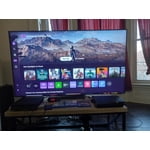
[This review was collected as part of a promotion.] I am very impressed with the UHD picture and all the picture modes. The simplified remote makes using the TV easy. For me the best feature is the video game mode with Xbox built in, no console required. My video games have never looked this good. I was able to use game controllers that I already owned, they easily paired with the TV.

Review from Samsung US
Helpful?3CTS2O15ZY1416007408101
May 20, 2026
Reviewer name: JA671
5 out of 5 stars
5 out of 5 stars review

75" Class Crystal UHD U8000FD 4K Smart TV (2025)

[This review was collected as part of a promotion.] I've been really impressed with the 75" Class Crystal UHD U8000FD 4K Smart TV (2025). The visual quality is sharp, vibrant, and makes movies, sports, and gaming look amazing. I also love the personalized user settings that let you adjust the picture exactly how you like it. The automatic updates keep everything running smoothly without any hassle. One of my favorite features is being able to use my phone as a remote when I can't find the actual remote — super convenient! Overall, a great smart TV with excellent features and an easy-to-use experience.

Review from Samsung US
Helpful?3CTS2O15ZY1416007408101
Mar 23, 2026
Reviewer name: Katgamer
5 out of 5 stars
5 out of 5 stars review

Very Vibrant

[This review was collected as part of a promotion.] The tv is very easy to use. Everything is very organized. The resolution is great for gaming. The tv is very vibrant and the brightness is top quality. I've used it for a while, no burn in on the screen. Security is a great feature.

Review from Samsung US
Helpful?3CTS2O15ZY1416007408101









