Skip to Main Content
Sam's Club
Sam's Club
All Departments
All Services
Customer reviews for SAMSUNG 85" Class U8000F Series 4K Crystal UHD Smart TV for
SAMSUNG 85" Class U8000F Series 4K Crystal UHD Smart TV
4.5 out of 5 stars
stars
2,650 ratings2,618 reviews
  1. 5 stars72% (1,914)
  2. 4 stars16% (411)
  3. 3 stars6% (160)
  4. 2 stars3% (80)
  5. 1 star3% (85)

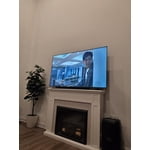
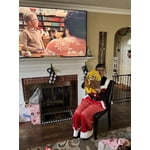
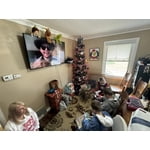
Member photos

  • +797 images
Sort by |
Showing 981-990 of 2,618 reviews
May 11, 2026
JAVI
5 out of 5 stars review

Great features all round

[This review was collected as part of a promotion.] Great TV which rarely lags or stutters when inputs are placed. The brightness is just right and just as easily adjustable. It has crystal clear resolution and vibrant colors at all times.

Review from Samsung US
Helpful?3CTS2O15ZY1416007408101
May 23, 2026
Noonecares
1 out of 5 stars review

Hate it. Wish i had my lg back

[This review was collected as part of a promotion.] Will not stay connected to the internet, jumps in and out of game mode while playing a game (screen goes black in the middle of games and come back on brighter than before.

Review from Samsung US
Helpful?3CTS2O15ZY1416007408101
reply from Samsung Advisor

Hi Noonecares, Thank you for sharing your experience with the internet connection on your Samsung U8000F TV. Whether you're using Wi-Fi or a wired (LAN) connection, there are a few steps you can take to help resolve the issue: 1. Power Cycle Your Equipment. Unplug both your TV and router/modem from the wall outlet. Wait at least 30 seconds, then plug them back in and allow both devices to fully restart. 2. Check the Network Status. On your TV, go to: Home > left directional key > Settings > All Settings > Connection > Network > Network Status. This will help determine if the issue lies with the network or the TV. 3. Try a Different Connection Type. If you're using Wi-Fi, try connecting an Ethernet (LAN) cable directly from your router to the TV to test the connection. If you're using a wired connection, try switching to Wi-Fi to see if the issue persists. 4. Reestablish the Network Connection. Go to: Settings > All Settings > Connection > Network > Open Network Settings, and follow the prompts to reconnect to your Wi-Fi or wired network. 5. Update Firmware. Software updates can often resolve network bugs. To check for the latest version: Settings > Support > Software Update > Update Now If these steps don't resolve the issue, we’d be happy to provide further assistance. Please call Samsung Support at 1-800-SAMSUNG, (8AM – 9PM EST Mon – Fri, 8AM – 6PM Sat – Sun). LiveChat is also available at the ‘Support’ link on our website. ~Samsung Advisor

May 1, 2026
MaliMal
5 out of 5 stars review

Samsung TV

[This review was collected as part of a promotion.] Love the resolution and brightness is amazing!!!! Picture so clear. I just love my Samsung TV!!!!

Review from Samsung US
Helpful?3CTS2O15ZY1416007408101
May 11, 2026
Nes21
5 out of 5 stars review

Great for every day use

[This review was collected as part of a promotion.] Great TV and Resolution for everyday use. My family its very satisfied, we put it in the living room and we use it together.

  • +1 image
Review from Samsung US
Helpful?3CTS2O15ZY1416007408101
May 20, 2026
Kaye
5 out of 5 stars review

My new tv

[This review was collected as part of a promotion.] My Samsung TV is the best TV I've had. The resolution is crystal-clear, the contrast and brightness on the screen is amazing even with dark movies and shows. It makes viewing easy and a pleasure.

Review from Samsung US
Helpful?3CTS2O15ZY1416007408101
May 24, 2026
stst
3 out of 5 stars review

Great picture, terrible remote function.

[This review was collected as part of a promotion.] The picture quality is great. The remote is a disaster. Every time I turn on the TV, a different method must be used. I never know what will work.

Review from Samsung US
Helpful?3CTS2O15ZY1416007408101
reply from Samsung Advisor

Hi stst, Thank you for your feedback. If your remote isn’t responding, here are a few quick steps to help determine if it’s working correctly: 1. Check the batteries: Remove the back cover of your remote and replace the batteries with a fresh set, ensuring they are inserted in the correct direction. 2. Test for infrared signal: Point the front of the remote at your smartphone camera. While holding down any button, you should see a flashing light through the camera screen. (For iPhone users, the front-facing camera works best.) If you see the light, your remote is working and may need to be re-paired with your TV. 3. Point the remote correctly: Try pointing the remote directly at the TV from about 5-6 feet away. This can help ensure a clearer signal between the remote and the TV. If you still need assistance, please contact Samsung Support at 1-800-SAMSUNG, available from 8AM – 9PM EST Mon – Fri, 8AM – 6PM Sat – Sun. You can also visit the Samsung website and click on ‘Support’ for: • Live Chat • Manuals, Software, & Warranty Info ~ Samsung Advisor

Apr 25, 2026
Apurcella
4 out of 5 stars review

Great Budget TV!

[This review was collected as part of a promotion.] The TV is solid It gets the job done, and Has a bunch of nice features. Brightness is okay, the refresh is kind of slow. Viewing is nice, and resolution is solid.

Review from Samsung US
Helpful?3CTS2O15ZY1416007408101
Apr 20, 2026
Heidi
5 out of 5 stars review

Best TV ever

[This review was collected as part of a promotion.] This is the best TV I ever had. Qualify, resolution and colors arebl super. My family members are all swimming to Samsung after their visit. I love Samsung. This is a Samsung house.

Review from Samsung US
Helpful?3CTS2O15ZY1416007408101
May 20, 2026
John
5 out of 5 stars review

My Samsung

[This review was collected as part of a promotion.] The resolution is excellent with a contrast and brightness that highlights the reality on the screen

Review from Samsung US
Helpful?3CTS2O15ZY1416007408101
May 20, 2026
None
5 out of 5 stars review

Good quality

[This review was collected as part of a promotion.] Love that you can interface with my phone and use it as a "hotspot" to get hulu disney in other apps.

Review from Samsung US
Helpful?3CTS2O15ZY1416007408101