Skip to Main Content
Sam's Club
Sam's Club
All Departments
All Services
Customer reviews for SAMSUNG 85" Class U8000F Series 4K Crystal UHD Smart TV for
SAMSUNG 85" Class U8000F Series 4K Crystal UHD Smart TV
4.5 out of 5 stars
stars
3,692 ratings3,660 reviews
  1. 5 stars71% (2,615)
  2. 4 stars16% (573)
  3. 3 stars7% (241)
  4. 2 stars3% (126)
  5. 1 star4% (137)

Member photos

  • +1177 images
Sort by |
Showing 781-790 of 3,660 reviews
Jun 5, 2026
Reviewer name: the roc
1 out of 5 stars
1 out of 5 stars review

not good

[This review was collected as part of a promotion.] so i m an alexa user .tv compatible to alexa.yup Right up to the time that I got my TV it even had the Alexa app try to use it no longer use so I can't tell my TV to change the channel volume up volume down on or off. That is a big thing for me so here I am stuck with this new TV that falls short of what it claimed it could do in the beginning of my new purchase so I'm very upset about that. I will never buy another Samsung and I will pass what happened along to anybody I can get to listen.

Review from Samsung US
Helpful?3CTS2O15ZY1416007408101
reply from Samsung Advisor

Hi the roc, To best support you, please call us at 1-800-SAMSUNG (8AM – 9PM EST Mon – Fri, 8AM – 6PM Sat – Sun), or reach us via text anytime. You can also visit ‘Support’ on our website for: • Live Chat • Manuals, Software, & Warranty Info ~ Samsung Advisor

Jun 19, 2026
Reviewer name: Gumby0565
5 out of 5 stars
5 out of 5 stars review

Love the picture quality on Samsung tv's

[This review was collected as part of a promotion.] I will only purchase Samsung televisions because I think they have the best quality for picture with Sharp clear lines. I find they are the best for sports that have fast moving players. Only Samsung in my house from tv to phones!

Review from Samsung US
Helpful?3CTS2O15ZY1416007408101
Jul 27, 2026
Reviewer name: JLench
5 out of 5 stars
5 out of 5 stars review

Great color tones

[This review was collected as part of a promotion.] The brightness is perfect and the color tones are true. I am a photographer and don't care for devices that alter colors to unnaturally warmer or cooler tones. The color tones on this tv are beautiful. For th space that I have, the 43 inch tv is the perfect size.

Review from Samsung US
Helpful?3CTS2O15ZY1416007408101
May 5, 2026
Reviewer name: MARTYWADD
5 out of 5 stars
5 out of 5 stars review

Amazing TV for the price!

[This review was collected as part of a promotion.] Such an easy setup! I only own Samsung products.. and being able to use the Smart Things app helps immensely! The clarity of the screen.. vivid colors.. and sound are impeccable! I highly recommend!

Review from Samsung US
Helpful?3CTS2O15ZY1416007408101
Jul 7, 2026
Reviewer name: Lesjean
5 out of 5 stars
5 out of 5 stars review

Loving it

[This review was collected as part of a promotion.] The picture is wonderful. The larger screen helps my mom who has limited vision to enjoy tv again. Perfect size for my living room. We are very pleased with it. I love the new remote. Small and easy to use!

Review from Samsung US
Helpful?3CTS2O15ZY1416007408101
Apr 20, 2026
Reviewer name: Alan
3 out of 5 stars
3 out of 5 stars review

it's just OK

[This review was collected as part of a promotion.] No matter what settings we try, in dark scenes in movies you can't see well at all. Gamma is turned all the way up etc. Also, after a recent software update now when I turn on the TV it goes to the last station and starts to play, and then it freezes. To get it to work I have to go out of the menu and back in to get the channel I'm trying to watch to work. This is a very new TV and I've had several Sumsung TVs before, this is the only one with these problems. Otherwise it's a good TV, I really like Samsung TV overall.

Review from Samsung US
Helpful?3CTS2O15ZY1416007408101
reply from Samsung Advisor

Hi Alan, Thank you for your feedback. Please ensure your TV is running the latest Firmware, version 1132.0. Go to Settings> Support> Software Update. If this firmware version is not yet available on your TV, you can download the update on a USB drive and manually update your TV: 1. On Samsung's website (upper right corner), go to: Support > Manual & Software > Find your TV model, and click on the Firmware – Upgrade File. 2. When the file has finished downloading, locate it and then unzip it. There is normally one folder inside but there may be multiple files. 3. Copy or move all of the files that were included in the zip file to a USB flash drive, but do not place them inside any other folders. If you place the software folders inside a folder on the USB flash drive, the TV or monitor will not find them. 4. Connect the USB drive containing the software upgrade into a USB port on your device. 5. Using your device's remote, navigate to and select Settings, then select All Settings, and then select Support. Select Software Update, select Update Now, and then select Yes if prompted. Your device will search the USB drive for update files. Follow the on-screen instructions to install the updated software. Updates usually take a few minutes; please do not turn off the TV until the update is complete. When the update is finished, it will restart automatically. If you need additional support, Samsung is here to help. Please call us at 1-800-SAMSUNG, available 8AM – 9PM EST Mon – Fri, 8AM – 6PM Sat – Sun. You can also chat with a LiveChat agent by clicking the ‘Support’ link on our website. ~ Samsung Advisor

Jul 5, 2026
Reviewer name: Norton673
5 out of 5 stars
5 out of 5 stars review

Samsung 65 inch crystal 8000
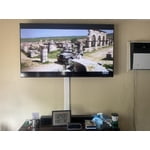
[This review was collected as part of a promotion.] I have always loved Samsung and this 65 inch crystal under 8000 colors are bright and the tv is clear and the smart functions are great and the tvs performance in outstanding. The smart features respond fast and the contrast is great. I would recommend this tv.

Review from Samsung US
Helpful?3CTS2O15ZY1416007408101
Jul 7, 2026
Reviewer name: Bread0fLife490
5 out of 5 stars
5 out of 5 stars review

Love this tv

[This review was collected as part of a promotion.] We've had this TV for a little while now, and it's exceeded our expectations. The 85-inch screen is huge and completely changed the feel of our basement. The picture is bright, sharp, and clear with great color, whether we're watching sports, movies, or just regular TV. Setup was simple, and the smart features were easy to get up and running. We also paired it with a Sonos soundbar, and the experience is fantastic—it really feels like having a movie theater at home. For the price, I don't think you can beat the value. If you're on the fence about going with an 85-inch TV, I'd say go for it. We were worried it might be too big, but it ended up being the perfect size for our space. Overall, we're extremely happy with this purchase and would definitely recommend it to anyone looking for a big-screen TV with excellent picture quality and great performance.

Review from Samsung US
Helpful?3CTS2O15ZY1416007408101
Apr 20, 2026
Reviewer name: DrHJ
4 out of 5 stars
4 out of 5 stars review

Great TV for a modest price

[This review was collected as part of a promotion.] For the price this TV offers a great mix of performance and features. I have it connected to my PC as a monitor and the picture outputs 4K on a dual monitor setup. TV functionality and the free channels are also a great addition. Brightness is great for a well lit room (but not in direct sunlight). One thing that could have been better is speed. TV menus can sometimes stutter. Contrast is enough for a PC connection. Occasionally color output on a PC connection is not as good as an actual monitor which would require tuning (not sure why that happens). Refresh Output of 60Khz is good enough for a budget tv

Review from Samsung US
Helpful?3CTS2O15ZY1416007408101
Jun 6, 2026
Reviewer name: Lori
3 out of 5 stars
3 out of 5 stars review

Remote problems.

[This review was collected as part of a promotion.] Nice television set. It has a real nice color. Only problem is for an unknown reason the remote doesn't work properly. The remote quits working. it freezes up. We have to unplug the tv and plug it back in for the remote to work. This has happened 3 times in the short time we have owned this set.

Review from Samsung US
Helpful?3CTS2O15ZY1416007408101
reply from Samsung Advisor

Hi Lori, Thank you for your feedback. If your remote isn’t responding, here are a few quick steps to help determine if it’s working correctly: 1. Check the batteries: Remove the back cover of your remote and replace the batteries with a fresh set, ensuring they are inserted in the correct direction. 2. Test for infrared signal: Point the front of the remote at your smartphone camera. While holding down any button, you should see a flashing light through the camera screen. (For iPhone users, the front-facing camera works best.) If you see the light, your remote is working and may need to be re-paired with your TV. 3. Point the remote correctly: Try pointing the remote directly at the TV from about 5-6 feet away. This can help ensure a clearer signal between the remote and the TV. If you still need assistance, please contact Samsung Support at 1-800-SAMSUNG (8AM – 9PM EST Mon – Fri, 8AM – 6PM Sat – Sun), or visit the ‘Support’ link on our website to start a LiveChat session. ~ Samsung Advisor