Skip to Main Content
Sam's Club
Sam's Club
All Departments
All Services
Customer reviews for SAMSUNG 85" Class U8000F Series 4K Crystal UHD Smart TV for
SAMSUNG 85" Class U8000F Series 4K Crystal UHD Smart TV
4.5 out of 5 stars
stars
2,013 ratings1,981 reviews
  1. 5 stars70% (1,419)
  2. 4 stars16% (315)
  3. 3 stars7% (132)
  4. 2 stars3% (69)
  5. 1 star4% (78)

Member photos

Sort by |
Showing 251-260 of 1,981 reviews
Apr 20, 2026
DrHJ
4 out of 5 stars review

Great TV for a modest price

[This review was collected as part of a promotion.] For the price this TV offers a great mix of performance and features. I have it connected to my PC as a monitor and the picture outputs 4K on a dual monitor setup. TV functionality and the free channels are also a great addition. Brightness is great for a well lit room (but not in direct sunlight). One thing that could have been better is speed. TV menus can sometimes stutter. Contrast is enough for a PC connection. Occasionally color output on a PC connection is not as good as an actual monitor which would require tuning (not sure why that happens). Refresh Output of 60Khz is good enough for a budget tv

Review from Samsung US
Helpful?3CTS2O15ZY1416007408101
Apr 1, 2026
Megshh
5 out of 5 stars review

Great tv!

[This review was collected as part of a promotion.] This TV gets a bad rap, and I have no clue why. The picture resolution, color, and brightness are beautiful. It's easy to access all my apps to watch things. The picture contrast on all live events is amazing, and it works really fast with my Wi-Fi. The only thing that is bad about it is the standard TV remote it comes with. You have to point it directly at the eye on the bottom left of the TV to get it to work. But we have other remotes that work better and have no issues with, so it's refreshing to know I can use other remotes. That's my only qualm, I guess, is the remote, but that's an easy fix.

Review from Samsung US
Helpful?3CTS2O15ZY1416007408101
Apr 14, 2026
Daisy937
5 out of 5 stars review

Great TV except going to apps

[This review was collected as part of a promotion.] The only problem I have with my TV is that it's hard to move to my apps. There is a long line of them across the screen, but I can't click on them and go to an app. I have to open apps to find them.

Review from Samsung US
Helpful?3CTS2O15ZY1416007408101
May 11, 2026
zigfish
5 out of 5 stars review

BEST TELEVISIONS ON THE MARKET!!

[This review was collected as part of a promotion.] I switched to Samsung from Sony after buying Sony for decades and now I will never go back. My brother is a tech guy and always had Sony TV sets and I was very surprised to see a Samsung TV had taken the place of his former favorite brand. His Samsung really impressed me with the better quality and when asked he explained that Samsung flat screens had totally surpassed his old favorite brand by leaps and bounds. Higher quality in picture, sound, resolution and connectivity to the internet. He convinced me after his professional explanation, along with viewing his Samsung LED tv, to make Samsung my next TV purchase. I am so much more impressed with my Samsung over my Sony Bravia TV that I now have 3 Samsung LED televisions in my home. I sold the Bravia cheap to a gentleman looking for an inexpensive monitor. I am now COMPLETELY a loyal Samsung customer. The BEST television on the market and priced for regular working class heroes, like me.

Review from Samsung US
Helpful?3CTS2O15ZY1416007408101
Apr 20, 2026
Mychael
4 out of 5 stars review

Bright and vibrant

[This review was collected as part of a promotion.] Beautiful picture modes. Bright and vibrant to warm and soft. Looks wonderful in dark or light rooms. After a few months it started to freeze up daily. But then a major update fixed it. Now its faster than when it was new. Like using device care every few weeks. Helps clean up background apps. The rechargeable solar-powered remote is great.

Review from Samsung US
Helpful?3CTS2O15ZY1416007408101
May 20, 2026
Bakin
5 out of 5 stars review

Great Connectivity & Picture Quality

[This review was collected as part of a promotion.] I purchased this Smart TV for a bedroom that has no wired network connection and must rely on the wireless Router signal for the internet connection. I had to setup the WiFi connection and required network password but after that the internet connection was working great. The picture quality is also great and the remote works fine.

Review from Samsung US
Helpful?3CTS2O15ZY1416007408101
Apr 20, 2026
BV51
5 out of 5 stars review

Awesome television

[This review was collected as part of a promotion.] Resolution, brightness and contrast all good in a variety of of different lighting situations. No issues with refresh. Interface is still a learning process for this human. I have no found a way to set a fixed, over the air antenna channel when first turning the device on.

Review from Samsung US
Helpful?3CTS2O15ZY1416007408101
May 11, 2026
Todakondo
5 out of 5 stars review

Great features - easy setup
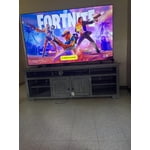
[This review was collected as part of a promotion.] What a great addition to our household TVs. Hung this TV on the wall, plugged it in and it was good to go. It automatically connected to my preferred network, updated itself and we were watching streaming shows almost immediately. Apps were easy to find and install and even setting up the homescreen was as easy as could be. Absolutely love this TV and will likely buy another TV sometime later this year. The picture quality is tops! Bright and crisp. This all being done wirelessly. The only wire coming out of the TV is the power cord. I love wireless technology and this TV has my absolute approval.

Review from Samsung US
Helpful?3CTS2O15ZY1416007408101
May 20, 2026
Yubbo
5 out of 5 stars review

SAMSUNG DID IT AGAIN

[This review was collected as part of a promotion.] This TV is awesome, I love the colors and the picture quality is very bright and overall, this TV is great. I love that it has Samsung TV Plus where I can watch so many different shows and movies and you will not need your local cable package anymore. The Size is perfect for living room, easy set up and you can't go wrong with this TV.

Review from Samsung US
Helpful?3CTS2O15ZY1416007408101
May 20, 2026
Granny P
2 out of 5 stars review

Not up to Samsung quality.

[This review was collected as part of a promotion.] my biggest complaint is that it comes on in the Samsung TV and it takes two or three minutes to be able to switch it my cable my old one came on in the cable . my second complaint is that it routinely shuts off the sound. The only way I can get it to come back on is to unplug it from the wall it is extremely difficult because I am somewhat disabled so no I am not happy with this TV and I also cannot add apps to it. I pay for subscription to Angel Network was not able to download the app.

Review from Samsung US
Helpful?3CTS2O15ZY1416007408101
reply from Samsung Advisor

Hi Granny P, Thank you for reaching out to us regarding the sound issues you are experiencing. If you're experiencing sound dropouts, the steps below are designed to help you troubleshoot across different connection types. HDMI ARC / eARC Connection 1. Use a certified High-Speed HDMI cable with Ethernet and ensure it's firmly connected to the HDMI eARC ports on both the TV and soundbar/receiver. 2. Enable ARC/eARC settings on your TV: o Settings > All Settings > Sound > Expert Settings > HDMI eARC Mode = Auto o Settings > All Settings > General & Privacy > External Device Manager > Anynet+ (HDMI-CEC) = On 3. Adjust Digital Output Audio Format: o Settings > All Settings > Sound > Expert Settings > Digital Output Audio Format o Set this to Auto unless you're using a device that specifically requires Pass-Through. 4. Cold boot your TV by holding the power button on your remote for 5+ seconds. Bluetooth Connection 1. Bluetooth connections can be sensitive to distance and interference. Keep the Bluetooth device close to the TV, and remove nearby sources of interference (e.g., wireless routers or other Bluetooth devices). 2. For improved stability, use a 5GHz Wi-Fi network if available. 3. If issues persist, we recommend switching to a wired connection (HDMI ARC or Optical) for a more reliable audio experience. Wi-Fi / Wireless Speaker Connections 1. Make sure both your TV and audio device are on the same network band (5GHz is ideal for stability). 2. If you're using Samsung’s Wireless Audio features (e.g., Wi-Fi Speaker Surround Setup), ensure your speaker system is properly added in: Settings > All Settings > Sound > Sound Output > Wi-Fi Speaker Surround Setup 3. If signal issues continue, disconnect and reconnect the speaker from the network and re-add it to the TV. Also Try: • Update your TV's firmware: Settings > Support > Software Update > Update Now • Run a Sound Test to verify internal sound functions: Settings > Support > Device Care > Self Diagnosis > Sound Test If you continue to have issues, please call us at 1-800-SAMSUNG, available daily from 8AM – 9PM EST Mon – Fri, 8AM – 6PM Sat – Sun. You can also visit the Samsung website and click on ‘Support’ for: • Live Chat • Manuals, Software, & Warranty Info ~ Samsung Advisor