Skip to Main Content
Sam's Club
Sam's Club
All Departments
All Services
Customer reviews for SAMSUNG 65" Class U8000F Series 4K Crystal UHD Smart TV for
SAMSUNG 65" Class U8000F Series 4K Crystal UHD Smart TV
4.5 out of 5 stars
stars
1,440 ratings1,383 reviews
  1. 5 stars74% (1,066)
  2. 4 stars15% (213)
  3. 3 stars5% (74)
  4. 2 stars3% (44)
  5. 1 star3% (43)

Member photos

  • +373 images
Sort by |
Showing 81-90 of 1,383 reviews
Jun 1, 2026
Sweet pea
5 out of 5 stars review

Great pic and Features

[This review was collected as part of a promotion.] product is a very good I love the picture I've never seen a TV with a picture like that resolution is great the brightness of it the contrast is great the refresh part of it is easy an interface is really good

Review from Samsung US
Helpful?23IWKCJCPHCF15992409490
Jun 19, 2026
Kevin
4 out of 5 stars review

Good tv software glitchy sometimes

The tv is fairly bright and picture looks good. Its resolution is sharp and has good darkness and black that is true dark in color. The refresh rate is good for high motion video and sports and action events look good on the tv. It’s a good tv only thing is it has had a few software glitches that required a restart to clear

Review from Samsung US
Helpful?23IWKCJCPHCF15992409490
Jun 22, 2026
Hoskat
5 out of 5 stars review

Samsung or nothing

Its Samsung or nothing when it comes to phones,TVS or any general product Samsung makes. You cannot go wrong when choosing Samsung for all of your entertainment needs. The clarity, the color the response time as well as updates and easily accessible features. Samsung is always the right product for my family & my home and should be for whom it may concern!

Review from Samsung US
Helpful?23IWKCJCPHCF15992409490
Jun 1, 2026
Anonymous
5 out of 5 stars review

Love Samsung
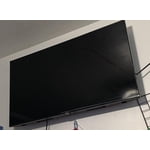
[This review was collected as part of a promotion.] I love it, color, resolution, stable connection, adaptive contrast I like a lot and not to mention the brightness, it refreshes excellent (never freezes) and the connection with my Samsung devices (now s26 ultra) is super fast and stable. Love all Samsung devices.

Review from Samsung US
Helpful?23IWKCJCPHCF15992409490
Jun 22, 2026
BShot
5 out of 5 stars review

Best Buy Ever

Experience unparalleled visual clarity with a High Definition television. Its crisp resolution brings every image to life with remarkable detail. Enjoy vibrant colors and deep contrasts that create an immersive viewing experience. Whether for movies, sports, or gaming, the superior quality enhances every moment. Elevate your home entertainment with the brilliance of HD technology.

Review from Samsung US
Helpful?23IWKCJCPHCF15992409490
May 31, 2026
Sammie
5 out of 5 stars review

Great pic

[This review was collected as part of a promotion.] The picture is clear and bright, the sound is fantastic too! The ease of using the control, well it has been the easiest one I have ever used-it is simple not confusing. Every TV I own is a Samsung, wouldn’t own anything else. Love It!!!!

Review from Samsung US
Helpful?23IWKCJCPHCF15992409490
Jun 5, 2026
Old man
1 out of 5 stars review

Ok but not good

[This review was collected as part of a promotion.] The remote is very bad and hard to operate. The screen layout makes it hard to understand and find what you are looking for. I have a 65" LG that is a lot easier to operate. Will sell this and buy another LG.

Review from Samsung US
Helpful?23IWKCJCPHCF15992409490
reply from Samsung Advisor

Hi Old man, Thank you for sharing your feedback with us. To help you get the most from your TV, you can download the full e-Manual and more by visiting Samsung’s website, then navigating to: Support > Manual & Software > TVs & Home Theater. From there, you can search for and select your U8000F TV model to view or download the available guides. The e-Manual & User Guide are also conveniently built into your TV: Settings > Support > Tips and User Guides. Your TV includes Learn Menu Screen, an accessibility feature that provides audio guidance for on-screen menus. When enabled, your TV will announce the name and function of each menu item as you scroll, without making any changes. This feature is particularly helpful for users who are visually impaired or new to Smart TV menus. To enable, go to: Settings > All Settings > General & Privacy > Accessibility > Learn Menu Screen. To exit, press the Return key twice. If you’d like more assistance with this feature, please reach Samsung Support at 1-800-SAMSUNG (8AM – 9PM EST Mon – Fri, 8AM – 6PM Sat – Sun). LiveChat agents are also available through the ‘Support’ link on our website. ~ Samsung Advisor

Jun 5, 2026
Lucky
2 out of 5 stars review

Not great don’t care for Samsung

[This review was collected as part of a promotion.] I don’t really like the Samsung TV sometimes it just freezes my cable box and I can’t change the channel or turn off the cable. I have to try and turn everything off in the middle of whatever I’m watching and lose whatever I’m watching and turn it back on to have it get out of that mode not always the best I cannot put the icon for Paramount+ on my list. I have to go to the Internet and search for it every time I wanna watch Yellowstone.

Review from Samsung US
Helpful?23IWKCJCPHCF15992409490
reply from Samsung Advisor

Hi Lucky, We appreciate your feedback regarding response time. For optimal performance, please ensure your TV is running the latest firmware. You can check this by going to: Home > left directional key > Settings > Support > Software Update To further optimize performance, try running Device Care, which checks memory, clears unused cached data, and closes background apps: Home > left directional key > Settings > Support > Device Care > Start Device Care If issues continue, please reach Samsung Support at 1-800-SAMSUNG (8AM – 9PM EST Mon – Fri, 8AM – 6PM Sat – Sun). LiveChat is also available via the ‘Support’ link on our website. ~ Samsung Advisor

Jun 5, 2026
Jerry
5 out of 5 stars review

I love the 4K video and watching movies are great.

[This review was collected as part of a promotion.] I enjoy my tv so much it was a great has good performance and the Home Screen is amazing and the 4K is amazing the brightness is amazing the contrast is amazing the interface is amazing the refresh is beautiful

Review from Samsung US
Helpful?23IWKCJCPHCF15992409490
Jun 27, 2026
MeowMix18
2 out of 5 stars review

Its not the best
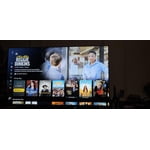
Love the size and the screen. Connectivity is really poor. I make sure apps and softwares are update but its a constant struggle with any streaming services. Connecting to audio equipment with Bluetooth is another headache. Im constantly having to connect my Samsung sound bar to this TV.

Review from Samsung US
Helpful?23IWKCJCPHCF15992409490
reply from Samsung Advisor

Hi MeowMix18, We appreciate your feedback. To help ensure optimal performance, please try the following steps: 1. Check for firmware updates – An outdated version can affect overall performance: Home > left directional key > Settings > Support > Software Update > Update Now 2. Run Device Care – This tool clears unused cached memory and closes background apps: Home > left directional key > Settings > Support > Device Care > Start Device Care 3. Cold boot your TV – With the TV on, press and hold the Power button on your remote for about 5 seconds until the TV turns off and back on. This refreshes the system. 4. Power cycle the TV and any connected external devices – Unplug them from the power outlet, wait 30 seconds, then plug them back in. These steps often resolve issues with lag, freezing, or slow app performance. If the issue continues, please contact Samsung Support at 1-800-SAMSUNG (8AM – 9PM EST Mon – Fri, 8AM – 6PM Sat – Sun). LiveChat agents are also available through the ‘Support’ link on our website. ~ Samsung Advisor