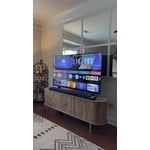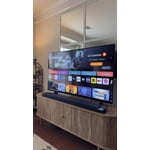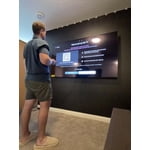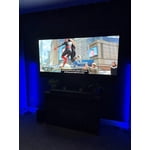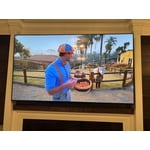
Customer reviews for LG 65" Class B5 Series OLED 4K Smart TV forMember photos


+35 images
I cannot emphasize enough how horrible LG TVs are. I own two and will never purchase another one. From horrible software updates that completely mess up connection to a totally nonsensical magic remote, LG TVs cannot even get the basics right. Do not waste your money on this company.
Hello. Thank you for sharing your experience with your LG TVs. We appreciate the way you described the issues you’ve run into, from software updates affecting connections to the feel of the Magic Remote. We understand how important it is for your LG units to deliver smooth performance and intuitive control. To allow us to properly investigate the details of your specific product models and to see how we can assist with the software and remote‑related issue being encountered, please send us an email at lgdigitalcare@lg.sprinklrsupport.com if you need further assistance. You can also refer to these helpful links for reference on the specific issues you're encountering: https://www.lg.com/us/support/help-library/lg-tv-how-to-update-an-lg-smart-tv--1430510575535 & https://www.lg.com/us/support/help-library/lg-tv-how-to-troubleshoot-your-lg-magic-remote--1427121727809OLT ^James
LG - 48" Class B5 Series OLED
For this product being an "entry level" oled, I must admit the display and the resolution is superb. I have been using this product mostly for resolution mode gaming and the fps on resolution mode gaming varies from 60fps - 40fps which I am okay with. With proper optimization this product will for sure satisfy any consumer who is looking to upgrade from their old set up; of course bearing in mind this an "entry level" oled.
Hi. Thank you for sharing your experience with your LG TV—love the way you highlighted what this “entry‑level” OLED is delivering for you! It’s great to hear the display quality, resolution, and overall gaming performance are hitting the sweet spot, especially with those smooth FPS ranges in resolution mode. Your insight about optimization and value for anyone upgrading is incredibly helpful. For more feedback or questions, please send us an email at lgdigitalcare@lg.sprinklrsupport.com. Thanks for choosing LG! #LifesGood ^James
Detailed LG b5 review
Rating 1-5 overall:3 Great tv but given all the software/firmware/remote if I could do over would pay more for a Sony Bravia Picture:5 best picture I have have (first oled) genuinely amazing picture quality better that theater Sound: 4 better than expected tv speakers lack bass and sound stage but great overall sound bar have LG surround sound with sub sound with is great but do not get LG sound bar the wow orchestra is garbage get cheaper/better sound bar if desired software:1 terrible the slow bloated feeling and lack support and use main streaming service support is abysmal at best please get Roku or Apple tv to get the full feature experience of tv quality and the has significantly more bugs than is acceptable in long standing market product like LG tv (%231 oled manufacturer) Firmware:1 has bad integration issues constantly will not cooperate with LG sound bar constantly changing sound devices and setting works most time at least 25% of the time I start to use the TV I need to unplug the tv so that it will work displays black screen at start up or sound selection issue like play sound through TV speaker and not sound bar remote:1 the smart remote is awful has scroll wheel instead of button sound like good idea but not implemented well most selectiona are side to side and to easy to scroll when clicking and the has motion sensor that will screw up what you selecting in the process and very convoluted input selection system if the operating system was not so bad I would get universal remote instead
Great TV, Auracast does not work unfortunately
This is a review for the LG OLED83B5 series TV. This television has a wonderful picture and when paired up with an external speaker or sound bar, leads to an exceptional entertainment experience. My wife loves the tv. I however, do have some complaints involving the new Auracast broadcast, as to which I'm hoping will be resolved in a future software update. For those of us who have hearing aids, Auracast will transmit the tv audio directly to your hearing aids phone app using Bluetooth technology. Unfortunately on this tv, after pairing the Auracast broadcast to my Jabra hearing aids app (EnhancePro), the tv remote functionality seized up, leaving on/off as the only button that worked. I tried turning it off & on, unplugging it, I even did a factory reset, but when I tried connecting to the Auracast broadcast, the tv froze up. There were some trial periods when the tv worked briefly but seized up again after stopping a video. I'm guessing that it's a Bluetooth bug that hopefully can be resolved with a software fix. Another issue with Auracast on this tv is that there is no USER audio modulation adjustment. The audio transmission output is too high for my comfort level….I had to turn my hearing aid app's adjustment all the way down and it still felt too loud for my comfort! Why is there NO user manual for this particular model on the LG website? You can download the quick setup guide and safety guide but no full user manual!
Hello. Thank you for sharing your experience with your LG TV. We appreciate your feedback regarding the LG OLED83B5 series TV, highlighting the excellent picture quality and entertainment experience, as well as the issues you’ve encountered with Auracast functionality, Bluetooth pairing with hearing aids, audio modulation adjustment, and the absence of a full user manual on the LG website. To allow us to properly investigate the details of your specific product model and to see if there is anything we can do to assist with this Auracast connectivity and documentation issue being encountered, please send us an email at lgdigitalcare@lg.sprinklrsupport.com if you need further assistance. You can also refer to this helpful link for reference on LG TV support and manuals: https://www.lg.com/us/experience-tvs/smart-tv/connect. ^James
Yes All Day - It's Absolutely Beautiful
When I tell you this TV wows me in every way and meets or exceeds all my expectations, I mean it with every word. This is the best television I have ever owned. I spent a lot of time sweating details on B5 vs C5 vs Samsung S85/90 vs TCL QLED 8 series. A trusted video review I found said the LG B5 gets you 90% of what you want at 80% of the price. My research seemed to align with that, so I made a purchase of the B5 based on faith that it would be awesome enough at a great enough price that would make any potential difference tolerable and worthwhile. It's more like 95% at 2/3 the price (or half for us w/ our Sam's Plus cash back accrual this year). A lot of reviews say this TV's colors are just a bit less vibrant than some others, and that the TV isn't quite bright enough to overcome glare in bright rooms. To the first point, out of the box, the only issues were that reds definitely looked more toward cardinal or garnet, and brightness was a little washed. Rtings dot com has a calibration guide that got me close to perfect, then I just tweaked based on my preferences. Boom, done. To the second point, I have a bright, airy, open living room/kitchen/breakfast area. LR has 2 full EAST-facing windows and two skylight-style windows above them directly opposite TV, all w/ blinds; full glass French doors to kitchen, no blinds; 3 full windows in breakfast area, all w/ blinds; 8 dimmable recessed LED cans combined; an assortment of lamps; and a fireplace opposite between the LR windows. We've streamed hockey, basketball, the superb owl football game, various Olympic sports, Bluey, Disney shows, local news, college baseball, and all the Hunger Games movies. Afternoon and evening, just with blinds closed - no curtains. It's absolutely plenty bright, and, if there's glare, I don't even notice it (3 weeks in now). Color and contrast: man, does it pop Brightness: just right (wife said if it were brighter she'd make me return it, FYI) Motion: fantastic - and I only have 25 Mbps Internet speed (hockey pucks and baseballs are all visible with no skipping/player movement and movie motion is crisp with no noticeable judder) Connectivity: easy (unboxed, feet on, cables, wi-fi, sound bar, fire stick, and color settings within an hour) Interface: just fine; I use it for most things and the stick for apps not on LG Viewing angle: 11/10 (we host gatherings frequently and watch from the kitchen island a good bit; this is a real plus for OLED's) Sound: just OK, but, if you have a sound bar, you're golden In conclusion, if this is an "entry-level model" OLED, I can't imagine having one of the higher-level ones. At $997 for a 65" OLED w/ 5-yr warranty, I feel like I'm getting outsized value for my money. If this unit only lasts 7-10 years, that's about 30-40 cents a day for a world-class viewing experience. If you have WEST-facing windows with bright afternoon/evening sun, give stronger consideration to the C5; otherwise, a resounding yes all day to the LG B5.
Very satisfied
Now that we got everything fixed it's wonderful. Easy to operate all functions of the TV. Thanks so much.
Hello! We’re glad to hear that your LG TV is now up and running just the way you hoped. It’s great knowing the features are easy to navigate and that you’re enjoying the overall experience. We appreciate you sharing such a bright 5‑star review! For more feedback or questions, please send us an email at lgdigitalcare@lg.sprinklrsupport.com. Thanks for choosing LG! #LifesGood ^James
Great picture when it was working
[This review was collected as part of a promotion.] Product worked about 3 weeks. I have been waiting on repairs for over a month now.
Hi, Scott. We appreciate you sharing your thoughts and experience regarding your LG TV, model OLED65B5PUA. We understand your thoughts regarding your repair timeline, as we always aim to provide highly dependable entertainment products alongside prompt assistance to ensure a seamless viewing experience for your home. To help verify the electrical foundational stability of your television while awaiting service, we recommend performing a system power reset by unplugging the power cord from the wall outlet for two minutes, holding down the physical power button on the TV panel for ten seconds, and then plugging it back directly into a known working outlet to fully refresh the internal circuitry. We want to help ensure your entertainment setup operates perfectly and comfortably for your household. Please send us an email at lgdigitalcare@lg.sprinklrsupport.com if you need further support. ^James
Fantastic while it lasted
Tv looked good for a few months the failed. Still under warranty so I thought it would be fixed quickly. It's been over a month and no one come to fix it. I would never buy another LG product again.
Hi. Thank you for sharing what happened with your LG TV. We appreciate you letting us know that the unit stopped working after only a few months and that you’ve been waiting over a month for a warranty repair. We understand how important it is to have your LG TV serviced promptly, especially when it’s still under warranty. To allow us to properly investigate the details of your specific product model and to see how we can assist with your power‑related issue being encountered, please send us an email at lgdigitalcare@lg.sprinklrsupport.com if you need further assistance. You can also refer to this helpful link for reference on LG TV repair and support: https://www.lg.com/us/support/help-library/lg-tv-troubleshooting-power-issues--20154720146719 ^James
First OLED and already picked up a 2nd!
First OLED, and could not be happier! Easy setup (thanks to the free setup promo) and was enjoying a movie within a couple hours of delivery. Only downside - hard to watch my older/basic TVS, and already replaced another in the house with a B5!
Hello! That’s an awesome 5‑star shoutout for your LG OLED B5 TV, and we’re thrilled to hear your first OLED experience has been such a standout. Easy setup, movie‑ready in no time, and now upgrading another TV in the house—sounds like the LG unit made quite the impression! For more feedback or questions, please send us an email at lgdigitalcare@lg.sprinklrsupport.com. Thanks for choosing LG! #LifesGood ^James
LG B5 series just don't work!
Purchased the B5 series and had a problem setting up. It would only go to language, English. LG said to return to Sam's. 2nd B5 series couldn't get any display. LG said to return to Sam's. Simply don't purchase a B5 series LG.
Hi, George. Thank you for sharing your experience with the LG TV (OLED65B5PUA) model. We understand how important it is for your TV to set up smoothly and display properly.<br /><br />For your unit, one helpful troubleshooting step is to perform a power cycle: unplug the TV from the wall outlet for about 5 minutes, then plug it back in and try powering on again. If the screen still does not display, you can also check that the HDMI or other input connections are securely in place and test with a different input source. For more guidance, https://www.lg.com/us/support/product/lg-OLED65B5PUA.AUS. If the issue continues after these steps, please send us an email at lgdigitalcare@lg.sprinklrsupport.com so we can assist you further. ^Juvy