Skip to Main Content
Sam's Club
Sam's Club
All Departments
All Services
Customer reviews for LG 55" Class UA7700 Series 4K UHD Smart TV for
LG 55" Class UA7700 Series 4K UHD Smart TV
4.1 out of 5 stars
stars
131 ratings91 reviews
  1. 5 stars59% (77)
  2. 4 stars20% (26)
  3. 3 stars7% (9)
  4. 2 stars5% (6)
  5. 1 star10% (13)

Member photos

Sort by |
Showing 71-80 of 91 reviews
Aug 18, 2025
Reviewer name: MM
4 out of 5 stars
4 out of 5 stars review

Verified Purchase

LG 55 inch

Very nice

Helpful?6NED4DW4ASZZ15850524784
Jul 5, 2026
Reviewer name: InfoTechLover
5 out of 5 stars
5 out of 5 stars review

LG Smart TV

I love LG products. I have been a fan of LG Electronics for years.The customer experience has been great as well.

Review from lg.com
Helpful?6NED4DW4ASZZ15850524784
reply from LG

Hello! Always great hearing this kind of love! Your long‑running loyalty to LG Electronics and the smooth customer experience along the way truly means a lot. When a brand keeps earning your trust year after year, that’s the kind of relationship we’re proud to be part of. If you ever need anything in the future, feel free to reach out to @LGUSSupport. ^James

Jul 10, 2025
Reviewer name: E G
4 out of 5 stars
4 out of 5 stars review

Verified Purchase

New TV

Replaced older tv. Great picture

Helpful?6NED4DW4ASZZ15850524784
Jul 17, 2026
Reviewer name: Joshuapaulokulski
1 out of 5 stars
1 out of 5 stars review

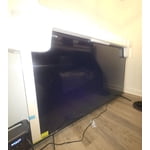
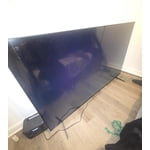
Screen never worked

[This review was collected as part of a promotion.]

Review from lg.com
Helpful?6NED4DW4ASZZ15850524784
reply from LG

Hello, Joshua. We appreciate you sharing your review regarding your LG 86UA7700PUA TV. We recognize your experience with the screen display not functioning upon setup. To help troubleshoot a blank display, perform a hard reset by unplugging the TV power cord for 60 seconds, press and hold the power button on the TV for 5 seconds while unplugged, and then reconnect the power cord securely to a known working outlet. For further guidance on resolving power and display issues, please visit https://www.lg.com/us/support/help-library/lg-tv-troubleshooting-an-lg-tv-with-no-picture-and-no-sound--20154765216944?srsltid=AfmBOorjDZiH_PlUlP0_6r5n1STia2j94FkRuQkutJTwGfu4HB1JUQGw. We want to help ensure your home setup operates perfectly and comfortably for your household. Please send us an email at lgdigitalcare@lg.sprinklrsupport.com if you need further support. ^James

Aug 5, 2025
Reviewer name: Nikki 75
4 out of 5 stars
4 out of 5 stars review

Amazing Picture

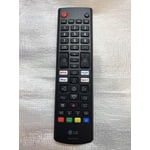
Great picture and the AI features are great! I gave it a four because it didn't have the magic remote!

Review from lg.com
Helpful?6NED4DW4ASZZ15850524784
reply from LG Digital Care Team

We’re thrilled to hear you’re loving the amazing picture quality and AI features—your appreciation means the world to us, Nikki! We totally understand how important the Magic Remote is in bringing that seamless LG experience to life, and we’re here to help make every moment with your TV feel effortless and immersive. Your feedback is invaluable, and we’re so grateful you chose LG to be part of your home entertainment. Here’s to many more stunning views ahead! 📺✨ ^Anthony

Jan 8, 2026
Reviewer name: Reither
3 out of 5 stars
3 out of 5 stars review

Average

Poor color and no real way to adjust the color. Red is way over done and using their ways of adjusting do not work well.

Review from lg.com
Helpful?6NED4DW4ASZZ15850524784
reply from LG

Hi. Thank you for sharing your experience with your LG TV. We appreciate you taking the time to highlight the color challenges you’re seeing, especially with the red tones and the adjustment options not giving you the results you expect. LG TVs do offer several picture modes and advanced color controls, and you may find the guidance on our official support page helpful for fine‑tuning your settings: https://www.lg.com/us/support/help-library/lg-tv-the-best-picture-settings-for-your-lg-tv--20150577528034. To allow us to properly investigate the details of your specific product model and to see if there is anything we can do to assist with this color‑related issue being encountered, please send us an email at lgdigitalcare@lg.sprinklrsupport.com if you need further assistance. You can also refer to the helpful link above for additional support. ^James

Aug 14, 2025
Reviewer name: Booberry22
1 out of 5 stars
1 out of 5 stars review

Awful tv

It wants to update every app and it hangs up on YouTube tv. Remote is very sensitive and the tv lags.

Review from lg.com
Helpful?6NED4DW4ASZZ15850524784
reply from LG Digital Team

Hey there. We get it—tech should make life easier, not more complicated. If your LG TV is lagging or struggling with app updates, a few quick tweaks in the settings menu can often bring things back up to speed. To resolve this, check out these troubleshooting steps here: https://www.lg.com/us/support/help-library/tv-video-lag--20150774974899. If this persists after these steps, send us your contact details at lg.sprinklrsuppport.com. Your comfort and convenience matter to us, and we’re always working to improve. Thanks for sharing your experience—it helps us serve you better. ^David

Jul 30, 2025
Reviewer name: CantCme
3 out of 5 stars
3 out of 5 stars review

Why Do I have to spend extra for a remote?

Pros: great picture. Cons: no magic remote. I bought an LG sound bar and can not control it with TV remote supplied.

Review from lg.com
Helpful?6NED4DW4ASZZ15850524784
reply from LG Digital Care Team

Thanks for sharing your thoughts about the 65UA7700PUB—your praise for its picture quality means a lot. 🌟 We’re thrilled it delivers a stunning visual experience! We hear your feedback on the remote setup, and we understand how important seamless control is for an elevated entertainment experience. While the Magic Remote isn’t bundled with every model, it’s designed to unlock intuitive control and richer compatibility across LG devices, including sound bars. That said, your insight helps us better tailor our offerings to what matters most to our LG family. If you’re ever curious about enhancing your setup or exploring remote options, our team @LGUSSupport through our social media platforms are always ready to assist. Your voice shapes the future of innovation—and we’re thankful you shared it with us. ^Anthony

Jan 9, 2026
Reviewer name: 55 inch UHD UA77
2 out of 5 stars
2 out of 5 stars review

Give directions in English words!

Smart tv, but DUMB directions: Papers in English for privacy, safety and promo products, but directions, even using QR code for PDF have NO WORDS! Maybe that works for some people, but it is NOT easy. For instance, for 43" setup screws are shown as different, certainly no washers. After 45 minutes trying to remove washers, just used them and seems stable. But 2 remotes? I only got one and don't know if the 2nd is optional (dotted lines) but how will I change channels? LAME. It'd cost practically nothing to make this a used friendly set up.

Review from lg.com
Helpful?6NED4DW4ASZZ15850524784
reply from LG

Hello. Thank you for sharing your experience with your LG TV. We appreciate you taking the time to describe what happened during setup, especially the difficulty with the word‑free instructions, the confusion around the screws and washers for the 43" model, and the uncertainty about the second remote shown in the guide. Your feedback about how the setup materials could be more user‑friendly is important for us to review so we can look more closely into the specifics of your model. To allow us to properly investigate the details of your specific product model and to see if there is anything we can do to assist with this setup‑instruction and remote‑inclusion issue being encountered, please send us an email at lgdigitalcare@lg.sprinklrsupport.com if you need further assistance. You can also refer to this helpful link for reference on the specific issue you're encountering: https://www.lg.com/us/support/help-library/lg-tv-how-to-use-lg-channels--20150552982846 ^James

Jul 15, 2025
Reviewer name: disappointed010
1 out of 5 stars
1 out of 5 stars review

Updates make it worse

Performance gets worse with each update. "Free Channels" now take forever to load.

Review from lg.com
Helpful?6NED4DW4ASZZ15850524784
reply from LG Digital Care Team

Thanks for sharing your feedback, we know it’s frustrating when updates seem to slow things down instead of improving them. We'd like to help look into this, reach us through social media @LGUSSUpport. We’ll be glad to check if there are any optimizations or resets that could help get things running smoother again! ^Jose