Skip to Main Content
Sam's Club
Sam's Club
All Departments
All Services
Customer reviews for LG 55" Class UA7700 Series 4K UHD Smart TV for
LG 55" Class UA7700 Series 4K UHD Smart TV
4.2 out of 5 stars
stars
116 ratings76 reviews
  1. 5 stars61% (71)
  2. 4 stars19% (22)
  3. 3 stars8% (9)
  4. 2 stars5% (6)
  5. 1 star7% (8)

Member photos

Sort by |
Showing 61-70 of 76 reviews
Jul 21, 2026
LARRY BK
2 out of 5 stars review

Not Happy. Picture regularly Blurry and Looping.

Unlike my other 2 TVs including another LG this regularly has Blurry picture and looping. Unhappy for the Quality!

Review from lg.com
Helpful?6NED4DW4ASZZ15850524784
reply from LG

Hi, Larry. We appreciate you sharing your thoughts and review regarding your LG 65UA7700AUA TV. We recognize your experience with the blurry picture quality and screen looping on your unit. To help improve picture clarity and resolve display performance issues, ensure your TV's software is updated to the latest version and inspect your connected HDMI cables for a secure connection. For step-by-step guidance on picture issues, you can review our support guides at https://www.lg.com/us/support/help-library/lg-tv-troubleshooting-a-blurry-screen-on-an-lg-tv--20153130477848?srsltid=AfmBOoqp_XzVdbXand5EBo4C24bZGjD6dlF5RX9DOE3Ik0B3K88-FdLz and https://www.lg.com/us/support/help-library/lg-tv-troubleshooting-continuous-screen-flickering--20154896543894?srsltid=AfmBOoq_JCggGP2kSiPISPHGCNb4SEHBsQaQHV1zpr7NcnnWvbkWLJza. We want to help ensure your home entertainment setup operates perfectly and comfortably for your household. Please send us an email at lgdigitalcare@lg.sprinklrsupport.com if you need further support. ^James

May 13, 2026
Sorcha
5 out of 5 stars review

Great TV

Great TV,especially for the price. Picture compares favorably to our LG OLED TV in the living room. This one is in the MBR. Easy hook up to our LG soundbar.

Review from lg.com
Helpful?6NED4DW4ASZZ15850524784
reply from LG Digital Care Team

Hi there, Sorcha! Thanks for the five stars. Sounds like your new TV is holding its own beautifully and settling into the bedroom setup with ease. If you ever need a hand in the future, @LGUSSupport is always here to help. #LifesGood ❤️ ‑LG Digital Care Team ^Rich

May 31, 2026
Bud86
4 out of 5 stars review

Not happy

Really dislike the."magic" remote Sound isn't v good good o

Review from lg.com
Helpful?6NED4DW4ASZZ15850524784
reply from LG Digital Care Team

Hello there Carla! Thanks for taking a moment to share your thoughts. We appreciate the shoutout and we’ll be sure to pass your notes about the remote and sound along to our product team. If you need anything else down the road, @LGUSSupport is always here to help. #LifesGood ❤️ ^Rich

Jan 8, 2026
Reither
3 out of 5 stars review

Average

Poor color and no real way to adjust the color. Red is way over done and using their ways of adjusting do not work well.

Review from lg.com
Helpful?6NED4DW4ASZZ15850524784
reply from LG

Hi. Thank you for sharing your experience with your LG TV. We appreciate you taking the time to highlight the color challenges you’re seeing, especially with the red tones and the adjustment options not giving you the results you expect. LG TVs do offer several picture modes and advanced color controls, and you may find the guidance on our official support page helpful for fine‑tuning your settings: https://www.lg.com/us/support/help-library/lg-tv-the-best-picture-settings-for-your-lg-tv--20150577528034. To allow us to properly investigate the details of your specific product model and to see if there is anything we can do to assist with this color‑related issue being encountered, please send us an email at lgdigitalcare@lg.sprinklrsupport.com if you need further assistance. You can also refer to the helpful link above for additional support. ^James

Jul 6, 2025
SAMUSER0
5 out of 5 stars review

Great picture, price and features.

The picture is truly fantastic sharp and clear with colors that smack you in the face The price range I needed with the quality I wanted. Loving all the features and learning more daily.

Review from lg.com
Helpful?6NED4DW4ASZZ15850524784
reply from LG Digital Team

We love hearing how much you're enjoying your LG TV! That bold, brilliant picture and feature-packed performance were made to impress, especially at a price that fits just right. Here’s to discovering even more to love every day! For more feedback or questions, private message us on social media @LGUSSupport . Thanks for making LG a part of your home! 🙂 ^David #LifeisGood

Jul 22, 2025
Anonymous
5 out of 5 stars review

Beautiful color; rapid screen response.

I bought a 37” LG in 2010. I have since added a fire stick for streaming programming. This TV has continued to work beautifully, while 2 different larger screen sets of other manufacturers died quickly.

Review from lg.com
Helpful?6NED4DW4ASZZ15850524784
reply from LG Digital Team

Wow, Margie! Thanks for sharing your experience with your 2010 LG TV. What an amazing run! We love hearing how your Fire stick brought fresh life to a screen that is still going strong. When you're ready to upgrade, you can count on LG for your next big screen. Private message us on social media @LGUSSupport with your contact details. Our LG product experts can help you choose the perfect replacement. They may have an exclusive discount promo code just for you. Thank you for choosing LG! ^David

Nov 21, 2025
MICHAEL
2 out of 5 stars review

The TV has a great picture, But...

The TV has a great picture. Setup was a nightmare, it wants to talk to you while setting up. It talks so fast it's like listening to an auctioneer, I had to reset the TV to factory setting 3 times before I was able to figure out how to stop the talking. Read the user manual you say, I answer, what user manual? Not one in the box, not one on line that explains how to change settings. Every time I turn the TV on I have to agree to LG's user agreements, I then have to hunt for the HDMI inputs. Let me tell you about the "Magic Remote" IT SUCKS! Every time I push a button it throws up a cursor that is controlled by pointing the remote, I position the remote then press the enter button to make my selection and the cursor moves and I end up selecting something else because by trying to press the enter button the remote moved causing the cursor to move. I don't believe this "great" option can be disabled, if there is a way I haven't been able to figured out how to do it. Using the direction buttons that surrounds the enter button is far more easier to use, if only the cursor wouldn't pop up every time a button is pushed. I'm going to keep trying to learn how to use the TV, but I've got a premonition this TV will be returned. This is the first TV I've ordered online and will most likely be the last.

Helpful?6NED4DW4ASZZ15850524784
reply from LG Digital Customer Care

Hi, Michael. Thank you for sharing your experience with your LG TV (55UA7700PUB) model. We understand how important it is for setup and daily use to feel simple and intuitive. For the talking setup guide, one helpful step is to turn off the Voice Guidance feature in Accessibility settings—this will stop the fast audio prompts during setup. For the Magic Remote cursor, you can disable the pointer function by pressing the Settings button, navigating to Pointer Options, and switching it off, which allows you to use only the directional buttons for navigation. For more help, visit https://www.lg.com/us/support/help-library/lg-webos-tv-magic-remote-control-CT10000018-20154712681992. If you need further assistance with settings or service support, please send us an email at lgdigitalcare@lg.sprinklrsupport.com so we can help you directly. ^Juvy

Jul 17, 2026
Joshuapaulokulski
1 out of 5 stars review

Screen never worked

[This review was collected as part of a promotion.]

Review from lg.com
Helpful?6NED4DW4ASZZ15850524784
reply from LG

Hello, Joshua. We appreciate you sharing your review regarding your LG 86UA7700PUA TV. We recognize your experience with the screen display not functioning upon setup. To help troubleshoot a blank display, perform a hard reset by unplugging the TV power cord for 60 seconds, press and hold the power button on the TV for 5 seconds while unplugged, and then reconnect the power cord securely to a known working outlet. For further guidance on resolving power and display issues, please visit https://www.lg.com/us/support/help-library/lg-tv-troubleshooting-an-lg-tv-with-no-picture-and-no-sound--20154765216944?srsltid=AfmBOorjDZiH_PlUlP0_6r5n1STia2j94FkRuQkutJTwGfu4HB1JUQGw. We want to help ensure your home setup operates perfectly and comfortably for your household. Please send us an email at lgdigitalcare@lg.sprinklrsupport.com if you need further support. ^James

Jan 9, 2026
55 inch UHD UA77
2 out of 5 stars review

Give directions in English words!

Smart tv, but DUMB directions: Papers in English for privacy, safety and promo products, but directions, even using QR code for PDF have NO WORDS! Maybe that works for some people, but it is NOT easy. For instance, for 43" setup screws are shown as different, certainly no washers. After 45 minutes trying to remove washers, just used them and seems stable. But 2 remotes? I only got one and don't know if the 2nd is optional (dotted lines) but how will I change channels? LAME. It'd cost practically nothing to make this a used friendly set up.

Review from lg.com
Helpful?6NED4DW4ASZZ15850524784
reply from LG

Hello. Thank you for sharing your experience with your LG TV. We appreciate you taking the time to describe what happened during setup, especially the difficulty with the word‑free instructions, the confusion around the screws and washers for the 43" model, and the uncertainty about the second remote shown in the guide. Your feedback about how the setup materials could be more user‑friendly is important for us to review so we can look more closely into the specifics of your model. To allow us to properly investigate the details of your specific product model and to see if there is anything we can do to assist with this setup‑instruction and remote‑inclusion issue being encountered, please send us an email at lgdigitalcare@lg.sprinklrsupport.com if you need further assistance. You can also refer to this helpful link for reference on the specific issue you're encountering: https://www.lg.com/us/support/help-library/lg-tv-how-to-use-lg-channels--20150552982846 ^James

May 5, 2026
Mema 7
4 out of 5 stars review

Good color

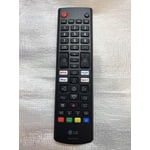
The TV is good the remote it comes with is terrible. Stop taking the number button off remotes.

Review from lg.com
Helpful?6NED4DW4ASZZ15850524784
reply from LG

Hello! Thank you for sharing your thoughts on your LG TV. We’re glad to hear the TV itself is working well for you, and we appreciate your honest feedback about the remote. Your point about keeping number buttons is noted, and insights like this help highlight what features matter most in everyday use. To allow us to properly investigate the details of your specific product model and to see how we can assist with the remote issue being encountered, please send us an email at lgdigitalcare@lg.sprinklrsupport.com if you need further assistance. ^James