Skip to Main Content
Sam's Club
Sam's Club
All Departments
All Services
Customer reviews for SAMSUNG 55” Class S90FD Series 4K OLED Smart TV for
SAMSUNG 55” Class S90FD Series 4K OLED Smart TV
4.7 out of 5 stars
stars
567 ratings566 reviews
  1. 5 stars80% (451)
  2. 4 stars14% (79)
  3. 3 stars4% (22)
  4. 2 stars2% (11)
  5. 1 star1% (4)

Member photos

  • +172 images
Sort by |
Showing 241-250 of 566 reviews
Jul 6, 2026
Reviewer name: Daniel D
4 out of 5 stars
4 out of 5 stars review

So far so good

[This review was collected as part of a promotion.] So far it's been pretty good, easy set up picture is great the only thing I can't figure is the right picture mode when I get time I'll do some more research

Review from Samsung US
Helpful?57VM8815Z2DU15574802533
May 30, 2026
Reviewer name: John choi
5 out of 5 stars
5 out of 5 stars review

This tv is very attractive and best

[This review was collected as part of a promotion.] Brightness is perfect. Color is vivid and clear, doesn't bother eyes. Contrast is very good. Resolution is very good. Viewing is very good

Review from Samsung US
Helpful?57VM8815Z2DU15574802533
Jun 1, 2026
Reviewer name: Combovercool
5 out of 5 stars
5 out of 5 stars review

Great TV, color, contrast and brightness is great
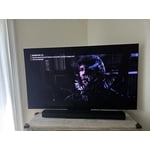
[This review was collected as part of a promotion.] Excellent colors, the contrast inky blacks, high brightness even in a full daylight room. I love this TV! The resolution is insane on this. Watching 4k movies is like being at the movie theater.

Review from Samsung US
Helpful?57VM8815Z2DU15574802533
Jun 13, 2026
Reviewer name: Didi2025
5 out of 5 stars
5 out of 5 stars review

Excelent features....
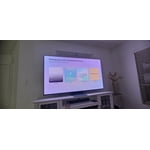
[This review was collected as part of a promotion.] Great contrast, resolution, and brighness. Epic pictures and graphics. Loving my second TV Samsung and in love with my Samsung phone. As a Samsung's fan, un love with Samsung products.

Review from Samsung US
Helpful?57VM8815Z2DU15574802533
Jul 5, 2026
Reviewer name: Joey
5 out of 5 stars
5 out of 5 stars review

Great Choice

[This review was collected as part of a promotion.] Pictures quality is wonderful, vibrant colors, truly enjoying the quality of my Samsung OLED S90FD 4K and happy with this selection!

Review from Samsung US
Helpful?57VM8815Z2DU15574802533
Jun 20, 2026
Reviewer name: Naumo
5 out of 5 stars
5 out of 5 stars review

Great picture

[This review was collected as part of a promotion.] Replaced our old tv and we can not believe the picture quality on our new Samsung. The crispness of the picture is fantastic, even the speaker system is great with out additional equipment.

Review from Samsung US
Helpful?57VM8815Z2DU15574802533
Jun 23, 2026
Reviewer name: J Mc
5 out of 5 stars
5 out of 5 stars review

Solid product

[This review was collected as part of a promotion.] Ultra clear picture, fast response. Great options, easy to use menu. Have no complaints or issues, solid product.

Review from Samsung US
Helpful?57VM8815Z2DU15574802533
May 25, 2026
Reviewer name: JP59
5 out of 5 stars
5 out of 5 stars review

Satisfied Sports Fan
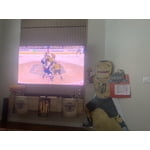
[This review was collected as part of a promotion.] This is hands down the best TV I have ever owned! I am enjoying the Stanley Cup Playoffs at a new level! The CPU speed and AI have totally changed the viewing experience.

Review from Samsung US
Helpful?57VM8815Z2DU15574802533
Jul 6, 2026
Reviewer name: TVLover
3 out of 5 stars
3 out of 5 stars review

Could be easier to operate

[This review was collected as part of a promotion.] I do not like the fact that it will turn on by itself, I have attempted to trun off every feature in order to make the tv stay off when I turn it off.

Review from Samsung US
Helpful?57VM8815Z2DU15574802533
reply from Samsung Advisor

Hi TVLover, Thanks for sharing your experience. If your TV is powering on by itself, there are a few settings and external triggers to review: 1. Power On with Mobile – Your TV may be connected to the SmartThings app or other networked devices. To stop wake signals, turn this feature off: Settings > All Settings > Connection > Network > Expert Settings > Power On with Mobile = Off 2. Check for Active Timers – Go to Settings > All Settings > General & Privacy > System Manager > Time > Timer Settings, then disable any On Timers or Sleep Timers 3. Anynet+ (HDMI-CEC) – If your TV is connected to external HDMI devices, one of them may be triggering power-on behavior. To disable this feature: Settings > All Settings > General & Privacy > External Device Manager > Anynet+ (HDMI-CEC) = Off 4. Software Update – Make sure your TV is up to date: Settings > Support > Software Update > Update Now If you’ve ruled out all the above and your TV still powers on unexpectedly, try unplugging it for 30 seconds. Should the issue continue, please call Samsung Support at 1-800-SAMSUNG, (8AM – 9PM EST Mon – Fri, 8AM – 6PM Sat – Sun). LiveChat is also available via the ‘Support’ link on our website. ~ Samsung Advisor

Jun 29, 2026
Reviewer name: Avg_TechGuy
5 out of 5 stars
5 out of 5 stars review

Awesome Tech

[This review was collected as part of a promotion.] The TV's display was very bright and the colour was very punchy when I dialed in my personal settings. Kind of regret not getting bigger than the 55"

Review from Samsung US
Helpful?57VM8815Z2DU15574802533