Skip to Main Content
Sams Club
Sams Club
Customer reviews for SAMSUNG 55” Class Q7FD Series 4K QLED Smart TV for
SAMSUNG 55” Class Q7FD Series 4K QLED Smart TV
4.7 out of 5 stars
stars2,017 ratings2,015 reviews
  1. 5 stars81% (1,630)
  2. 4 stars14% (281)
  3. 3 stars3% (61)
  4. 2 stars1% (13)
  5. 1 star2% (32)

Member photos

  • +609 images
Sort by |
Showing 361-370 of 2,015 reviews
Mar 24, 2026
Codplaya52
4 out of 5 stars review

Great tv , great features

[This review was collected as part of a promotion.] Great tv, longtime samsung tv buyer, the brightness, and color are so lifelike, the images are perfectly clear ,to the oint that you can even see the blemishes on actors skin through the makeup they wear, the contrast between the colors is amazing, and the resolution is so lifelike too, the interface isn't to shabby, could use small improvements, but works fairly well.

Review from Samsung US
Helpful?1LI0EAPX5OHH15551574995
Mar 23, 2026
Nyonny
5 out of 5 stars review

What a wonderful tv

[This review was collected as part of a promotion.] This tv is amazing! The processor/refresh is fast, the sound is great but even better connected to outside devices. The gaming is phenomenal and everyone loves a free tv service. Vibrant color display and amazing resolution. I need a few more of these

Review from Samsung US
Helpful?1LI0EAPX5OHH15551574995
Mar 23, 2026
Noreen
5 out of 5 stars review

Color

[This review was collected as part of a promotion.] The colors of tv are really vibrant and is really fast. Does not lag. We are loving it. This is best purchase we did. Each penny spent is worthy. Size is quite good for our lounge. Interface is good. Tv resolution is good too. Bright colors make a good watch time.

Review from Samsung US
Helpful?1LI0EAPX5OHH15551574995
Feb 25, 2026
Nick
5 out of 5 stars review

Clarity and Brightness

[This review was collected as part of a promotion.] The brightness and clarity of the tv really makes my cooking videos and action movies pop with color. I really wanted this tv so that I could have the same resolution I have on my tablet on the big screen.

Review from Samsung US
Helpful?1LI0EAPX5OHH15551574995
Feb 5, 2026
Bruce
3 out of 5 stars review

Hardware is terrific! Software, not so much.

[This review was collected as part of a promotion.] The TV is wonderful. Sharp picture and a great view. Obtaining and using apps, however, is not intuitive. Also fast forwarding and rewinding using the provided remote does not show what is being skipped over maki it difficult to, for example, fast forward through the opening credits because you cannot see when they end. Also, signing into an app through our service provider is not an option and is very inconvenient. If fact, that is so inconvenient I would not have bought the tv had I known that. Must be a problem with the software.

Review from Samsung US
Helpful?1LI0EAPX5OHH15551574995
reply from Samsung Specialist

Bruce, We appreciate you sharing your experience. To help you get the most from your TV and remote functions, you can download the full e-Manual and more by visiting Samsung’s website then navigating to: Support > Manual & Software > TVs & Home Theater. From there, you can search for and select your TV model to view or download the available guides. The e-Manual & Remote Control Guide are also conveniently built into your TV: Settings > Support > Tips and User Guides. For additional guidance, your TV also includes Accessibility features designed to assist with navigation and remote use. • Learn Menu Screen provides audio guidance for on-screen menus by announcing the name and function of each item as you scroll – without making any changes. This is especially helpful for users who are visually impaired or new to Smart TV menus. Enable via: Settings > All Settings > General & Privacy > Accessibility > Learn Menu Screen. To exit, press the Return key twice. • Learn TV Remote helps users become familiar with the layout and function of each button on the Samsung remote. Pressing a button (other than Power) will prompt the TV to announce its name and purpose, again without affecting TV operation. Enable via: Settings > All Settings > General & Privacy > Accessibility > Learn TV Remote. To exit, press the Return key twice. If you’d like more assistance with these features, please reach Samsung Support at 1-800-SAMSUNG, available 8AM – 12AM EST, 7 days a week. LiveChat agents are also available through the ‘Support’ link on our website. ~ Samsung Specialist

Feb 21, 2026
EchoReversal
4 out of 5 stars review

Affordable TV great for gamer ob a budget

[This review was collected as part of a promotion.] It's easy to set up, and even if don't want to fully utilize the "smart" aspect can function like regular TV. It's decently priced. The brightness and resolution is quite crisp. Didn't realize how vibrant and how bad my previous contrast was until I got this TV.

Review from Samsung US
Helpful?1LI0EAPX5OHH15551574995
Mar 23, 2026
JJH TV
5 out of 5 stars review

Looks good in my new apartment

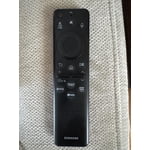
[This review was collected as part of a promotion.] Overall, I'm liking my new Samsung tv. The resolution of the tv is as expected, knowing what kind of tv I was purchasing. I like that fact that the remote has a built-in solar panel to help keep the battery charged without having to buy batteries or plug it in all the time. I also enjoy all the free Samsung channels I get to watch.

Review from Samsung US
Helpful?1LI0EAPX5OHH15551574995
Feb 15, 2026
wayneb1357
5 out of 5 stars review

Love the TV, Samsung productsnever cease to amaze

[This review was collected as part of a promotion.] TV has been pretty high quality thing that I would say isn't perfectly what I would expect from Samsung and an easy to use interface is a little bit of a complicated system for finding different quality and settings for the type of video you're trying to use or how to connect to different devices for audio it's not all self-explanatory is why I still very much enjoyed it and I love all the complex contrast settings and the way the color looks in general the native color is great the 4K is very smooth and I love the refresh rate

Review from Samsung US
Helpful?1LI0EAPX5OHH15551574995
Mar 23, 2026
Ivan
5 out of 5 stars review

A Theater Experience Right in My Living Room

[This review was collected as part of a promotion.] I recently upgraded to the Samsung 75" QLED Q7FD, and it has completely transformed how I watch TV. The sheer size of the screen makes movies and sports feel cinematic, and the Quantum HDR brings out colors I didn't even realize I was missing. Bright scenes look stunning, and even in daylight the picture stays crisp without glare. The Vision AI feature is impressive—it automatically adjusts brightness and sharpness depending on what I'm watching, so whether it's a fast-paced soccer match or a dark thriller, the visuals are always optimized. Upscaling older content to 4K looks surprisingly good, and streaming in native 4K is jaw-dropping. Sound is another highlight. The Object Tracking Sound Lite makes audio feel like it's moving with the action on screen, which adds depth without needing a soundbar (though I'll probably add one later for extra punch). Setup was simple, and the Tizen smart platform is smooth and responsive. Apps load quickly, and the TV integrates easily with my smart home devices.

Review from Samsung US
Helpful?1LI0EAPX5OHH15551574995
Feb 17, 2026
Anonymous
5 out of 5 stars review

QLED technology App features, Voice assistant

[This review was collected as part of a promotion.] The picture quality is unreal, bright, colorful, and incredibly sharp. QLED technology really makes a difference when watching sports, movies, or gaming experience. I honestly couldn't be happier with this purchase.

Review from Samsung US
Helpful?1LI0EAPX5OHH15551574995