Skip to Main Content
Sams Club
Sams Club
Customer reviews for SAMSUNG 55” Class Q7FD Series 4K QLED Smart TV for
SAMSUNG 55” Class Q7FD Series 4K QLED Smart TV
4.7 out of 5 stars
stars2,010 ratings2,008 reviews
  1. 5 stars81% (1,627)
  2. 4 stars14% (277)
  3. 3 stars3% (61)
  4. 2 stars1% (13)
  5. 1 star2% (32)

Member photos

  • +604 images
Sort by |
Showing 1-10 of 2,008 reviews
Oct 14, 2025
PMerkle
5 out of 5 stars review

Verified Purchase

More Than Good Hardware

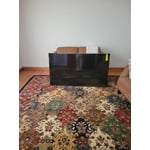
The Samsung TV comes loaded with a lot of material, including music channels, movies and TV shows. The quality of the image is deluxe. The screen is very easily damaged. Handle from edges only.

Helpful?1LI0EAPX5OHH15551574995
Sep 29, 2025
Techlove23
5 out of 5 stars review

Q7F QLED 4K TV (2025)

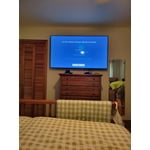
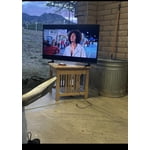
[This review was collected as part of a promotion.] I use my Samsung TV daily for streaming movies, gaming with friends, and catching live sports. Its vibrant display and smart features make switching between apps seamless, and the sound quality brings every scene to life. Whether I'm relaxing after work or hosting a game night, it fits perfectly into my routine. Here's a photo of it in action—definitely one of my favorite tech investments!

Review from Samsung US
Helpful?1LI0EAPX5OHH15551574995
May 23, 2026
Jmh26
5 out of 5 stars review

Awesome picture and sound

[This review was collected as part of a promotion.] Easy to surf my favorite channels with the voice remote.clear colorful picture and sound quality doesn't require adding a sound bar. The contrast is perfect and allows the perfect interface with the resolution settings. The brightness is automatically set to fit the room lighting and mood of the evening

Review from Samsung US
Helpful?1LI0EAPX5OHH15551574995
Apr 5, 2026
DecalJosh78
5 out of 5 stars review

Awesome TV

[This review was collected as part of a promotion.] This TV is awesome. I almost went for a cheaper model but I'm glad I didn't. The picture quality is amazing and the sound is actually pretty dang good, for a tv. I paired it up with the Samsung - HW-S50B 3.0 Channel S-Series All-in-one Soundbar, Dolby 5.1 / DTS Virtual:X - Black, for the ultimate experience. Highly recommended and it will make all your friends jealous.

Review from Samsung US
Helpful?1LI0EAPX5OHH15551574995
Apr 10, 2026
PhoenixRising
5 out of 5 stars review

Awesome TV And One of The Best

[This review was collected as part of a promotion.] Absolutely wonderful tv...screen looks like your right inside it. Makes me feel as if im actually in the movie myself. Sound is amazing with samsung surround i have for it and immerses you in the depth of sound. Vibrant colors are a plus with contrast and brightness for each setting perfect for whatever you're watching. Picture is good and clear and I can watch it almost without my glasses which is a plus. The interface works well all my internet systems and mobile devices .

Review from Samsung US
Helpful?1LI0EAPX5OHH15551574995
Apr 5, 2026
Smart Tv viewer
5 out of 5 stars review

Wonderful tv

[This review was collected as part of a promotion.] Our new Samsung TV Is a delight and for the most part is very smart. I have no qualms At all with the TV or the software. However the solar remote , While easy to charge, Is not as responsive as I would like it to be . Otherwise the TV is a five out of five .

Review from Samsung US
Helpful?1LI0EAPX5OHH15551574995
Mar 28, 2026
FanofSamsung
5 out of 5 stars review

Easy and Versatile

[This review was collected as part of a promotion.] I wanted a set that was easy to set up and provided choices to connect with my phone, computer and the Internet. All of those options are combined in this TV. A bonus was that the TV is QLED. Excellent choice of a TV for my family.

Review from Samsung US
Helpful?1LI0EAPX5OHH15551574995
Aug 26, 2025
SUNNYRN90
4 out of 5 stars review

Verified Purchase

Great TV but Shipping Shattered the first one.

Love this TV. Husband is so happy with all the features. Only problem was with the first delivery, it arrived shattered. SAMS was awesome to resend without charging us shipping only after we returned the shattered TV.

Helpful?1LI0EAPX5OHH15551574995
reply from Samsung

Hi SUNNYRN90,<br /><br />We appreciate you sharing the issues you initially experienced with Samsung’s Q7FD TV. Thank you for your patience throughout the inconvenience of arranging an exchange.<br /><br />If you have any questions about your new unit or need assistance with setup or features, we’re here to help. You can reach us at 1-800-SAMSUNG, available daily from 8AM - 12AM EST. You can also visit the Samsung website and click on ‘Support’ for:<br />• Live Chat<br />• Manuals, Software, &amp; Warranty Info<br /><br />~ Samsung Specialist

Oct 14, 2025
Have owned 5 Samsung TVs
3 out of 5 stars review

Disappointed

IMO it is dull. I took 1 star off for the remote - fortunately I had an older Samsung remote with separate labeled buttons. I subtracted another star for lack of brightness. I have owned for almost a week and have explored and adjusted all settings. I just can't get it any brighter. I should have heeded a professional review that rated the TV as 5.9 out of 10 due to the number of NITS being low and a dim picture, especially in bright rooms. The 43" Crystal display is brighter and just as good of a picture. The QLED is not worth the extra $.

Review from Samsung US
Helpful?1LI0EAPX5OHH15551574995
reply from Samsung Brand Ambassador

Hello, We appreciate your feedback on the picture quality of Samsung’s Q7F TV. If the image doesn’t quite match your preferences, there are several adjustments you can make to better suit your viewing environment and content type. First, please ensure your TV is running the latest firmware, as updates may include important picture quality enhancements. Go to: Home > Left directional button > Settings > Support > Software Update > Update Now To explore picture mode options, navigate to: Home > Left directional button > Settings > All Settings > Picture > Picture Mode. Options include: • Standard – Ideal for general viewing • Dynamic – Brighter and more vibrant for well-lit spaces • Eco – Optimized for energy efficiency • Movie – Best for viewing in low light • Filmmaker Mode – Preserves the content creator’s intent and disables motion smoothing for supported content You can further customize your image by going to: Settings > All Settings > Picture > Expert Settings, where you can adjust Brightness, Contrast, Color Tone, Sharpness, Contrast Enhancer and more. If you’d like help finding the best picture settings for your preferences, please don’t hesitate to contact Samsung Support at 1-800-SAMSUNG, available 8AM – 12AM EST, 7 days a week. You can also LiveChat with an agent or explore additional resources on our website by clicking the ‘Support’ link. ~ Samsung Pro

Jan 16, 2026
Crix20001
1 out of 5 stars review

Failed in a week.

Top edge of screen had a dark spot which is now turning into 4 dark spots and the entire screen is wavy. I have samsung phones, head phones 4 other Samsung tvs Samsung appliances but this is the largest TV I ever bought and its already failing in a week highly disappointing hopefully the service tech can replace this for a better model after all the other bad reviews.

Review from Samsung US
Helpful?1LI0EAPX5OHH15551574995
reply from Samsung Specialist

Crix20001, We appreciate your feedback on the picture quality of Samsung’s Q7F TV. Please ensure your TV is running the latest firmware (Version 1131.0), as updates include important picture quality enhancements. Go to: Home > Left directional button > Settings > Support > Software Update > Update Now If this firmware version is not yet available on your TV, you can download the update on a USB drive and manually update your TV: 1. On Samsung's website (upper right corner), go to: Support > Manual & Software > Find your TV model, and click on the Firmware – Upgrade File. 2. When the file has finished downloading, locate it and then unzip it. There is normally one folder inside but there may be multiple files. 3. Copy or move all of the files that were included in the zip file to a USB flash drive, but do not place them inside any other folders. If you place the software folders inside a folder on the USB flash drive, the TV or monitor will not find them. 4. Connect the USB drive containing the software upgrade into a USB port on your device. 5. Using your device's remote, navigate to and select Settings, then select All Settings, and then select Support. Select Software Update, select Update Now, and then select Yes if prompted. Your device will search the USB drive for update files. Follow the on-screen instructions to install the updated software. Updates usually take a few minutes; please do not turn off the TV until the update is complete. When the update is finished, it will restart automatically. For further assistance, please contact Samsung Customer Support at 1-800-SAMSUNG, available 8AM – 12AM EST, 7 days a week. LiveChat agents are also available on the ‘Support’ link at samsung.com. ~ Samsung Specialist