Join Now
Skip to Main Content
Sam's Club
Sam's Club
All Departments
All Services
Customer reviews for SAMSUNG 55" Class U8000F Series 4K Crystal UHD Smart TV for
SAMSUNG 55" Class U8000F Series 4K Crystal UHD Smart TV
4.5 out of 5 stars
stars
2,030 ratings1,961 reviews
  1. 5 stars72% (1,458)
  2. 4 stars15% (311)
  3. 3 stars6% (118)
  4. 2 stars3% (69)
  5. 1 star4% (74)

Member photos

  • +590 images
Sort by |
Showing 841-850 of 1,961 reviews
Apr 9, 2026
Reviewer name: Kailee
5 out of 5 stars
5 out of 5 stars review

Great tv

[This review was collected as part of a promotion.] The brightness and contrast are wonderful. It also has high resolution for the best viewing and also fast refresh

Review from Samsung US
Helpful?43WYLKDSIONN15546751433
Jun 6, 2026
Reviewer name: none
4 out of 5 stars
4 out of 5 stars review

the ability to delete and download app
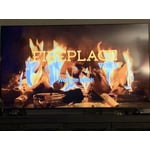
[This review was collected as part of a promotion.] so far i love the brightness , color, contrast , refresh, and resolution. how easy it is to move withing apps

Review from Samsung US
Helpful?43WYLKDSIONN15546751433
Apr 20, 2026
Reviewer name: New TV
5 out of 5 stars
5 out of 5 stars review

Superb

[This review was collected as part of a promotion.] Great television. Great color. Great sound. Great settings to personalize. Great size. Great contrast. Beautiful resolution.

Review from Samsung US
Helpful?43WYLKDSIONN15546751433
May 15, 2026
Reviewer name: Garage tv
5 out of 5 stars
5 out of 5 stars review

Great features

[This review was collected as part of a promotion.] The brightness and resolution are clear. It was easy to set up with our samsung phones. We have no problems with the refresh. The contrast is nice in our garage which has low lighting.

Review from Samsung US
Helpful?43WYLKDSIONN15546751433
Apr 20, 2026
Reviewer name: Weaver
5 out of 5 stars
5 out of 5 stars review

Everything great

[This review was collected as part of a promotion.] Great tv. Makes old movies look new. Picture contrastvand brightness is great. Reslution is A1. Highly satisfied with all samsung products.

Review from Samsung US
Helpful?43WYLKDSIONN15546751433
May 20, 2026
Reviewer name: Lito
5 out of 5 stars
5 out of 5 stars review

Watch the news

[This review was collected as part of a promotion.] Everything is good to my Samsung tv… I've got 70 inches at the living room and the other room with my parents 32 inches Samsung at mine 50 inches Samsung tv.. that's why I love Samsung..

Review from Samsung US
Helpful?43WYLKDSIONN15546751433
Jul 5, 2026
Reviewer name: Tom C
4 out of 5 stars
4 out of 5 stars review

Picture freezes occasionally

[This review was collected as part of a promotion.] Very often, the picture will freeze sometimes at a critical point of it sports contest.. other than that, the picture is terrific.

Review from Samsung US
Helpful?43WYLKDSIONN15546751433
Jun 1, 2026
Reviewer name: CarlosA
5 out of 5 stars
5 out of 5 stars review

Great Features works with Alexa, Airplay Google
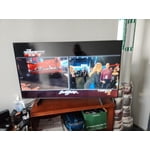
[This review was collected as part of a promotion.] This is a great product that works with all of my applications and my Samsung phones. It easy to program the options for my personal preferences.

Review from Samsung US
Helpful?43WYLKDSIONN15546751433
Jul 20, 2026
Reviewer name: Slim
5 out of 5 stars
5 out of 5 stars review

Samsung TV

[This review was collected as part of a promotion.] TV works great once we figured out the remote. Have all Samsung TVs in both homes. Not happy with only one of the TVs and that being the 50" one. Let's say it's not the best unit.

Review from Samsung US
Helpful?43WYLKDSIONN15546751433
May 21, 2026
Reviewer name: peewee
3 out of 5 stars
3 out of 5 stars review

its ok

[This review was collected as part of a promotion.] tv is good sound is terrible can turn off the lady talking when you first turn on the tv have trouble getting it to dish nework

Review from Samsung US
Helpful?43WYLKDSIONN15546751433
reply from Samsung Advisor

Hi Peewee, Thank you for sharing your concerns. If your TV is announcing everything you do, the Voice Guide feature is likely turned on. This is an accessibility function designed to assist users who are visually impaired, and it may have been activated accidentally by holding down the Volume button on your remote. To turn off Voice Guide, go to: Home > left directional key > Settings > All Settings > General & Privacy > Accessibility > Voice Guide Settings > Voice Guide = OFF If there's anything else we can assist with, please don't hesitate to contact us at 1-800-SAMSUNG, available from 8AM – 9PM EST Mon – Fri, 8AM – 6PM Sat – Sun. You can also visit the Samsung website and click on ‘Support’ for: • Live Chat • Manuals, Software, & Warranty Info ~ Samsung Advisor