Skip to Main Content
Sam's Club
Sam's Club
All Departments
All Services
Customer reviews for SAMSUNG 55" Class U8000F Series 4K Crystal UHD Smart TV for
SAMSUNG 55" Class U8000F Series 4K Crystal UHD Smart TV
4.5 out of 5 stars
stars
2,030 ratings1,961 reviews
  1. 5 stars72% (1,458)
  2. 4 stars15% (311)
  3. 3 stars6% (118)
  4. 2 stars3% (69)
  5. 1 star4% (74)

Member photos

  • +590 images
Sort by |
Showing 831-840 of 1,961 reviews
May 20, 2026
Reviewer name: Coffeecake
5 out of 5 stars
5 out of 5 stars review

Beautiful picture

[This review was collected as part of a promotion.] I love the nice big picture we get with this tv. Everything is so crystal clear. I feel like I'm right there with the people on the show. It's amazing.

Review from Samsung US
Helpful?43WYLKDSIONN15546751433
Jun 22, 2026
Reviewer name: Momzo
3 out of 5 stars
3 out of 5 stars review

Glare

[This review was collected as part of a promotion.] The screen gets a glare unfortunately when its sunny and that is the only thing I do not care for on this tv.

Review from Samsung US
Helpful?43WYLKDSIONN15546751433
reply from Samsung Advisor

Hi Momzo, We appreciate your feedback on screen reflections with the Samsung U8000F TV. Room lighting plays a significant role in how reflections appear, and while we aim to reduce glare where possible, complete elimination isn't guaranteed. For improved glare control, we recommend repositioning the TV to avoid direct light or consulting a professional installer. Samsung’s Glare Free screen is available starting with the QN90F Neo QLED 4K, while Anti Reflection technology is included on select models beginning with the S85F OLED and above. If you have any questions about features or setup, our team is here to help at 1-800-SAMSUNG (8AM – 9PM EST Mon – Fri, 8AM – 6PM Sat – Sun), or reach us via text anytime. You can also visit ‘Support’ on our website for: You can also chat with one of our agents by clicking the ‘Support’ link on our website for: • Live Chat • Manuals, Software, & Warranty Info ~ Samsung Advisor

May 20, 2026
Reviewer name: Jabes
4 out of 5 stars
4 out of 5 stars review

Volume control

[This review was collected as part of a promotion.] The volume control is not very likeable because you have to continue to click to change volume. Instead of a sliding volumes control. Otherwise, all is good.

Review from Samsung US
Helpful?43WYLKDSIONN15546751433
Jun 1, 2026
Reviewer name: Fatman 420
5 out of 5 stars
5 out of 5 stars review

Screen clarity and Samsung function
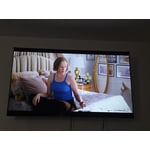
[This review was collected as part of a promotion.] It's a whole new line of clarity for a TV. best picture quality for watching movies and sports no lag. and love the Samsung tv app

Review from Samsung US
Helpful?43WYLKDSIONN15546751433
May 21, 2026
Reviewer name: Dghorm
3 out of 5 stars
3 out of 5 stars review

Bad remote

[This review was collected as part of a promotion.] The tv is fine. The remote control is not. I cannot figure it out. I would like a remote control like I'm used to. I have 2 other Samsungs and they are much clearer on how to operate.

Review from Samsung US
Helpful?43WYLKDSIONN15546751433
reply from Samsung Advisor

Hi Dghorm, We appreciate your thoughts on the U8000F TV’s remote. While it may appear minimal at first glance, many of the buttons are designed with dual or long-press functions to help reduce clutter without sacrificing functionality. For example: • Volume rocker: Push UP/DOWN to adjust volume; press and release quickly to MUTE. • Long-press Volume button: Hold for more than 1 second to access Accessibility Shortcuts. • RETURN button: Press to go back to the previous screen or menu; when watching TV, it takes you back to the previous channel. These combined functions help create a cleaner design while keeping everything you need just a button away. If you ever need help with your remote or want to learn more shortcuts, we’re here to assist. You can reach us at 1-800-SAMSUNG (8AM – 9PM EST Mon – Fri, 8AM – 6PM Sat – Sun), or reach us via text anytime. You can also visit ‘Support’ on our website for: • Live Chat • Manuals, Software, & Warranty Info ~Samsung Advisor

Jul 5, 2026
Reviewer name: RoD18
4 out of 5 stars
4 out of 5 stars review

Overall Good product
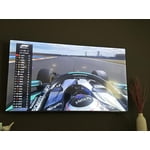
[This review was collected as part of a promotion.] Overall great product for the money. Wish Samsung kept the “one connect” feature. Brightness only good during “soccer” mode but colors are way off and picture looks fake.

Review from Samsung US
Helpful?43WYLKDSIONN15546751433
Jul 4, 2026
Reviewer name: Tv review guy
5 out of 5 stars
5 out of 5 stars review

Best tv

[This review was collected as part of a promotion.] TV has awesome brightness to contrast is so good screen time is super responsive. It's uniformity has amazing upscaling, overall awesome t v

Review from Samsung US
Helpful?43WYLKDSIONN15546751433
May 5, 2026
Reviewer name: Kaka
5 out of 5 stars
5 out of 5 stars review

Good value

[This review was collected as part of a promotion.] I had purchased a few tvs from a different company and they only lasted a very short time. I decided to switch to Samsung and I have been very pleased with my purchase.

Review from Samsung US
Helpful?43WYLKDSIONN15546751433
Jul 20, 2026
Reviewer name: Lisa M
5 out of 5 stars
5 out of 5 stars review

Great picture!

[This review was collected as part of a promotion.] I love Samsung TVs…I have 4 of them and will only ever buy a Samsung. Great picture, great prices! Easy to use, very intuitive.

Review from Samsung US
Helpful?43WYLKDSIONN15546751433
Jul 20, 2026
Reviewer name: Tommy
3 out of 5 stars
3 out of 5 stars review

Meh...

[This review was collected as part of a promotion.] The picture is good on all channels. However, on Netflix there is a buzzing sound. I didn't have that issue on my previous TV.

Review from Samsung US
Helpful?43WYLKDSIONN15546751433