Skip to Main Content
Sam's Club
Sam's Club
All Departments
All Services
Customer reviews for SAMSUNG 55" Class U8000F Series 4K Crystal UHD Smart TV for
SAMSUNG 55" Class U8000F Series 4K Crystal UHD Smart TV
4.5 out of 5 stars
stars
1,786 ratings1,717 reviews
  1. 5 stars72% (1,292)
  2. 4 stars15% (271)
  3. 3 stars6% (108)
  4. 2 stars3% (51)
  5. 1 star4% (64)

Member photos

  • +494 images
Sort by |
Showing 531-540 of 1,717 reviews
Jul 6, 2026
Reviewer name: Kelly O
3 out of 5 stars
3 out of 5 stars review

It was good for a couple weeks

[This review was collected as part of a promotion.] The TV was great for the first two weeks or so then it became unresponsive with the remote and then the picture started to dim. We had no choice but to return it.

Review from Samsung US
Helpful?43WYLKDSIONN15546751433
Jul 20, 2026
Reviewer name: gman
5 out of 5 stars
5 out of 5 stars review

available channel list

[This review was collected as part of a promotion.] beautiful tv, beyond my expectations. Samsung plus is great . Grit channel is right up my alley. love it

Review from Samsung US
Helpful?43WYLKDSIONN15546751433
Jun 22, 2026
Reviewer name: Dougit05
3 out of 5 stars
3 out of 5 stars review

Budget friendly

[This review was collected as part of a promotion.] Nice tv on a budget. Slim design, good volume, only issue is sun light and glare. Over all nice tv.

Review from Samsung US
Helpful?43WYLKDSIONN15546751433
reply from Samsung Advisor

Hi Dougit05, Thanks for sharing your thoughts. If there's anything we can do to improve your experience, please reach Samsung Support at 1-800-SAMSUNG (8AM – 9PM EST Mon – Fri, 8AM – 6PM Sat – Sun) or through LiveChat on our website under ‘Support.’ ~ Samsung Advisor

Jul 20, 2026
Reviewer name: Red barron
5 out of 5 stars
5 out of 5 stars review

Every night is movie night
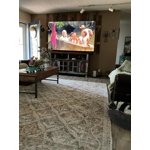
[This review was collected as part of a promotion.] 85” tv is like being at the movie theatre it's really awesome we went from a70” to 85” bid difference all u need is a bowl of popcorn and you at the movies.

Review from Samsung US
Helpful?43WYLKDSIONN15546751433
Jul 6, 2026
Reviewer name: Luke
3 out of 5 stars
3 out of 5 stars review

Good for what it is

[This review was collected as part of a promotion.] Does have a pretty good picture worked great for awhile then started freezing and couldn't change the channels had to factory reset it and start over

Review from Samsung US
Helpful?43WYLKDSIONN15546751433
Jun 2, 2026
Reviewer name: Jaemoson
5 out of 5 stars
5 out of 5 stars review

Love this TV

[This review was collected as part of a promotion.] I enjoy lots of things about this tv, the programming on the regular channels, the apps to use prime etc, the games like the six and ripplash, waiting for more games to come out.

Review from Samsung US
Helpful?43WYLKDSIONN15546751433
Jun 1, 2026
Reviewer name: Miika
5 out of 5 stars
5 out of 5 stars review

Picture

[This review was collected as part of a promotion.] Very good product can use it with my samsung phone. Easy to use picture quantity is great. I have 2 one in my bedroom one in my living room.

Review from Samsung US
Helpful?43WYLKDSIONN15546751433
Jun 7, 2026
Reviewer name: Andi
1 out of 5 stars
1 out of 5 stars review

Does NOT Hold WiFi Connection

[This review was collected as part of a promotion.] It does not hold my WiFi connection while every other computer and device in my house does. And while I understand the difference between Samsung and Apple, does not stream AppleTV well.

Review from Samsung US
Helpful?43WYLKDSIONN15546751433
reply from Samsung Advisor

Hi Andi, Thank you for your feedback. For optimal performance, please ensure your TV is running the latest firmware Update Version 1269.9. You can check this by going to: Home > left directional key > Settings > Support > Software Update If this firmware version is not yet available on your TV, you can download the update on a USB drive and manually update your TV: 1. On Samsung's website (upper right corner), go to: Support > Manual & Software > Find your TV model, and click on the Firmware – Upgrade File. 2. When the file has finished downloading, locate it and then unzip it. There is normally one folder inside but there may be multiple files. 3. Copy or move all of the files that were included in the zip file to a USB flash drive, but do not place them inside any other folders. If you place the software folders inside a folder on the USB flash drive, the TV or monitor will not find them. 4. Connect the USB drive containing the software upgrade into a USB port on your device. 5. Using your device's remote, navigate to and select Settings, then select All Settings, and then select Support. Select Software Update, select Update Now, and then select Yes if prompted. Your device will search the USB drive for update files. Follow the on-screen instructions to install the updated software. Updates usually take a few minutes; please do not turn off the TV until the update is complete. When the update is finished, it will restart automatically. If you continue to have issues, please call us at -800-SAMSUNG (8AM – 9PM EST Mon – Fri, 8AM – 6PM Sat – Sun). LiveChat support and additional help are available at the ‘Support’ link on our website. ~ Samsung Advisor

Jun 20, 2026
Reviewer name: Anonymous
5 out of 5 stars
5 out of 5 stars review

Great TV

[This review was collected as part of a promotion.] Very happy with the TV. Never had one this large before. Very clear picture and easy to navigate between the apps.

Review from Samsung US
Helpful?43WYLKDSIONN15546751433
Jun 23, 2026
Reviewer name: CJCPA
5 out of 5 stars
5 out of 5 stars review

Samsung 75"

[This review was collected as part of a promotion.] I like it. The screen is huge. I used to be jealous of people that had TVs that you could see driving down the street, now I have one. The picture is awesome, it is bright, sharp, and clear.

Review from Samsung US
Helpful?43WYLKDSIONN15546751433