
 Customer reviews for SAMSUNG 43" Class U8000F Series 4K Crystal UHD Smart TV for
Member photos








 +1153 images
Worst remote,setup and manual ever.
The worst setup, wort remote and worst manual I've ever seen. Looking at the 2987-page manual online for the main HDMI port was impossiable to find. As a senior, we just want plan and simple information and remotes. This is not a simple TV for setup, changing input items or trying to find information in the manual.
Hi iselloil, Thank you for sharing your experience with your U8000F TV. Samsung’s accessibility features Learn TV Remote and Learn Menu Screen are designed to help users get familiar with the remote and menu layout – without affecting normal TV operation. • Learn TV Remote: Pressing any button (except Power) will announce the button name and function, helping users learn their location and purpose. Enable via: Settings > All Settings > General & Privacy > Accessibility > Learn TV Remote; Exit by pressing the Return key twice. • Learn Menu Screen: As you navigate your TV menus, the TV will announce each menu item and its function - without applying any changes. Enable via: Settings > All Settings > General & Privacy > Accessibility > Learn Menu Screen; Exit by pressing the Return key twice. If you need additional assistance, please don’t hesitate to contact Samsung Support at 1-800-SAMSUNG, available 8AM – 12AM EST, 7 days a week. LiveChat agents are also available through the ‘Support’ link on our website. ~ Samsung Advisor
NOT SO MUCH
[This review was collected as part of a promotion.] The picture is great but not so much on my patio where the light washes out the picture. But perhaps more importantly is the remote control of the TV. They placed the remotes eye on the bottom right of the TV and the response is terrible. You have to be pointing right at the eye and even then from 10 feet away it doesn't always respond on the first press.
Hi Badboy, We appreciate your feedback on the U8000F TV. For the best performance, please ensure the latest firmware version is installed: Home > left directional key > Settings > Support > Software Update You can also improve responsiveness by running the built-in Device Care tool, which checks system memory, clears cached data, and closes background apps: Home > left directional key > Settings > Support > Device Care > Start Device Care. If you need further assistance, please contact Samsung Support at 1-800-SAMSUNG, available 8AM – 9PM EST Mon – Fri, 8AM – 6PM Sat – Sun. LiveChat is also available through the ‘Support’ link on our website. ~Samsung Advisor
Tv
[This review was collected as part of a promotion.] This tv I've had for a while ad has never disappointed. Quality is great, smooth clean visual. Sound is great when connecting to the sound bar. Its excellent when gaming. Games look realistic and sharp. Love this product and looking to stick with Samsung until my time is done on this earth.
GREAT TV
[This review was collected as part of a promotion.] AWESOME TV !!! Only wish the remote was a little bigger and illuminate when picked up, constantly hitting the wrong button at night. Instructions were extremely small . Had to use a magnifying glass to read them. Have no complaints with the tv, would highly recommend.
Great sound and picture but….
[This review was collected as part of a promotion.] Love the picture and the sound. Only negative would be is that it starts with the Samsung TV app. We use YouTube TV and would love it to just start with it every time. Tried the suggestions online to change it, but none have worked so far.
Game changer!
[This review was collected as part of a promotion.] This television is nothing short of breathtaking! I'm a Samsung guy through and through and it's ALWAYS paid off. This thing is massive and looks ravishing on my wall. The picture quality is absolutely exquisite. The blacks are deep black and the colors are so good that watching anything even old standard definition media looks sharp and crisp. I'm not much for doing reviews but I'm so blown away at the quality of this thing that it deserves to be praised. If you're on the fence let me help you......GET ONE! My bet is that you will be as satisfied or more than I am.
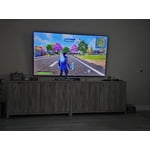
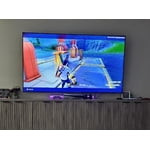
Unhappy with volume and color
[This review was collected as part of a promotion.] I am happy with the size of the TV. Unfortunately, the color is not the same on all stations. Also the volume Is very low and I have to consistently have it in the 40 to 50 range in order to even hear the TV. I was happy with the price of the TV however I expected more from the Samsung unit
Hi Judi, Thank you for purchasing Samsung’s U8000F TV and for sharing your feedback regarding low volume. To start, we recommend making sure your TV is running the latest firmware, as updates can include improvements to sound performance: Home > left directional key > Settings > Support > Software Update If volume levels still seem too low, you can improve sound performance by adjusting a few key settings: Sound Mode: Navigate to: Settings > All Settings > Sound > Sound Mode • Standard: Balanced for everyday viewing • Optimized: Enhances effects and creates a more spacious sound • Amplify: Boosts mid and high tones, especially helpful if dialogue is difficult to hear Auto Volume: This feature helps maintain consistent volume levels across content and input sources. Turn it on under: Settings > All Settings > Sound > Expert Settings > Auto Volume = On You can also explore Expert Settings to fine-tune sound output with adjustments for Balance, Equalizer, and more. If you’re considering enhancing your setup, Samsung’s Q- and S-Series Soundbars feature Q-Symphony, which syncs your TV and soundbar speakers for a fuller, more immersive sound experience. For personalized support with these settings or selecting a soundbar to complement your setup, contact Samsung Support at 1-800-SAMSUNG (8AM – 9PM EST Mon – Fri, 8AM – 6PM Sat – Sun) or use LiveChat via the ‘Support’ link on our website. ~ Samsung Advisor
TV has issues connecting to network
[This review was collected as part of a promotion.] I've had this TV for one month. Three times it has not been able to connect to my network so I have had to (per instructions) unplug my at&t fiber box & TV for a minute each & then plug them both back in for the TV to connect. Doing one or the other wouldn't do the trick, I had to do them both together. This was in no way do to my at&t. Returning this TV.
Hi Purrr, Thank you for your feedback. Please ensure your TV is running the latest Firmware, version 1132.0. Go to Settings> Support> Software Update. If this firmware version is not yet available on your TV, you can download the update on a USB drive and manually update your TV: 1. On Samsung's website (upper right corner), go to: Support > Manual & Software > Find your TV model, and click on the Firmware – Upgrade File. 2. When the file has finished downloading, locate it and then unzip it. There is normally one folder inside but there may be multiple files. 3. Copy or move all of the files that were included in the zip file to a USB flash drive, but do not place them inside any other folders. If you place the software folders inside a folder on the USB flash drive, the TV or monitor will not find them. 4. Connect the USB drive containing the software upgrade into a USB port on your device. 5. Using your device's remote, navigate to and select Settings, then select All Settings, and then select Support. Select Software Update, select Update Now, and then select Yes if prompted. Your device will search the USB drive for update files. Follow the on-screen instructions to install the updated software. Updates usually take a few minutes; please do not turn off the TV until the update is complete. When the update is finished, it will restart automatically. If you need additional support, Samsung is here to help. Please call us at 1-800-SAMSUNG, available 8AM – 9PM EST Mon – Fri, 8AM – 6PM Sat – Sun. You can also chat with a LiveChat agent by clicking the ‘Support’ link on our website. ~ Samsung Advisor
Difficult to navigate
[This review was collected as part of a promotion.] Not sure if my issue is with the tv itself or my streaming app. I watch only 2 channels. It's takes 5 min just to get to that channel. There are so many junk apps on the tv. I would like to just go back to cable but it's so expensive
Hi, Thank you for your review. While your U8000F TV may currently default to Samsung TV Plus when powered on, you can customize what your TV does at startup by adjusting the Start Screen Options. To do this, navigate to: Settings > All Settings > Advanced Features > Start Screen Option and choose from the following: 1. Start with Smart Hub Home – Automatically launches Smart Hub when the TV is turned on. You can enable or disable this option based on your preference. 2. Autorun Multi View Casting – If you cast YouTube content from your mobile device, the TV will automatically display the content using Multi View. 3. Autorun Multi View Mirroring – When you screen mirror your mobile device, Multi View will automatically open to show your device’s screen. If you need help adjusting these settings or have any other questions, please contact Samsung Support at 1-800-SAMSUNG, 8AM – 9PM EST Mon – Fri, 8AM – 6PM Sat – Sun. LiveChat agents are also available by clicking on the ‘Support’ link on our website. ~ Samsung Advisor
Great Connectivity & Picture Quality
[This review was collected as part of a promotion.] I purchased this Smart TV for a bedroom that has no wired network connection and must rely on the wireless Router signal for the internet connection. I had to setup the WiFi connection and required network password but after that the internet connection was working great. The picture quality is also great and the remote works fine.