
 Customer reviews for SAMSUNG 43" Class U8000F Series 4K Crystal UHD Smart TV for
Member photos








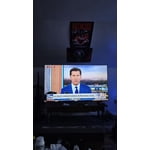
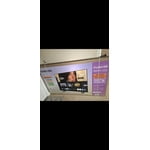 +1153 images
Wonderful except for remote
[This review was collected as part of a promotion.] I love the clarity and dimensions of the screen. The remote is overly complicated: to change a channel or figure out how to get access to all the channels and Samsung tv. I love the free extra channels from Samsung TV.
Great features
[This review was collected as part of a promotion.] It has been a joy to have this tv, it hooks up to my phone, it has great features i love the fact I can control it from my phone, my son hates that by the way lol... I would recommend for anyone to get one they'll enjoy it very much... The brightness of the TV is awesome even but I turn it down.. All of my Samsung products are good together so when the dryer stops it shows on the TV
Wonderful verry happy!
[This review was collected as part of a promotion.] We love our Samsung smart TV. It was so easy to hook up to our fire stock, Was very surprised that the channels the Samsung TV app has that we almost do not need YouTube TV. Great job. Will buy another for the screened in porch!
Simply Sweet.
[This review was collected as part of a promotion.] This 55 inch Samsung TV is Like all the other models I've had From Samsung and I'm very happy with them. This model like the others has a wonderfully practical useful Samsung remote that's very simple. And Almost most importantly I am so happy that these Samsung TVs are extremely easy to set up. They basically do the work on their own And you press a few buttons on the remote. Love it Richard 62
Remote Sucks
I hate the remote. Ive changed the batteries on the remote, reset the remote to the tv. The up and down does not work properly, I click on the reset which is the return and the forward/pause and it takes you to the guide instead of reseting 2/3 of the time. TV is nice but the remote absolutely sucks.
Hi Gray, We’re sorry to hear your remote isn’t working as expected. Please try the following troubleshooting steps, which may help: 1. Check and clean the top edge of the remote. Dust or smudges on the IR sensor at the top of the remote can interfere with performance. Gently wipe the sensor area with a clean, dry microfiber cloth. 2. Replace the batteries. Weak or depleted batteries can cause erratic behavior. Insert a fresh set of batteries and make sure they are positioned correctly in the battery compartment. 3. Check for available software updates. Occasionally, remote responsiveness issues can be resolved with a firmware update to the TV. Go to: Settings > Support > Software Update > Update Now 4. Ensure there are no nearby devices interfering with the signal. Nearby electronics (like soundbars, game consoles, or even sunlight hitting the IR sensor) may interfere with your remote's signal. Try using the remote with other nearby devices powered off. If the issue continues after trying these steps, please reach out to Samsung Support at 1-800-SAMSUNG, 8AM – 12AM EST, 7 days a week. Our LiveChat agents are also available by clicking the ‘Support’ link on our website. ~ Samsung Advisor
Good features, good value, recommend
[This review was collected as part of a promotion.] Aesthetically, it's a good looking TV. I use the automatic energy settings and so the brightness settings are a little bit low. I would prefer a little bit more brightness. So the automatic settings on that I don't like. The connectivity, it keeps connecting and disconnecting. I'm always able to reconnect so that's not a problem. But while I'm watching a show it will stop and I have to get out of the show and reconnect. That's annoying. I don't have this problem with my computer or my tablet or my phone on my Wi-Fi so I think it's just the tv. And I'm right in the same room. The resolution, it has a great picture quality. I cannot complain at all. It looks three-dimensional and like you can just reach out And touch. Security? I've had a few people try to connect to it (neighbors) and I was able to say good night. But I have had a couple times somebody would turn on or turn off my tv? Or the TV settings would pop up, things like that without being ever prompted on my end. So I thought that was kind of strange. Never had anything like that with any other tv. I really like using my Samsung telephone... Broadcasting my screen to my TV when I'm working on it.
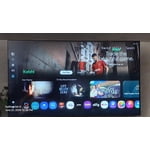
Make it stop
[This review was collected as part of a promotion.] This is not what a paid a lot of money for. It will play for awhile then shut off all by itself. Then at night after I go to bed, it will come on by itself. I gave you 2 stars because it is a great picture
Hi Coachman, We’re sorry to hear your U8000F TV is turning off on its own. Please try the following troubleshooting steps which may help resolve the issue: 1. Unplug the TV from the wall outlet or surge protector for at least 30 seconds. 2. Inspect the power cord for any visible damage. If damaged, the cord may need to be replaced. 3. Plug the TV directly into a wall outlet, bypassing any power strip or surge protector for now. 4. If the TV remains on long enough, try updating the TV’s software: Home > left directional key > Settings > Support > Software Update > Update Now. Note: If your TV powers off during the update, it could result in damage, so only proceed if the TV is stable. Next, check the TV’s Power and Energy Saving settings to ensure no timers or auto-off features are enabled: • Sleep Timer: Settings > All Settings > General & Privacy > Power and Energy Saving > Sleep Timer • Auto Power Off and Off Timer: Settings > All Settings > General & Privacy > Power and Energy Saving > Auto Power Off/Off Timer Also, if you have devices connected via HDMI, check if Anynet+ (HDMI-CEC) is enabled, as this can allow external devices to control the TV and may cause it to turn off: Settings > All Settings > General & Privacy > External Device Manager > Anynet+ (HDMI-CEC) = Off If your TV continues to power off unexpectedly, please call us at 1-800-SAMSUNG, available from 8AM – 9PM EST Mon – Fri, 8AM – 6PM Sat – Sun. You can also chat with one of our agents by clicking the ‘Support’ link on our website. ~ Samsung Advisor
Nothing beats the picture quality
[This review was collected as part of a promotion.] I've personally always gone with the Samsung brand when it comes to tv's and this one is no different. It gives me everything that I ask for. Beautiful brightness within the led screen, the picture quality is immaculate, the refresh rate is fast so I don't get any lag within the picture, and the best part about it is I partnered it with the Samsung sound bar with subwoofer and I use my tv everyday I would never choose another brand!!!
Sound is annoying
[This review was collected as part of a promotion.] I have several Samsung TV's. The newest TV I purchased a few months back will not allow me to turn the sound off when I turn the volume up or down. It repeats the channel numbers as I change channels. It is very annoying and confusing. Robert McLeod
Hi Robert, Thank you for your feedback. If your remote isn’t responding, here are a few quick steps to help determine if it’s working correctly: 1. Check the batteries: Remove the back cover of your remote and replace the batteries with a fresh set, ensuring they are inserted in the correct direction. 2. Test for infrared signal: Point the front of the remote at your smartphone camera. While holding down any button, you should see a flashing light through the camera screen. (For iPhone users, the front-facing camera works best.) If you see the light, your remote is working and may need to be re-paired with your TV. 3. Point the remote correctly: Try pointing the remote directly at the TV from about 5-6 feet away. This can help ensure a clearer signal between the remote and the TV. 4. Clean the remote: Gently wipe the top edge of the remote (where the infrared sensor is located) with a soft, dry cloth to remove any dust or debris that could interfere with functionality. If you still need assistance, please contact Samsung Support at 1-800-SAMSUNG (8AM – 9PM EST Mon – Fri, 8AM – 6PM Sat – Sun), or visit the ‘Support’ link on our website to start a LiveChat session. ~ Samsung Advisor
Great Quality Picture/Sound and Intuitive Remote
[This review was collected as part of a promotion.] Our family purchased a 65" Samsung Smart TV from a local branch of a national retailer known for quality merchandise. I did research on the Samsung brand and felt comfortable with the purchase. Once purchased, the installation process was efficient and straight forward. The installation process actually leveraged information and settings from another Samsung TV set we had in our home. The picture quality was understanding and the TV size made it easy to view in both near and distant locations. As were learning the different aspects of the TV, we learned how to maximize the sound quality to meet our needs. One of the most interesting aspects (besides different ways to interact with the TV) was the new Samsung Remote. Most old remotes used number buttons, but the remote that came with our TV utilized intuitive controls that worked on many levels, while remaining responsive. Overall, the Samsung TV has meet or exceeded my expectations and heartly recommend it to others.