Skip to Main Content
Sam's Club
Sam's Club
All Departments
All Services
Customer reviews for SAMSUNG 43" Class U8000F Series 4K Crystal UHD Smart TV for
SAMSUNG 43" Class U8000F Series 4K Crystal UHD Smart TV
4.5 out of 5 stars
stars
3,395 ratings3,296 reviews
  1. 5 stars72% (2,435)
  2. 4 stars15% (521)
  3. 3 stars6% (219)
  4. 2 stars3% (101)
  5. 1 star4% (119)

Member photos

  • +1026 images
Sort by |
Showing 1,781-1,790 of 3,296 reviews
Feb 10, 2026
Reviewer name: Acedakid
5 out of 5 stars
5 out of 5 stars review

GOAT

[This review was collected as part of a promotion.] Tv is the best quality and picture is so realistic I feel like I'm in the stands at the games at times. Best picture on a TV I've seen thus far 👌

Review from Samsung US
Helpful?22SEGSGR5O6Z15524966302
May 11, 2026
Reviewer name: AlaskaMike
5 out of 5 stars
5 out of 5 stars review

Love this tv

[This review was collected as part of a promotion.] I love how the detail, colors, and definition look on the screen! Perfect for watching show and movies and also for playing games, makes me happy I got 4k streaming subscriptions and a ps5 now!

Review from Samsung US
Helpful?22SEGSGR5O6Z15524966302
Mar 23, 2026
Reviewer name: Rosas samsung tv
5 out of 5 stars
5 out of 5 stars review

Great quality products

[This review was collected as part of a promotion.] I am extremely grateful for my product works good quality picture and awesome sound wouldn't change anything I have all Samsung TVs around my whole home

Review from Samsung US
Helpful?22SEGSGR5O6Z15524966302
May 11, 2026
Reviewer name: Franks tv
5 out of 5 stars
5 out of 5 stars review

Amazing picture quality
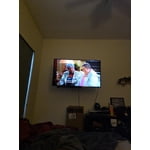
[This review was collected as part of a promotion.] It has amazing picture quality and adjustable brightness. Great for games and movies. The settings features need to be a little more user friendly, but definitely worth the price

Review from Samsung US
Helpful?22SEGSGR5O6Z15524966302
May 20, 2026
Reviewer name: MrVic
5 out of 5 stars
5 out of 5 stars review

big tv

[This review was collected as part of a promotion.] Really, really nice. bright and sharp picture. how simple the remote is, but it works...for my space the 75 inch fits good.

Review from Samsung US
Helpful?22SEGSGR5O6Z15524966302
Mar 5, 2026
Reviewer name: cktv
3 out of 5 stars
3 out of 5 stars review

New TV

[This review was collected as part of a promotion.] Fine that app-lications difficult to organize and use.. doesn't allow new or updating app installation date easily... used to a Roku TV system which is way more straight forward...

Review from Samsung US
Helpful?22SEGSGR5O6Z15524966302
reply from Samsung Advisor

Hi cktv, Thank you for sharing your experience. Please know that you can customize your Home screen by installing, removing or adding your favorite apps to the Home screen. Here's how: Searching for & Installing Apps 1. From the Home screen, press left on the remote’s directional pad. 2. Navigate to and select Search. 3. Using the search bar, enter the content or app you’d like to find. 4. Navigate to and select the app you’d like to install, then select Install. Note: Previously installed apps can be accessed on the Settings screen. Adding & Managing Apps on Home Screen 1. Go to App Settings (these can be found at the bottom of the Apps screen) and select the app you want to move. The following options will be available: a. Add to Home: Move the app to your desired location on the Home screen. b. Delete: Delete app. c. Lock/Unlock: Lock the app with a PIN so only you can use it. When the app is selected again, you will be prompted to enter the PIN to unlock it. d. Reinstall: Reinstall the app. e. View Details: View the app’s information and details. If you need more help with app management, please don’t hesitate to reach Samsung Support at 1-800-SAMSUNG (8AM – 12AM EST, 7 days a week) or use LiveChat under Support on our website. ~ Samsung Advisor

Apr 20, 2026
Reviewer name: NO BOX GUY
5 out of 5 stars
5 out of 5 stars review

Smart Tv

[This review was collected as part of a promotion.] this was my first TV Smart TV loved all the Samsung channels I got benefit and so easy to switch from to YouTube first TV I've had without a converter box Smart TV

Review from Samsung US
Helpful?22SEGSGR5O6Z15524966302
May 21, 2026
Reviewer name: Rock n TV
5 out of 5 stars
5 out of 5 stars review

Great Feature

[This review was collected as part of a promotion.] TV is for our work office. We really enjoy the StingRay Music feature that is included in our TV. We use that to play for our clients while they wait to see their CPA.

Review from Samsung US
Helpful?22SEGSGR5O6Z15524966302
Mar 23, 2026
Reviewer name: GtoTigger
3 out of 5 stars
3 out of 5 stars review

Slow to launch apps, specially Spectrum app.

[This review was collected as part of a promotion.] Slow to launch apps, specially Spectrum. Remote control leads something to be desired, not ideal. I have to do complete reboot at times so that response is better, otherwise, very slow.

Review from Samsung US
Helpful?22SEGSGR5O6Z15524966302
reply from Samsung Advisor

Hi GtoTigger, Thank you for reaching out. Please ensure your TV is running the latest Firmware, version 1132.0. Go to Settings> Support> Software Update. If this firmware version is not yet available on your TV, you can download the update on a USB drive and manually update your TV: 1. On Samsung's website (upper right corner), go to: Support > Manual & Software > Find your TV model, and click on the Firmware – Upgrade File. 2. When the file has finished downloading, locate it and then unzip it. There is normally one folder inside but there may be multiple files. 3. Copy or move all of the files that were included in the zip file to a USB flash drive, but do not place them inside any other folders. If you place the software folders inside a folder on the USB flash drive, the TV or monitor will not find them. 4. Connect the USB drive containing the software upgrade into a USB port on your device. 5. Using your device's remote, navigate to and select Settings, then select All Settings, and then select Support. Select Software Update, select Update Now, and then select Yes if prompted. Your device will search the USB drive for update files. Follow the on-screen instructions to install the updated software. Updates usually take a few minutes; please do not turn off the TV until the update is complete. When the update is finished, it will restart automatically. If you need additional support, Samsung is here to help. Please call us at 1-800-SAMSUNG, available daily from 8AM - 12AM EST. You can also chat with a LiveChat agent by clicking the ‘Support’ link on our website. ~ Samsung Advisor

Mar 10, 2026
Reviewer name: MovieBuff
5 out of 5 stars
5 out of 5 stars review

Great features!

[This review was collected as part of a promotion.] We are thrilled with our new Samsung TV! The resolution is great! Easy to scroll through the menus and personalize your preferences. Set up was easy to follow. Samsung TVs are the best!

Review from Samsung US
Helpful?22SEGSGR5O6Z15524966302