Skip to Main Content
Sam's Club
Sam's Club
All Departments
All Services
Customer reviews for SAMSUNG 43" Class U8000F Series 4K Crystal UHD Smart TV for
SAMSUNG 43" Class U8000F Series 4K Crystal UHD Smart TV
4.5 out of 5 stars
stars
2,690 ratings2,591 reviews
  1. 5 stars73% (1,961)
  2. 4 stars15% (408)
  3. 3 stars6% (159)
  4. 2 stars3% (77)
  5. 1 star3% (85)

Member photos

  • +786 images
Sort by |
Showing 1,771-1,780 of 2,591 reviews
May 21, 2026
Djl000
5 out of 5 stars review

Easy to use

[This review was collected as part of a promotion.] The resolution was great Remote was easy to use And the TV was easy to hang on the wall I love it

Review from Samsung US
Helpful?22SEGSGR5O6Z15524966302
May 12, 2026
Jncopipe3
5 out of 5 stars review

Easy setup with a great picture

[This review was collected as part of a promotion.] Great 70 inch TV for its price. It's bright, has a shap image, great for some gaming

Review from Samsung US
Helpful?22SEGSGR5O6Z15524966302
May 21, 2026
Keith
5 out of 5 stars review

Great picture and the sound is outstanding

[This review was collected as part of a promotion.] We're very happy that we decided on a Samsung TV .

Review from Samsung US
Helpful?22SEGSGR5O6Z15524966302
Apr 20, 2026
TRSW
5 out of 5 stars review

Solid favorite in our house.

[This review was collected as part of a promotion.] The sound is surprisingly good. No need for a sound bar.

Review from Samsung US
Helpful?22SEGSGR5O6Z15524966302
May 11, 2026
No nickname
3 out of 5 stars review

Good

[This review was collected as part of a promotion.] It has great resolution but it sometimes lags when moving between apps.

Review from Samsung US
Helpful?22SEGSGR5O6Z15524966302
reply from Samsung Advisor

Hi, We appreciate your feedback regarding response time. For optimal performance, please ensure your U8000F TV is running the latest firmware. You can check this by going to: Home > left directional key > Settings > Support > Software Update To further optimize performance, try running Device Care, which checks memory, clears unused cached data, and closes background apps: Home > left directional key > Settings > Support > Device Care > Start Device Care If issues continue, please reach Samsung Support at 1-800-SAMSUNG, available 8AM – 9PM EST Mon – Fri, 8AM – 6PM Sat – Sun. LiveChat is also available via the ‘Support’ link on our website. ~ Samsung Advisor

Apr 5, 2026
BLG22
5 out of 5 stars review

Great picture

[This review was collected as part of a promotion.] Replaced a Vizio with a new Samsung and love it. Will not go back to Vizio anytime soon.

Review from Samsung US
Helpful?22SEGSGR5O6Z15524966302
May 20, 2026
Doc Wilds
3 out of 5 stars review

Serious flaws.

[This review was collected as part of a promotion.] The remote doesn't allow voice control log the tv. The volume must be at 50% to be audible.

Review from Samsung US
Helpful?22SEGSGR5O6Z15524966302
reply from Samsung Advisor

Hi Doc Wilds, Thanks for your feedback on the U8000F TV. Please know we are here to help. First, please ensure you are running the latest Firmware Update. Go to Settings> Support> Software Update. In regards to your remote control, we apologize for any confusion, however the U8000F does not come with a built-in voice assistant or microphone. It is however compatible with external Alexa devices. If volume levels seem too low, you can improve sound performance by adjusting a few key settings: Sound Mode: Navigate to: Settings > All Settings > Sound > Sound Mode Auto Volume: This feature helps maintain consistent volume levels across content and input sources. Turn it on under: Settings > All Settings > Sound > Expert Settings > Auto Volume = On You can also explore Expert Settings to fine-tune sound output with adjustments for Balance, Equalizer, and more. If you’re considering enhancing your setup, Samsung’s Q- and S-Series Soundbars feature Q-Symphony, which syncs your TV and soundbar speakers for a fuller, more immersive sound experience. For personalized support with these settings or selecting a soundbar to complement your setup, contact Samsung Support at 1-800-SAMSUNG (8AM – 9PM EST Mon – Fri, 8AM – 6PM Sat – Sun) or use LiveChat via the ‘Support’ link on our website. ~ Samsung Advisor

May 20, 2026
Tukde
5 out of 5 stars review

Great TV

[This review was collected as part of a promotion.] Great product like everything about it, it looks good 👍

Review from Samsung US
Helpful?22SEGSGR5O6Z15524966302
Apr 20, 2026
Haseeb
5 out of 5 stars review

Good tv.

[This review was collected as part of a promotion.] Looks amazing in person. Playstation connects and games look great.

Review from Samsung US
Helpful?22SEGSGR5O6Z15524966302
Apr 2, 2026
Beautiful
5 out of 5 stars review

Perfect

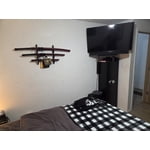
[This review was collected as part of a promotion.] I really love this TV I think it fits just perfect on my wall

Review from Samsung US
Helpful?22SEGSGR5O6Z15524966302