Customer reviews for SAMSUNG 43" Class U8000F Series 4K Crystal UHD Smart TV for
Member photos








 +1173 images
Great smart TV with all the apps u need
[This review was collected as part of a promotion.] Works great but sometimes it will freeze if u try to change apps to quick. Also it doesn't tell u when something needs an update it just doesn't let u use the app. Picture is super clear and there is no glare. The sound is perfect and loud u dont even need a surround sound
Every TV in our gone is Samsung
[This review was collected as part of a promotion.] We absolutely love all 5 of our Samsung TV from the smallest one in outer daughters room to the our 72 in in the living room we absolutely love Samsung ❤️ the are user friendly amazing picture! Nothing bad to say about them at all!

U8000F Crystal UHD TV (2025) AMAZiNG TV!
[This review was collected as part of a promotion.] I used to think my old 1080p set was "fine." It played shows, what more did I need? Then the Samsung U8000F Crystal UHD TV (2025) arrived, and I realized I wasn't just watching television—I was viewing the world through a frosted window. The U8000F didn't just change my TV; it fundamentally changed how I interact with my home entertainment. The most jarring, life-altering difference is the Crystal Processor 4K. It's not just about native 4K content, which is predictably gorgeous; it's the way this processor breathes new life into everything else. My classic movies and standard HD streams now look sharper and more dimensional than I ever thought possible on a budget-friendly set. The combination of 4K upscaling and the Color Booster feature creates a palette so vibrant and deep, it feels like colors are physically leaping off the screen. Dark scenes are finally comprehensible thanks to the Mega Contrast, making late-night movie viewing an actual cinematic experience instead of a guessing game of shadows. Beyond the visuals, the sleek MetalStream Design is a game-changer for my living room aesthetic. The virtually 3-bezel-less frame means the TV almost disappears when it's off, and when it's on, there's zero distraction—it's pure picture. This minimalism, coupled with the Object Tracking Sound Lite (OTS Lite), creates an incredibly immersive environment. When a car drives across the screen, the sound actually follows it!
Good sound, clear picture. Some choppy video
[This review was collected as part of a promotion.] We upgraded from a 43” to this 50”, and use this TV primarily for streaming shows. One reason we chose it was because the sound is good enough that we don't have to buy a sound bar. The picture is clear and bright. However, when streaming we've had some issues with the video glitching/being choppy - with multiple streaming services. This did not happen with our old 43”, and we used the same native Samsung user interface for both.
Picture quality
[This review was collected as part of a promotion.] The picture quality is poor when watching sports. The image is very blurry. Tried adjusting the picture settings but it did not improve the quality. Using an older model for our primary TV. Very disappointing!
Hi Trobert765, Thank you for your feedback on the Samsung U8000F TV and your experience when watching fast-motion content. If the picture appears blurry or unnatural during high-speed scenes, there are several settings you can adjust to improve motion clarity. Go to: Home > left directional key > Settings > All Settings > Picture > Expert Settings, and review these key settings: Picture Clarity Settings • Off: Disables all motion enhancement • Auto: Automatically adjusts motion clarity based on content • Custom: Enables manual control of: o Judder Reduction: Smooths motion in film-based content o LED Clear Motion: Increases sharpness during fast movement o Noise Reduction: Helps reduce distortion in lower-quality sources Additional Picture Controls • Brightness – Adjust overall image brightness • Contrast – Controls the difference between light and dark areas • Sharpness – Enhances the definition of object edges • Color – Adjusts color intensity for more natural or vivid tones We hope these settings help improve your viewing experience, especially with fast-moving content. If you'd like further assistance, feel free to reach out to Samsung Support at 1-800-SAMSUNG, 8AM – 12AM EST, 7 days a week. LiveChat is also available via the ‘Support’ link on our website. ~ Samsung Advisor
Great tv with a few flaws
[This review was collected as part of a promotion.] This is a great tv. The clarity of the picture is absolutely amazing. There's no shadowing, the color booster makes the images bright and colorful and the picture is crisp and clear. The Crystal Processor 4K gives a good 4K image that makes for a great movie experience. The only downfalls I found about this tv is there aren't many HDMI ports. The one on the back of the tv is pretty useless if you wall mount your tv. We had to adjust it in just the right spot that it wouldn't interfere with the wall mount. The HDMI still pushes into the wall and pushes the tv out a little but at least it's useable now, and there is no optical cord input for us to connect our soundbar. Luckily our soundbar has Bluetooth but this would have been a big issue for us a few years ago because internet wasn't available in our area back then. If you have many devices like Blu ray players, gaming systems and such it's a little difficult because of limited ports but the clarity of the picture does make up for it. I'm also not a fan of the Samsung program on the tv. It's difficult for me to navigate to where I want to be. If I go to my recents and click on what I was watching it will start playing in the tiny frame and rarely opens to a larger frame for me. I'll have to exit out to something else then go back in and that usually works. The Motion Xcelerator 60Hz does a good job for fast movements but there is definitely room for improvement. If you're a gamer, this tv might be lacking.
Excelent Tv
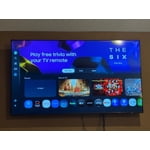
[This review was collected as part of a promotion.] The Samsung U8000F Crystal UHD TV (2025) strikes a great balance between performance, design, and affordability, making it an appealing choice for anyone looking to upgrade to a smart 4K television without stretching the budget. The U8000F delivers crisp, detailed visuals with vibrant color accuracy. The built-in Object Tracking Sound Lite gives a decent surround-like effect by matching audio to movement on screen. The sound is clear and balanced, but bass is lacking, and volume output could be stronger. TV includes all the popular streaming apps and supports Alexa, Google Assistant, and Samsung Bixby. Navigating menus is smooth, and SmartThings integration lets you manage smart devices from your TV. It's fast, responsive, and easy to use.
Would not recommend
I purchased this TV one month ago. Had a Onn before this. The picture on this TV is great! But the sound is always out of sync. If you do the steps to fix this it may last a day or two before you have to do it again. If you play video games there are lines going through the screen, it also goes black for a few seconds. Again there is a fix but it doesn't last. The operating system is very confusing. You have to go to different screens to get to the app you need. There is also just way too much stuff on the screen. Not user friendly. I would not recommend this TV to anyone. But again the picture is great! Just disappointed.
Hi JenB, Thank you for your feedback. I have a few recommendations that may resolve some of the issues you are experiencing. First, let's ensure your Firmware is up to date. Go to Settings> Support> Software Update. Next, the black out issue may likely be caused by either the type of HDMI cables and/or the source being used. Please check the following, as it may help resolve this: 1. Check the external device. Make sure your console is running the latest firmware version. If possible, we also recommend connected another external device to check for similar issues. 2. Check the HDMI cable. Make sure to use a High Speed Certified HDMI Cable. If you’re still having screen blackouts after performing the above, please give Samsung Support a call to further diagnose the issue. You can reach us at 1-800-SAMSUNG, 8AM - 12AM EST, 7 days a week. LiveChat with an agent as well as manuals, software, and warranty info can be found at the ‘Support’ link on our Samsung website. ~ Samsung Advisor
Great product
[This review was collected as part of a promotion.] I recently purchased this 70-inch TV, and I have to say it completely exceeded my expectations. The picture quality is absolutely stunning — vibrant colors, deep blacks, and an impressive level of sharpness that makes every movie and show look cinematic. The sound quality is surprisingly rich and powerful for a flat screen, and the smart features are fast, intuitive, and easy to navigate. Setting it up was simple, and the build quality feels premium and durable. Whether for streaming, gaming, or sports, this TV delivers an immersive experience that truly transforms the living room. Highly recommended for anyone looking for excellent performance and value.
It's perfect for the whole family
[This review was collected as part of a promotion.] In this house everyone loves to use our samsung tv. We love to watch movies, shows, even just listening to music. While the little ones play video games and enjoy cartoons. 4k quality and awesome sound we can all enjoy our content with no complains. The UI is very intuitive, and has a lot of adjustments to your liking with video and sound. Enjoy having all the applications with quick access. It pairs well for video games for our son with the quality and refresh rate. Makes for a great movie night with great color balance. You cannot go wrong with any of the samsung series.