Skip to Main Content
Sam's Club
Sam's Club
All Departments
All Services
Customer reviews for SAMSUNG 43" Class U8000F Series 4K Crystal UHD Smart TV for
SAMSUNG 43" Class U8000F Series 4K Crystal UHD Smart TV
4.5 out of 5 stars
stars
3,395 ratings3,296 reviews
  1. 5 stars72% (2,435)
  2. 4 stars15% (521)
  3. 3 stars6% (219)
  4. 2 stars3% (101)
  5. 1 star4% (119)

Member photos

  • +1026 images
Sort by |
Showing 1,541-1,550 of 3,296 reviews
Mar 24, 2026
Reviewer name: HooYah
5 out of 5 stars
5 out of 5 stars review

Awesome ....apps and work ability.

[This review was collected as part of a promotion.] it's awesome to have the quality control the TV that goes up the brightness control in the sound control

Review from Samsung US
Helpful?22SEGSGR5O6Z15524966302
May 6, 2026
Reviewer name: Cindy
3 out of 5 stars
3 out of 5 stars review

The remote is sad

[This review was collected as part of a promotion.] The reason i gave it an average rating is really because of the remote. Don't really like it at all

Review from Samsung US
Helpful?22SEGSGR5O6Z15524966302
reply from Samsung Advisor

Hi Cindy, Thank you for sharing your experience. Samsung remotes are designed to offer convenient control, but we understand if you’d prefer to use a universal remote. Many third-party remotes work well with Samsung TVs, though setup steps may vary by brand and model. To get started, we recommend checking the manufacturer’s instructions for programming codes and pairing methods. If you run into any trouble or have compatibility questions, Samsung Support is happy to help. You can reach us at 1-800-SAMSUNG, 8AM – 9PM EST Mon – Fri, 8AM – 6PM Sat – Sun. LiveChat agents are also available at the ‘Support’ link on our website. ~ Samsung Advisor

Feb 5, 2026
Reviewer name: TV Tunner in Alabama
4 out of 5 stars
4 out of 5 stars review

Where are the lights and numbers

[This review was collected as part of a promotion.] Great product, the remote sucks, need to have a remote that lights up, and the ability change stations with numbers.

Review from Samsung US
Helpful?22SEGSGR5O6Z15524966302
Apr 13, 2026
Reviewer name: OKCA
4 out of 5 stars
4 out of 5 stars review

Lots of hdmi and usb to use, Bluetooth, too!

[This review was collected as part of a promotion.] Large enough to take up the space for a room, good tv for entry level samsung good contrast and color.

Review from Samsung US
Helpful?22SEGSGR5O6Z15524966302
May 20, 2026
Reviewer name: Breezyy
5 out of 5 stars
5 out of 5 stars review

Huge!!!

[This review was collected as part of a promotion.] This television is great! Huge and great quality!!! Would definitely purchase another! Great product!

Review from Samsung US
Helpful?22SEGSGR5O6Z15524966302
May 21, 2026
Reviewer name: Rowdy
2 out of 5 stars
2 out of 5 stars review

NNOT IMPRESSED

[This review was collected as part of a promotion.] Not at all impressed. Mostly due to the high cost for an average TV that could be bought for much less money on another brand.

Review from Samsung US
Helpful?22SEGSGR5O6Z15524966302
reply from Samsung Advisor

Hi Rowdy, We appreciate your feedback on the quality of Samsung’s U8000F TV. If the image you’re seeing isn’t to your liking, there are several picture settings you may want to adjust. First, make sure your TV is up to date. To check for the latest version, go to: Home > Left directional button > Settings > Support > Software Update > Update Now. If the image doesn’t quite match your preferences after updating/checking for updates, there are several settings you can adjust to better suit your viewing environment. To explore picture mode options, go to: Home > Left directional button > Settings > All Settings > Picture > Picture Mode. Available modes include: 1. Standard – Default mode for general viewing 2. Dynamic – Brighter and sharper for well-lit rooms 3. Eco – Optimized for energy saving 4. Movie – Best for dark room viewing 5. Filmmaker Mode – Preserves the director’s intended look and feel (automatically enabled for supported content) You can also fine-tune settings like brightness, contrast, sharpness, and more by navigating to: All Settings > Picture > Expert Settings If you’d like help finding the best setup for your preferences or if there are other features that are leaving you unsatisfied, please don’t hesitate to contact Samsung Customer Support at 1-800-SAMSUNG, available from 8AM – 9PM EST Mon – Fri, 8AM – 6PM Sat – Sun. You can also visit the Samsung website and click on ‘Support’ for: • Live Chat • Manuals, Software, & Warranty Info ~ Samsung Advisor

Mar 5, 2026
Reviewer name: Scrublife0187
5 out of 5 stars
5 out of 5 stars review

Excellent for gaming binge watching
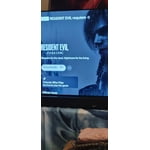
[This review was collected as part of a promotion.] the best is the best Samsung TV never let me down never has never will always be a Samsung member HANDS DOWN

Review from Samsung US
Helpful?22SEGSGR5O6Z15524966302
May 20, 2026
Reviewer name: Dr De
5 out of 5 stars
5 out of 5 stars review

Top notch TV

[This review was collected as part of a promotion.] I enjoy the way it's laid out on the screen when I turn it on. It makes it easy to find what I want. And the picture quality is amazing

Review from Samsung US
Helpful?22SEGSGR5O6Z15524966302
Feb 5, 2026
Reviewer name: Ricky42
5 out of 5 stars
5 out of 5 stars review

Good value and fantastic resolution

[This review was collected as part of a promotion.] Recently purchased 2 Samsung TV's. a 43" & 55" Both have fantastic resolution especially in the 4K mode for sports events. A good value.

Review from Samsung US
Helpful?22SEGSGR5O6Z15524966302
Mar 23, 2026
Reviewer name: JoeG12
5 out of 5 stars
5 out of 5 stars review

Great TV

[This review was collected as part of a promotion.] Great picture, bright, sharp and smooth. Also, very well priced! Definitely will continue to buy Samsungs!

Review from Samsung US
Helpful?22SEGSGR5O6Z15524966302