Skip to Main Content
Sam's Club
Sam's Club
All Departments
All Services
Customer reviews for SAMSUNG 43" Class U8000F Series 4K Crystal UHD Smart TV for
SAMSUNG 43" Class U8000F Series 4K Crystal UHD Smart TV
4.5 out of 5 stars
stars
3,395 ratings3,296 reviews
  1. 5 stars72% (2,435)
  2. 4 stars15% (521)
  3. 3 stars6% (219)
  4. 2 stars3% (101)
  5. 1 star4% (119)

Member photos

  • +1026 images
Sort by |
Showing 1,531-1,540 of 3,296 reviews
Feb 21, 2026
Reviewer name: TLE193
3 out of 5 stars
3 out of 5 stars review

Hoof imagine quality, lack luster OS

[This review was collected as part of a promotion.] The quality of the screen is good but the OS the tv run off of can be unresponsive and lagging even with proper updates.

Review from Samsung US
Helpful?22SEGSGR5O6Z15524966302
reply from Samsung Advisor

Hi TLE193, We appreciate your feedback regarding response time. For optimal performance, please ensure your U8000F TV is running the latest firmware. You can check this by going to: Home > left directional key > Settings > Support > Software Update To further optimize performance, try running Device Care, which checks memory, clears unused cached data, and closes background apps: Home > left directional key > Settings > Support > Device Care > Start Device Care If issues continue, please reach Samsung Support at 1-800-SAMSUNG, available 8AM – 12AM EST, 7 days a week. LiveChat is also available via the ‘Support’ link on our website. ~ Samsung Advisor

Feb 8, 2026
Reviewer name: Johnny
5 out of 5 stars
5 out of 5 stars review

Samsung TV 85

[This review was collected as part of a promotion.] This samsung TV i have is honestly the best TV I've ever had it has goo viewing brightness and resolution

Review from Samsung US
Helpful?22SEGSGR5O6Z15524966302
Mar 6, 2026
Reviewer name: Bonesbaby80
5 out of 5 stars
5 out of 5 stars review

Great picture!

[This review was collected as part of a promotion.] I absolutely love this tv. One of the best pictures on a Samsung TV I have ever had! This product definitely gets a overall 5 star from me.

Review from Samsung US
Helpful?22SEGSGR5O6Z15524966302
May 3, 2026
Reviewer name: Lisabou1967
5 out of 5 stars
5 out of 5 stars review

Best TV I've been ruined great clarity + audio

[This review was collected as part of a promotion.] it's a viewing experience beyond my wildest dreams . The brightness contrast + resolution are out of this world. Also love the refresh rate.

Review from Samsung US
Helpful?22SEGSGR5O6Z15524966302
Apr 26, 2026
Reviewer name: Fordman
5 out of 5 stars
5 out of 5 stars review

The voice remote

[This review was collected as part of a promotion.] It is very helpful at producing all the colors fast loading times great specs and I love the 4k resolution

Review from Samsung US
Helpful?22SEGSGR5O6Z15524966302
Apr 25, 2026
Reviewer name: Apurcella
4 out of 5 stars
4 out of 5 stars review

Great Budget TV!

[This review was collected as part of a promotion.] The TV is solid It gets the job done, and Has a bunch of nice features. Brightness is okay, the refresh is kind of slow. Viewing is nice, and resolution is solid.

Review from Samsung US
Helpful?22SEGSGR5O6Z15524966302
Apr 10, 2026
Reviewer name: Anonymous
4 out of 5 stars
4 out of 5 stars review

Awesome

[This review was collected as part of a promotion.] Very good...👍👍 Absolutly the best Smart TV ive ever owned! Only suggestion is that it should have a more durable screen for such a high end product!

Review from Samsung US
Helpful?22SEGSGR5O6Z15524966302
Feb 20, 2026
Reviewer name: Darkchiem
5 out of 5 stars
5 out of 5 stars review

Samsung plus changed my life
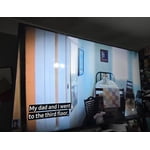
[This review was collected as part of a promotion.] I love samsung tvs. I only purchase Samsung television for over 20 years. Started with a 32in and now im up to 85in. Samsung plus!!! Can't keep it seriously

Review from Samsung US
Helpful?22SEGSGR5O6Z15524966302
Feb 6, 2026
Reviewer name: LoveCoffee
5 out of 5 stars
5 out of 5 stars review

Would recommend

[This review was collected as part of a promotion.] TV has been great! The resolution is great - even when gaming! It's probably one of the best purchases I've made in a while.

Review from Samsung US
Helpful?22SEGSGR5O6Z15524966302
Mar 23, 2026
Reviewer name: GtoTigger
3 out of 5 stars
3 out of 5 stars review

Slow to launch apps, specially Spectrum app.

[This review was collected as part of a promotion.] Slow to launch apps, specially Spectrum. Remote control leads something to be desired, not ideal. I have to do complete reboot at times so that response is better, otherwise, very slow.

Review from Samsung US
Helpful?22SEGSGR5O6Z15524966302
reply from Samsung Advisor

Hi GtoTigger, Thank you for reaching out. Please ensure your TV is running the latest Firmware, version 1132.0. Go to Settings> Support> Software Update. If this firmware version is not yet available on your TV, you can download the update on a USB drive and manually update your TV: 1. On Samsung's website (upper right corner), go to: Support > Manual & Software > Find your TV model, and click on the Firmware – Upgrade File. 2. When the file has finished downloading, locate it and then unzip it. There is normally one folder inside but there may be multiple files. 3. Copy or move all of the files that were included in the zip file to a USB flash drive, but do not place them inside any other folders. If you place the software folders inside a folder on the USB flash drive, the TV or monitor will not find them. 4. Connect the USB drive containing the software upgrade into a USB port on your device. 5. Using your device's remote, navigate to and select Settings, then select All Settings, and then select Support. Select Software Update, select Update Now, and then select Yes if prompted. Your device will search the USB drive for update files. Follow the on-screen instructions to install the updated software. Updates usually take a few minutes; please do not turn off the TV until the update is complete. When the update is finished, it will restart automatically. If you need additional support, Samsung is here to help. Please call us at 1-800-SAMSUNG, available daily from 8AM - 12AM EST. You can also chat with a LiveChat agent by clicking the ‘Support’ link on our website. ~ Samsung Advisor