Skip to Main Content
Sam's Club
Sam's Club
All Departments
All Services
Customer reviews for VIZIO 2.1 Soundbar with Dolby Atmos and DTS:X, QuickFit® Compatible for
VIZIO 2.1 Soundbar with Dolby Atmos and DTS:X, QuickFit® Compatible
4.4 out of 5 stars
stars
79 ratings52 reviews
  1. 5 stars66% (52)
  2. 4 stars14% (11)
  3. 3 stars13% (10)
  4. 2 stars5% (4)
  5. 1 star3% (2)

Member photos

Sort by |
Showing 21-30 of 52 reviews
Mar 21, 2026
Reviewer name: Nicole
5 out of 5 stars
5 out of 5 stars review

Verified Purchase

I e added this to our bedroom tv and it's great!

Great addition

Helpful?77FUZ0B77V6S15448653188
May 20, 2025
Reviewer name: Sams Shopper
5 out of 5 stars
5 out of 5 stars review

Verified Purchase

Super soundbar!!

Great price, easy to install, aesthetically pleasing, and an awesome sound.

Helpful?77FUZ0B77V6S15448653188
Feb 4, 2026
Reviewer name: DANIELLA
5 out of 5 stars
5 out of 5 stars review

Easy-to-use. Set up was a breeze. The sound quality is amazing. App for remote was easy to use as well. Will definitely buy another one.

Helpful?77FUZ0B77V6S15448653188
May 2, 2024
Reviewer name: oliviap18
5 out of 5 stars
5 out of 5 stars review

LOVE

[This review was collected as part of a promotion.] This is AWESOME! It gets so loud yet so clear. It's super easy to set up, and the settings can be personalized in the Vizio app. It looks really sleek and modern and automatically sets itself up to connect to my apple TV remote

Review from vizio.com
Helpful?77FUZ0B77V6S15448653188
Jun 1, 2024
Reviewer name: jjw6
3 out of 5 stars
3 out of 5 stars review

Good sound quality but otherwise lackluster experience

[This review was collected as part of a promotion.] Sound quality is great for the price point. However, the user experience and connectivity aspects are really lacking. I was not aware of the HDMI ARC requirement and could not connect with the HDMI cable because my TV doesn’t have an HDMI ARC port. I figured out how to connect via Bluetooth but the functionality seems limited. Also, the volume control is an issue, moving up or down one notch in volume makes the sound significantly louder or quieter to the point that I can only listen at volume 1 or 2.

Review from vizio.com
Helpful?77FUZ0B77V6S15448653188
reply from Customer Care

At VIZIO, we’re constantly striving to improve our products and deliver a world class viewing experience to its customers. If you have any specific issues with your VIZIO product, please contact our award-winning technical support team at support.vizio.com or for instant support download the VIZIO Mobile app, click "Support" and "Contact Us".

May 13, 2024
Reviewer name: goth_spice13
5 out of 5 stars
5 out of 5 stars review

I would recommend this product and would definitely buy another Vizio sound product simply for the quality and ease of setup.

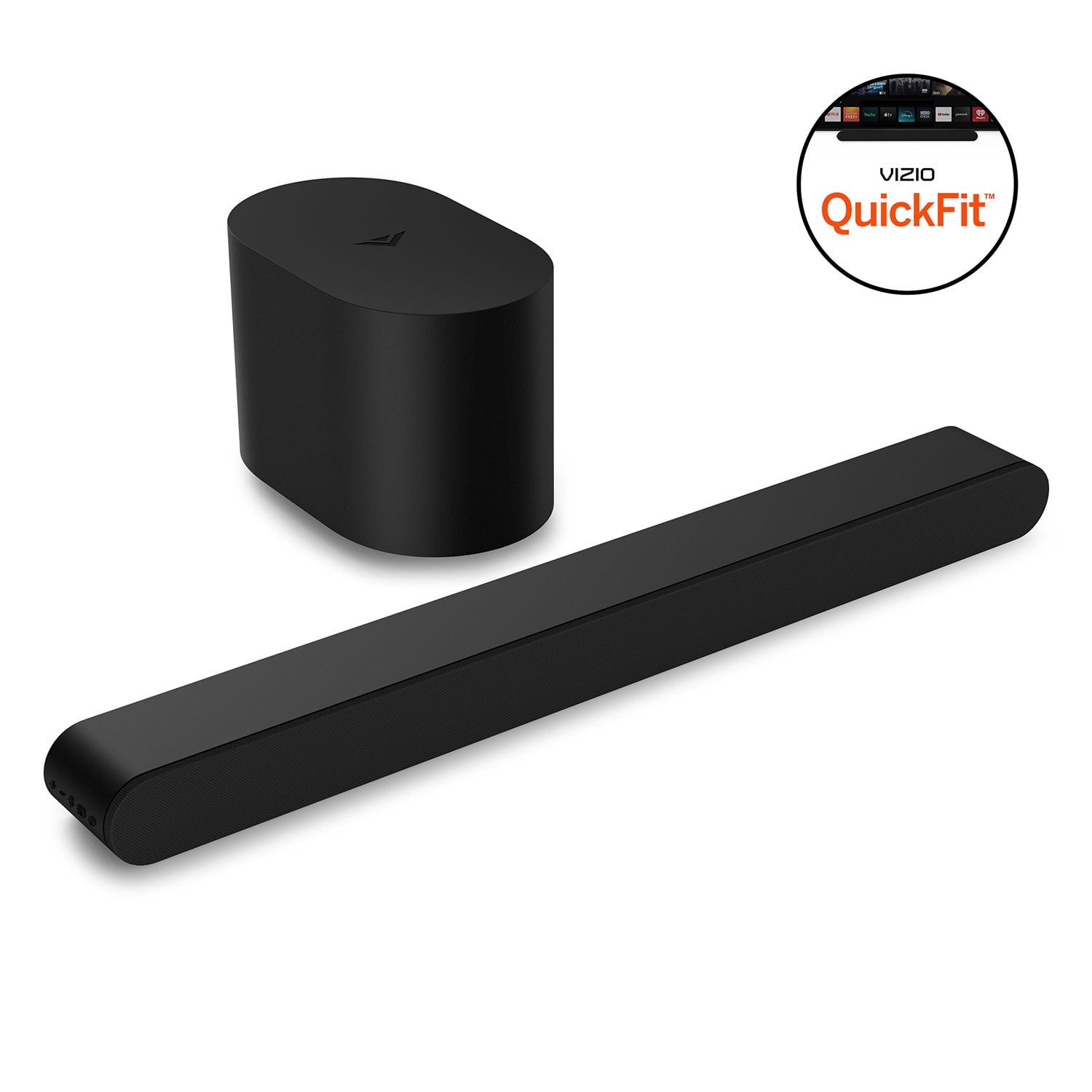
[This review was collected as part of a promotion.] I really love this soundbar and subwoofer! It was so easy to set up and was ready right out of the box. The instructions were very clear and setup only took about five minutes since you just have to plug everything in. This is the first soundbar I've ever used, so I don't have anything to compare to, but I love it for several reasons. The quality of sound is very clear and I can hear parts of songs I've never even heard before. It picks up the depth and fullness in songs that cannot be heard in most of my other speakers like my car or phone. The volume levels are really nice and the bass works well even at low volumes. One thing I'm disappointed about is not at the fault of the product but should be mentioned. My TV is older and does not have the HDMI ARC option needed to use the soundbar for watching TV or movies, so I've only been using it for music. If using for music only, there is no need to download the app, you can just connect your phones Bluetooth by holding down the Bluetooth button on the soundbar for two seconds, turn on Bluetooth on your phone and select the Vizio soundbar to pair them, and a sound plays through the speaker to let you know it worked. If a song is not selected within a couple minutes, the Bluetooth will unpair, unfortunately. If you're looking for the perfect space for the speaker and subwoofer, keep in mind the soundbar is just about 30 in x 3.25 in x 2.5 in and the subwoofer is about 11 in x 6.5 in x 7.5 in. Maybe one day if I upgrade my TV situation, I can give another update! I would recommend this product and would definitely buy another Vizio sound product simply for the quality and ease of setup. It also looks pretty nice and sleek!

Review from vizio.com
Helpful?77FUZ0B77V6S15448653188
Jun 21, 2024
Reviewer name: kayt23
2 out of 5 stars
2 out of 5 stars review

Theres an app for that...

[This review was collected as part of a promotion.] The setup was really easy, just add the HDMI cable and plug the speakers in! I have just been using my TV speakers, so the sound quality of the Vizio sound bar was definitely a huge improvement! However, when it came to an action scene, the bass nearly made me jump off my couch. It was much louder than it needed to be,​ and not in tune with the scene. I knew I needed to adjust the levels. I was super disappointed to find out I had to download an app to adjust the sound levels. In the app you have to agree to receive targeted ads, give up some of your personal data, and then they ask if they can access your contacts and call history when you sign into Bluetooth. The last one is optional, but you have to toggle it. Call me old fashioned, but I'm SO TIRED of kitchen appliances or household electronics requiring you to download an app and sign away your privacy in order for the product to work. Vizio is probably making money on your data after you pay them for the product. This could have been a cool experience with a great new product, but my experience was really soured by all the extra hoops I had to go through to get it to work right.

Review from vizio.com
Helpful?77FUZ0B77V6S15448653188
reply from Customer Care

I would like to offer the assistance of our award-winning technical support team with this issue. Please visit support.VIZIO.com and click on ‘Contact Us’ or for instant support download the VIZIO Mobile app, then click "Support" and "Contact Us.

May 5, 2024
Reviewer name: nancym1313
5 out of 5 stars
5 out of 5 stars review

Great product for the price

[This review was collected as part of a promotion.] The VIZIO 2.1 soundbar was very easy to set up, and I use the remote I already use, so nothing extra to lose. You can customize the sound you want to have. The design of the soundbar isn't obtrusive and fits wonderfully in front of my Vizio 65" TV. When watching a movie, it sounds as if I am at a movie theater. I couldn't be more happy with quality and the sound. Overall for the product I am pleased and what this retails for is a fair price.

Review from vizio.com
Helpful?77FUZ0B77V6S15448653188
Apr 24, 2024
Reviewer name: amurani09
5 out of 5 stars
5 out of 5 stars review

Great Sound

[This review was collected as part of a promotion.] Wow what great quality sound this provides. The perfect addition to our basement entertainment setup even though our space is small it’s not overwhelming. I can definitely see this working well in a larger room as well.

Review from vizio.com
Helpful?77FUZ0B77V6S15448653188
May 9, 2024
Reviewer name: maryreviewsthings
3 out of 5 stars
3 out of 5 stars review

Good quality sound bar with ok connectivity

[This review was collected as part of a promotion.] I decided to install this in our bedroom and it really amplifies our sound experience. Quality sound. There were a couple times where connectivity was an issue… would turn on but we wouldn’t get any sound at all. Had to restart and disconnect-reconnect the cables for it to start working again. Overall, everything works great, but lacks consistent connectivity which made it a little frustrating.

Review from vizio.com
Helpful?77FUZ0B77V6S15448653188
reply from Customer Care

I would like to offer the assistance of our award-winning technical support team with this issue. Please visit support.VIZIO.com and click on ‘Contact Us’ or for instant support download the VIZIO Mobile app, then click "Support" and "Contact Us.