
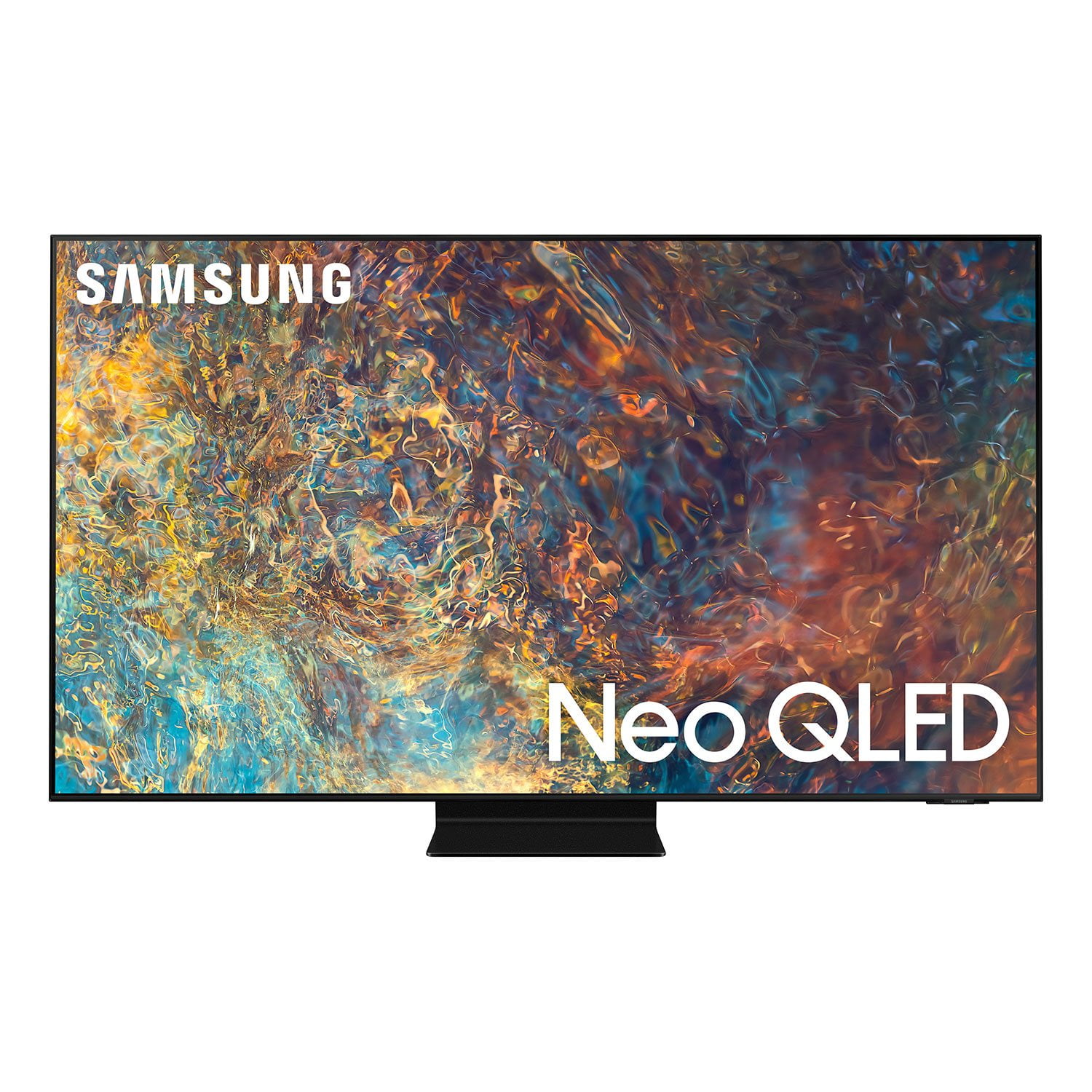
 Customer ratings & reviews for
Amazing features~ competition where?
[This review was collected as part of a promotion.] I use our TV for many things: smart streaming shows, kids apps, as well as I'm learning to use this TV for work. I throw what is on my phone to this TV so it considerably increases the size of what I was doing on my phone. I essentially am using my TV like a BIG computer monitor. I LOVE THIS FEATURE!!! This TV is above and beyond all my other TVs. It has more capabilities than just a TV! I havent even talked about the pixels, clarity of video image, or audio quality yet!!! Simply put I made a great investment with this model and couldn't be happier. This is more than a TV!!! Thank you Samsung!
Back side design not friendly
pockets for inserting power cable, usb, hdmi etc are shallow making it difficult to insert stiff cabled plugs in to sockets. the port labels are indented in black - difficult to read. tthe power cable socket gets coverd with mounting bracket and is at blind spot to insert power cable. very bad arrangements.
Hello jitu, Thank you for choosing Samsung's QN90A Neo QLED 4K Smart TV and for your review. We value your feedback regarding the input locations and will share it with our teams. If there is anything we can do to improve your enjoyment such as helping to optimize settings for your specific usage scenario, please contact Samsung Customer Support at 1-800-SAMSUNG (ask for TVs), available 8AM -12AM EST M-F (9AM – 6PM EST Sat). Or text HELP to 62913. For additional support resources, visit us on the Samsung website and click on the ‘Support’ link in the upper right corner of the homepage for: 1) More ‘Contact Us’ options – LiveChat, Facebook, Twitter, Samsung Community, Samsung Members app 2) Manuals & Software 3) Warranty Info 4) Product Registration: For access to easy warranty support, convenient opt-in to special promos and offers, faster troubleshooting and service, and quick notification of system updates. ~ Samsung Specialist
Great and Easy
[This review was collected as part of a promotion.] This was without a doubt the easiest setup of any TV I have ever owned. Attached the supplied stand, attached the supplied cables, and turned it on. It walked me through Hulu and Netflix setup in almost no time at all. I especially like that the remote control has hot buttons for Netflix, Prime Video, and Samsung TV Plus. This is the first, Smart, tv I have owned. I like when I turn it on that it has a home page with all the options for my streaming and internet. I was a bit worried that I might not see a big improvement in the picture quality, but when the wife and I watched it for the first time, wow; just wow. Now every time I walk by while she is watching it, she says, " I sure do love MY new TV". Those 7 words say so much more than my whole review.
Very nice 4k smart tv
[This review was collected as part of a promotion.] I would use the smart tv in our family room. So we could all get together an use it as a family tv to watch movies and streaming movies just for great family enjoyment. Just great family entertainment.
Best QLED yet
[This review was collected as part of a promotion.] I love the picture quality on this TV, all of my other QLED's I have hoped would look as good as this set. The black levels are just right, barely any blooming, if any, compared to other sets I have owned. It is great for gaming, great for bright rooms and dark rooms as you have plenty of settings to adjust for either scenario.
Great TV but with few software flaws
[This review was collected as part of a promotion.] This is a great TV with excellent technical features that you can read about over internet. The only issue that I can mention is regarding the freeze of some apps such as HBO max whenever TV is turned on over the open app. For example if before turning off the TV, you are watching HBO max, then next time that you turn the TV on, you will experience the freeze of HBO max app. In that case the only solution that works for me is to unplug the TV from electric outlet and plug in again. So, in order to avoid such a problem, I have to switch to any other app (rather than HBO max) before turning the TV off.
Alireza, Thank you for purchasing the Samsung QN90A TV and for sharing your experience with apps freezing. Please be sure your firmware is up to date with version 1805.4 which includes app performance updates. You can check this by going to: Settings > Support > Software Update. If this firmware version is not yet available on your TV, you can download the update on a USB drive and manually update your TV: 1. On Samsung's website (upper right corner), go to: Support > Manuals & Software > Find your TV model. 2. Download the update and extract it to the root of a USB thumb drive. (Do not put it in any folders on the thumb drive.) 3. Connect the USB thumb drive to a USB port on your TV. 4. Navigate to Settings > Support > Software Update, select Update Now, and then select Yes. 5. Follow the on-screen instructions to install the updated software. If your issue persists, please contact Samsung Customer Support at 1-800-SAMSUNG (ask for TVs), available 8AM - 12AM EST, 7 days a week. For additional support resources, visit us on the Samsung website and click on the ‘Support’ link in the upper right corner of the homepage for: 1) Contact Us: For additional Chat & Text options, choose ‘TVs & Home Theater’ and select your model & topic. 2) Manuals & Software 3) Warranty Info 4) Register a Product: For access to easy warranty support, convenient opt-in to special promos and offers, faster troubleshooting and service, and quick notification of system updates. ~ Samsung Specialist
Great tv with exceptional picture clarity
[This review was collected as part of a promotion.] Tv is super good with exceptional quality . Movies and shows looks crystal clear . Only negative being eyes seems to hurt when we watch it in dark room in peak brightness . Brightness optimization works good and kind of solves the problem to an extent .
Arvind, Thank you for purchasing the 2021 Samsung Neo QLED QN90A and sharing your thoughts on the image quality. Quantum Matrix Technology is powered by exclusive Mini LED designed technology engineered to give you hyper-focused brightness and dimming in all the right areas, and the Quantum Processor 4K elevates every picture to 4K. If you are uncomfortable with the default brightness settings, you can customize the brightness level between 0 – 50 to your preference. Go to Home > Settings > Picture > Expert Settings > Brightness. You can also try different Picture Modes to see which best fits your needs. Go to Home > Settings > Picture > Picture Mode for the below choices: 1) Standard: Is the default mode suitable for general viewing environments. 2) Natural: Reduces eye strain for a comfortable viewing experience. 3) Movie: Is suitable for watching TV or movies in a dark room. 4) Dynamic: Makes the picture brighter and clearer in bright viewing environments. 5) Filmmaker Mode: You can watch the source content (e.g., movie) as it is. If the image is defined as Filmmaker Mode, it will automatically switch to Filmmaker Mode while watching. Intelligent Mode also enables the TV to recognize and analyze the surroundings, noise, content, and your usage patterns to provide the best viewing experience. You can enable Intelligent Mode by going to Home > Settings > General > Intelligent Mode Settings. Adaptive Picture, which is among the options, optimizes brightness and provides the best picture quality in real time, based on the lighting condition and the content you're viewing. I hope you can use these adjustment recommendations to set the image to your liking. If you would like further assistance with settings, features, or functions, please reach out to Samsung Customer Support at 1-800-SAMSUNG (ask for TVs), available 8AM - 12AM EST, 7 days a week. For additional support resources, visit us on the Samsung website and click on the ‘Support’ link in the upper right corner of the homepage for: 1) Contact Us: For additional Chat & Text options, choose ‘TVs & Home Theater’ and select your model & topic. 2) Manuals & Software 3) Warranty Info 4) Register a Product: For access to easy warranty support, convenient opt-in to special promos and offers, faster troubleshooting and service, and quick notification of system updates. ~ Samsung Specialist
Vivid color with crystal clear images
[This review was collected as part of a promotion.] The Samsung TV shines brightest in dark and light rooms. Using apps to watch your favorite streaming services has never been easier . Even basic channels look fantastic. The remote takes some getting use to but once you adjust to it, I now prefer it other remotes. The only criticism I have is more about Samsung rather than the TV. Samsung is to quick to stops pushing out updates for the TV which results in you not being able to update apps or add apps as new ones come out. Otherwise this is a great TV.
Hi DanDare, Thank you for choosing Samsung's 55" QN90A Neo QLED 4K Smart TV and for your review. We appreciate you sharing your experience with using the streaming apps. Samsung offers hundreds of apps in our App Store that you can download, and we are continuously adding more premium content and new services to our Smart TV platform. If you cannot find a specific app you are looking for, rest assured that we are continuously working with our partners to make apps available in our 2021 lineup. Keep an eye on the App Store of your TV to see the latest apps available. Should you ever have questions or need help, please call us at 1-800-SAMSUNG (ask for TVs), available 8AM -12AM EST M-F (9AM – 6PM EST Sat). Or text HELP to 62913. For additional support resources, visit us on the Samsung website and click on the ‘Support’ link in the upper right corner of the homepage for: 1) More ‘Contact Us’ options – LiveChat, Facebook, Twitter, Samsung Community, Samsung Members app 2) Manuals & Software 3) Warranty Info 4) Product Registration: For access to easy warranty support, convenient opt-in to special promos and offers, faster troubleshooting and service, and quick notification of system updates. Thank you for choosing Samsung TVs! ~ Samsung Specialist
The best product I ever spent money on.
[This review was collected as part of a promotion.] I used so many smart tv but so far samsung has done better job than any company out there my family enjoys everything about it the grafic the apps. We love everything about it especially when we use it as a family with the nintendo switch amazing thank you samsung and need it up with the great job.
all i can say is..WOW!!!
[This review was collected as part of a promotion.] I just got my new Samsung TV!! 65" Class QN90A Samsung Neo QLED 4K Smart TV (2021) Model Number: QN65QN90AAFXZA and all i can say is WOW..what an amazing TV!! all the features that are in the TV and the hook up was so easy. i had another Samsung TV from 3 years ago and wanted to upgrade..and finally did it and i was not disappointed!! the clarity above all is amazing!! super crisp and clean picture. I highly suggest..if your looking for amazing TV..this is the one for you!!!
samsungonmaui, Thank you for purchasing the new 2021 QN90A Neo QLED 4K Smart TV and for your review. I am happy to hear that you are enjoying the picture brought to you by our Neo Quantum Processor 4K which analyzes the signal, source, and content scene-by-scene to optimize your 4K clarity. You get our finest picture ever with Color Volume 100% Quantum Dot giving you a billion shades of color. Should you ever have questions or need help, please call us at 1-800-SAMSUNG (ask for TVs), available 8AM -12AM EST M-F (9AM – 6PM EST Sat). Or text HELP to 62913. For additional support resources, visit us on the Samsung website and click on the ‘Support’ link in the upper right corner of the homepage for: 1) More ‘Contact Us’ options – LiveChat, Facebook, Twitter, Samsung Community, Samsung Members app 2) Manuals & Software 3) Warranty Info 4) Product Registration: For access to easy warranty support, convenient opt-in to special promos and offers, faster troubleshooting and service, and quick notification of system updates. Thank you for choosing Samsung TVs! ~ Samsung Specialist