Skip to Main Content
Sam's Club
Sam's Club
Member ratings & reviews for
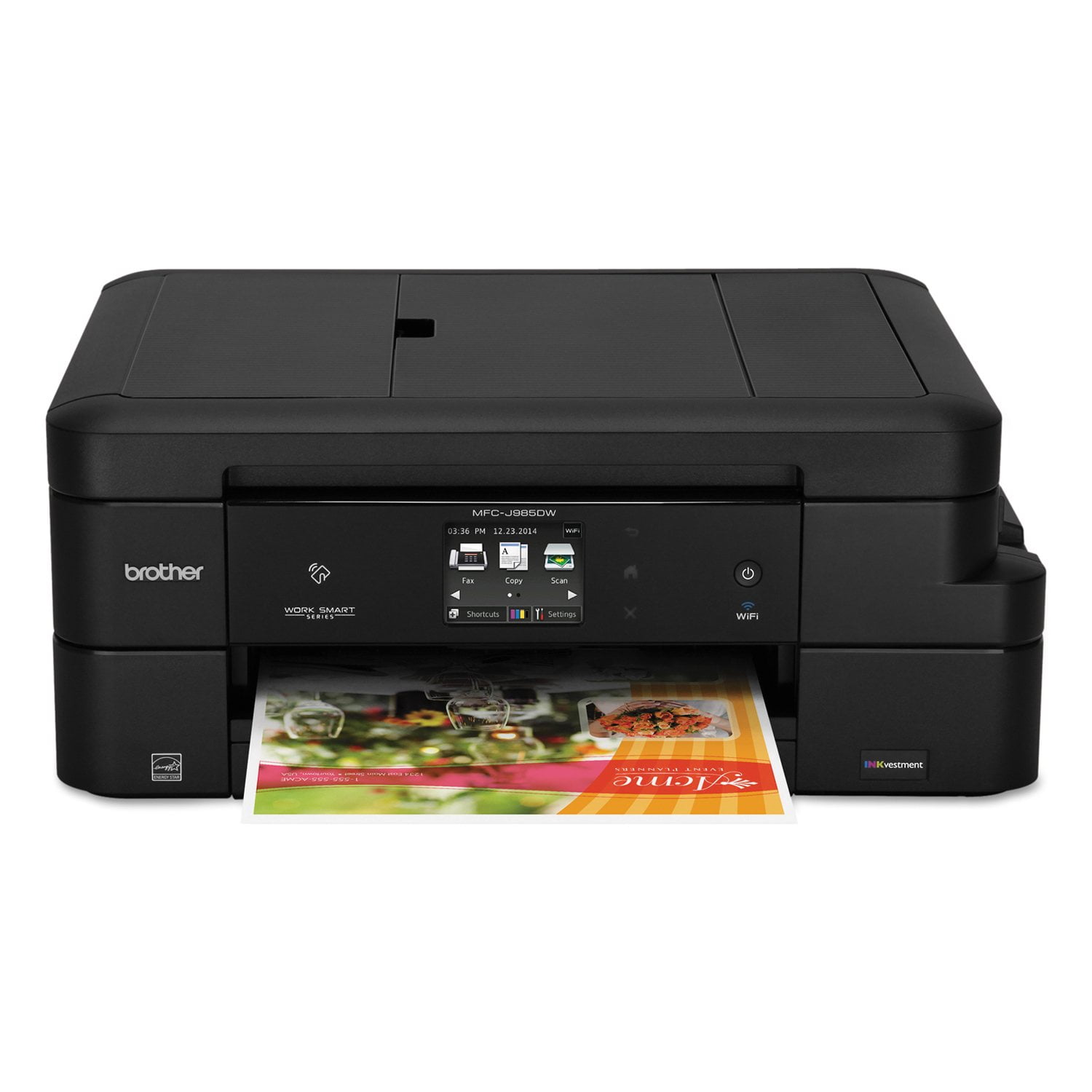
Brother MFC-J985DW Work Smart All-in-One Copy/Fax/Print/Scan with INKvestment Cartridges
4.2 out of 5 stars
stars426 ratings425 reviews
  1. 5 stars56% (239)
  2. 4 stars26% (111)
  3. 3 stars7% (30)
  4. 2 stars6% (25)
  5. 1 star5% (21)

Member photos

Sort by |
Showing 81-90 of 425 reviews
Sep 28, 2016
LDANE
5 out of 5 stars review

Finally breaking away from HP

I chose the Brother printer because I'm tired of the short printer life and thirst for ink of the many HP printers I've owned over the years. So far I'm very impressed with the features, print quality, ease of use, and helpful display of the Brother.

Review from brother-usa.com
Helpful?63200GCFKU7615321457262
Oct 14, 2017
Not Happy Printer Person
1 out of 5 stars review

Features keep being taken away!

The printer is small and that is a plus. Extra cartridges are great to have. It is a very noisy printer. Every time I turn around I get a ringing notice from the printer that another printer feature is no longer available. The notices on the printer are in extremely small print and very hard to read.

Review from brother-usa.com
Helpful?63200GCFKU7615321457262
Mar 22, 2017
Gregd548
4 out of 5 stars review

Great so far

Replaced an ink-hungry, noisy HP with this Brother. Setup was easy (if you're capable of actually reading AND following instructions), wireless works great, ink useage has so far been magnitudes better than the HP. I think the colors for text are a little light, but the few photos I printed looked fine. The two-sided printing works good and printing from my mobile devices works as expected, even the NFC printing. Wish ink cartridges were easier to find locally as I would like to have spares available whenever the current ones go dry.

Review from brother-usa.com
Helpful?63200GCFKU7615321457262
Feb 4, 2018
Gils54
5 out of 5 stars review

Great printer

So far, this printer has exceeded expectations. Ink usage seems to be lower than other printers I have owned. I have had it since before this past Christmas and the ink cartridges still show nearly full. The only negative thing about it, is the "Help" icon prevents computer shut down, and I have to press "Shut down anyway." I wish I could disable that feature. One of the best features is the rear paper feed slot. I can print one or two labels off a sheet of labels without worrying about jam ups. Yes, this is a great "Little Brother."

Review from brother-usa.com
Helpful?63200GCFKU7615321457262
Jan 22, 2017
Anonymous
4 out of 5 stars review

Very happy with our new Brother

My husband and I switched from pc's to MacBooks a couple of years ago. After struggling with our previous printer, we finally purchased a Brother-MFC-J985DW. What a dream! There's no problem printing wirelessly. We finally have a scanner that work, and that is easy to use. The list goes on and on. The only reason I don't have our Brother a 5 Star rating is because I'm not happy with the way the paper holder works. It's clumsy and there is a tendency for the paper to get jammed. The only way to resolve this issue would be to re-design that part of the printer.

Review from brother-usa.com
Helpful?63200GCFKU7615321457262
Feb 18, 2018
vszirk
5 out of 5 stars review

Best printer so far

This printer was easy to install. Easy to understand how to edit the settings and the quality of the print is great. Compared to our previous printer, this one gets a gold star. Brother printers will be our first choice when we need one in the future.

Review from brother-usa.com
Helpful?63200GCFKU7615321457262
Sep 24, 2016
Bobbybear
4 out of 5 stars review

Great Deal For The Money!

Once I read and understood the instructions and features I realized this has been the machine I wished I always had. It oofers the best bang for the buck on ink and printing at 2400 prints on a single black ink cartridge and almost half that with color. The print on both sides without readjusting paper and wireless printing from your phone is cool too, plus auto feed printing. The only draw back is you might want to put a UPS on it to keep your settings after a power blip. Other than that it is fantastic for the price. Had it for a few months of printing and haven't replaced an ink cartridge yet.

Review from brother-usa.com
Helpful?63200GCFKU7615321457262
Dec 15, 2016
talasian46
4 out of 5 stars review

Great little printer

I like the size and ease of setup of the printer. Printing is much faster than my old one and the touch screen is easy to use. I did fine one thing that happen a couple days ago which was odd. The printer was off but the printer was running like it wanted to feed paper for printering; It ran for a minute and stopped. I hope that's not a sign for a future problem.

Review from brother-usa.com
Helpful?63200GCFKU7615321457262
Feb 22, 2019
Viceroy21
5 out of 5 stars review

Reliable Efficiency

MFC-J985DW is my third Brother printer. I also own a MFC-J870DW, and an HL-2040 laserjet. The HL-2040 is more than 12 twelve years and is still going strong and printing clean, crisp B&W copies. I was the reliability of the HL-2040 that led me to purchase the MFC-J670 and the MFC-J985. Brother printers are compact, reliable, and economical. I have owned other brands of printers that were completely disappointing. Print head assemblies would fail; paper would jam; and replacement ink cartridges were more expensive than the initial cost of the printer. I am pleased with both the performance and reliability of my Brother printers and would recommend them without hesitation.

Review from brother-usa.com
Helpful?63200GCFKU7615321457262
Sep 17, 2018
Jake5
4 out of 5 stars review

Nice Product

I like the way the product does it's periodic maintenance on it's own. I heaar it doing it's thing by itself when I'm not using it. This means it's ready to go as soon as I ask it to do something. The paper refill system is a little awkward, but not bad enough to change my mind.

Review from brother-usa.com
Helpful?63200GCFKU7615321457262