Skip to Main Content
Sam's Club
Sam's Club
Member ratings & reviews for
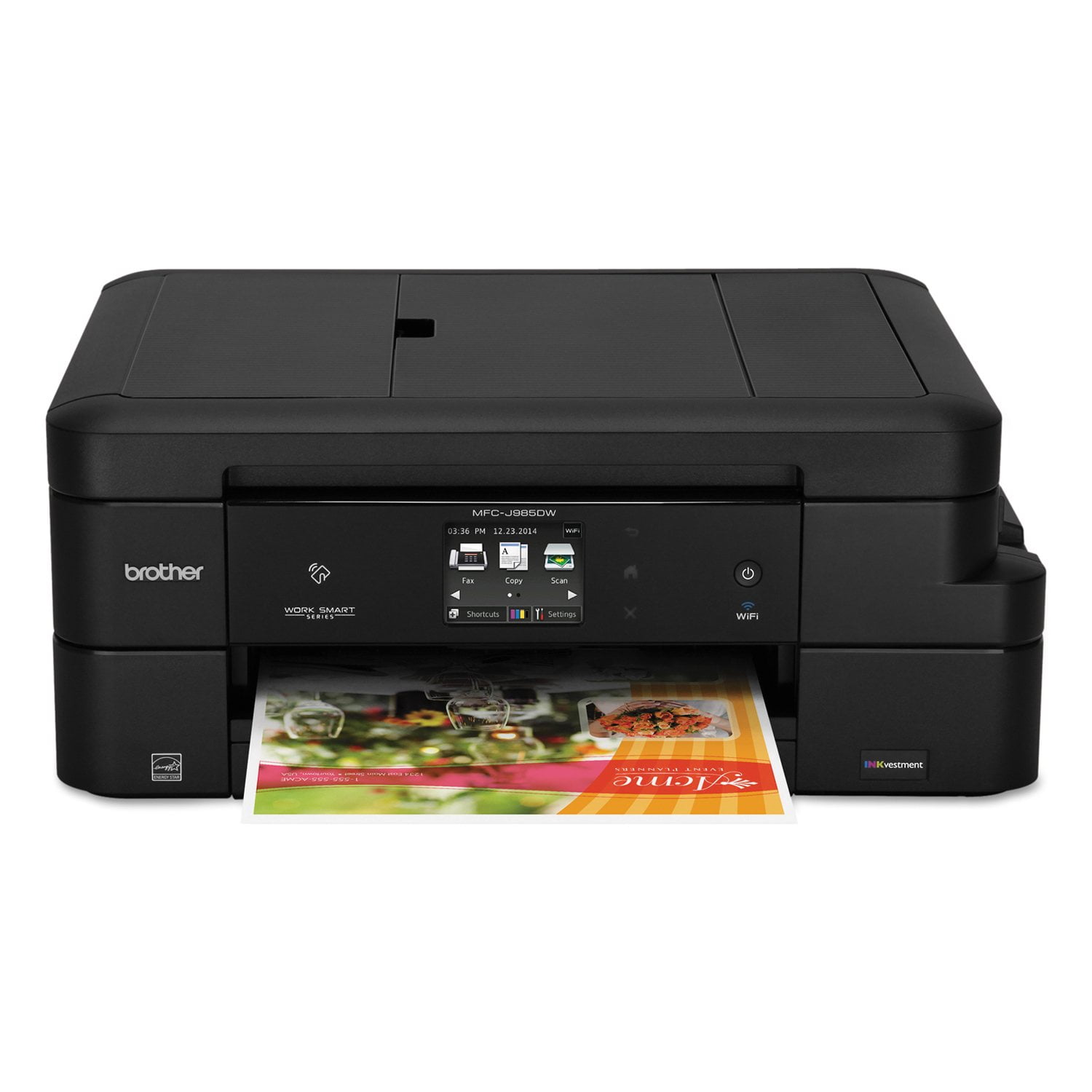
Brother MFC-J985DW Work Smart All-in-One Copy/Fax/Print/Scan with INKvestment Cartridges
4.2 out of 5 stars
stars426 ratings425 reviews
  1. 5 stars56% (239)
  2. 4 stars26% (111)
  3. 3 stars7% (30)
  4. 2 stars6% (25)
  5. 1 star5% (21)

Member photos

Sort by |
Showing 111-120 of 425 reviews
Mar 4, 2018
KathyB259
2 out of 5 stars review

Aggravating

Frustrating to use. Frequently have to turn it off and then back on to get the wireless feature to work. Also, I find the color quality poor. Colors prints are dull and the colors inaccurate. This was a real disappointment to me as I like to print some of my photos and digital projects.

Review from brother-usa.com
Helpful?63200GCFKU7615321457262
Feb 21, 2017
FlaLady
5 out of 5 stars review

It's a workhorse with nice features

I have a home office, and so far I'm really happy with this printer. I've been churning out copies and it's been doing great. It's easy to use and dependable. I love that I select which computer my scans will go to, and I've wanted a document feeder for a while. All this for a very reasonable price. If it keeps going at the current pace, I'll be a very happy camper.

Review from brother-usa.com
Helpful?63200GCFKU7615321457262
Jul 28, 2016
Cabforward
4 out of 5 stars review

Great Vaule!

We purchased this printer/scan/fax combo about one month ago and have found it very easy to use. Print quality is top notch, and we like the high capacity ink cartridges at an affordable price. The only feature I'm surprised at is the simple Scan mode. My old cheap Epson had a great scan feature that permitted me to preview the scan, then crop the document or photo prior to final scan. The unit seems to be built well (solid) and doesn't take a great deal of space.

Review from brother-usa.com
Helpful?63200GCFKU7615321457262
Jan 8, 2017
Dennio
3 out of 5 stars review

Good printer but wireless Connection needs work

I purchased this printer because I want to print from my iPad and because it has long lasting ink. It performs well with the latter but I still have troubles printing wirelessly. The printer doesn't show up on AirPrint and I can print using the brother app but have to turn the printer off and on for it to show on the network.

Review from brother-usa.com
Helpful?63200GCFKU7615321457262
Apr 19, 2018
JMB32765
5 out of 5 stars review

Loving this Brother all in one!!!

So much better in so many ways from our former HP Officejet Pro 8500. HP guzzled ink like crazy and was forever causing delays while "cleaning printheads". Our Brother MFC-J985DW XL never slows us down and we've now had the printer for 5 months and the ink level meters have barely moved! Pringing, scanning, faxing functions work easily and we couldn't be more pleased with this machine.

Review from brother-usa.com
Helpful?63200GCFKU7615321457262
Oct 7, 2017
kwww
4 out of 5 stars review

???

I love the size of the printer. Many of the printers were much to large for my space. Several printers accept, I mean push, 11x17 size paper. I was in the printing business for many years where 11x17 was good for printing and cutting in half to end up with 8x11 product. I would say that no one in a small office needs to print and then try to cut the paper in half and have it come out right. The screen on the printer has very small type and impossible to select anything with my semi long nails. I have to use a pencil eraser. Putting paper(s) in the printer to scan or fax is very difficult. They get stuck and you have to work hard to straighten them out.(very annoying).

Review from brother-usa.com
Helpful?63200GCFKU7615321457262
Feb 4, 2018
Gils54
5 out of 5 stars review

Great printer

So far, this printer has exceeded expectations. Ink usage seems to be lower than other printers I have owned. I have had it since before this past Christmas and the ink cartridges still show nearly full. The only negative thing about it, is the "Help" icon prevents computer shut down, and I have to press "Shut down anyway." I wish I could disable that feature. One of the best features is the rear paper feed slot. I can print one or two labels off a sheet of labels without worrying about jam ups. Yes, this is a great "Little Brother."

Review from brother-usa.com
Helpful?63200GCFKU7615321457262
Dec 2, 2018
R J B
5 out of 5 stars review

does every job i would expect a printer to do for

i am very happy with the performance of my brother , matter of fact it has even ordered replacement ink so i do not have to be concerned with that problem . matter of fact this is my second brother , the first is black and white and still going strong .

Review from brother-usa.com
Helpful?63200GCFKU7615321457262
Mar 22, 2017
Gregd548
4 out of 5 stars review

Great so far

Replaced an ink-hungry, noisy HP with this Brother. Setup was easy (if you're capable of actually reading AND following instructions), wireless works great, ink useage has so far been magnitudes better than the HP. I think the colors for text are a little light, but the few photos I printed looked fine. The two-sided printing works good and printing from my mobile devices works as expected, even the NFC printing. Wish ink cartridges were easier to find locally as I would like to have spares available whenever the current ones go dry.

Review from brother-usa.com
Helpful?63200GCFKU7615321457262
Sep 2, 2018
db44
5 out of 5 stars review

985DW

I have had this machine for a couple months and am very happy with it. This is the third Brother MFC that I have owned. My daughter has the original, can't remember how old it is but it got her through Veterinary school and must have printed books worth by now, and that was after I had used it for a few years. My second one failed after 5 or 6 years when it quit feeding paper. I hope this one gives as good service as those.

Review from brother-usa.com
Helpful?63200GCFKU7615321457262