Skip to Main Content
Sam's Club
Sam's Club
Member ratings & reviews for
Epson WorkForce ET-3750 Special Edition EcoTank All-in-One Printer with Bonus Black Ink
4.2 out of 5 stars
stars1,155 ratings1,126 reviews
  1. 5 stars57% (657)
  2. 4 stars21% (244)
  3. 3 stars11% (122)
  4. 2 stars5% (60)
  5. 1 star6% (72)

Member photos

  • +12 images
Sort by |
Showing 401-410 of 1,125 reviews
Nov 13, 2017
angelgr
5 out of 5 stars review

exceptional all in one

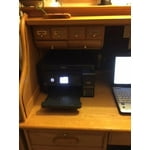
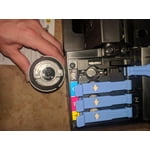
I'm very excite to have tested this printer almost every day now printing school project for my kids and tons of photos which by the way comes out bright vivid colors.work documents the quality was amazing it was easy to set up everything I printed with great quality in the most amazing thing is that it's eco-friendly and the ink last a lot longer . I also like that it's a perfect size also it is something that could be on top of the desk in the shelf and I have not have the chance to refill the ink but it looks really easy just squeeze a little bottle in there and compartment and you're all set to go and print away“This is a review for the Epson WorkForce ET-3750 EcoTank All-in-One Printer that I received free of charge to do a beta test and review.”

Review from epson.com
Helpful?5HORJINKF4CN15315553577
Feb 7, 2019
george123
3 out of 5 stars review

Pretty good but some drawbacks

I like the eco tank feature for ink on the ET-3750. Print quality is fine. However, there are a couple of drawbacks that are significant for me. When scanning multiple double sided sheets using the automatic document feeder there is no semi-manual feature for feeding the back sides of the sheets and create a pdf file with the pages in the correct order. This is surprising since the solution is software (should be in SCAN 2) not hardware. HP (my most recent printer) does this very well and I'm disappointed that EPSON does not. Also, the automatic document feeder cannot handle pages that are not 8 1/2 inches wide. Again, HP has a much better feeder. The EPSON does not always feed pages reliably. Full wireless installation did not go smoothly, but eventually worked. Some of the driver installation instructions are confusing. Everything else seems fine. (The downside to the HP option is the cost of ink, which is presumably how they make money and can sell a less expensive printer.)

Review from epson.com
Helpful?5HORJINKF4CN15315553577
Nov 15, 2019
sherizona
4 out of 5 stars review

Better than average set up, but NOT perfect!

I'm an average user but I do have 30 years of computer/printer experience. It's obvious NOBODY asked a novice or even a reasonably experienced user to do a setup. Some great features, but too many kinds of instructions DON'T mesh, leaving the user to ask "what's the next step" too many times. All companies can't seem to bridge these LEAPS for the consumer.

Review from epson.com
Helpful?5HORJINKF4CN15315553577
Aug 7, 2019
SoVerySad
1 out of 5 stars review

Does NOT work any more!

I have owned this printer for a while and am sooooo disappointed. Worked very well for a while and is now NOT printing colour as well as what it does print is sloppy, missing data and showing lines. I have done all the usual testing and even downloaded the latest and greatest driver, etc but all to no avail - Nothing is working correctly

Review from epson.com
Helpful?5HORJINKF4CN15315553577
Jun 23, 2019
MisterBee
4 out of 5 stars review

The ink cost sold me!

Just purchased and set up this unit. Setup went well with Mac and seems to be communicating well via Wi-Fi. Print quality is good, the machine seems sturdy and well made. Control panel is not as user friendly as I would hope but after using it I am sure it will come with ease. Well worth dealing with the control panel for the ink volume and reduced cost of printing. Tired of paying big money for "HP gold plated" ink cartridges.

Review from epson.com
Helpful?5HORJINKF4CN15315553577
May 22, 2020
Donnag52
5 out of 5 stars review

Great Features

I live in two states for six months each, New York and Florida. So happy with my first purchase of and Epson Eco Tank printer in Florida bought this one for my home in New York. Great print quality and it seems you don't need ink every few months like other printers. I do a lot of printing. Patters for crocheting, recipes and cook books for Keto, and tons of pictures for scrapbooking. Made granddaughters scrapbook from birth till high school graduation. for every year I printed out Easter, Birthday, summer vacation, Halloween, Christmas and sport pictures. The quality was great and no ink refill was needed and I did this for 2 granddaughters. This printer made it easy. Would recommend this to anyone looking to buy a good printer and sick of buying ink all the time. I love this printer. Oh and I need to mention, super easy to install, I use a wireless connection, went online and the sight does everything for you. I can print from my computer, laptop, tablet and phone, so easy.

Review from epson.com
Helpful?5HORJINKF4CN15315553577
Oct 4, 2020
Brian1950Too
4 out of 5 stars review

Saves money on ink

I've had this printer for over a year. I've had home printers for over 25 years and this one stacks up fairly well. The print quality isn't as crisp as an HP ink jet with traditional ink cartridges, but it is adequate for home use and probably most business uses. The savings by not having to pay for ink cartridges paid for the printer, easily, during the first year. And, I still have the second set of full ink bottles that came with the printer. I only gave it four stars because some of the controls are not intuitive. I still have been unable to scan documents to my computer. For that, I turn to my old out-of-ink HP.

Review from epson.com
Helpful?5HORJINKF4CN15315553577
Jun 21, 2019
MAP42
1 out of 5 stars review

Wireless Setup

The wireless setup was extremely tedious. Printers I've had in the past were able to automatically detect my wireless router and configure themselves. This one required that I stand in front of the printer and enter the wireless configuration through the built-in keyboard that uses directional arrows to navigate to each letter, number and symbol.

Review from epson.com
Helpful?5HORJINKF4CN15315553577
Oct 12, 2019
Anonymous Reviewer
4 out of 5 stars review

Redundant printer settings reduces 5-star printer to 4-star

Bulk ink capacity was an important criteria for me as is scanner resolution up to 1200 dpi. However, having to reset the printer at its control to modify paper-type settings is a major productivity killer! This function should be handled within the software application. This printer has numerous out settings and ease of use which I appreciate. After several days of scanner use, the event manager failed to open. Support staff was most helpful in identifying the issue: a newer version of the event manager driver was necessary. Overall, I am enjoying my printer and do not regret my purchase. I did make a suggestion to the engineers/software developers at Epson to allow the printer to be controled by the user's software and not require laborious settings revision at the printer via its control panel.

Review from epson.com
Helpful?5HORJINKF4CN15315553577
Jul 29, 2020
cbella
2 out of 5 stars review

A Clumsy Dinosaur

Operational panel is not user friendly. I had an Epson Artisan 810 for many years until it just plain pooped out. THAT was an exceptional printer. Although this model is more compact in size and with larger ink reservoirs, the operating panel seems like it was designed in the 80's. Prints fine, just not very user-friendly.

Review from epson.com
Helpful?5HORJINKF4CN15315553577