Skip to Main Content
Sams Club
Sams Club
Customer ratings & reviews for
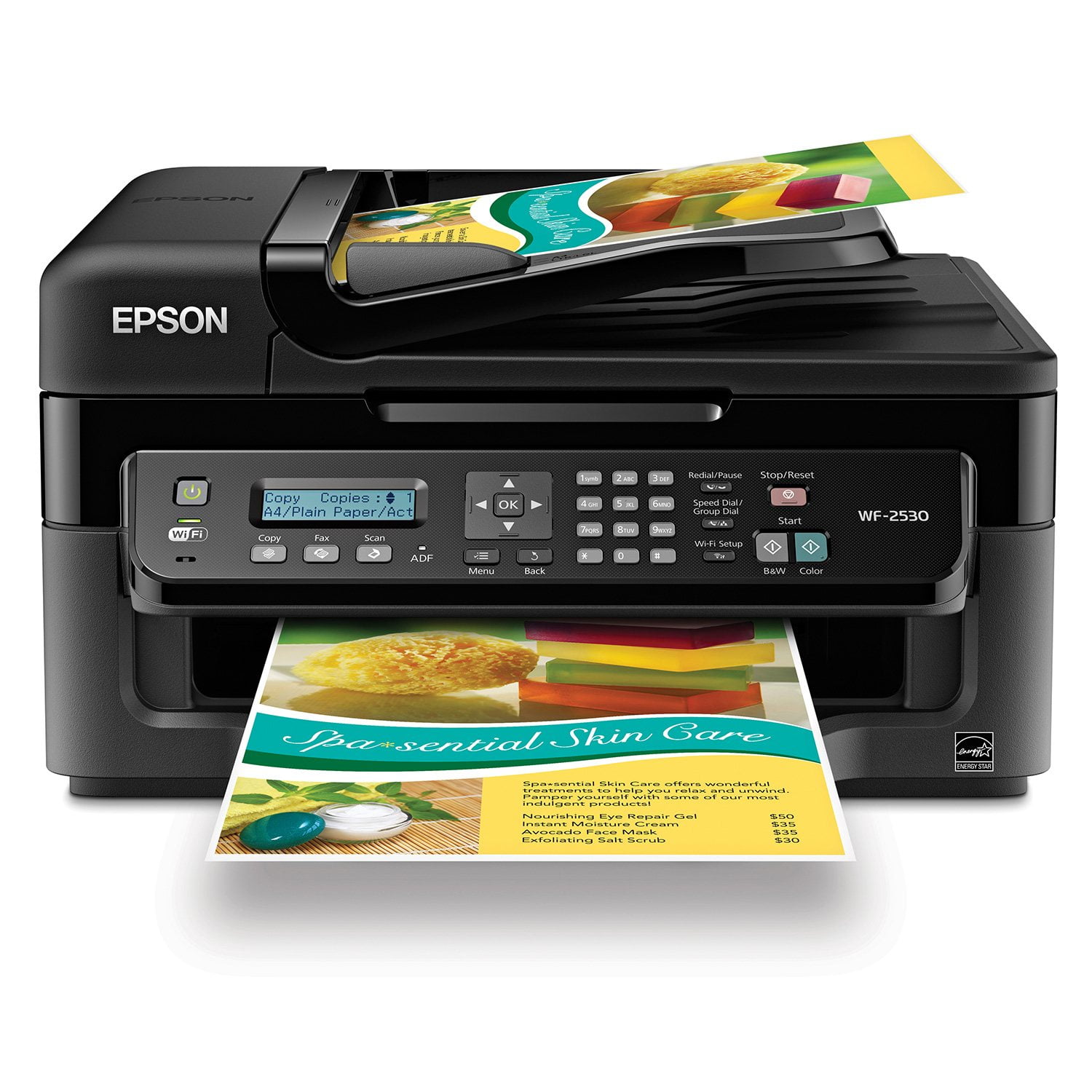
Epson WorkForce WF-2530 Wireless All-in-One Printer
4.2 out of 5 stars
stars590 ratings584 reviews
  1. 5 stars56% (330)
  2. 4 stars27% (159)
  3. 3 stars5% (29)
  4. 2 stars3% (18)
  5. 1 star9% (54)
Write a review
Sort by |
Showing 21-30 of 584 reviews
Oct 9, 2013
Peg
4 out of 5 stars review

Epson WF-2530 Good Printer for the Money

General printing and ADF does print a little slow, but print quality is good. I do a lot of brochure, flyer and postcard printing and this printer does a good job. Replacing ink cartridges is, like all inkjets today, a little time consuming. I long for the old days when you could just pop a cartridge in and start printing!

Review from epson.com
Helpful?3R4JFFKRRTX115270723888
Feb 12, 2014
Marioinatx
5 out of 5 stars review

Work from your iPad/iPhone? This is your printer!

If you are still tied to a desktop computer you may never notice the difference between this printer and the beast taking up 1/3 of your desk. Now if you have move to a more mobile work culture and are currently using an iOS device for more than 30 percent of your business, then look no further for your printing needs. I was able to set up and print in less than 15 minutes and I did it entirely from my iPad mini. I simply: *Plugged in the printer *Loaded the ink/paper *Entered the wifi pass code to the printer *Downloaded the Epson app to my iPad And I was printing! Office or home office you can't go wrong with this printer.

Helpful?3R4JFFKRRTX115270723888
Apr 14, 2014
Runner Guy
5 out of 5 stars review

Fine Quality Printer

Always have had Epson printers since my first computer and this is another high quality, easy-to-use unit. Had it for about a month and the ink lasts pretty good, the scanner works great for our PDF work documents & photos. Epson has always been our choice.

Review from epson.com
Helpful?3R4JFFKRRTX115270723888
Mar 19, 2014
ericwrites
4 out of 5 stars review

My take on the WF-2530

In truth I was ready to toss the WF-2530 into the pile of other printers (six to date) that I had become disillusioned with.I decided to give one last shot to having it fixed using the online troubleshooting method. Viola! It seems to have been the answer. it has at least so far, printed out a test page with success. to me that is a big deal, being as nothing operated prior to the troubleshooting fix. When it was purchased new it ran like a well oiled machine for close to or more than five hundred pages of printing over a two month span and a change of ink cartridges. When it stopped operating it did nothing, no scanning, copying, or printing. When I attempt to resume printing from my files/the PC I'll come back and make another review.

Review from epson.com
Helpful?3R4JFFKRRTX115270723888
Jan 26, 2015
madatepsondan
1 out of 5 stars review

WASTE OF TIME AND MONEY I WANT A RUFUND

Do not get this printer, the ink drys up quick. 80% of the time the cleaning functions in the printer do nothing. If you run out off any colors it is impossible to print in black and white. MAKES NO SENSE!!!!!!! I am trying to print a black and white legal document that I need asap. I went to the store to get a new BLACK INK Cartidge, installed it. Now I cannot print my black and white document because the CYAN color is gone. You can try disabled their software and printing grey scale, it will not work

Review from epson.com
Helpful?3R4JFFKRRTX115270723888
Nov 9, 2012
oacrlarsen
1 out of 5 stars review

Broken after 6 pages

I hope this is just a fluke. Setup was easy and straight forward. Printed the test page. Then scanned and printed two pages. Set up wireless pringing from a 2nd computer and printed one page. GREAT! Next tried to print a picture from my iPad. Printed fine. Tried to print another page from iPad and the printer broke. Error message says paper feed error. There is no paper inside the printer. When turned off and then back on there is a rachating sound from the toothed belt at the back of the printer I think the belt trnsports the ink. The same error comes up. The printer goes back to the store for a replacement. A total of 6 pages printed before break down.

Review from epson.com
Helpful?3R4JFFKRRTX115270723888
Apr 13, 2013
Katie
1 out of 5 stars review

Worst printer ever

I bought this printer based on other good reviews. Every time I try to print something, it tells me there is no "paper loaded." It's loaded properly, but I have to keep shifting it around before the printer will work. What's worse, the black ink runs out after about 50 pages. Never again!!!

Review from epson.com
Helpful?3R4JFFKRRTX115270723888
Aug 4, 2014
RoyC
4 out of 5 stars review

Printer Setup

Have to fair about the review. I have only printed a test page so the actual usage of the printer I have no comment on at this time. However, I must say the setup of the printer and the wireless feature was outstanding The easiest I have ever had to connect. Hopefully, the printer operation and print quality will be just as good.

Review from epson.com
Helpful?3R4JFFKRRTX115270723888
Jan 20, 2015
Michele
3 out of 5 stars review

Nice until the ink runs out

When any of the color ink runs out, the printer will not print, even in black only. Apparently, it uses a little bit of color, even for black/greyscale jobs. Not impressed - liked the printer because you "only replace what you need." Sorry, I only need black, and it's brand new. I don't need magenta - except I do. To print black. No good!!!!

Review from epson.com
Helpful?3R4JFFKRRTX115270723888
Oct 22, 2013
redheadedfarmer
5 out of 5 stars review

so far, so good

I haven't used all the features yet, but am very happy with this printer. It's a wireless hook-up, which is real nice. Not extremely fast, but fast enough for me. It's pretty quiet, not noiseless, but not irritating. I have no need of the fax, so don't know if I'll ever use it. Good price, in my humble opinion. Haven't used it long enough to know if it's hard on ink or not.

Helpful?3R4JFFKRRTX115270723888