Skip to Main Content
Sams Club
Sams Club
Customer ratings & reviews for
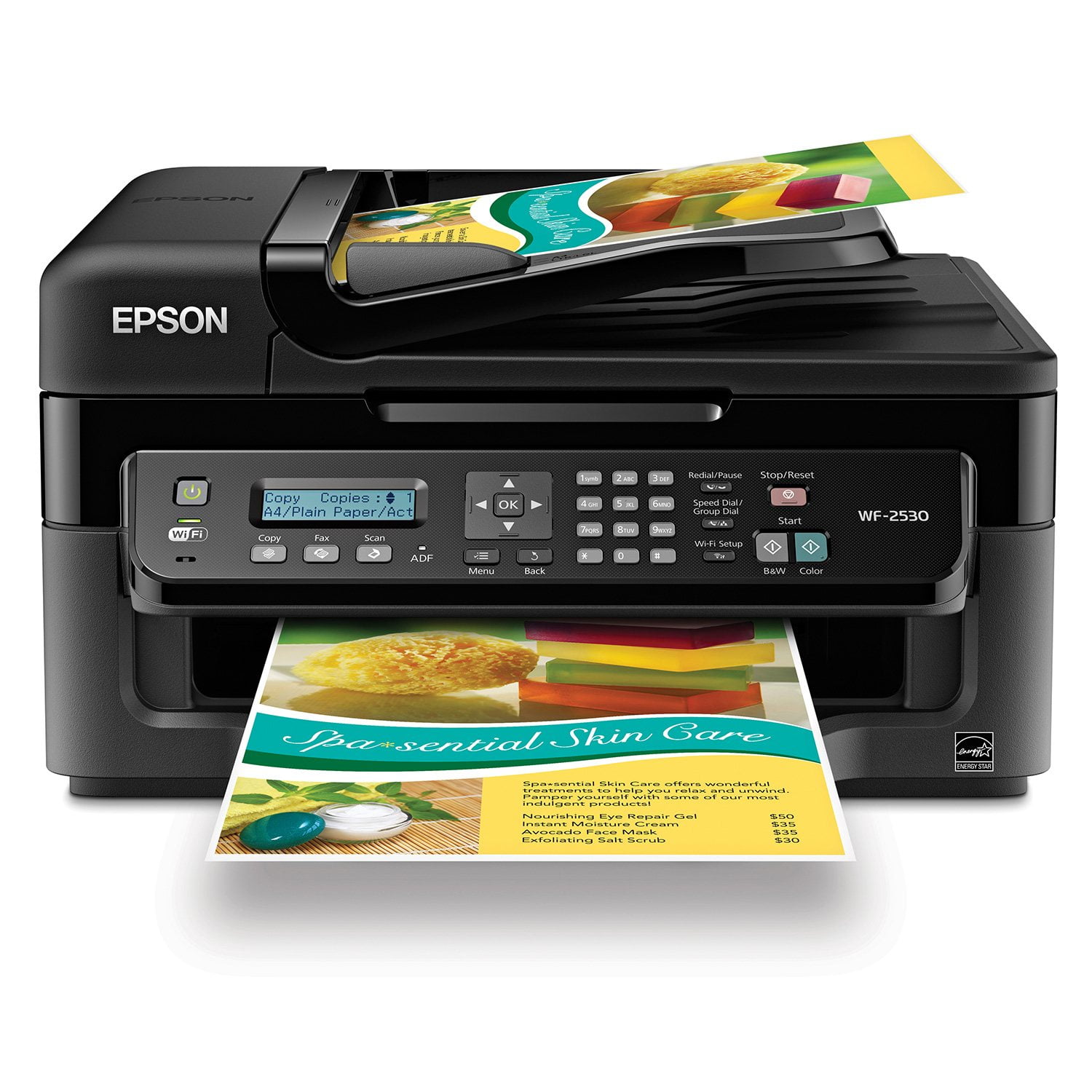
Epson WorkForce WF-2530 Wireless All-in-One Printer
4.2 out of 5 stars
stars590 ratings584 reviews
  1. 5 stars56% (330)
  2. 4 stars27% (159)
  3. 3 stars5% (29)
  4. 2 stars3% (18)
  5. 1 star9% (54)
Write a review
Sort by |
Showing 1-10 of 584 reviews
Aug 27, 2014
Tdarcos
5 out of 5 stars review

Fairly nice device

Does very decent color printing, and the multi-document scanner makes handling large volumes of documents easier since you don't have to insert and remove each document as on a flatbed single page scanner, although you probably want to load no more than about 20 at a time. The one problem - and this seems to apply to all fax machines - is that if you use VOIP phone service faxes may not work; this is the case with Magicjack.

Review from epson.com
Helpful?3R4JFFKRRTX115270723888
Oct 22, 2013
redheadedfarmer
5 out of 5 stars review

so far, so good

I haven't used all the features yet, but am very happy with this printer. It's a wireless hook-up, which is real nice. Not extremely fast, but fast enough for me. It's pretty quiet, not noiseless, but not irritating. I have no need of the fax, so don't know if I'll ever use it. Good price, in my humble opinion. Haven't used it long enough to know if it's hard on ink or not.

Helpful?3R4JFFKRRTX115270723888
Feb 12, 2014
Marioinatx
5 out of 5 stars review

Work from your iPad/iPhone? This is your printer!

If you are still tied to a desktop computer you may never notice the difference between this printer and the beast taking up 1/3 of your desk. Now if you have move to a more mobile work culture and are currently using an iOS device for more than 30 percent of your business, then look no further for your printing needs. I was able to set up and print in less than 15 minutes and I did it entirely from my iPad mini. I simply: *Plugged in the printer *Loaded the ink/paper *Entered the wifi pass code to the printer *Downloaded the Epson app to my iPad And I was printing! Office or home office you can't go wrong with this printer.

Helpful?3R4JFFKRRTX115270723888
Mar 26, 2014
Rut
5 out of 5 stars review

Excellent

I purchased this product after doing my homework comparing similar printers,fax and scanners. I am not very tech savvy, but had the printer and fax hooked up and working in no time! I am very pleased with the cost of ink, as my budget is sorely lacking! Thank you for making my day!

Review from epson.com
Helpful?3R4JFFKRRTX115270723888
Apr 11, 2014
LULU
5 out of 5 stars review

I love my Epson printer WF-2530, I like that I can choose my ink colors each time I print.The cost of the ink really isn't that expensive. I had an Epson printer years ago and loved it. It makes beautiful copies, and I like that I can connect the Fax and Scan, once I learn how. Thank you for a wonderful product.

Review from epson.com
Helpful?3R4JFFKRRTX115270723888
Mar 26, 2014
van6
4 out of 5 stars review

So far so good

I bought this printer for personal use to connect to my laptop on my desk. Easy to set-up out of the box and all functions are working fine so far. Print speed is impressive and quality is good. Small footprint was the main reason I chose it. The one complaint is that the LCD screen is not backlit and is difficult to see even with sufficient room lighting unless you get very close to it (the screen's display cannot be seen at all from the side, regardless of lighting).

Review from epson.com
Helpful?3R4JFFKRRTX115270723888
Oct 9, 2013
Peg
4 out of 5 stars review

Epson WF-2530 Good Printer for the Money

General printing and ADF does print a little slow, but print quality is good. I do a lot of brochure, flyer and postcard printing and this printer does a good job. Replacing ink cartridges is, like all inkjets today, a little time consuming. I long for the old days when you could just pop a cartridge in and start printing!

Review from epson.com
Helpful?3R4JFFKRRTX115270723888
Aug 4, 2014
RoyC
4 out of 5 stars review

Printer Setup

Have to fair about the review. I have only printed a test page so the actual usage of the printer I have no comment on at this time. However, I must say the setup of the printer and the wireless feature was outstanding The easiest I have ever had to connect. Hopefully, the printer operation and print quality will be just as good.

Review from epson.com
Helpful?3R4JFFKRRTX115270723888
Nov 24, 2012
jimmythesafe
3 out of 5 stars review

LET THERE BE LIGHT (& NUMBERS)

It's way too early in the game to review anything but the setup process and my initial feel for the unit's apprarance and feel. Here goes. I made it through unpacking, set up and registration in about an hour and 15 minutes. A NUM LOCK switch and a backlit LCD screen would surely have cut that in half. Why oh why would you not back lilght the instruction panel? Trying to read the setup instructions on that little LCD screen was murderous; especially so because our unit is mounted at the bottom of the work station/desk. Our SSID is in part, a numeric value. You failed to provide me with a switch to set those dear little keys to 'numeric ONLY' status. That was really inconsiderate of you. I hope my follow-up review on the WF2530's performance is glowing enough to make these set up flaws all worth the trouble. We'll see. jimmythesafe

Review from epson.com
Helpful?3R4JFFKRRTX115270723888
Jan 25, 2014
Enright
2 out of 5 stars review

Extremely frustrating

Perhaps the most frustrating piece of equipment I have ever owned. When it actually prints, the quality is fine. But the thimble-sized ink cartridges keep running out and there are four of them so you're bound not to have "magenta" on hand when you need it. I'm mainly printing b&w Word documents but for some reason being low on yellow or cyan or magenta is a big problem. There's some kind of multi-step process to "temporarily" allow the printer to do only black but good luck following those steps. But the real problem is trying to figure out how to replace the cartridges. They hide under a plastic shed and unless you precisely follow a complex series of button-pushing on the incomprehensible dashboard, get ready for a long game of hide and seek as the cartridges dodge your hand and the printer beeps at you. In fact, the printer always seems to be scolding you one way or another for doing something wrong. (If you're going to change ink every five minutes, why is there no "Replace Ink" button on the dashboard? And why are the cartridges tucked under that hard plastic shed in the first place?) Steve Jobs would have had a field day with the Epson design department. This machine seems to have been designed for the convenience of the designers.

Review from epson.com
Helpful?3R4JFFKRRTX115270723888