
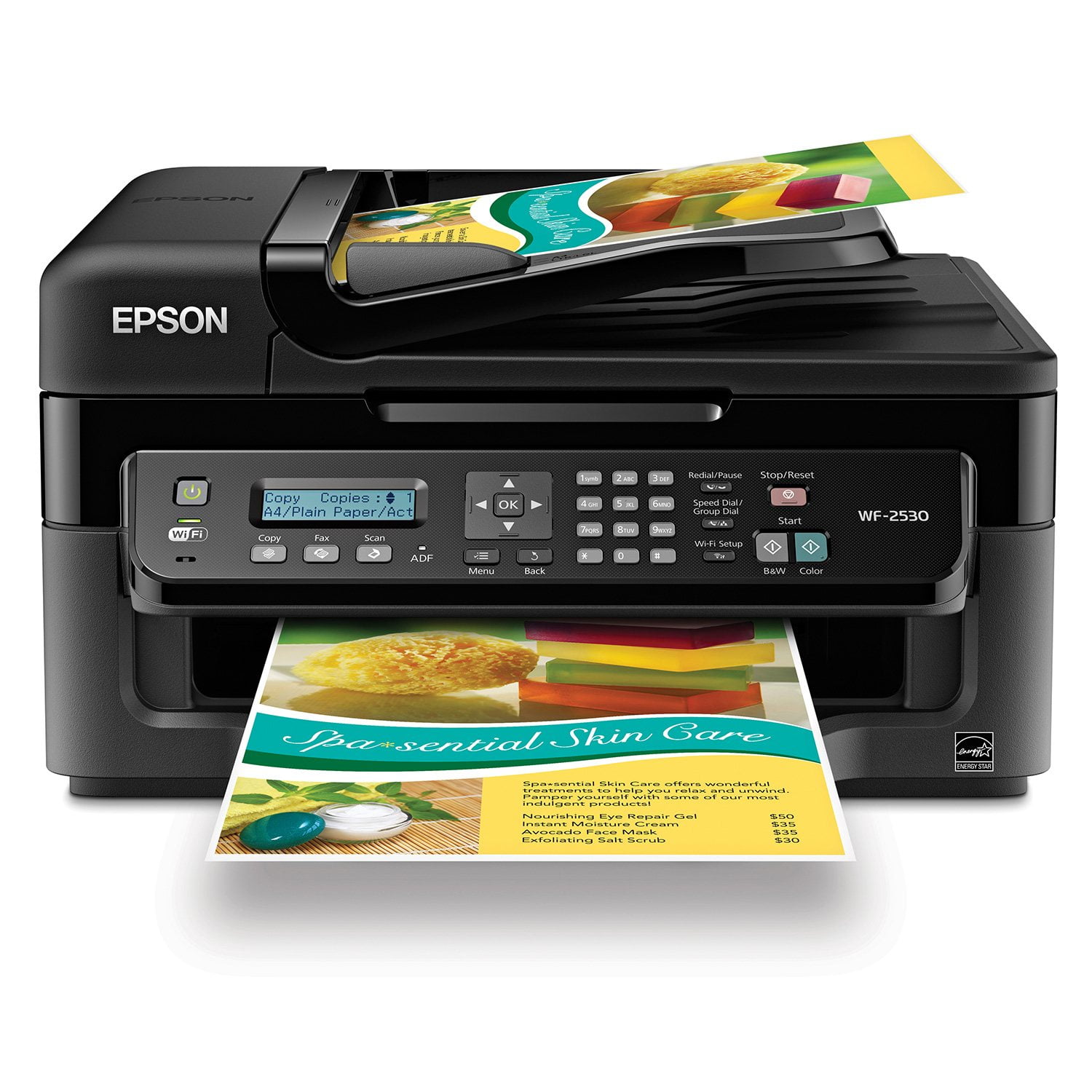
 Customer ratings & reviews for
Extremely frustrating
Perhaps the most frustrating piece of equipment I have ever owned. When it actually prints, the quality is fine. But the thimble-sized ink cartridges keep running out and there are four of them so you're bound not to have "magenta" on hand when you need it. I'm mainly printing b&w Word documents but for some reason being low on yellow or cyan or magenta is a big problem. There's some kind of multi-step process to "temporarily" allow the printer to do only black but good luck following those steps. But the real problem is trying to figure out how to replace the cartridges. They hide under a plastic shed and unless you precisely follow a complex series of button-pushing on the incomprehensible dashboard, get ready for a long game of hide and seek as the cartridges dodge your hand and the printer beeps at you. In fact, the printer always seems to be scolding you one way or another for doing something wrong. (If you're going to change ink every five minutes, why is there no "Replace Ink" button on the dashboard? And why are the cartridges tucked under that hard plastic shed in the first place?) Steve Jobs would have had a field day with the Epson design department. This machine seems to have been designed for the convenience of the designers.
LET THERE BE LIGHT (& NUMBERS)
It's way too early in the game to review anything but the setup process and my initial feel for the unit's apprarance and feel. Here goes. I made it through unpacking, set up and registration in about an hour and 15 minutes. A NUM LOCK switch and a backlit LCD screen would surely have cut that in half. Why oh why would you not back lilght the instruction panel? Trying to read the setup instructions on that little LCD screen was murderous; especially so because our unit is mounted at the bottom of the work station/desk. Our SSID is in part, a numeric value. You failed to provide me with a switch to set those dear little keys to 'numeric ONLY' status. That was really inconsiderate of you. I hope my follow-up review on the WF2530's performance is glowing enough to make these set up flaws all worth the trouble. We'll see. jimmythesafe
Very slow printing
This WF2530 printer is very slow, extremely slow. I had an Epson that is only 3 years old that I was very happy with but it got an error message after a paper jam that I could not get removed so I bought this new printer to replace the NX510. It takes a full minute to print one page. We are very unhappy with this "new"printer. I am going to look into having the old one repaired and returning this one.
Excellant choice
I am very happy with this purchase. It was easy to install, network and setup on the desktop and laptop. The fax was simple to figure out and love that you can send directly from a word processing program and document to the fax... Didn't even leave the desk. Scanner quality is very good. This is an excellent choice in the All in One printer, fax, scanner field. Good product without a huge expense. I am very pleased.
Just Dont....
I have two of these in the family. They're poor to say the least, if there were zero stars I'd start there. I've have had to clean the print heads so much that I have used more ink cleaning them than printing. Every time I go to use this "none-in-one" I have spend more and more time supporting/fixing/cleaning it. It should not be this way. It burns through ink (lots of cleaning) It prints very poorly if left to sit for more than a day requiring the heads to be cleaned. It using it it takes it takes the firmware MINUTES to figure out what we're asking of it. This applies for simple tasks like making a copy. The scanning software won't find the machine after the initial install requiring it to be re-installed again and again. I won't do Epson again and won't let friends or family either.
Disappointed
This is my third Epson all-in-one printer. My past experiences were very good. This one worked fine for four days. Then, it stopped printing. It would scan & copy, but it would not print. It was frustrating , as I tried to resolve the problem. I was force to uninstall it. I have just reinstalled the printer. I hope there will be no more problems any time soon. I never found out what made it stop printing.
Fairly nice device
Does very decent color printing, and the multi-document scanner makes handling large volumes of documents easier since you don't have to insert and remove each document as on a flatbed single page scanner, although you probably want to load no more than about 20 at a time. The one problem - and this seems to apply to all fax machines - is that if you use VOIP phone service faxes may not work; this is the case with Magicjack.
Very Good Printer...
Very good printer for the money. Print quality is excellent at all settings. Ink cartridge life is good. It functions flawlessly with wireless setup so you don't have to worry about getting a printer cable. The scanner and copier work very well. I haven't used the fax function so I cannot comment on it. The only reason I didn't give a 5 star rating is the print speed. It is a bit on the slow side. Given the other positives I would still buy it again at the same price point. Overall a very good value and a solid printer/scanner/copier/fax.
Wireless 2530
I bought this and the WF-3520 and a Photo Sylus 3880 within a month or so of each other so I am a die hard Epson printer guy. I also have and R1800 and two more older 3 in ones and a regular printer. I love the new colors on the 3880 and prints are exquisite. The smaller ones work great and were easy to set up, are wireless and easy to move around. I also say get an Epson and do yourself a favor. Epson you make a great product. Love you papers (special ones) and inks. All a great package.
Easy Set-up
I haven't had this printer long but Epson wanted me to do a review... Set up of this printer was super easy. I followed the directions on the easy set up. My power cord must not have been in all the way because it fell out during the print cartridge charging, but that didn't seem to be a big deal, although I had to reset the language, time, etc again. Don't buy a USB cord- it does says you don't need it to set up. I used one from my old printer. Borrow one from somebody, you only need it a minute or two if you are setting up wireless Setting up wireless is a nice feature since you can put the printer anywhere in your home office, house, etc. It does not need to be right next to your computer. Plus anyone using a laptop can print right to the printer, no need for thumbdrive, etc. Great for printing out homework and other school stuff. It does seem a little noisy, but the quality so far is great. My son printed out a small graph and was impressed by how it looked. Our old printer was an Epson and we had to replace it when the printing heads were too clogged? It would have cost a lot in new ink to figure out what what going on, so we decided to just buy a new printer. We got this one at a good price, other printers with similar features were a little more, so we decided to give Epson another try. Just beware of the nozzle check and head cleaning.