Skip to Main Content
Sam's Club
Sam's Club
Customer reviews for Brother Wireless Monochrome All-in-One Laser Printer with Higher Yield Ink, DCP-L2647DW for
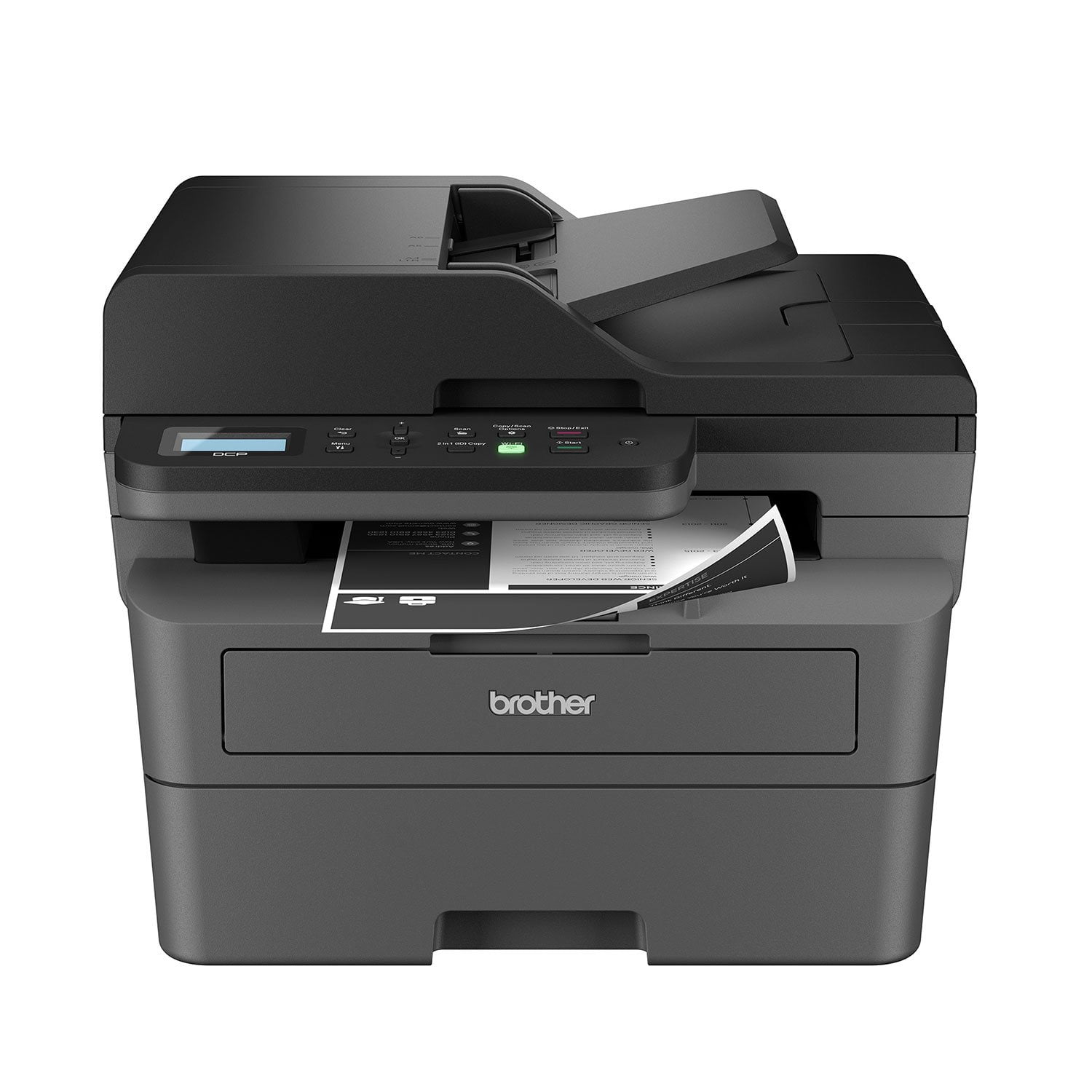
Brother Wireless Monochrome All-in-One Laser Printer with Higher Yield Ink, DCP-L2647DW
4.2 out of 5 stars
stars52 ratings52 reviews
  1. 5 stars58% (30)
  2. 4 stars19% (10)
  3. 3 stars12% (6)
  4. 2 stars8% (4)
  5. 1 star4% (2)

Member photos

Sort by |
Showing 1-10 of 52 reviews
Nov 21, 2025
Rooster
5 out of 5 stars review

Easy set up

Works with iPhone and Chromebook. Pleased with my purchase. Used manual setup for network. App was unable to connect but no big deal.

Helpful?3H0SI710EJ4O15263322413
Apr 26, 2026
Jane H
5 out of 5 stars review

Great Printer for a Busy Retiree

I wanted the smallest, simplest, most user-friendly black and white laser printer and copier I could get for the infrequent printing I do now that I’m retired and no longer organizing and printing federal grant forms. And my Brother DCP-L2-647DW filled that bill perfectly. Couldn’t be happier with it. Thank you! And my Brother

Review from brother-usa.com
Helpful?3H0SI710EJ4O15263322413
May 8, 2026
JULIEinDSM
5 out of 5 stars review

Wireless dream

Finally upgrading to the wireless printing was 100% a game changer, this printer is a dream. Set up was a snap and the print/copy/scan qualities are perfect! So glad I got this printer/scanner

Review from brother-usa.com
Helpful?3H0SI710EJ4O15263322413
May 3, 2026
Gene
4 out of 5 stars review

An excellent printer/copier/scanner.

This printer for me is excellent. It took me about 30 minutes+ to get it set up and printing. I chose to go USB connection from my desktop (I'm old school I guess) I didn't want to fight with my router. The print is clear and clean and is completed quickly after the printer starts to print. It takes a few seconds before the paper begins to move, but if you have a few pages to print, wow it gets done fast. I love the autofeed when scanning and copying, it makes tasks so much easier. My actual star grade for this printer is 4.5 stars because 8 years ago I had a Brother laser printer and it wasn't as noisy when printing as this one. Oh my it is so noisy that I close the door so the noise doesn't bother the rest of the house. This statement make it sound as if the printer "screams", it doesn't, it is noisy though. If a little noise doesn't bother you while working and getting it done fast, clean and clear this is a great printer to use.

Review from brother-usa.com
Helpful?3H0SI710EJ4O15263322413
Apr 7, 2026
Anonymous
4 out of 5 stars review

Challenging set up

Set up was easy until i hit a wall with network connection. Hours spent and no person to assist me other than always referring me to websites. I finally received instructions to RESET the network and follow set up...which worked. Most unnecessary loss of time and stress.

Review from brother-usa.com
Helpful?3H0SI710EJ4O15263322413
Mar 8, 2026
KimO
4 out of 5 stars review

Great printer but issues scanning two sides

Love the machine but cannot get it to scan both sides of paper and this drives me crazy. They say to uninstall and reinstall software which i did do. Still no luck with scanning both sides. This has been very frustrating since this was one of the features that pushed me towards purchasing this printer.

Review from brother-usa.com
Helpful?3H0SI710EJ4O15263322413
Feb 16, 2026
Yepper
3 out of 5 stars review

Passwords and Orwell's (Big) Brother

Cannot access crucial functions! I bought to replace a 15-year old Brother that was used in an office and held up like a trooper. I have learned my lesson and did not sign up for the Brother toner program. I also shut off the (Big) Brother analytics program. Since the printer I received was built before the latest firmware update, I downloaded the update BUT COULD NOT INSTALL THE FIRMWARE! You need a password! The printer I received did not have a password! I tried 7 or 8 generic Brother passwords and got locked out multiple times! What a pain! I even tried entering no password. No luck.

Review from brother-usa.com
Helpful?3H0SI710EJ4O15263322413
reply from Brother Customer Service

Thanks for taking the time to review your experience with the Brother DCPL2647DW. We appreciate your feedback. I’m sorry to hear that you are having some issues with the Brother DCPL2647DW. We sincerely apologize for any inconvenience this issue may have caused you. We’d like an opportunity to help. Please contact us directly at: https://www.brother-usa.com/support/DCPL2647DW

Mar 26, 2026
Alexander
3 out of 5 stars review

Lack of support

Good overall printer but you must set it up on a dedicated IP or if the power goes out it forgets the wifi settings! Sad that even with the latest updates this printer fails! It also won’t print duplex unless your computer is newer… they don’t support older pc or macs older meaning 10 years old.

Review from brother-usa.com
Helpful?3H0SI710EJ4O15263322413
Feb 18, 2026
Andre
3 out of 5 stars review

Misconception

The description of the printer is confusing and a little misleading. It states and shows you can scan to email but untrue. The printer si good for black and white. It does not come with instructions, so you have to eother call (I did twice) or YouTube or Google for indformation to use.

Review from brother-usa.com
Helpful?3H0SI710EJ4O15263322413
reply from Brother Customer Service

Thanks for taking the time to review your experience with the Brother DCPL2647DW. We appreciate your feedback. I’m sorry to hear that you are having issues with the Brother DCPL2647DW. I sincerely apologize for any inconvenience this issue may have caused you. We’d like an opportunity to help. Please contact us directly at: https://www.brother-usa.com/support/DCPL2647DW

Feb 11, 2026
Leonid Madorsky
1 out of 5 stars review

Brother DCP-L2647DW bad design

This printer has a serious design flaw. Even if you use the hidden keys to disable Deep Sleep mode, it still loses the network connection. I have tried every possible solution, including assigning a static IP address, but nothing worked. I have used Brother printers all my life, but models released after the DCP-L2550DW all seem to have this issue. Why? It defeats the whole purpose of network printing. People buy printers not to save energy, but to print whenever they want—without crawling under desks and dealing with cables just to restart the printer before sending a document to print or scan.

Review from brother-usa.com
Helpful?3H0SI710EJ4O15263322413