Skip to Main Content
Sam's Club
Sam's Club
All Departments
All Services
Customer reviews for ASUS RT-BE88U Dual-band WiFi 7 Router for
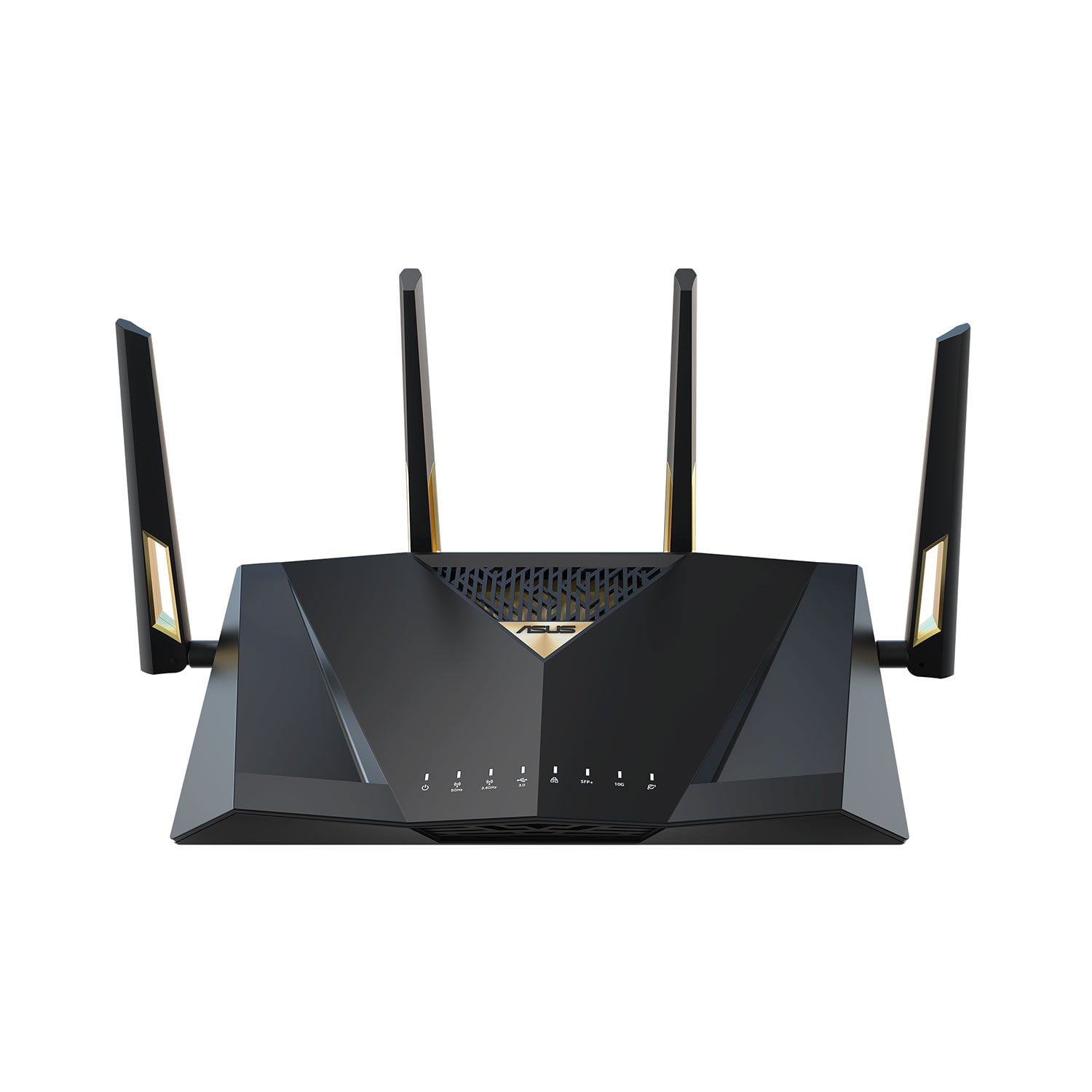
ASUS RT-BE88U Dual-band WiFi 7 Router
4.3 out of 5 stars
stars
66 ratings66 reviews
  1. 5 stars70% (46)
  2. 4 stars14% (9)
  3. 3 stars5% (3)
  4. 2 stars5% (3)
  5. 1 star8% (5)
Sort by |
Showing 51-60 of 66 reviews
Jul 16, 2025
Reviewer name: Dr. Cranium
5 out of 5 stars
5 out of 5 stars review

Verified Purchase

So far, so good

This was a replacement for an older ASUS router. Saving the configuration files and loading on the new router was easy. I liked the ability to have more Ethernet ports and the use of SFP for my 10GE LAN connection

Review from https://www.asus.com
Helpful?7097NEHYOC3L15257556860
Mar 11, 2026
Reviewer name: hankomania
4 out of 5 stars
4 out of 5 stars review

The Wired Powerhouse for the WiFi 7 Era

The ASUS RT-BE88U is an absolute unit, especially if your house is cluttered with smart gear. I’ve got dozens of bulbs, plugs, and cameras that used to clog up my old network, but the Smart Home Master feature (now called "Network" in the app) let me dump them all onto a dedicated IoT SSID. It keeps those slower devices isolated so they don't tank my WiFi 7 speeds. Between the beefy quad-core CPU and all those 10Gbps ports, nothing lags, even when the whole house is streaming. It’s a bit of a desk hog and definitely pricey, but for a "set it and forget it" setup that actually handles a smart home properly, it’s a beast.

Review from ASUS.com
Helpful?7097NEHYOC3L15257556860
Aug 10, 2025
Reviewer name: Anonymous
5 out of 5 stars
5 out of 5 stars review

Verified Purchase

RT-BE88U

So far this unit has performed flawlessly. Initial setup was easy and a mesh setup was simple using the app on my phone.

Review from https://www.asus.com
Helpful?7097NEHYOC3L15257556860
Apr 18, 2025
Reviewer name: Travis
5 out of 5 stars
5 out of 5 stars review

Verified Purchase

Perfect for Wired or Wireless

I have had 3 generations of this router design. They all work flawlessly and are regularly updated. Mine are in a aimesh covering my home.

Review from https://www.asus.com
Helpful?7097NEHYOC3L15257556860
Aug 18, 2024
Reviewer name: Kyle Hooker
5 out of 5 stars
5 out of 5 stars review

Verified Purchase

Happy so far.

Needed a router that could take full advantage of our 2gb up and down and this one does the trick. Was able to put the old one in a mesh set up.

Review from https://www.asus.com
Helpful?7097NEHYOC3L15257556860
May 14, 2025
Reviewer name: Anonymous
4 out of 5 stars
4 out of 5 stars review

Verified Purchase

RT-BE88U Router

Unit performs great when working. It seems to be easily disconnected, or lose connection when it needs to be restarted. Other than that it is fine.

Review from https://www.asus.com
Helpful?7097NEHYOC3L15257556860
Apr 10, 2025
Reviewer name: Obelis
5 out of 5 stars
5 out of 5 stars review

Verified Purchase

Glad i bought it

Fantastic in it fast wifi . Easy setup. Created a mesh network in hust a few moments.

Review from https://www.asus.com
Helpful?7097NEHYOC3L15257556860
Jan 9, 2025
Reviewer name: irrelevant
5 out of 5 stars
5 out of 5 stars review

Verified Purchase

insignificant

Easy & fast to configure. In fairness, read the user’s manual prior to using.

Review from https://www.asus.com
Helpful?7097NEHYOC3L15257556860
Jan 23, 2025
Reviewer name: BCRocker
1 out of 5 stars
1 out of 5 stars review

Verified Purchase

Difficult set up

Difficult connecting to internet. Service unable to help. Returning

Review from https://www.asus.com
Helpful?7097NEHYOC3L15257556860
reply from CLM

Dear BCRocker,    Thank you for your comment. We do understand your disappointment with the product and the inconvenience this may have caused if you are unable to establish an internet connection. To resolve the connection problem, please verify if the router's security credentials matches with your ISP's modem credentials. Check if the PC or device connecting to the router is working properly and within range to the router, the router is within 30 feet to the ISP's modem, if not wired with a network cable, and ISP's internet service or connection is working properly or stable. Legacy devices may not work properly with WIFI6-7, please check updates for these devices. Additionally, try connecting this manually to either 2.4GHz or 5GHz and update the router's firmware if it is running with an older version. Firmware is available for download at: https://www.asus.com/us/networking-iot-servers/wifi-routers/asus-gaming-routers/rt-be88u/helpdesk_bios?model2Name=RT-BE88U . For helpful tips on how to setup the router properly, please visit our product support page at: https://www.asus.com/support/faq/1016107/ . Furthermore, place the router in the center of the area you want to cover, avoid placing the router near metal objects, electronic devices or direct sunlight, position the router on a flat, hard surface and halfway between the floor and ceiling. Also, dense building materials, such as gypsum, concrete walls and planks can affect Wi-Fi signal penetration. Should you need further assistance with the product, please email me at cl-rodel@asus.com and I would be more than happy to help. Or you are most welcome to call Product Support Hotline at: 1(888) 678-3688. Also, you can chat with an ASUS live support agent from the link: https://www.asus.com/us/support/article/1135/.      Thank you for choosing an ASUS product.     Regards,  Rodel  ASUS Customer Loyalty 

Feb 17, 2025
Reviewer name: Jonathan L
2 out of 5 stars
2 out of 5 stars review

Verified Purchase

Issue with power port & power cord

Issue with power port/power adapter shorting out, defective

Review from https://www.asus.com
Helpful?7097NEHYOC3L15257556860
reply from CLM

Dear Jonathan L, Thank you for your comment. We certainly understand your disappointment and the inconvenience this may have caused if the AC adapter is shorting out. All ASUS products undergo intensive quality control testing and inspections, this is a random problem. ASUS provides warranty coverage for the product. We recommend you send the product in for service if you are experiencing hardware issue so this may be resolved immediately. A RMA number is required to send it in for service. For RMA details, please go to: https://www.asus.com/us/support/article/818/. If you need more information or further assistance with the warranty for the product, please email me at cl-rodel@asus.com and I would be more than happy to help. Or, you are most welcome to call Product Support Hotline at: 1(888) 678-3688. Also, you can chat with an ASUS live support agent from the link: https://www.asus.com/us/support/article/1135/. Thank you for choosing an ASUS product. Regards, Rodel ASUS Customer Loyalty