Skip to Main Content
Sams Club
Sams Club
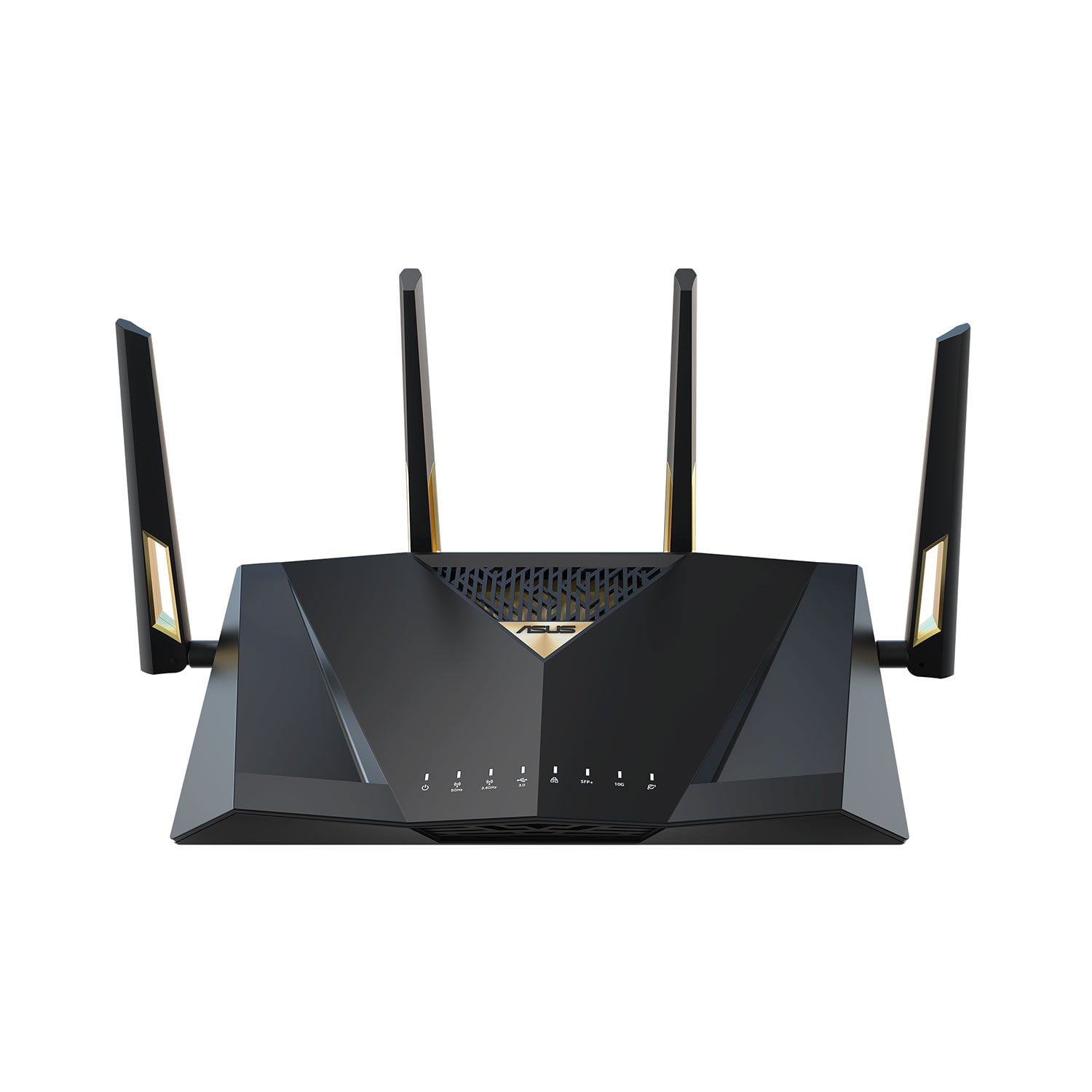
Customer reviews for ASUS RT-BE88U Dual-band WiFi 7 Router for
ASUS RT-BE88U Dual-band WiFi 7 Router
4.4 out of 5 stars
stars48 ratings48 reviews
  1. 5 stars73% (35)
  2. 4 stars13% (6)
  3. 3 stars4% (2)
  4. 2 stars4% (2)
  5. 1 star6% (3)
Sort by |
Showing 41-48 of 48 reviews
Jan 23, 2025
BCRocker
1 out of 5 stars review

Verified Purchase

Difficult set up

Difficult connecting to internet. Service unable to help. Returning

Review from https://www.asus.com
Helpful?7097NEHYOC3L15257556860
reply from CLM

Dear BCRocker,    Thank you for your comment. We do understand your disappointment with the product and the inconvenience this may have caused if you are unable to establish an internet connection. To resolve the connection problem, please verify if the router's security credentials matches with your ISP's modem credentials. Check if the PC or device connecting to the router is working properly and within range to the router, the router is within 30 feet to the ISP's modem, if not wired with a network cable, and ISP's internet service or connection is working properly or stable. Legacy devices may not work properly with WIFI6-7, please check updates for these devices. Additionally, try connecting this manually to either 2.4GHz or 5GHz and update the router's firmware if it is running with an older version. Firmware is available for download at: https://www.asus.com/us/networking-iot-servers/wifi-routers/asus-gaming-routers/rt-be88u/helpdesk_bios?model2Name=RT-BE88U . For helpful tips on how to setup the router properly, please visit our product support page at: https://www.asus.com/support/faq/1016107/ . Furthermore, place the router in the center of the area you want to cover, avoid placing the router near metal objects, electronic devices or direct sunlight, position the router on a flat, hard surface and halfway between the floor and ceiling. Also, dense building materials, such as gypsum, concrete walls and planks can affect Wi-Fi signal penetration. Should you need further assistance with the product, please email me at cl-rodel@asus.com and I would be more than happy to help. Or you are most welcome to call Product Support Hotline at: 1(888) 678-3688. Also, you can chat with an ASUS live support agent from the link: https://www.asus.com/us/support/article/1135/.      Thank you for choosing an ASUS product.     Regards,  Rodel  ASUS Customer Loyalty 

Apr 10, 2025
Obelis
5 out of 5 stars review

Verified Purchase

Glad i bought it

Fantastic in it fast wifi . Easy setup. Created a mesh network in hust a few moments.

Review from https://www.asus.com
Helpful?7097NEHYOC3L15257556860
Jan 9, 2025
irrelevant
5 out of 5 stars review

Verified Purchase

insignificant

Easy & fast to configure. In fairness, read the user’s manual prior to using.

Review from https://www.asus.com
Helpful?7097NEHYOC3L15257556860
Dec 2, 2024
wlpatch1
1 out of 5 stars review

Verified Purchase

INFERIOR QUALITY/LITTLE IF NO CUSTOMER SERVICE

INFERIOR QUALITY AND LACK OF CONNECTIVITY FOR NUMEROUS 2.4 GH. DEVICES

Review from https://www.asus.com
Helpful?7097NEHYOC3L15257556860
reply from CLM

Dear Wlpatch1, We do understand your disappointment with the router and the inconvenience this may have caused if you are experiencing connection problems. To resolve the unstable connection, please verify the router’s settings matches with your ISP’s modem credentials, verify if the PC or device connecting to the router is working properly and within range to the router, the router is within 30 feet to the ISP's modem, if not wired with a network cable, and ISP's internet service or connection is working properly or stable. The router was placed in a central location within your home, away from walls and obstructions, keep it elevated off the floor and away from electronic devices that may cause interference. Legacy devices running at 2.4GHz may not work properly with WIFI6 and WIFI7, please check updates for these devices. Also, try connecting this manually to either 2.4GHz. Try resetting the router and reconfigure or set up the devices. Also, we recommend updating the router firmware if it is running with an older version. Firmware is available for download at: https://www.asus.com/us/networking-iot-servers/wifi-routers/asus-gaming-routers/rt-be88u/helpdesk_bios?model2Name=RT-BE88U. Should you need further assistance with the product, please email me at cl-rodel@asus.com and I would be more than happy to help. Or, you are most welcome to call Product Support Hotline at: 1(888) 678-3688. Also, you can chat with an ASUS live support agent from the link: https://www.asus.com/us/support/article/1135/. Thank you for choosing an ASUS product. Regards, Rodel ASUS Customer Loyalty

Feb 17, 2025
Jonathan L
2 out of 5 stars review

Verified Purchase

Issue with power port & power cord

Issue with power port/power adapter shorting out, defective

Review from https://www.asus.com
Helpful?7097NEHYOC3L15257556860
reply from CLM

Dear Jonathan L, Thank you for your comment. We certainly understand your disappointment and the inconvenience this may have caused if the AC adapter is shorting out. All ASUS products undergo intensive quality control testing and inspections, this is a random problem. ASUS provides warranty coverage for the product. We recommend you send the product in for service if you are experiencing hardware issue so this may be resolved immediately. A RMA number is required to send it in for service. For RMA details, please go to: https://www.asus.com/us/support/article/818/. If you need more information or further assistance with the warranty for the product, please email me at cl-rodel@asus.com and I would be more than happy to help. Or, you are most welcome to call Product Support Hotline at: 1(888) 678-3688. Also, you can chat with an ASUS live support agent from the link: https://www.asus.com/us/support/article/1135/. Thank you for choosing an ASUS product. Regards, Rodel ASUS Customer Loyalty

Sep 16, 2024
Huskeylover2010
5 out of 5 stars review

Verified Purchase

Great Router

Setup to imesh was easy. Works well and plays nice with my other ASUS devices.

Review from https://www.asus.com
Helpful?7097NEHYOC3L15257556860
Apr 23, 2025
Cakes
5 out of 5 stars review

Verified Purchase

Great Product

So far this device is excellent. This is my 3rd upgrade on a better device. I love it.

Review from https://www.asus.com
Helpful?7097NEHYOC3L15257556860
Mar 4, 2025
The Director
5 out of 5 stars review

Verified Purchase

Tech at it's best

Well engineered with the latest technology. Easy setup.

Review from https://www.asus.com
Helpful?7097NEHYOC3L15257556860