Skip to Main Content
Sams Club
Sams Club
Customer reviews for SAMSUNG 85" Class CU7000-Series Crystal UHD 4K Smart TV with HDR - UN85CU7000DXZA for
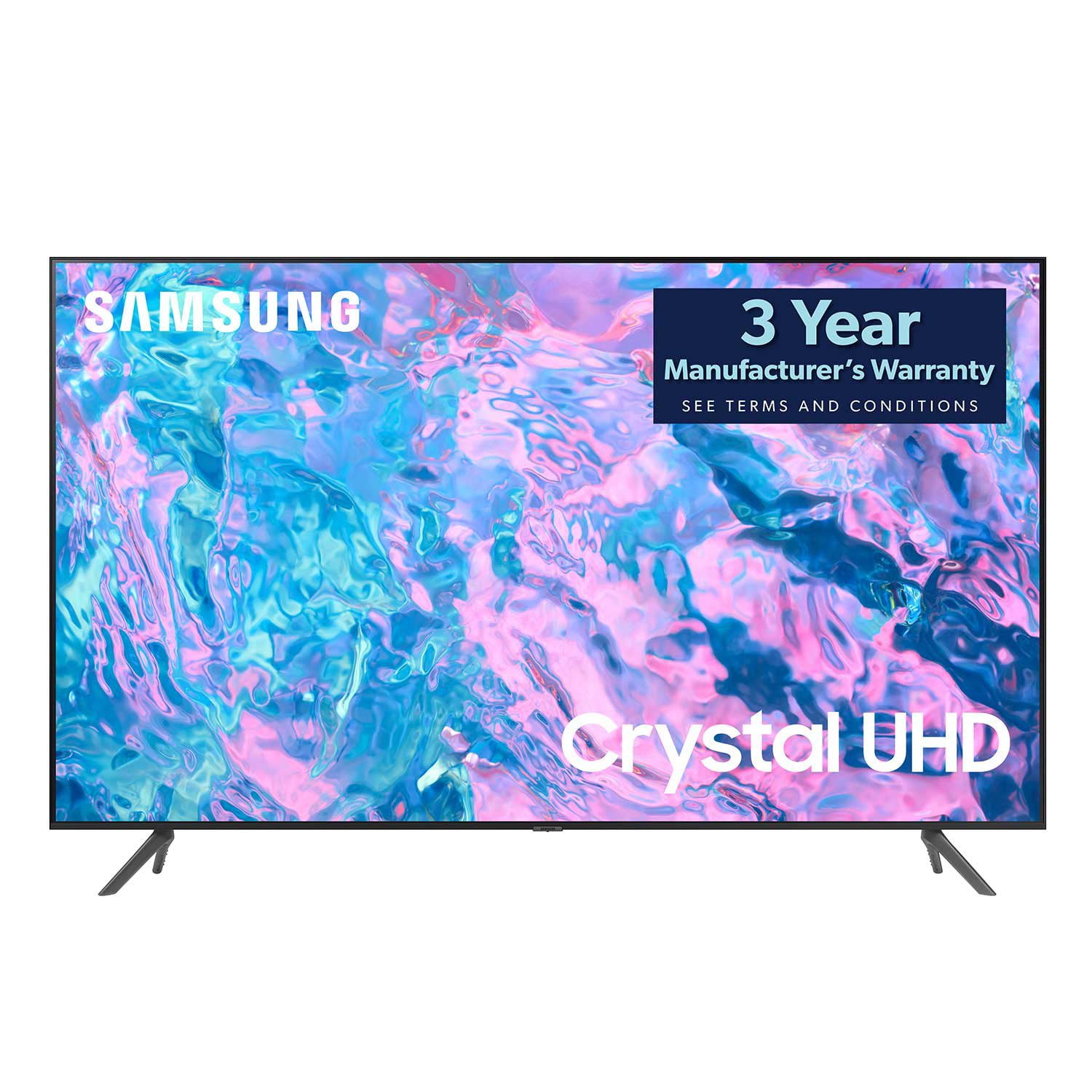
SAMSUNG 85" Class CU7000-Series Crystal UHD 4K Smart TV with HDR - UN85CU7000DXZA
4.6 out of 5 stars
stars1,383 ratings1,254 reviews
  1. 5 stars73% (1,004)
  2. 4 stars19% (261)
  3. 3 stars4% (58)
  4. 2 stars1% (20)
  5. 1 star3% (40)

Member photos

  • +304 images
Sort by |
Showing 211-220 of 1,254 reviews
Dec 13, 2024
TVguys
3 out of 5 stars review

Good color, but electronics not reliable

Had to replace screen within first 3 months, but it was civered by warranty. This is the second time i had to replace screen this year

Review from Samsung Canada
Helpful?5LGXVQOCK4DK13976515511
Dec 14, 2023
Watcher
3 out of 5 stars review

Regular TV

difficult to install due to poor directions; no manual. picture is very vivid which makes people look fake.

Review from Samsung US
Helpful?5LGXVQOCK4DK13976515511
reply from Samsung Advisor

Hi Watcher, Thank you for your feedback on the CU7000 TV. Please know your opinion is important to us and will be shared with our internal teams. I believe what you are describing is a feature called Auto Motion Plus, which eliminates ghosting and blurring that occurs from fast-moving images. These motion smoothing settings look great on live TVs, like sporting events or parades, which are filmed at 30 frames per second. Most movies, however, are filmed at 24 frames per second and are not intended to be viewed with these features. When turned on, this causes the dreaded soap opera effect. To Change Motion smoothing settings on your TV: Navigate to Settings > All Settings > Picture > Expert Settings > Auto Motion Plus Settings (Picture Clarity Settings). 1. The default setting is Auto. This means the feature automatically turns on and off based on the type of program being watched. 2. Select Auto Motion Plus (Picture Clarity) to change the setting to either Off or Custom. If you select Custom, three additional options are available: • Blur Reduction: Use the directional keys on the remote to adjust the Blur setting. • Judder Reduction: Use the directional keys on the remote to adjust the Judder setting. • LED Clear Motion: This option allows you to configure the LED backlight to sharpen fast-moving images. Select to turn On or Off. I hope these tips help you enjoy your new product. You can contact us for further help at 1-800-SAMSUNG, 8 AM - 12 AM EST, seven days a week. Our LiveChat agents are also available by clicking on the ‘Support’ link on our website. ~ Samsung Advisor

Dec 21, 2023
Papa Jo
5 out of 5 stars review

Great Delivery

Delivery exceeded expectations. The de l every guys brought the 85 inch TV in the house, set it up, and verified that it was in working before asking me to sign for the delivery. The TV picture is great. Programming the TV was fast and easy.

Helpful?5LGXVQOCK4DK13976515511
Apr 10, 2024
Anonymous
5 out of 5 stars review

Sooo good!

After buying one 43” TV for the bedroom, the features were so much better than my older 55” Samsung, I had to buy the newer 7000 series for the living room.

Review from Samsung Canada
Helpful?5LGXVQOCK4DK13976515511
Aug 8, 2023
Jsemp313
5 out of 5 stars review

Great TV! Highly recommend

[This review was collected as part of a promotion.] Me and the family use this TV daily for movies and gaming. Great refresh rate and amazing screen quality. I love all of the apps I can download as well so I don't need a dongle. I would highly recommend this TV to anyone who's looking for a great TV for a great price.

Review from Samsung US
Helpful?5LGXVQOCK4DK13976515511
May 8, 2023
Crazy1611
5 out of 5 stars review

This TV has a great picture

[This review was collected as part of a promotion.] I use my TV for steaming movies. TV shows and YouTube. It also comes preloaded with free Samsung channels. Light and easy to move around the house or mount on a wall. Would definitely recommend investing in this unit.

Review from Samsung US
Helpful?5LGXVQOCK4DK13976515511
reply from Samsung Brand Ambassador

Hi Crazy1611, Thank you for your purchase and for sharing your experience with the CU7000D TV. It's great to hear that you are enjoying the 4K picture quality while watching your favorite shows. Please know we are here if you should ever need help or have any questions. You can call us at 1-800-SAMSUNG, 8 AM - 12 AM EST, seven days a week. Our LiveChat agents are also available by clicking on the ‘Support’ link on our website. ~ Samsung Advisor

Jul 6, 2023
CARSAMSUNG
5 out of 5 stars review

I enjoy this tv thoroughly.

[This review was collected as part of a promotion.] I love the Samsung TV. I like that it turns on quickly in the picture is crystal clear. I love the ability to airplay my iPhone screen onto the TV without needing an Apple TV or anything like that one of my other favorite, smart TV. Features is the ability to stream music on my phone and just beam it right to the TV. I believe that is great, I also enjoy all of the smart features because on my old TV I had to have cable but with this TV I just use the built-in apps and now I just don't even pay for cable anymore. I just pay for some of the streaming services it's much better and cheaper.

Review from Samsung US
Helpful?5LGXVQOCK4DK13976515511
Jul 4, 2023
Hope
5 out of 5 stars review

Satisfied Beyond Expectations!

Mt daughter set my new tv up and was able to use it while she was visiting. She was really impressed with the responsiveness of the tv in general! She's now actually considering buying same model. I love the picture quality and the sound is crisp!!!

Review from Samsung US
Helpful?5LGXVQOCK4DK13976515511
Jan 25, 2024
IronHillMama
5 out of 5 stars review

AMAZING picture and sound!

We bought this to replace our 65" VIZIO which has multiple lines through the screen after just a year and a half. Let me tell you...this is by far the best tv I've ever owned! The clarity on this thing is AMAZING! I'm very happy and ready to replace all our tvs lol

Review from Samsung US
Helpful?5LGXVQOCK4DK13976515511
May 4, 2023
BigCMan
4 out of 5 stars review

Decent TV

Would give 5 stars but not impressed with the sound. Unless the room is very quiet, it's difficult to hear. I've adjusted the sound modes and I think it's the speaker quality and the fact they are pointed down, rather than out toward the viewer. May have to add a sound at - maybe that's how Samsung is increasing their speaker/soundbar sales?? Otherwise, the picture is sharp and I like that I can access apps from the TV. Easy setup and lightweight.

Review from Samsung US
Helpful?5LGXVQOCK4DK13976515511
reply from Samsung Brand Ambassador

Hi BigCMan, We appreciate your feedback on the CU7000D TV. Please know your feedback will be shared with our internal teams. In regards to low volume, I have a few recommendations for your to try, which may improve your audio experience. 1) Auto Volume automatically adjusts the sound to a certain level when changing channels or switching to another external input. Go to Settings > All Settings> Sound > Expert Settings > Auto Volume. 2) Adaptive Sound automatically adjusts to a specific volume level while watching TV. The TV analyzes your volume usage history by time period to automatically adjust the volume when you use an app or switch to an external input source. Go to Settings> All Settings> Sound> Sound Mode> Adaptive Sound. 3) Several Sound Modes are likewise available to meet your personal preferences: Home > Settings >All Settings> Sound > Sound Mode Also, some sources have their own volume control, which might need to be set higher. Please check the volume control of the external device (cable box or satellite box, DVD, Blu-ray, etc.) connected to your TV. Also, check the cable connection between an external device and the TV and then try the cable connection again. If you continue to have issues, please give us a call so we can further troubleshoot the issue with you. You can call us at 1-800-SAMSUNG, 8 AM - 12 AM EST, seven days a week. Our LiveChat agents are also available by clicking on the ‘Support’ link on our website. ~ Samsung Advisor