Skip to Main Content
Sams Club
Sams Club
Customer reviews for Garmin Drive 53 5-inch Touchscreen GPS Navigator for
Garmin Drive 53 5-inch Touchscreen GPS Navigator
4.1 out of 5 stars
stars197 ratings188 reviews
  1. 5 stars56% (110)
  2. 4 stars18% (36)
  3. 3 stars15% (30)
  4. 2 stars5% (10)
  5. 1 star6% (11)
Sort by |
Showing 61-70 of 188 reviews
Nov 22, 2025
SMOOTHIE
4 out of 5 stars review

Premature, no chance to review yet.

Sorry, I have not had a chance to review yet; therefore, I cannot give a fair review. However, my Nuvi was great, and I am sure the the Drive 53 will be great also. I have had good luck with Garmin products. I also have a Garmin gold watch.

Review from Garmin
Helpful?28YIOL7YSDPG13961070394
Oct 15, 2025
Deltapapa
4 out of 5 stars review

Small but nice

I bought this unit for my Slingshot and it works great!! The screen is small but I know that going in. My only complaint is I can not get rid of all the side information which would make the map larger

Review from Garmin
Helpful?28YIOL7YSDPG13961070394
reply from Care

On a Garmin Drive 53, you can hide or show the trip data fields on the map screen using the "Trip Data" map tool. This allows you to remove the speed and other information from the side of the map for a cleaner view. To hide the trip data: 1. From the map screen, touch the menu button or the three horizontal bars icon. 2. Select Trip Data to show or hide the additional data fields on the right side of the screen. 3. The trip data will disappear from the side of the map. If you later want to re-enable them, repeat the steps above.

Jan 11, 2026
paulfr
5 out of 5 stars review

manual input works !

still investigating how to use. looking to find voice commands to set up a trip? it may not support voice commands to the device. manual entry works and isn't confusing

Review from Garmin
Helpful?28YIOL7YSDPG13961070394
Nov 13, 2025
Bruce43
4 out of 5 stars review

Garmin Drive 53

Purchased about a month ago. Generally good but do not like the font size for the streets. My previous Garmin used much bigger letters for the streets. Would be nice to enlarge these letters. I am old and need bigger font size.

Review from Garmin
Helpful?28YIOL7YSDPG13961070394
Jan 5, 2026
Chuck420
5 out of 5 stars review

Nice Up Grade

I Bought this to update from my nuvi 2539 as the windshield no longer functioned. I am pleased with the features and how this unit works now that I have figured out navigating the menu choices

Review from Garmin
Helpful?28YIOL7YSDPG13961070394
Aug 15, 2025
KG in LA
5 out of 5 stars review

Much better than my Nuvi 57

I have had this GPS for two months now and couldn’t be happier. It replaced a Nuvi 57 which served me well for 60K miles but had become dated (2016). This GPS’s screen is MUCH better in sensitivity and clarity. Like comparing an old tube tv to a new flat screen (did I just date myself?). It also boots up super fast and couldn’t be more simple to use. Very happy with my purchase.

Review from Garmin
Helpful?28YIOL7YSDPG13961070394
Jul 22, 2025
DP13
4 out of 5 stars review

Less options

This model has less features than the Nuvi 52 I used to have. There are less voice selections. The Garmin garage is no longer an option to select different vehicles as your driving icon. You only have a few options on this model as your driving icon. Although the glass screen is a nice upgrade.

Review from Garmin
Helpful?28YIOL7YSDPG13961070394
reply from Care

We appreciate your review! The Drive 53 may have less voice selections and vehicle icons, but it's loaded with navigational features (such as Garmin Real Directions Landmark Guidance, Foursquare Points of Interest, Tripadvisor Traveler Ratings, Route Shaping and more), bigger internal storage, and free map updates). That said, we're always looking for ways to better our products! We encourage you to use our Ideas Portal to submit any feature requests and improvement suggestions directly to our team of innovators for future consideration: Garmin.com/Ideas (KS)

Jun 7, 2025
Beezy
5 out of 5 stars review

Garmin Drive 53: My Favorite Travel Companion

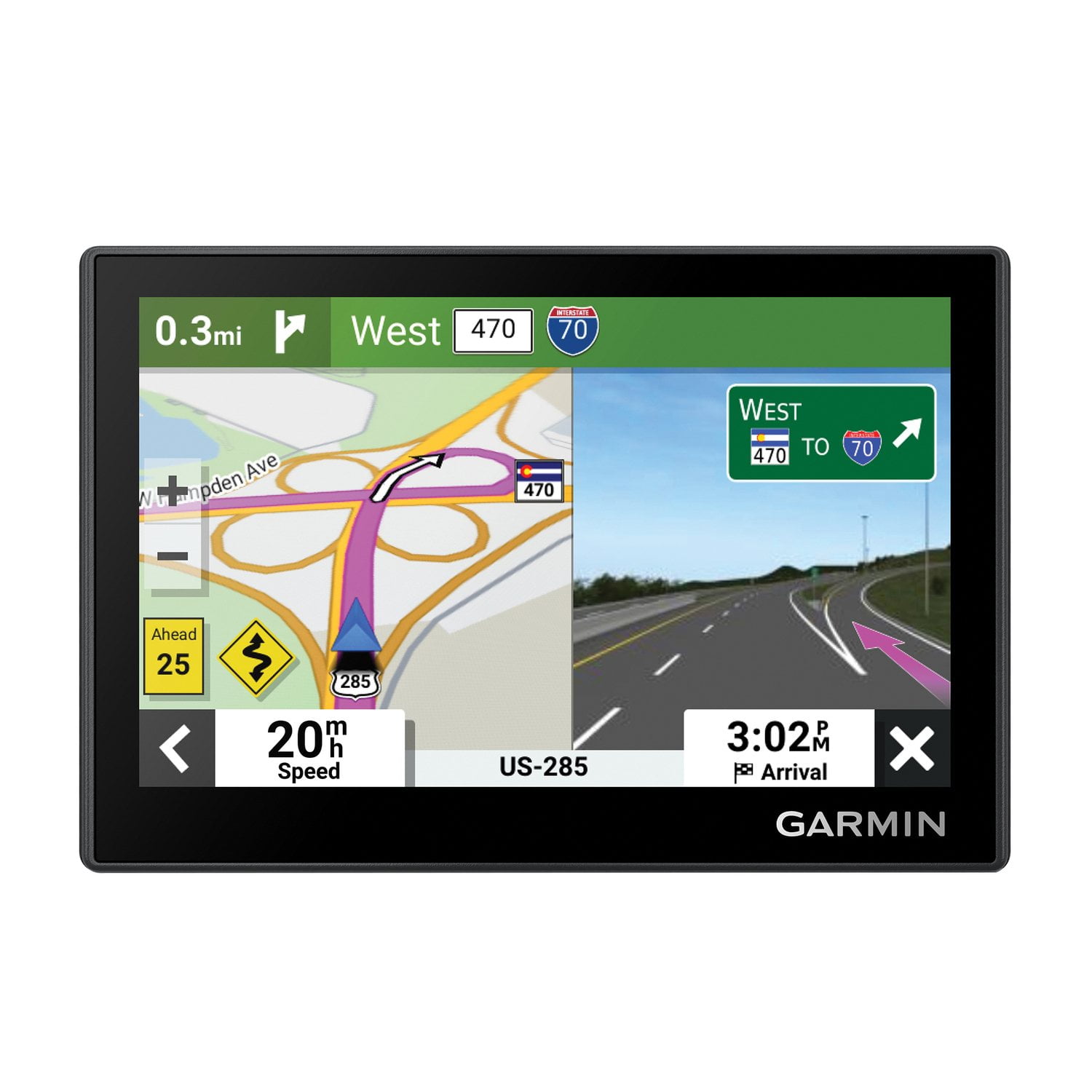
Using the Garmin Drive 53 felt like having a calm, capable copilot riding along with me. The voice guidance only chimed in when it had something useful to say—no nagging, just clear directions when I needed them. One of my favorite features was being able to type in the name of a store and instantly get the correct address. That saved me time and stress on unfamiliar roads. The gas station alerts were also a lifesaver during long trips—I never had to guess how far the next stop would be. I appreciated how easy it was to zoom in on the map using my fingers, just like on a smartphone. The lane guidance visuals were another highlight, helping me prepare for upcoming turns and exits without second-guessing. And the reset button in the corner was a small but handy feature for when I wanted to quickly start over. Also, I had no issues updating the map. I connected the Garmin to my laptop using the provided wire, and the update process was simple and straightforward—no trouble at all, unlike what some others have mentioned in their reviews. Overall, the Garmin Drive 53 made traveling easier, smoother, and less stressful. I would absolutely recommend it to anyone who prefers smart navigation without distractions. Highly recommended!

Review from Garmin
Helpful?28YIOL7YSDPG13961070394
May 4, 2026
Tom !
5 out of 5 stars review

Love it period! Works perfect and love having ion the dash with the additional base.

Review from Garmin
Helpful?28YIOL7YSDPG13961070394
Dec 11, 2024
Jared
5 out of 5 stars review

Verified Purchase

Easy setup and use. Simple to the point GPS.

Review from walmart.com
Helpful?28YIOL7YSDPG13961070394