Skip to Main Content
Sam's Club
Sam's Club
All Departments
All Services
Customer reviews for Garmin Drive 53 5-inch Touchscreen GPS Navigator for
Garmin Drive 53 5-inch Touchscreen GPS Navigator
4.1 out of 5 stars
stars
217 ratings208 reviews
  1. 5 stars55% (119)
  2. 4 stars19% (41)
  3. 3 stars15% (32)
  4. 2 stars5% (11)
  5. 1 star6% (14)
Sort by |
Showing 31-40 of 208 reviews
May 31, 2026
Reviewer name: Joel
4 out of 5 stars
4 out of 5 stars review

Verified Purchase

Too small

Too small

Review from walmart.com
Helpful?28YIOL7YSDPG13961070394
May 17, 2026
Reviewer name: never again
1 out of 5 stars
1 out of 5 stars review

Very Disappointed

Very disappointed. Preferred the older model that I had. Was much easier to enter trip info & to navigate. Some of the features that were removed from older one Nuvi 57, should have been left in.

Review from Garmin
Helpful?28YIOL7YSDPG13961070394
May 20, 2026
Reviewer name: DP69
5 out of 5 stars
5 out of 5 stars review

I like it!

My Drive 50 quit working so I bought the Drive 53 and it is a nice update version with new warnings and bright displays. Great value for the the price.

Review from Garmin
Helpful?28YIOL7YSDPG13961070394
Sep 11, 2025
Reviewer name: Philip
2 out of 5 stars
2 out of 5 stars review

Verified Purchase

It insists on trying to take you on routes that you don’t want to go. I took it to the U.K. with U.K. maps loaded and it kept trying to says the fastest way was going through Landon’s congested charge zone instead of taking the ring Motorway around London.

Review from walmart.com
Helpful?28YIOL7YSDPG13961070394
Jun 13, 2025
Reviewer name: James
4 out of 5 stars
4 out of 5 stars review

Verified Purchase

Good but..

I liked the ease of use after struggling to update map. Use Google Chrome for that. Display was good and voice directions also. Only down side was that I was expecting a feature to give me alternative routes in case of traffic problems, but Garmin makes you buy a separate cable to use that function. Otherwise very happy with the GPS.

Review from walmart.com
Helpful?28YIOL7YSDPG13961070394
Oct 1, 2025
Reviewer name: Wasatch Mike
3 out of 5 stars
3 out of 5 stars review

Good but not as good as the old.

Although the new unit informs me of new upcoming way points it is not conclusive of important points like Rest areas. Mine thought it was a rest area and was a view point. Traveling through Portland my 10 yr old GPS routed me outside the busy city the new unit sent me through all the traffic lights of downtown!

Review from Garmin
Helpful?28YIOL7YSDPG13961070394
reply from Care

If the unit is giving incorrect routing or points of interest, you can always submit a map error report at the link below. http://ms.spr.ly/6421svWof If you would like to speak with our automotive support team you can reach them Monday through Friday 7a-7p CST at 800-800-1020, option 5 then option 3.

Dec 10, 2025
Reviewer name: Fordlover
5 out of 5 stars
5 out of 5 stars review

Easy navigation system

I brought this Garmin navigation system, because I was using an older navigation system and it started working intermittently and it was not getting updates. I was undecided on purchasing this smaller unit, but it fits my vehicle perfectly and is easy to use.

Review from Garmin
Helpful?28YIOL7YSDPG13961070394
Nov 3, 2025
Reviewer name: International travelers
4 out of 5 stars
4 out of 5 stars review

Basic entry level GPS

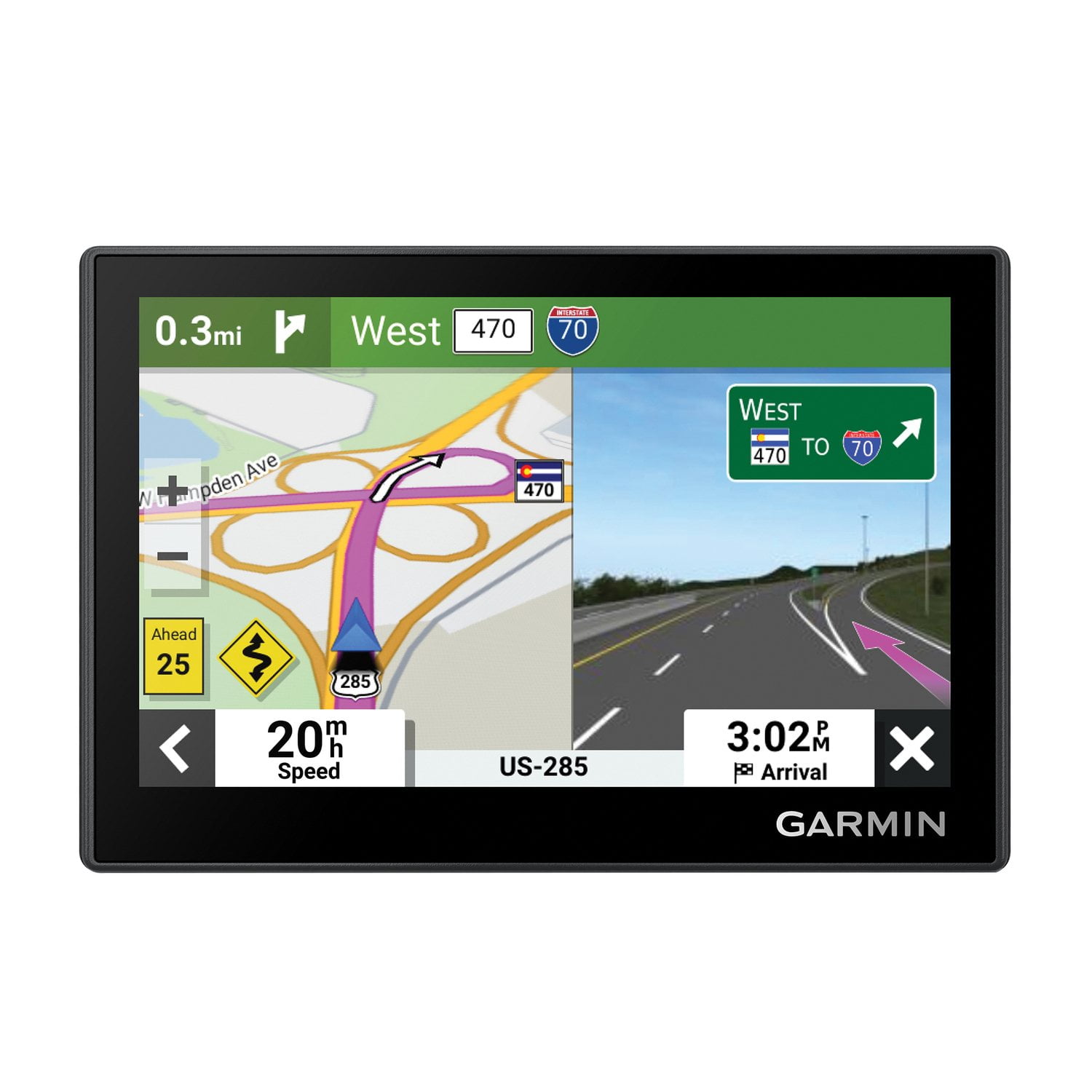
Garmin Drive 53 is a basic entry-level GPS. It does a decent job for traveling in the US. However, when we recently traveled to Montreal, Canada, it frequently got confused, and gave very bizarre and confusing and sometimes incorrect driving instructions! When this Garmin GPS gets confused, you will need to drive away from your current location for several blocks, so that it will "wake up" and correct itself and bring you on to the right track eventually! It does not have a WiFi function, so you will need to hook it up to a computer to get the map updates. Garmin's map updates are not fully trustworthy in the US and Canada, even though we updated our maps just the day before we traveled. For example, a big portion of the old l-95 was renamed as I-295 several years ago, but as of today the Garmin GPS still calls it I-95 (this is literally misleading if you are not a local traveler)! In Montreal it frequently gives us the instructions to take Exit 53 on a highway, but the highway sign clearly shows it is actually Exit 6! Overall, this Garmin GPS does a decent job. But it is not as capable as our TomTom GPS that can perform map updates automatically via WiFi without a computer, and the TomTom GPS also provides traffic updates but the Garmin GPS does not.

Review from Garmin
Helpful?28YIOL7YSDPG13961070394
reply from Care

If you're noticing discrepancies with the roads and mapping on your Drive 53, we recommend using the link below to fill out an Error Report Form: http://ms.spr.ly/6424tGiLK If you need further assistance afterward, please contact Garmin Support at 800-800-1020 to speak with an associate about your concerns.

Oct 14, 2025
Reviewer name: Alan of ZA and ZW
4 out of 5 stars
4 out of 5 stars review

Works Without Data Connection

It is hard to find a GPS device that will work without using data or outside cell network coverage. Previously I have used a Tom Tom but mine died of old age. This was the only replacement I could find, albeit refurbished, for a decent price. That said, there are aspects I am growing to like about it and some I wish it had. For example inserting a destination using the GPS coordinates is very easy and user friendly. But ordering the favourites I insert is painful in that it works on one sorting principle, distance from where you are. I prefer alphabetical, so I can put the favourites I need for a specific long trip in the order I want them numerically. That way there is no thinking needed when on the journey. I am still adapting to putting each successive destination in the Garmin and adding the next one to the end of the trip. I like to see who long it is when I am driving to my next destination, not the final desination. The graphics are not as good as Tom Tom, roads are too narrow. I did find a better view in my list of options but it is still not as good. The vocal directions seem good, but I suspect sometimes they are given too early or just after I need them. Still trying to work out the facts there. Lane directions are impressive when on a highway. I prefer the metric system so when driving in the US, the miles and feet option is to me far too confusing. Give my miles and yards and I am fine. Tom Tom gave us both options and I miss that. Final thought. I bought this for use in the US and in a section of the world with poor cell networks so I had to have a stand alone GPS. This is serving my purpose so far. The map for the foreign country I am in does not know the city I live in exists when I try to find it using a search, but entering a location using full GPS reference has solved that problem. Overall I am happy with the purchase and can recommend it.

Review from Garmin
Helpful?28YIOL7YSDPG13961070394
Jan 6, 2026
Reviewer name: LyleG
5 out of 5 stars
5 out of 5 stars review

Nice product

I bought this when my Nuvi50LM died. It's a nice unit and I have it configured the way I want now. The menus on the Drive 53 is different than the Nvi50LM and it took some experimenting to get it the way I had on the old unit. It's a nice unit with a slightly better screen. I wanted it as I travel frequently in areas where cell phone service is spotty. This new unit seems to have a better GPS receiver than my old unit.

Review from Garmin
Helpful?28YIOL7YSDPG13961070394