Skip to Main Content
Sams Club
Sams Club
Customer reviews for SAMSUNG 65" Class CU7000-Series Crystal UHD 4K Smart TV with HDR - UN65CU7000DXZA for
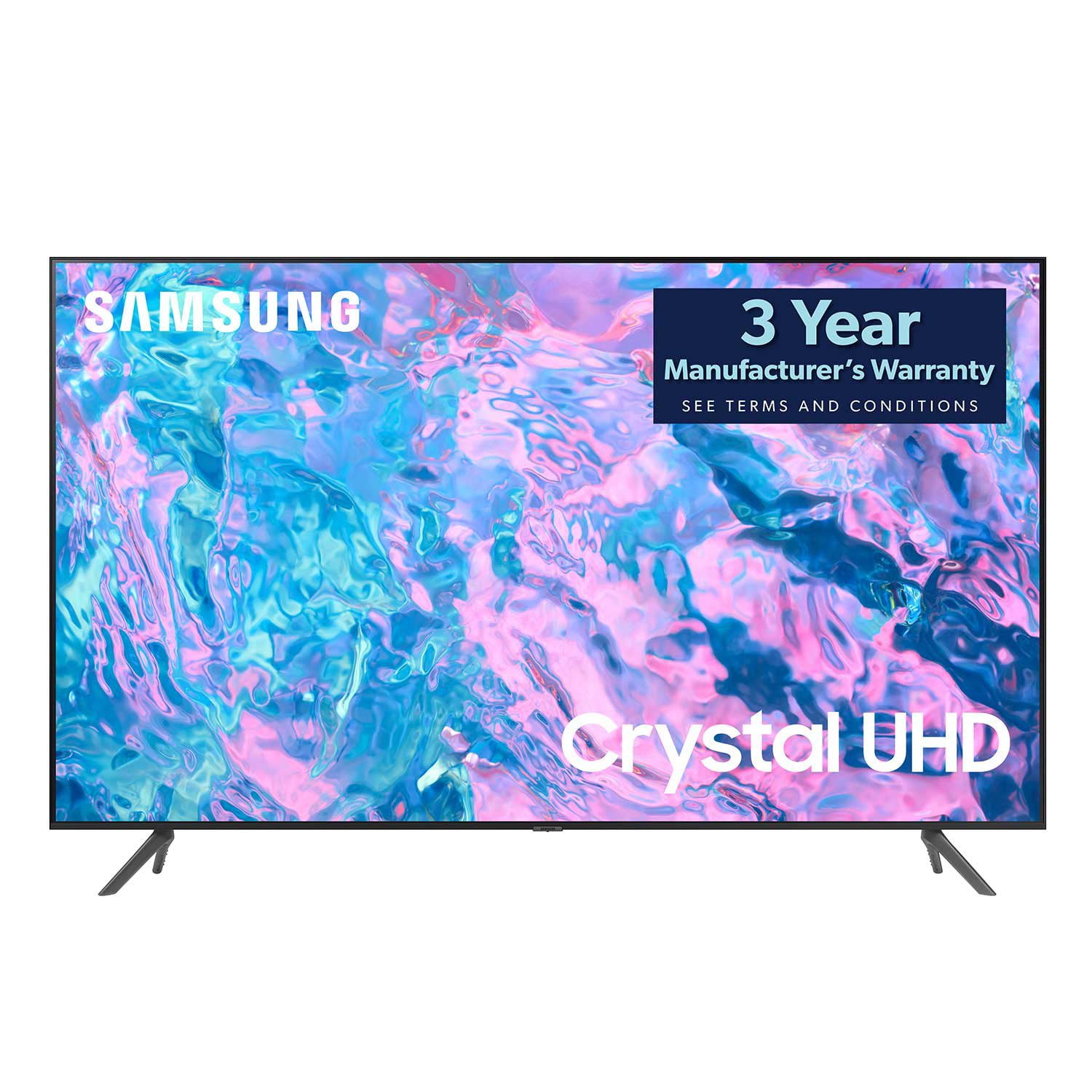
SAMSUNG 65" Class CU7000-Series Crystal UHD 4K Smart TV with HDR - UN65CU7000DXZA
4.6 out of 5 stars
stars1,820 ratings1,412 reviews
  1. 5 stars74% (1,339)
  2. 4 stars17% (309)
  3. 3 stars4% (76)
  4. 2 stars2% (29)
  5. 1 star4% (67)
Write a review

Customer photos

  • +319 images
Sort by |
Showing 431-440 of 1,412 reviews
Jul 5, 2023
Colorful22
5 out of 5 stars review

Quality over Quality

[This review was collected as part of a promotion.] I used the TV for regular antenna, the Samsung TV gives me more, I love the color, the clarity and the size helps too. I am usually skeptical about products today, the whole making money off the consumer for a long period of time makes me feel like I'm being taken every time.

Review from Samsung US
Helpful?6RZZK6GIRBUS13960862018
Aug 12, 2023
ArleneUjiiye
5 out of 5 stars review

I'm loving my Samsung Crystal UHD TV

[This review was collected as part of a promotion.] We use our Samsung Tv to stream YouTube tv, Disney plus, and other streaming channels. My husband loves the sports channels. Once I figured out how to adjust the picture quality to our it's awesome.

Review from Samsung US
Helpful?6RZZK6GIRBUS13960862018
reply from Samsung Brand Ambassador

Hi ArleneUjiiye, I'm happy to hear you are enjoying your new CU7000D TV! To adjust your picture quality please follow the below instructions: Go to Home > Settings > All Settings > Picture > Picture Mode and select the mode that best fits your usage: 1) Standard: Default mode suitable for general viewing environments. 2) Natural: Reduces eye strain for a comfortable viewing experience. 3) Movie: Most suitable for watching TV or movies in a dark room. 4) Dynamic: Makes the picture brighter and clearer in bright viewing environments. 5) Filmmaker Mode: You can watch the source content (e.g., movie) as it is. If the image is defined as Filmmaker Mode, it will automatically switch to Filmmaker Mode while watching. You can also go to Settings > All Settings> Picture > Expert Settings > to manually fine-tune your image. If you ever have questions or need help, Samsung is here for you! Give us a call at 1-800-SAMSUNG, 8 AM - 12 AM EST, seven days a week. Our LiveChat agents are also available by clicking on the ‘Support’ link on our website. Thanks for being a part of the Samsung family! ~ Samsung Advisor

Oct 18, 2023
Redrash
4 out of 5 stars review

Dynamite picture quality

[This review was collected as part of a promotion.] the TV has a dynamite picture quality. okay very good sound quality. The hook up to external devices such as HDMIs and communication with the receivers lack some attention. having to re-recognize devices, time and time again. the TV doesn't always say passcodes for internet use.

Review from Samsung US
Helpful?6RZZK6GIRBUS13960862018
May 11, 2023
Juanhamb10
5 out of 5 stars review

Love the features

[This review was collected as part of a promotion.] I use my tv for watching cable ,streaming and playing video games. I love that I'm able to stream movies directly from my laptop computer. I also love that it has great picture quality and its easy to connect to my pc and my wireless headphones

Review from Samsung US
Helpful?6RZZK6GIRBUS13960862018
Sep 13, 2023
coleshaw87
5 out of 5 stars review

We made the upgrade is size and got much more!

[This review was collected as part of a promotion.] We have wanted to upgrade from our 40 inch Samsung for quite some time and with the price being right we upgraded to a 65 inch with the only regret of not doing so sooner. The new OS for it is much better and intuitive that previous versions and with the Apple TV and Disney+ installed apps, it doesn't require to hook up our Apple TV. The only app I have lost is my Infuse to watch all our digitized movies but I can easily stream from any of my other devices or just hook up a hard drive and get the same results. We have enjoyed also enjoyed the Samsung TV channels and watching them live with commercials without having to go through other apps and hookups and really simplifying life. If you have been putting it off, don't, now is the time to upgrade.

Review from Samsung US
Helpful?6RZZK6GIRBUS13960862018
May 18, 2023
AwesomeSauce
5 out of 5 stars review

Excellent unit

[This review was collected as part of a promotion.] This TV has is excellent quality with a great, crisp, picture. It's like you're in the scene with the characters. It was easy to install and setup. Settings are easily accessible. I like to cast my phone or tablet to the t.v. and watch family videos or display photos.

Review from Samsung US
Helpful?6RZZK6GIRBUS13960862018
Dec 18, 2023
ChristopherF
2 out of 5 stars review

Questionable quality

Purchased the first TV in October, had to exchange it in December. Picture kept blacking out along with audio. Had to keep rebooting the TV. Same thing has started to happen to the replacement TV. Seriously something wrong with the electronics of the units.

Review from Samsung Canada
Helpful?6RZZK6GIRBUS13960862018
reply from Samsung Support Team

Hello, thank you for sharing your feedback. At Samsung.ca, we always aim to satisfy our valued customers and would love to help. Please feel free to contact us at 1-800-SAMSUNG or via live chat on our website (http://www.samsung.com/ca/support/) for assistance. Thanks!

Sep 10, 2024
Shoppingonabudget
4 out of 5 stars review

The Samsung cu7000D (2023) is a great budget tv

[This review was collected as part of a promotion.] The Samsung CU7000D (2023) is a mid-range 4K UHD TV with a sleek design. It offers solid picture quality for its price, delivering sharp visuals with decent color vibrancy. However, its HDR performance is limited due to lower peak brightness. While it may not be on par with Samsung's higher-end models, it excels in upscaling lower-resolution content. Overall, it's a good budget-friendly option for those looking for a 4K TV without premium features.

Review from Samsung US
Helpful?6RZZK6GIRBUS13960862018
Sep 10, 2024
KansasUser
5 out of 5 stars review

Good TV - no issues with picture or operation

[This review was collected as part of a promotion.] This is the primary TV in the household, locate in the family room used for most viewing occasions. The TV works well and has not had any real issues. The biggest challenge is there is a lot of bright natural light during the afternoon hours that can washout the screen color and clarity, and/or result in a glare on the screen making it difficult to see what is being broadcast. I'm not sure if a higher-end model would address the washout or if that would happen regardless. I have installed blinds on all the windows in the room and pull them fully closed to minimize the glare, but it is still prevalent at times. That said, the TV provides a great picture when the natural lighting interference is not an issue - great clarity and color with no noticeable lag or shadowing for fast-moving content, e.g. watching sports.

Review from Samsung US
Helpful?6RZZK6GIRBUS13960862018
Mar 15, 2024
Ron
3 out of 5 stars review

Freezes up

Apps and screen freezes up to where you have to hold down the power button and restart TV very often. Also kicks you out of what you were watching. I've always owned Samsung TVs but this one is the worst. Only 3 months old but been doing it for over 2 months. Samsung support says it's definitely a bad tv and it's obviously somewhat common. Sam's club on the other hand said bring it back and swap it for another one which is good other than having to sign back in on all my apps.

Helpful?6RZZK6GIRBUS13960862018
reply from Samsung

Hi Ron,I’m sorry to hear about the issues you’re experiencing with your TV freezing. We appreciate your feedback regarding Samsung Tech Support and Sam's Club. To ensure performance is fully optimized, please make sure your TV is running the latest firmware. To do so, go to Settings> Support> Software Update. You can easily update from there if necessary. Next, I recommend utilizing the self-diagnostic tool, which checks memory, frees unused cached memory, and closes background apps. Go to Settings > Support > Device Care > Start Device Care.If you continue to have issues, please call us at 1-800-SAMSUNG, 8 AM - 12 AM EST, seven days a week. LiveChat with an agent, as well as manuals, software, and warranty info, can be found at the ‘Support’ link on our Samsung website.~ Samsung Advisor