Skip to Main Content
Sams Club
Sams Club
Customer reviews for SAMSUNG 65" Class CU7000-Series Crystal UHD 4K Smart TV with HDR - UN65CU7000DXZA for
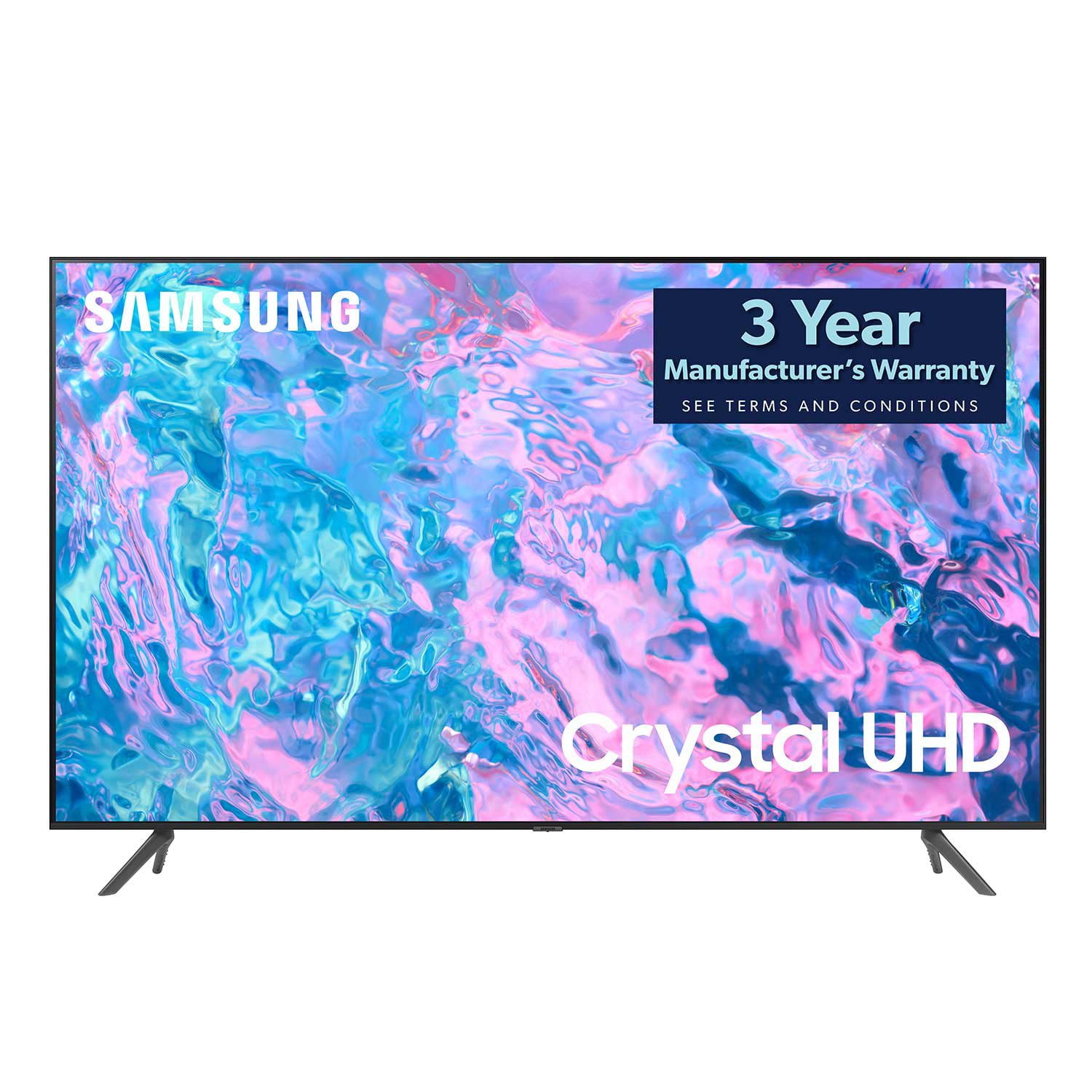
SAMSUNG 65" Class CU7000-Series Crystal UHD 4K Smart TV with HDR - UN65CU7000DXZA
4.6 out of 5 stars
stars1,820 ratings1,412 reviews
  1. 5 stars74% (1,339)
  2. 4 stars17% (309)
  3. 3 stars4% (76)
  4. 2 stars2% (29)
  5. 1 star4% (67)
Write a review

Customer photos

  • +319 images
Sort by |
Showing 251-260 of 1,412 reviews
Aug 10, 2023
Jon
5 out of 5 stars review

Verified Purchase

Great purchase

Image quality is very clear and sharp, the smart features are great and very easy to set up.

Helpful?6RZZK6GIRBUS13960862018
Jan 4, 2024
Judy
4 out of 5 stars review

Verified Purchase

2nd choice tv

You need to keep the volume very high in order to hear it, but the picture is very good.

Helpful?6RZZK6GIRBUS13960862018
Dec 29, 2023
L Melin
5 out of 5 stars review

Verified Purchase

Great smart tv!

Easy to set up and use. Perfect for my use. Recommend!

Review from Samsung Canada
Helpful?6RZZK6GIRBUS13960862018
Mar 17, 2024
Sitty Ida
5 out of 5 stars review

Verified Purchase

Samsung TV

Great purchase. Love it! Delivery was on time .

Helpful?6RZZK6GIRBUS13960862018
Dec 27, 2023
Princess Leyah
3 out of 5 stars review

Verified Purchase

Samsung can do better

Nice tv. I can't get the volume down from 57

Helpful?6RZZK6GIRBUS13960862018
reply from Samsung

Hi Princess Leyah, Thank you for reaching out and letting us know that you cannot get the volume to work on your Samsung CU7000 TV. I have a few recommendations that should resolve this issue. Please know that you can control the volume of your TV by pressing the +/- button up to increase the volume and down to decrease the volume. To mute the sound, press the button.If the remote is not working at all, please try the following: First, please ensure nothing is blocking the remote from the IR Sensor located below the Samsung Logo at the bottom of your TV. Next, please replace the batteries in your remote. If the remote is working for all other functions but not the volume down button, please use the adjustments below. Let's ensure you are running the latest Firmware version. Go to Settings> Support> Software Update. If you have your sound connected to an external device on your TV, go to Settings > All Settings> Sound > Expert Settings > Digital Audio Output Format > Pass-Through. Then, set the Sound Output to the TV Speaker by going to Settings > All Settings> Sound > Sound Output.If you continue to have issues, please call us at 1-800-SAMSUNG, 8 AM - 12 AM EST, seven days a week. LiveChat with an agent, as well as manuals, software, and warranty info, can be found at the ‘Support’ link on our Samsung website.~ Samsung Advisor

Mar 10, 2024
Teddi Harrell
4 out of 5 stars review

Verified Purchase

Crystal clear picture

It's a great TV, too heavy for me to lift and mount by myself though

Helpful?6RZZK6GIRBUS13960862018
Mar 16, 2024
Ed
5 out of 5 stars review

Verified Purchase

The sound quality and picture quality is awesome!!

Best tv picture I have ever scene!

Helpful?6RZZK6GIRBUS13960862018
Dec 8, 2023
Deanna
5 out of 5 stars review

Verified Purchase

Good tv

Clear picture and easy to set up all the apps. Good sound too.

Review from Samsung Canada
Helpful?6RZZK6GIRBUS13960862018
Apr 5, 2024
HKM
3 out of 5 stars review

Verified Purchase

Samsung TV

Sports shows on streaming look grainy. Miss talking feature on remote.

Helpful?6RZZK6GIRBUS13960862018
reply from Samsung

Hi HKM,We appreciate your feedback on your CU7000 TV’s picture when watching fast-motion. For optimal motion image performance, you may want to adjust the picture clarity setting by going to Settings > All Settings> Picture > Expert Settings > Picture Clarity Settings.- Off: Picture Clarity Settings will always be off- Auto: Picture Clarity Settings will automatically activate and deactivate based on the type of program being watched - Custom: Allows custom adjustments and settings to be used. By selecting the Custom option, you can access these advanced settings for Judder Reduction, LED Clear Motion, and Noise Reduction.Please know your CU7000 TV will work with an external Alexa device. You can connect them to your existing Alexa device to ask them to turn on your TV, change channels, control volume, and more.Should you need further assistance with features or other product usage, please reach out to Samsung Support at 1-800-SAMSUNG, 8 AM - 12 AM EST, seven days a week. Or visit us on the Samsung website and click on the ‘Support’ link for:1) LiveChat2) Manuals, Software, & Warranty Info~ Samsung Advisor

Dec 23, 2023
Starknest
4 out of 5 stars review

Verified Purchase

Samsung 65” CU7000 series

Good TV larger than expected.

Helpful?6RZZK6GIRBUS13960862018