Skip to Main Content
Sams Club
Sams Club
Customer reviews for SAMSUNG 50" Class DU6900 Series UHD 4K Smart TV for
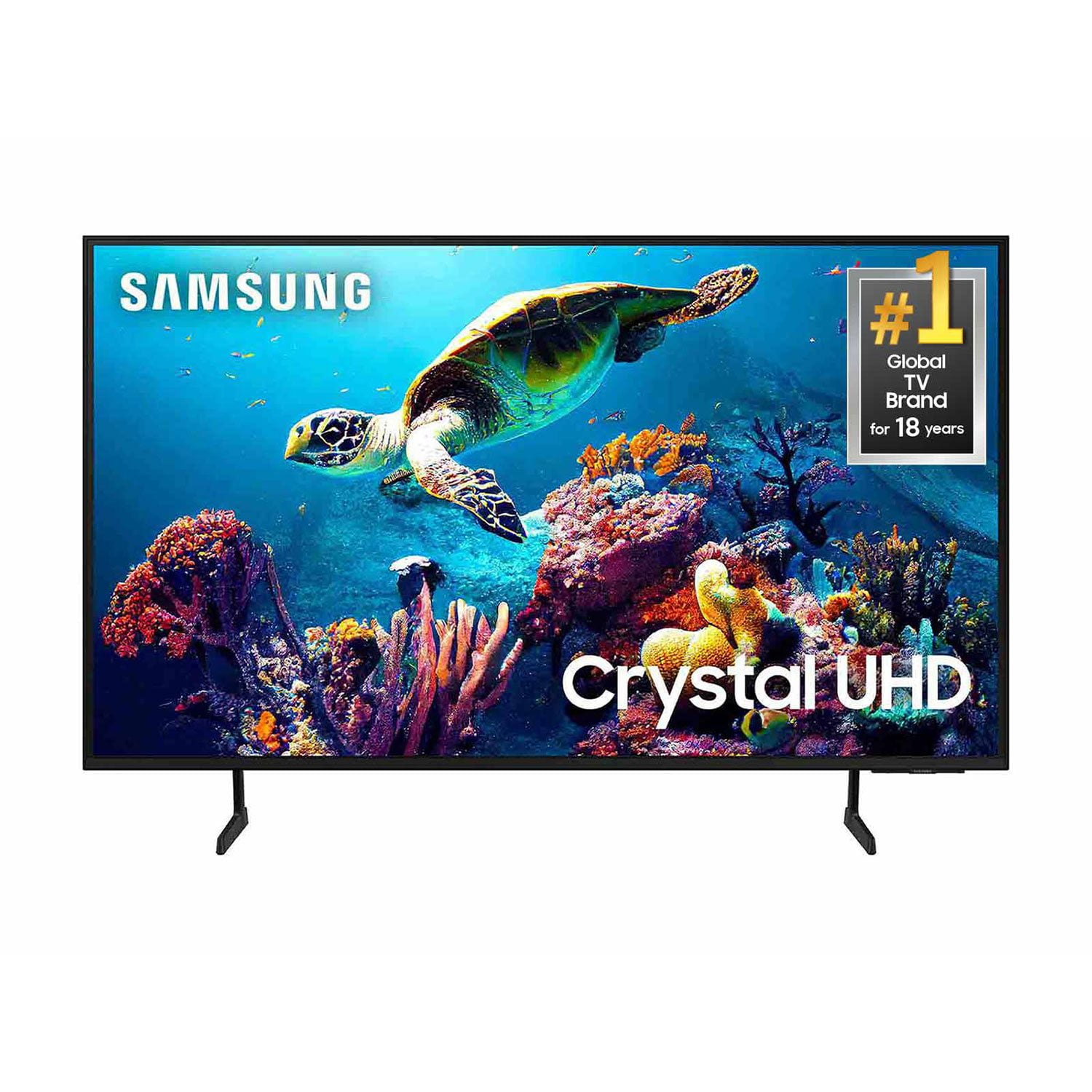
SAMSUNG 50" Class DU6900 Series UHD 4K Smart TV
4.4 out of 5 stars
stars2,179 ratings2,177 reviews
  1. 5 stars68% (1,482)
  2. 4 stars16% (354)
  3. 3 stars7% (154)
  4. 2 stars4% (81)
  5. 1 star5% (108)

Member photos

  • +557 images
Sort by |
Showing 1,341-1,350 of 2,177 reviews
Feb 8, 2025
LaLa66
5 out of 5 stars review

Great Purchase!

I bought this in December for Christmas. I love the vivid colors and picture. The images are very sharp and life-like. I will be buying another one for my guestroom.

Review from Samsung US
Helpful?21P69184561C13959770739
Apr 20, 2025
EsotericLad
5 out of 5 stars review

Great for Gaming/Streaming.

[This review was collected as part of a promotion.] I use the TV for Gaming and Streaming and so far, no complaints. Crystal clear picture. Vibrant colors. Speakers are ok and have a neat 'follow function' that goes with the action on the screen.

Review from Samsung US
Helpful?21P69184561C13959770739
Feb 5, 2025
exRRer2003
5 out of 5 stars review

A Beliver in Samsung TV’s

My wife wanted a larger tv for her she-shed so we went with the this 50 in Samsung TV to replace the 32 in Samsung that we had. We have 5 TV’s and they are all Samsung TV’s. The one that we replaced is still working and was give to my wife’s niece.

Review from Samsung US
Helpful?21P69184561C13959770739
Aug 5, 2024
CALLMEBYTE
5 out of 5 stars review

Great tv for the price

[This review was collected as part of a promotion.] Tv is great, worth the cost. For the price you get amazing features, plus the added Samsung TV channels. Don't even need to pay for Cable TV.

Review from Samsung US
Helpful?21P69184561C13959770739
Apr 21, 2025
Lou123
5 out of 5 stars review

Clear picture, good user interface, great qualit

[This review was collected as part of a promotion.] The picture quality is immaculate. Very user-friendly interface. Easy to navigate, especially for the rest of my family that are not technically savvy

Review from Samsung US
Helpful?21P69184561C13959770739
Apr 19, 2025
JimmyB
1 out of 5 stars review

Stopped working after 2 Months

[This review was collected as part of a promotion.] I purchased 2 of these TV’s and one of them stopped working on Super Bowl Sunday, just two months after we started using it. I would not purchase again.

Review from Samsung US
Helpful?21P69184561C13959770739
reply from Samsung Brand Ambassador

JimmyB, I’m sorry to hear about the issues you’ve experienced with Samsung’s DU6900 TV. Your feedback is important to us and will be shared with our product teams. Samsung is committed to providing the best possible product experience, quality, and value. We back this Samsung TV with a 1-year limited manufacturer's warranty, including authorized repair for manufacturer defect, if purchased brand-new directly from an authorized seller. You can see the full details of your warranty on Samsung's website. Go to Support (upper right corner) and select Warranty information. This will allow you to search for your product and view the full details of the included warranty. Please give us the chance to make this right by contacting Samsung Customer Support at 1-800-SAMSUNG, 8 AM - 12 AM EST, seven days a week. Our LiveChat agents are also available by clicking on the ‘Support’ link on our website. ~Samsung Pro

Apr 6, 2025
DBEJHA
4 out of 5 stars review

Great features

[This review was collected as part of a promotion.] This is a great product with great quality, I will always purchase a Samsung TV for all of my needs

Review from Samsung US
Helpful?21P69184561C13959770739
Apr 19, 2025
ShanA
3 out of 5 stars review

Woks fine but screen is too dark

My husband bought it a couple of months ago and it work well. However, the screen is so dark! Hard to see at times and can’t seem to get it to brighten up.

Review from Samsung US
Helpful?21P69184561C13959770739
reply from Samsung Brand Ambassador

ShanA, It’s unfortunate to hear you’re not fully satisfied with the brightness of your TV’s picture. Please know that we are here to help you. First, let’s ensure you are running the latest Firmware Update. Go to Settings> Support> Software Update. Next, If the colors on your TV are correct but just a little too dark or bright, you can try adjusting Picture Modes, Contrast, Brightness, or Sharpness settings. For darker scenes, I recommend Dynamic Picture Mode, which makes pictures brighter and clearer in bright viewing environments. Go to Settings > All Settings> Picture > Picture Mode > Dynamic. Or you can manually adjust the Brightness by pressing the HOME button on your remote, then navigating to Settings > All Settings> Picture > Expert Settings. You may also want to disable Power Saving Mode, which automatically adjusts the brightness to reduce the TV’s power consumption. Go to Settings > All Settings> General > Eco Solution> Power Saving Mode. I hope this helps to improve your picture. Should you need further assistance, please contact us at 1-800-SAMSUNG, 8 AM - 12 AM EST, seven days a week. Our LiveChat agents are also available by clicking on the ‘Support’ link on our website. ~ Samsung Pro

May 9, 2025
Tshoot
5 out of 5 stars review

The tv is gr8. I wish it had more apps

[This review was collected as part of a promotion.] Gr8 tv. I would buy another. The color is bright. Sound is gr8. I just wish we could add our own apps to it

Review from Samsung US
Helpful?21P69184561C13959770739
May 20, 2025
Tw8200
5 out of 5 stars review

Great purchase

[This review was collected as part of a promotion.] I am very satisfied with my Samsung TV! The color quality is excellent and has a nice selection of things to watch!

Review from Samsung US
Helpful?21P69184561C13959770739