Skip to Main Content
Sam's Club
Sam's Club
All Departments
All Services
Customer reviews for Garmin DriveCam 76 GPS Dash Cam, 7in. for
Garmin DriveCam 76 GPS Dash Cam, 7in.
4 out of 5 stars
stars
126 ratings123 reviews
  1. 5 stars52% (66)
  2. 4 stars21% (26)
  3. 3 stars13% (16)
  4. 2 stars6% (7)
  5. 1 star9% (11)
Sort by |
Showing 31-40 of 123 reviews
Jan 11, 2025
Reviewer name: Joseph
5 out of 5 stars
5 out of 5 stars review

Verified Purchase

It’s nice but

Review from walmart.com
Helpful?3R7D8LAC7FC013915916923
Apr 21, 2026
Reviewer name: HemiCharger06
1 out of 5 stars
1 out of 5 stars review

Drivecam76

The BC 50, disconnect after setting the left and right guidance.

Review from Garmin
Helpful?3R7D8LAC7FC013915916923
Feb 18, 2026
Reviewer name: Marco3675
2 out of 5 stars
2 out of 5 stars review

Review

No dash mount because of center camera windshield only

Review from Garmin
Helpful?3R7D8LAC7FC013915916923
Sep 18, 2025
Reviewer name: BobAcker
4 out of 5 stars
4 out of 5 stars review

Great features

Seems to get a little quirky in this warm weather, I miss the drop down warning for school zones also no tracking of past routes.

Review from Garmin
Helpful?3R7D8LAC7FC013915916923
reply from Care

We appreciate the review! The operating temperature for the DriveCam 76 is from -20° to 55°C (from -4° to 131°F). If you're experiencing odd behavior outside these temperatures, then it may be beneficial to move the position of the device to an area that receives less direct sunlight. An alternate mounting solution may be helpful in this regard. With regard to the school zone alerts, the DashCam 76 has a Driver Alert feature that will play a tone and display the speed limit (if available) for an upcoming school or school zone. You can find and either enable or disable these Driver Alerts by selecting Settings (the gear icon) > Driver Assistance > Driver Alerts, and then select or clear the checkbox next to each alert. Lastly, you may need to enable the Travel History feature on your device. You can do so by selecting Settings > Device > Travel History. Doing so will allow your device to store a record of the places you go, view your trip log, use the Trip History feature, and use myTrends suggested routes. If you have any questions. Garmin Support is always happy to help! You can reach us at 1-800-800-1020 Monday-Friday, 7am-7pm Central (Closed weekends and holidays).

Nov 6, 2025
Reviewer name: DanA-Selah-WA
5 out of 5 stars
5 out of 5 stars review

Easy to use

Very user friendly with lots of good information displayed - in addition to the route directions. Simple to update to always have current maps.

Review from Garmin
Helpful?3R7D8LAC7FC013915916923
Mar 7, 2025
Reviewer name: Dave K
4 out of 5 stars
4 out of 5 stars review

Wide screen

I like the wide screen but the problem is mounting the Drive Cam. My old Garmin had a easy way to mount the screen, it rested on a bean bag and has a easy way to connect to the bean bag. This one has to be stuck to the wind shield and in warm weather loses suction and falls off

Review from Garmin
Helpful?3R7D8LAC7FC013915916923
Mar 26, 2023
Reviewer name: rarremann
5 out of 5 stars
5 out of 5 stars review

I love this Garmin DriveCam 76

I have been using Garmin navigation products for a long time. Presently I have two on my windshield. This new Garmin has a forward camera and that is the reason I purchased it. It works well. The DriveCam came with a MicroUSB but it wasn't the largest one to use. I bought the maximum MicroUSB and that is a 256GB micro card. It was easy to install and now I have a much bigger amount of space to record. You can remove the micro card and insert it into you home computer and see all the videos it took. I drove for over fours hours on my last road trip and the amount of videos it gave me was many, many different ones. It also records all near miss collisions and that can be a lot if the drivers around you are idiots and in too much of a hurry. Great Device!

Review from Garmin
Helpful?3R7D8LAC7FC013915916923
May 10, 2024
Reviewer name: WhereAmi
5 out of 5 stars
5 out of 5 stars review

Harmon makes navigating so much easier

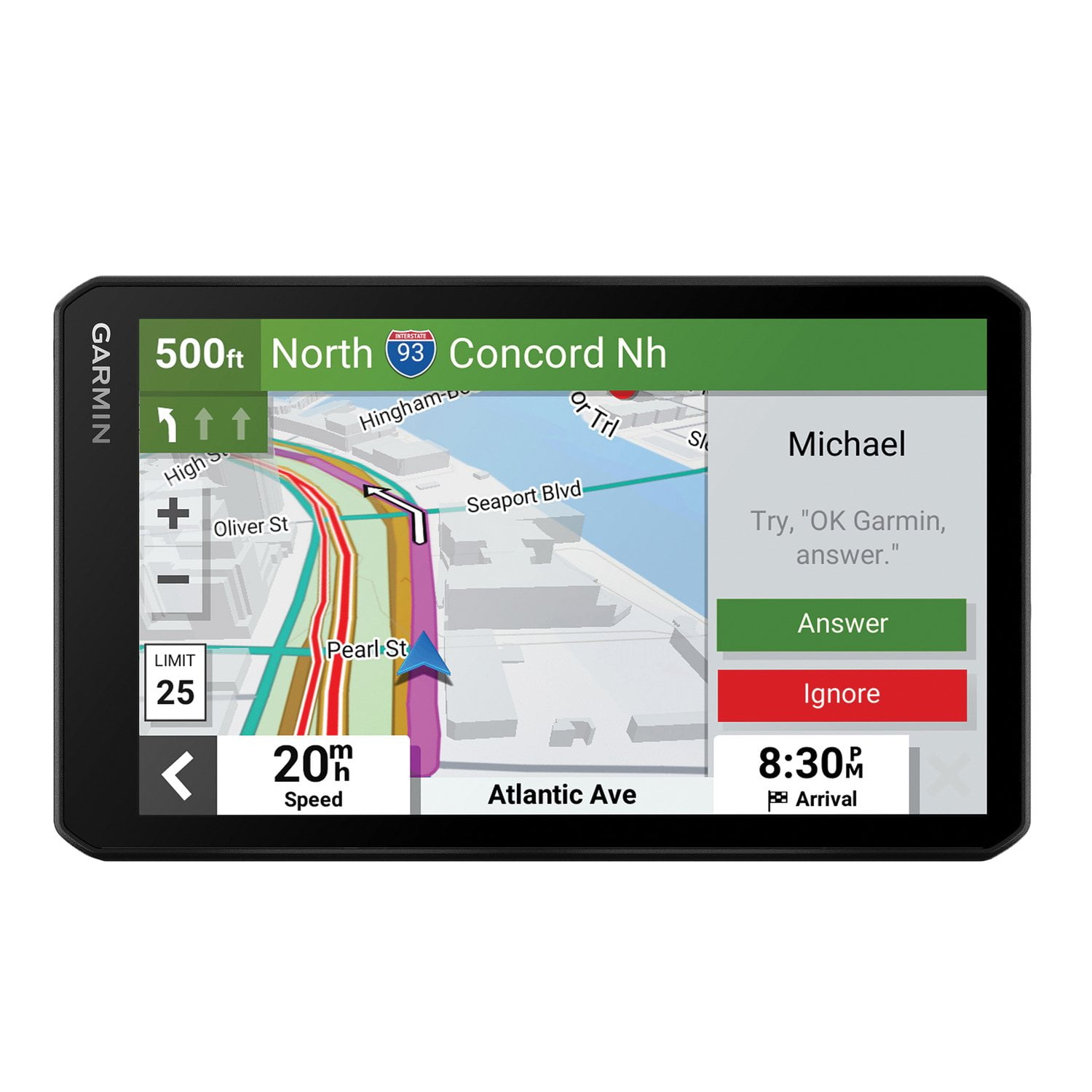
I have always been a traveling salesman mostly in the Midwest. Recently I took a trip to California. The double screens showing me what exact lane I needed to be in to get to my next highway was so helpful and saved me so much time from when I'm lost.

Review from Garmin
Helpful?3R7D8LAC7FC013915916923
Dec 15, 2022
Reviewer name: Dave 1911
4 out of 5 stars
4 out of 5 stars review

Garmin Drive Cam 76

I love the larger screen than my previous unit had! It's much easier to read, and see. The one thing I miss that my old unit did is turn on the camera when I got to my destination. The power button is very small but I'm getting used to that. It was just a minor change from my old unit. Overall I'm very happy with this new GPS.

Review from Garmin
Helpful?3R7D8LAC7FC013915916923
Nov 5, 2023
Reviewer name: Theduff
3 out of 5 stars
3 out of 5 stars review

The Garmin Drivecam 76 has great features,

I like the ease of use with the Drivecam 76. It understands my request very well. However, I only gave it a 3-star rating because of the mount. I also have the Garmin Drive Assist and the clip that mounts to the GPS can be reversed so I can use a window suction cup mount or a dash mount. I use my GPS primarily for work and I don't like having to mess with trying to put it on the windshield every day. I also don't like the rings left on the windshield from the suction cup. I just don't understand why you didn't design the Drivecam 76 the same as the Drive Assist 51. It looks like it would have been as simple as making a notch in the bottom of the case like the one on the top so the clip could be turned over. Also, I think having the GPS mounted to the windshield blocks more of my view while driving.

Review from Garmin
Helpful?3R7D8LAC7FC013915916923