Skip to Main Content
Sam's Club
Sam's Club
All Departments
All Services
Customer reviews for SAMSUNG 85” Class Q80D Series 4K QLED Smart TV for
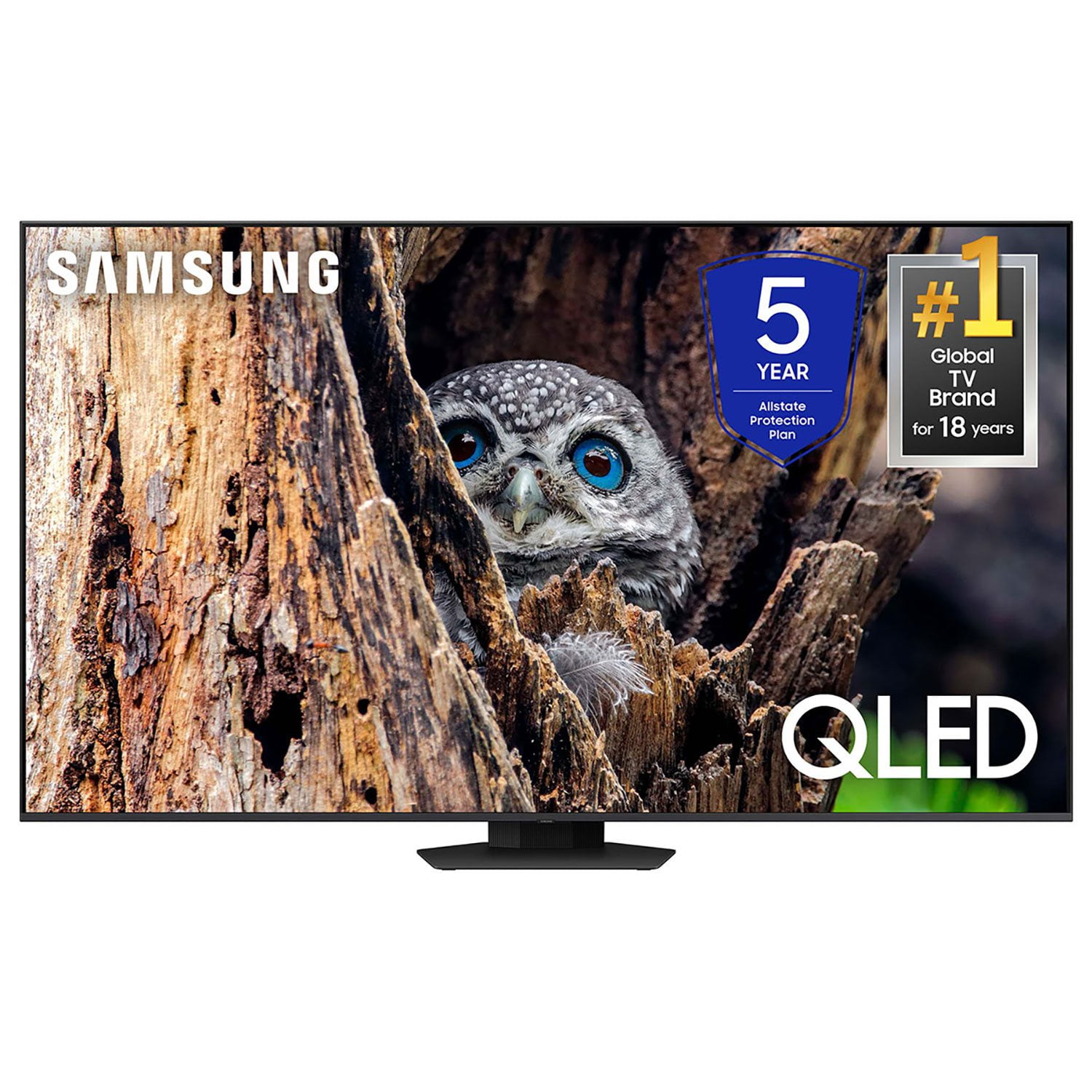
SAMSUNG 85” Class Q80D Series 4K QLED Smart TV
4.5 out of 5 stars
stars
473 ratings437 reviews
  1. 5 stars73% (347)
  2. 4 stars13% (62)
  3. 3 stars5% (24)
  4. 2 stars3% (16)
  5. 1 star5% (24)

Member photos

  • +119 images
Sort by |
Showing 371-380 of 437 reviews
Dec 2, 2024
Reviewer name: PeryRham
4 out of 5 stars
4 out of 5 stars review

TV works good. Picture could be a little sharper

[This review was collected as part of a promotion.] The streaming apps work better than the cable companies apps

Review from Samsung US
Helpful?6N90SMS72AV513911760135
Apr 1, 2025
Reviewer name: Leomar
5 out of 5 stars
5 out of 5 stars review

Very unique high definition television with remo

[This review was collected as part of a promotion.] This television is one of the best tvs money can buy also very authentic.

Review from Samsung US
Helpful?6N90SMS72AV513911760135
Mar 20, 2025
Reviewer name: bestwannabe
5 out of 5 stars
5 out of 5 stars review

Great overall

[This review was collected as part of a promotion.] The overall price was excellent when I got it with the deal with bundle wait speaker

Review from Samsung US
Helpful?6N90SMS72AV513911760135
Dec 28, 2024
Reviewer name: Robert
2 out of 5 stars
2 out of 5 stars review

DISAPPOINTED ON COLOR AND SOUND

[This review was collected as part of a promotion.] DAILY GENERAL TV WATCHING SOUND IS TERRIBLE COLOR IS NOT VIVID

Review from Samsung US
Helpful?6N90SMS72AV513911760135
reply from Samsung Specialist

ROBERT, Thank you for sharing your thoughts on the picture quality of your Q80D TV. To ensure you’ve got the latest image quality updates, please confirm that your TV is up to date with the latest firmware version. You can check by going to: Home > Menu > Settings > Support > Software Update. If the picture you’re seeing is still not to your liking after updating firmware, there are several picture settings you may want to try adjusting. Go to Home > left direction button > Settings > All Settings > Picture > Picture Mode ...and select the mode that best fits your usage: 1. Standard: Is the default mode suitable for general viewing environments 2. Dynamic: Makes the picture brighter and clearer in bright viewing environments 3. Eco: Provided to save energy 4. Movie: Suitable for watching TV or movies in a dark room 5. Filmmaker Mode: Provides source content just as the creators intended. If the image is defined as Filmmaker Mode, it’ll automatically switch to Filmmaker Mode while watching. You can also fine-tune your picture with expert settings such as brightness, contrast, sharpness and more (All Settings > Picture > Expert Settings). For further assistance with settings adjustments, please contact Samsung Customer Support at 1-800-SAMSUNG, 8AM - 12AM EST, 7 days a week. Or visit us on the Samsung website and click on the ‘Support’ link for: • LiveChat • Manuals, Software, & Warranty Info ~ Samsung Specialist

Jul 21, 2024
Reviewer name: Moonshop
5 out of 5 stars
5 out of 5 stars review

Excellent Design

[This review was collected as part of a promotion.] Very smart and very thin. Display quality is very deep.

Review from Samsung US
Helpful?6N90SMS72AV513911760135
Mar 20, 2025
Reviewer name: BMWGUY
5 out of 5 stars
5 out of 5 stars review

Amazing TV

[This review was collected as part of a promotion.] Nice tv really detailed picture and I would get it again if I need to.

Review from Samsung US
Helpful?6N90SMS72AV513911760135
Jul 26, 2024
Reviewer name: Lola1234
4 out of 5 stars
4 out of 5 stars review

This product has great colors

[This review was collected as part of a promotion.] Auperior cokor and very smooth. Very smooth transition and has crisp colors

Review from Samsung US
Helpful?6N90SMS72AV513911760135
Apr 19, 2025
Reviewer name: Golfer
5 out of 5 stars
5 out of 5 stars review

Picture clarity

Had the product for 3 months, no complaints. Impressed with picture and navigation ease.

Review from Samsung US
Helpful?6N90SMS72AV513911760135
Mar 5, 2025
Reviewer name: TheRevMike
5 out of 5 stars
5 out of 5 stars review

Great features

The picture is bright and clear, the interface is easy to manage.

Review from Samsung US
Helpful?6N90SMS72AV513911760135
Mar 5, 2025
Reviewer name: mojo
3 out of 5 stars
3 out of 5 stars review

clarity

the skin color on the television is occasionally off

Review from Samsung US
Helpful?6N90SMS72AV513911760135
reply from Samsung Specialist

mojo, We appreciate your thoughts on the picture quality of Samsung’s Q80DD TV. If the image you’re seeing isn’t to your liking, there are several picture settings you may want to adjust. Go to Home > left direction button > Settings > All Settings > Picture > Picture Mode ...and select the mode that best fits your usage: 1. Standard: Is the default mode suitable for general viewing environments 2. Dynamic: Makes the picture brighter and clearer in bright viewing environments 3. Eco: Provided to save energy 4. Movie: Suitable for watching TV or movies in a dark room 5. Filmmaker Mode: Provides source content just as the creators intended. If the image is defined as Filmmaker Mode, it’ll automatically switch to Filmmaker Mode while watching. You can also fine-tune your picture with expert settings such as brightness, contrast, sharpness and more (All Settings > Picture > Expert Settings). For further assistance with settings adjustments, please contact Samsung Customer Support at 1-800-SAMSUNG, 8AM - 12AM EST, 7 days a week. Our LiveChat agents are also available by clicking on the ‘Support’ link on our website. ~ Samsung Specialist