Skip to Main Content
Sam's Club
Sam's Club
All Departments
All Services
Customer reviews for SAMSUNG 85” Class Q80D Series 4K QLED Smart TV for
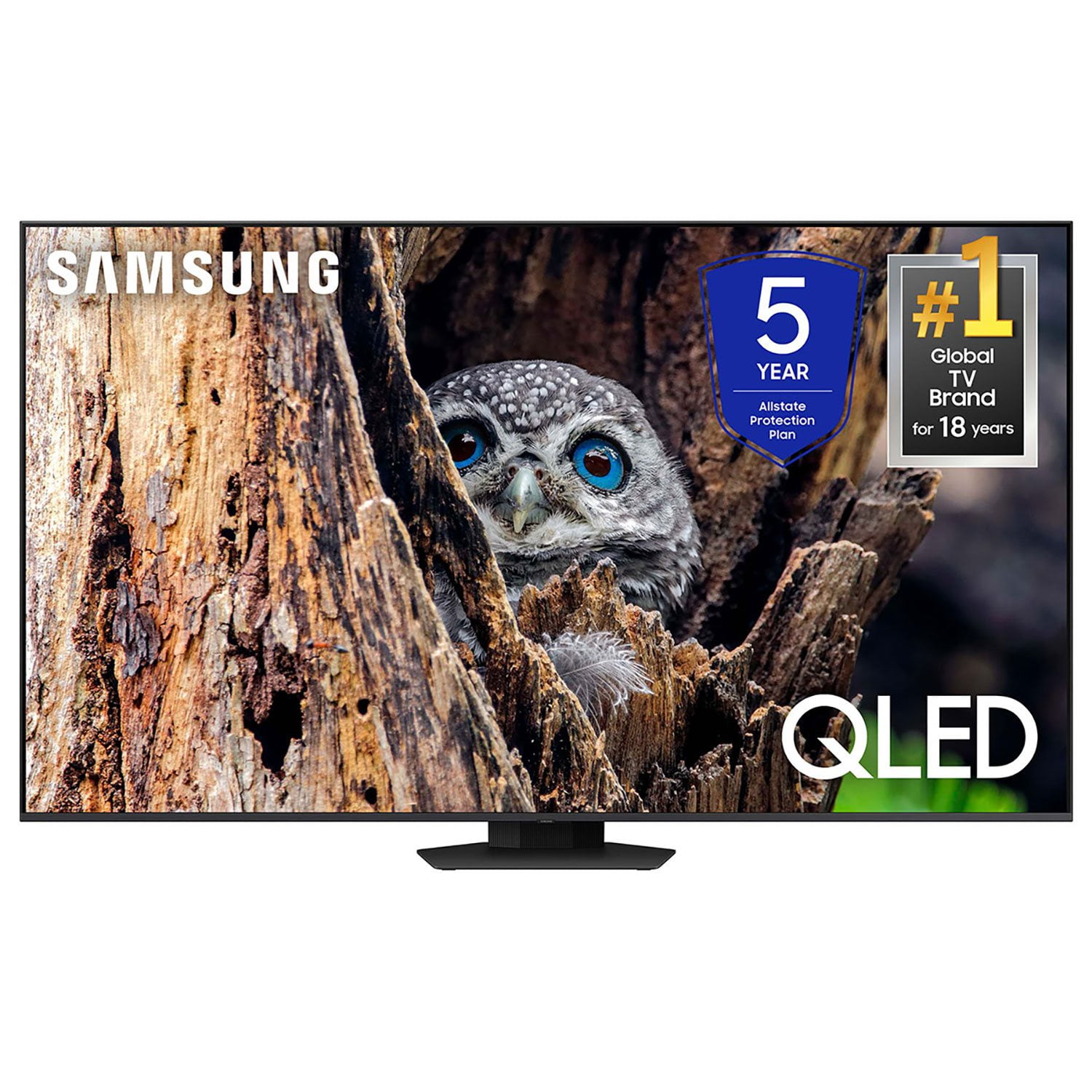
SAMSUNG 85” Class Q80D Series 4K QLED Smart TV
4.5 out of 5 stars
stars
473 ratings437 reviews
  1. 5 stars73% (347)
  2. 4 stars13% (62)
  3. 3 stars5% (24)
  4. 2 stars3% (16)
  5. 1 star5% (24)

Member photos

  • +119 images
Sort by |
Showing 251-260 of 437 reviews
Mar 20, 2025
Reviewer name: TVFanatic
5 out of 5 stars
5 out of 5 stars review

Excellent TV

[This review was collected as part of a promotion.] Excellent TV. Extremely clear picture and paired with a Samsung Sound Bar, you cannot go wrong for an excellent experience!!!

Review from Samsung US
Helpful?6N90SMS72AV513911760135
Oct 18, 2024
Reviewer name: Kjbnola
5 out of 5 stars
5 out of 5 stars review

LOVE LOVE LOVE

[This review was collected as part of a promotion.] This t v is hands down, amazing.Best picture i've ever seen on any t v, and i've had plenty of them

Review from Samsung US
Helpful?6N90SMS72AV513911760135
Apr 20, 2025
Reviewer name: Jeff1Vet
5 out of 5 stars
5 out of 5 stars review

Great TV Samsung

When I bought this Samsung neo QLED it was to replace another Samsung UHD tv that got fried by a surge in bad weather. I am amazed by the difference with this tv the other had a beautiful display but this knocks the other out of the park.

Review from Samsung US
Helpful?6N90SMS72AV513911760135
Mar 20, 2025
Reviewer name: Geno2929
5 out of 5 stars
5 out of 5 stars review

Its Samsung 4k hdtv

[This review was collected as part of a promotion.] The colors are great, watching on a big screen really shows how beautiful it is to watch certain 4k movies. Games looks so good.

Review from Samsung US
Helpful?6N90SMS72AV513911760135
Jul 5, 2024
Reviewer name: Funyygal
5 out of 5 stars
5 out of 5 stars review

Great tv to watch

[This review was collected as part of a promotion.] Love this television. Picture is the best quality. We love watching movies with it. The sound is crisp and clear.

Review from Samsung US
Helpful?6N90SMS72AV513911760135
Mar 5, 2025
Reviewer name: Inkbyjeremy
5 out of 5 stars
5 out of 5 stars review

Amazing tv

I bought this months ago and it was my first upgrade in over a decade. I'm not sorry I got it at all. My movies and games look 100x better. And the fact i got it on an exclusive app deal was even better.

Review from Samsung US
Helpful?6N90SMS72AV513911760135
May 10, 2025
Reviewer name: HughTV
5 out of 5 stars
5 out of 5 stars review

Amazing picture!

[This review was collected as part of a promotion.] I've had this unit for a few years in a constantly impresses me! Truly love looking at everything on it.

Review from Samsung US
Helpful?6N90SMS72AV513911760135
Apr 22, 2024
Reviewer name: TomIrvinSc2022
5 out of 5 stars
5 out of 5 stars review

The Best tv I have ever owned

[This review was collected as part of a promotion.] This tv has features and a picture that doesn’t stop. We love this tv for movies, shows or sports.

Review from Samsung US
Helpful?6N90SMS72AV513911760135
Feb 20, 2025
Reviewer name: Osiris
5 out of 5 stars
5 out of 5 stars review

Great TV

Amazing picture. This TV has everything you could want. 120 makes a difference compared to your 60 hertz rate especially when watching sports or playing games. This TV far exceeded my expectations

Review from Samsung US
Helpful?6N90SMS72AV513911760135
Feb 5, 2025
Reviewer name: Shoes
3 out of 5 stars
3 out of 5 stars review

Hoping for something better

Disappointed. I have adjusted the contrast the color and the brightness. Still the picture and sound are not what I was expecting The sleep timer goes 30. 60. 120. 180. There is not a 90

Review from Samsung US
Helpful?6N90SMS72AV513911760135
reply from Samsung Specialist

Shoes, We appreciate your thoughts on the picture quality of Samsung’s Q80D TV. If the image you’re seeing isn’t to your liking, there are several picture settings you may want to adjust. Go to Home > left direction button > Settings > All Settings > Picture > Picture Mode ...and select the mode that best fits your usage: 1. Standard: Is the default mode suitable for general viewing environments 2. Dynamic: Makes the picture brighter and clearer in bright viewing environments 3. Eco: Provided to save energy 4. Movie: Suitable for watching TV or movies in a dark room 5. Filmmaker Mode: Provides source content just as the creators intended. If the image is defined as Filmmaker Mode, it’ll automatically switch to Filmmaker Mode while watching. You can also fine-tune your picture with expert settings such as brightness, contrast, sharpness and more (All Settings > Picture > Expert Settings). For further assistance with settings adjustments, please contact Samsung Customer Support at 1-800-SAMSUNG, 8AM - 12AM EST, 7 days a week. Our LiveChat agents are also available by clicking on the ‘Support’ link on our website. ~ Samsung Specialist