Skip to Main Content
Sam's Club
Sam's Club
All Departments
All Services
Customer reviews for SAMSUNG 85” Class DU7200 Series 4K Smart TV for
SAMSUNG 85” Class DU7200 Series 4K Smart TV
4.3 out of 5 stars
stars
1,178 ratings1,031 reviews
  1. 5 stars63% (745)
  2. 4 stars18% (208)
  3. 3 stars8% (98)
  4. 2 stars5% (58)
  5. 1 star6% (69)

Member photos

  • +175 images
Sort by |
Showing 931-940 of 1,031 reviews
Jun 7, 2025
Reviewer name: Luv2Shop
5 out of 5 stars
5 out of 5 stars review

Great Features

I love my Samsung TV purchase. I only buy Samsung for great quality and features.

Review from Samsung US
Helpful?1RMTE3JL1NV513893753801
Feb 5, 2025
Reviewer name: ET phone
5 out of 5 stars
5 out of 5 stars review

Samasung 55 inch tv

Easy to set up with online instructions Nice unit

Review from Samsung US
Helpful?1RMTE3JL1NV513893753801
Apr 20, 2025
Reviewer name: Sweetheart TV
5 out of 5 stars
5 out of 5 stars review

Samsung is the best

This is a great TV. I love the 75 inch. It’s so clear.

Review from Samsung US
Helpful?1RMTE3JL1NV513893753801
Feb 20, 2025
Reviewer name: None
3 out of 5 stars
3 out of 5 stars review

Tv

Hard getting use to remote! Also can’t adjust picture. feature not available!

Review from Samsung US
Helpful?1RMTE3JL1NV513893753801
reply from Samsung Advisor

Hi None, Thank you for sharing your opinion on the DU7200 TV remote. We understand there can be a learning curve when you get a new TV! This is why we have built a guide built into the TV that teaches you how to use your remote. You can learn how to use your Samsung Remote by going to Home> (left directional button) Settings> Support> Remote Control Guide. To adjust the picture on your screen, please follow the below instructions. Go to Home > Settings > All Settings > Picture > Picture Mode and select the mode that best fits your usage: 1) Standard: Default mode suitable for general viewing environments. 2) Natural: Reduces eye strain for a comfortable viewing experience. 3) Movie: Most suitable for watching TV or movies in a dark room. 4) Dynamic: Makes the picture brighter and clearer in bright viewing environments. 5) Filmmaker Mode: You can watch the source content (e.g., movie) as it is. If the image is defined as Filmmaker Mode, it will automatically switch to Filmmaker Mode while watching. You can also go to Settings > All Settings> Picture > Expert Settings > to manually fine-tune your image. If you need more help, Samsung is here for you. Call us at 1-800-SAMSUNG, 8 AM - 12 AM EST, seven days a week. Our LiveChat agents are also available by clicking on the ‘Support’ link on our website. ~ Samsung Advisor

Feb 5, 2025
Reviewer name: Jhstarz
5 out of 5 stars
5 out of 5 stars review

A great buy !

I bought this set about a month ago and we are both so happy with that decision.

Review from Samsung US
Helpful?1RMTE3JL1NV513893753801
Feb 20, 2025
Reviewer name: FLYBRI72
5 out of 5 stars
5 out of 5 stars review

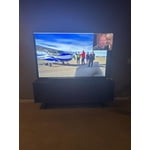
Amazing picture and sound
Beautiful picture and great user interface.. absolutely love this tv

Review from Samsung US
Helpful?1RMTE3JL1NV513893753801
Feb 5, 2025
Reviewer name: Terita
5 out of 5 stars
5 out of 5 stars review

Beautiful crisp picture

We bought this TV exactly a month ago, and we are loving it!

Review from Samsung US
Helpful?1RMTE3JL1NV513893753801
May 9, 2025
Reviewer name: bone
4 out of 5 stars
4 out of 5 stars review

none

x great but to many feachers for some of us seniors

Review from Samsung US
Helpful?1RMTE3JL1NV513893753801
Apr 19, 2025
Reviewer name: Jackie
4 out of 5 stars
4 out of 5 stars review

Great picture

The picture quality is great but the volume have to be turned up to 79 to hear it clearly

Review from Samsung US
Helpful?1RMTE3JL1NV513893753801
Feb 5, 2025
Reviewer name: Bettyb
5 out of 5 stars
5 out of 5 stars review

Awesome

Great tv,amazing picture, love this purchase, would buy again

Review from Samsung US
Helpful?1RMTE3JL1NV513893753801