Skip to Main Content
Sam's Club
Sam's Club
All Departments
All Services
Customer reviews for SAMSUNG 85” Class DU7200 Series 4K Smart TV for
SAMSUNG 85” Class DU7200 Series 4K Smart TV
4.3 out of 5 stars
stars
1,178 ratings1,031 reviews
  1. 5 stars63% (745)
  2. 4 stars18% (208)
  3. 3 stars8% (98)
  4. 2 stars5% (58)
  5. 1 star6% (69)

Member photos

  • +175 images
Sort by |
Showing 721-730 of 1,031 reviews
Apr 20, 2025
Reviewer name: Dottie
5 out of 5 stars
5 out of 5 stars review

A Lot of Visual and Sound Power for a Great Price

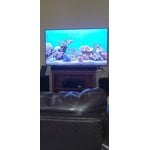
The 43” Samsung fits well on top of our living room corner cabinet and delivers a double power punch of outstanding sound and visuals.

Review from Samsung US
Helpful?1RMTE3JL1NV513893753801
Feb 5, 2025
Reviewer name: None
2 out of 5 stars
2 out of 5 stars review

Good picture

I bought this tv a month ago and I am not very happy with it. Very low volume. Can't hear it. Cannot get all my local channels.

Review from Samsung US
Helpful?1RMTE3JL1NV513893753801
reply from Samsung Advisor

Hi, Thank you for sharing your experience with the DU7200 TV. There are several volume features you can adjust, which may improve your audio experience. 1) Auto Volume automatically adjusts the sound to a certain level when changing channels or switching to another external input. Go to Settings > All Settings> Sound > Expert Settings > Auto Volume. 2) Adaptive Sound automatically adjusts to a specific volume level while watching TV. The TV analyzes your volume usage history by time period to automatically adjust the volume when you use an app or switch to an external input source. Go to Settings> All Settings> Sound> Sound Mode> Adaptive Sound. 3) Several Sound Modes are likewise available to meet your personal preferences: Home > Settings > All Settings> Sound > Sound Mode. Also, some sources have their own volume control, which might need to be set higher. Please check the volume control of the external device (cable box or satellite box, DVD, Blu-ray, etc.) connected to your TV. Also, check the cable connection between an external device and the TV and then try the cable connection again. If you’re not receiving all channels, first ensure that your coaxial cable is securely connected to the TV. Then, run Reset or Auto Program. • Home > Menu > Settings > All Settings > General & Privacy > Reset • Home > Menu > Settings > All Settings > Broadcasting > Auto Program I hope this helps. For further assistance, please contact Samsung Customer Support at 1-800-SAMSUNG, 8 AM - 12 AM EST, seven days a week. Or visit us on the Samsung website and click on the ‘Support’ link for: 1) LiveChat 2) Manuals, Software, & Warranty Info ~ Samsung Advisor

Feb 5, 2025
Reviewer name: David C
5 out of 5 stars
5 out of 5 stars review

Samsung 65” OLED TV

The picture quality of my new Samsung 65” OLEDTV is amazing. Everything about this TV has exceeded my expectations, picture / sound quality etc.

Review from Samsung US
Helpful?1RMTE3JL1NV513893753801
Apr 23, 2024
Reviewer name: Loveshop2024
5 out of 5 stars
5 out of 5 stars review

The product has a great feature and high hd

[This review was collected as part of a promotion.] For gaming movies streaming for everything I love samsung product..

Review from Samsung US
Helpful?1RMTE3JL1NV513893753801
Mar 6, 2025
Reviewer name: Izzy
4 out of 5 stars
4 out of 5 stars review

images

Very happy with my new TV. There's only one item that could be improved. That is the sound quality. Good value for the money.

Review from Samsung US
Helpful?1RMTE3JL1NV513893753801
Mar 5, 2025
Reviewer name: Jeff
4 out of 5 stars
4 out of 5 stars review

Review

Very satisfied with my TV. However, the sound volume is not as loud as it should be..especially when certain films shown have a very minimal volume.

Review from Samsung US
Helpful?1RMTE3JL1NV513893753801
Feb 5, 2025
Reviewer name: GoBison
5 out of 5 stars
5 out of 5 stars review

Great features!

Purchased the TV because we wanted a larger screen. Excellent color quality and ease of use. Sper easy to install; and set up!

Review from Samsung US
Helpful?1RMTE3JL1NV513893753801
Apr 12, 2025
Reviewer name: By the lake
5 out of 5 stars
5 out of 5 stars review

Great for the money

Had it for a month now and I am impressed by the bright picture and great colors every time I turn it on and you can use your phone to control it.

Review from Samsung US
Helpful?1RMTE3JL1NV513893753801
Mar 5, 2025
Reviewer name: Marty
5 out of 5 stars
5 out of 5 stars review

Great features smart tv

Great TV i have 5 of them. But the new ones are too hard to sign in. Why can't I just turn it on a watch TV. Why all the passwords and stuff. KISS

Review from Samsung US
Helpful?1RMTE3JL1NV513893753801
Nov 19, 2024
Reviewer name: Questions
5 out of 5 stars
5 out of 5 stars review

I love the samsung channels.

[This review was collected as part of a promotion.] A TV with the channels programmed in are amazing. Thanks 😊

Review from Samsung US
Helpful?1RMTE3JL1NV513893753801